
This is the arm64-v8a build of Microsoft Edge 139.0.3405.111 — the modern 64-bit ARM build that runs on virtually every Android phone released since 2017. It's smaller and faster than the universal variant because Android only loads the native code your CPU actually needs. If your phone is from the last 8 years, this is the right pick.
File size: 196.4 MB • Min Android: 29 • Target Android: 35 • Version code: 340511105 • Framework: Native (Java/Kotlin) • Permissions: 59
Screenshots
File Information
| Package Name | com.microsoft.emmx |
|---|---|
| Version Name | 139.0.3405.111 |
| Version Code | 340511105 |
| Architecture | arm64-v8a |
| Min Android Version | Android 29 (API 35) |
| Main Activity | com.microsoft.ruby.Main |
| Framework | Native (Java/Kotlin) |
| File Size | 196.39 MB |
| Signature (SHA1) | 3F640E279F63BCEA71082AE7E8C7EFA2DA014CAD |
| File Hash (SHA256) | b3f769486b2866a97794b6b63edabc1ed2d07d64c964896b64339fd8707d39cc |
What's New
Welcome to Microsoft Edge! Check out what's new in this release:
• Tab Management: Now you can search tabs, add tabs to group, and sync your tab groups to other devices.
• Download: New download hub delivering a clearer and more defined visual experience.
• Fixed some bugs and improved stability and performance.
Upgrade to the latest version and enjoy a smarter, more efficient Microsoft Edge!
• Tab Management: Now you can search tabs, add tabs to group, and sync your tab groups to other devices.
• Download: New download hub delivering a clearer and more defined visual experience.
• Fixed some bugs and improved stability and performance.
Upgrade to the latest version and enjoy a smarter, more efficient Microsoft Edge!
App Description
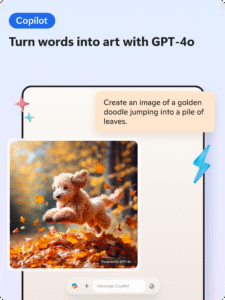
Microsoft Edge is your AI-powered browser with Copilot built in — your personal AI assistant for smarter, more productive browsing. Powered by the latest AI models from OpenAI and Microsoft, Copilot helps you ask questions, refine searches, summarize content, write effortlessly, and create images with DALL·E 3. Talk to Copilot with your voice to brainstorm ideas, tackle complex questions, or even write stories and scripts — hands-free. Get real-time answers, support, and creative inspiration — all in one place. With AI deeply integrated into Edge through Copilot, you can browse, create, and get things done — anywhere, anytime.
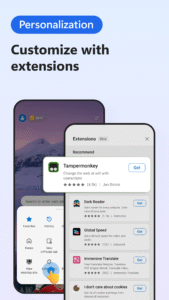
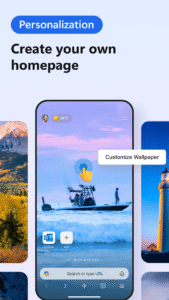
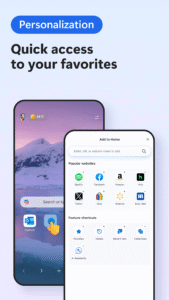
Enhance your browsing experience with extensions. You can now personalize your experience in Edge with extensions such as cookie management, speed control for videos and audios, and website theme customization.
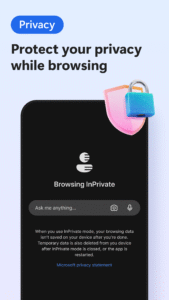
Browse the web securely and prioritize your privacy with smart security tools, such as tracking prevention, Microsoft Defender SmartScreen, AdBlock, InPrivate browsing and InPrivate search. Safeguard your browsing history for a more secure and private online experience.
MICROSOFT EDGE FEATURES:
🔍 A SMARTER WAY TO FIND
• Supercharge your searches with Copilot, the AI assistant built into Microsoft Edge, delivering faster, more accurate, and personalized results.
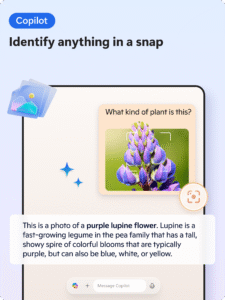
• Explore visually with Copilot — upload images to search, get insights, or spark inspiration with AI lens.
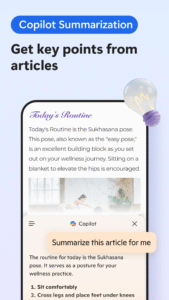
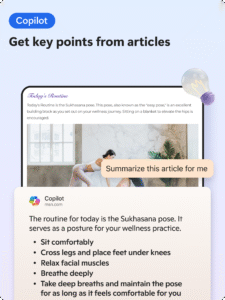
• Use AI-powered Copilot to instantly summarize web pages, PDFs, and videos — providing clear, cited insights in seconds.
• All powered by the most advanced AI models from OpenAI and Microsoft, enabling smarter information discovery like never before.
💡 A SMARTER WAY TO DO
• Talk to Copilot with your voice to brainstorm ideas, tackle complex questions, or even write stories and scripts — hands-free.
• Compose with Copilot — your built-in AI writer that transforms ideas into polished drafts. With AI and Copilot, creating content is faster, easier, and more intelligent than ever.
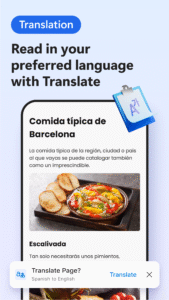
• Translate or proofread across multiple languages with AI, making your writing globally ready.
• Generate images with Copilot and DALL·E 3 — just describe what you want, and our AI brings it to life.
• Tailor your experience with powerful extensions that redefine how you browse.
• Listen to content while performing other tasks or improve your reading comprehension with Read Aloud, in your desired language. Available in a variety of natural-sounding voices and accents.
🔒 A SMARTER WAY TO STAY SAFE
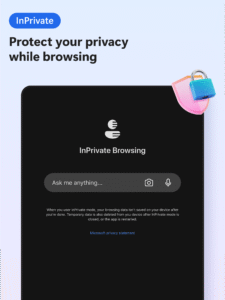
• Browse securely with InPrivate browsing that safeguards sensitive information from trackers.
• Enhanced privacy protection in InPrivate mode, with no search history saved to Microsoft Bing or associated with your Microsoft account.
• Password monitoring alerts you if any credentials saved in your browser are found on the dark web.
• Default tracking prevention for a more private browsing experience.
• Ad Blocker – use AdBlock Plus to block unwanted ads, enhance focus and remove distracting content.
• Stay protected while you browse by blocking phishing and malware attacks with Microsoft Defender SmartScreen.
Download Microsoft Edge — the AI browser with Copilot built in. Explore smarter ways to search, create, and get things done with the power of AI at your fingertips.
Enhance your browsing experience with extensions. You can now personalize your experience in Edge with extensions such as cookie management, speed control for videos and audios, and website theme customization.
Browse the web securely and prioritize your privacy with smart security tools, such as tracking prevention, Microsoft Defender SmartScreen, AdBlock, InPrivate browsing and InPrivate search. Safeguard your browsing history for a more secure and private online experience.
MICROSOFT EDGE FEATURES:
🔍 A SMARTER WAY TO FIND
• Supercharge your searches with Copilot, the AI assistant built into Microsoft Edge, delivering faster, more accurate, and personalized results.
• Explore visually with Copilot — upload images to search, get insights, or spark inspiration with AI lens.
• Use AI-powered Copilot to instantly summarize web pages, PDFs, and videos — providing clear, cited insights in seconds.
• All powered by the most advanced AI models from OpenAI and Microsoft, enabling smarter information discovery like never before.
💡 A SMARTER WAY TO DO
• Talk to Copilot with your voice to brainstorm ideas, tackle complex questions, or even write stories and scripts — hands-free.
• Compose with Copilot — your built-in AI writer that transforms ideas into polished drafts. With AI and Copilot, creating content is faster, easier, and more intelligent than ever.
• Translate or proofread across multiple languages with AI, making your writing globally ready.
• Generate images with Copilot and DALL·E 3 — just describe what you want, and our AI brings it to life.
• Tailor your experience with powerful extensions that redefine how you browse.
• Listen to content while performing other tasks or improve your reading comprehension with Read Aloud, in your desired language. Available in a variety of natural-sounding voices and accents.
🔒 A SMARTER WAY TO STAY SAFE
• Browse securely with InPrivate browsing that safeguards sensitive information from trackers.
• Enhanced privacy protection in InPrivate mode, with no search history saved to Microsoft Bing or associated with your Microsoft account.
• Password monitoring alerts you if any credentials saved in your browser are found on the dark web.
• Default tracking prevention for a more private browsing experience.
• Ad Blocker – use AdBlock Plus to block unwanted ads, enhance focus and remove distracting content.
• Stay protected while you browse by blocking phishing and malware attacks with Microsoft Defender SmartScreen.
Download Microsoft Edge — the AI browser with Copilot built in. Explore smarter ways to search, create, and get things done with the power of AI at your fingertips.
Download Microsoft Edge APK
Fast, free and safe download.
APK Permissions 59
- android.permission.ACCESS_COARSE_LOCATION
- android.permission.ACCESS_FINE_LOCATION
- android.permission.ACCESS_NETWORK_STATE
- android.permission.ACCESS_WIFI_STATE
- android.permission.AUTHENTICATE_ACCOUNTS
- android.permission.CALL_PHONE
- android.permission.CAMERA
- android.permission.CREDENTIAL_MANAGER_QUERY_CANDIDATE_CREDENTIALS
- android.permission.CREDENTIAL_MANAGER_SET_ALLOWED_PROVIDERS
- android.permission.CREDENTIAL_MANAGER_SET_ORIGIN
- android.permission.DETECT_SCREEN_CAPTURE
- android.permission.DOWNLOAD_WITHOUT_NOTIFICATION
- android.permission.FLASHLIGHT
- android.permission.FOREGROUND_SERVICE
- android.permission.FOREGROUND_SERVICE_DATA_SYNC
- android.permission.FOREGROUND_SERVICE_MEDIA_PLAYBACK
- android.permission.FOREGROUND_SERVICE_MEDIA_PROJECTION
- android.permission.FOREGROUND_SERVICE_MICROPHONE
- android.permission.GET_ACCOUNTS
- android.permission.HIGH_SAMPLING_RATE_SENSORS
- android.permission.INTERNET
- android.permission.MANAGE_ACCOUNTS
- android.permission.MODIFY_AUDIO_SETTINGS
- android.permission.NFC
- android.permission.POST_NOTIFICATIONS
- android.permission.QUERY_ALL_PACKAGES
- android.permission.READ_CALENDAR
- android.permission.READ_CONTACTS
- android.permission.READ_EXTERNAL_STORAGE
- android.permission.READ_PHONE_STATE
- android.permission.RECEIVE_BOOT_COMPLETED
- android.permission.RECEIVE_SMS
- android.permission.RECORD_AUDIO
- android.permission.RUN_USER_INITIATED_JOBS
- android.permission.SEND_SMS
- android.permission.USE_BIOMETRIC
- android.permission.USE_CREDENTIALS
- android.permission.USE_FINGERPRINT
- android.permission.VIBRATE
- android.permission.WAKE_LOCK
- android.permission.WRITE_CALENDAR
- android.permission.WRITE_EXTERNAL_STORAGE
- com.android.alarm.permission.SET_ALARM
- com.android.launcher.permission.INSTALL_SHORTCUT
- com.android.vending.BILLING
- com.asus.msa.SupplementaryDID.ACCESS
- com.chrome.permission.DEVICE_EXTRAS
- com.google.android.apps.now.CURRENT_ACCOUNT_ACCESS
- com.google.android.c2dm.permission.RECEIVE
- com.google.android.finsky.permission.BIND_GET_INSTALL_REFERRER_SERVICE
- com.google.android.gms.permission.AD_ID
- com.google.android.providers.gsf.permission.READ_GSERVICES
- com.microsoft.emmx.permission.C2D_MESSAGE
- com.microsoft.emmx.permission.PROCESS_PUSH_MSG
- com.microsoft.emmx.permission.PUSH_PROVIDER
- com.microsoft.emmx.permission.READ_WRITE_BOOKMARK_FOLDERS
- com.microsoft.emmx.TOS_ACKED
- com.orange.update.permission.READ_ATTRIBUTION
- freemme.permission.msa
APK Verified
The cryptographic signature guarantees that the file is safe to install and was not tampered with in any way.
Similar in Communication


Frequently Asked Questions about Microsoft Edge APK
This variant is built for 64-bit ARM (most Android phones made since 2017). If your device's CPU matches, this is the smallest, fastest version to install.
Yes — the APK's signature has been cryptographically verified against the publisher's signing key. The SHA-256 hash is shown in the File Information panel so you can independently confirm the file matches the original release.
Android 29 (API level 35) or newer. Older devices will refuse the install.
Install a free app like 'CPU-Z' or 'Droid Hardware Info' from the Play Store and look at the ABI / Instruction Set row. Most phones made after 2017 are arm64-v8a; if in doubt, download the universal variant.
All variants are functionally identical — same features, same version. They differ only in which CPU architectures the native code is compiled for, and (sometimes) which screen densities the included graphics target. Pick the one that matches your device for the smallest install size, or pick 'Universal' if you're unsure.