
Download Windows App APK 10.0.20.1335 arm64-v8a, armeabi-v7a, x86_64 · Android 28+
Download APK
Verified Safe
This is the arm64-v8a, armeabi-v7a, x86_64 build of Windows App 10.0.20.1335. Pick this build if your device's primary ABI matches.
File size: 67.8 MB • Min Android: 28 • Target Android: 34 • Version code: 10006 • Framework: Native (Java/Kotlin) • Permissions: 16
Screenshots
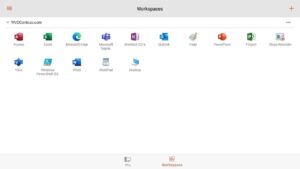
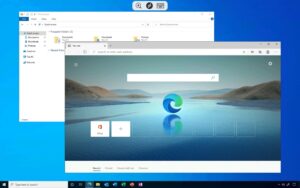
File Information
| Package Name | com.microsoft.rdc.androidx |
|---|---|
| Version Name | 10.0.20.1335 |
| Version Code | 10006 |
| Architecture | arm64-v8a, armeabi-v7a, x86_64 |
| Min Android Version | Android 28 (API 34) |
| Main Activity | com.microsoft.rdc.ui.activities.HomeActivity |
| Framework | Native (Java/Kotlin) |
| File Size | 67.81 MB |
| Signature (SHA1) | 0005DFA128DCE16264AAE61141F2ED2B688AA14D |
| File Hash (SHA256) | b9b9ced9a8e72ce7999099a789c2ebe6dcba0295bd312a22f04bbdf543391a3c |
What's New
New Additions
• Notifications alerting users about upgrade to Windows App starting Apr ‘25.
• Bug fixes, performance improvements
Announcements
Starting April 2025, the RD Client will to upgrade to Windows App. Users will enjoy the same functionality and connectivity to Remote Desktop, Remote Desktop Services, Windows 365, Azure Virtual Desktop and more, with added features. Users can access the upgrade through the Google Play Store. Visit aka.ms/WindowsApp for more information.
• Notifications alerting users about upgrade to Windows App starting Apr ‘25.
• Bug fixes, performance improvements
Announcements
Starting April 2025, the RD Client will to upgrade to Windows App. Users will enjoy the same functionality and connectivity to Remote Desktop, Remote Desktop Services, Windows 365, Azure Virtual Desktop and more, with added features. Users can access the upgrade through the Google Play Store. Visit aka.ms/WindowsApp for more information.
App Description
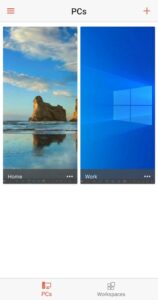
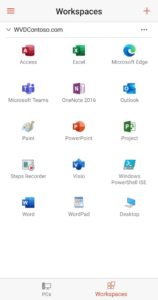
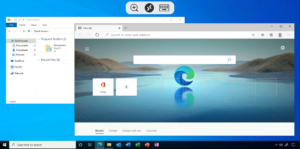
Use Microsoft Remote Desktop for Android to connect to Azure Virtual Desktop, Windows 365, admin-provided virtual apps and desktops, or remote PCs. With Microsoft Remote Desktop, you can be productive no matter where you are.
GET STARTED
Configure your PC for remote access using the information at
aka.ms/rdsetup
.
Learn about our other Remote Desktop clients at
aka.ms/rdclients
.
KEY FEATURES
• Access remote PCs running Windows Professional or Enterprise and Windows Server.
• Access managed resources published by your admin.Connect through a Remote Desktop Gateway.
• Rich multi-touch experience supporting Windows gestures.
• Secure connection to your data and applications.
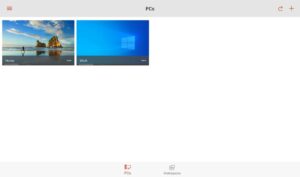
• Simple management of your connections and user account from the Connection Center.
• Audio and video streaming.
• Redirect your clipboard and local storage.
Submit feedback at
aka.ms/avdandroidclientfeedback
GET STARTED
Configure your PC for remote access using the information at
aka.ms/rdsetup
.
Learn about our other Remote Desktop clients at
aka.ms/rdclients
.
KEY FEATURES
• Access remote PCs running Windows Professional or Enterprise and Windows Server.
• Access managed resources published by your admin.Connect through a Remote Desktop Gateway.
• Rich multi-touch experience supporting Windows gestures.
• Secure connection to your data and applications.
• Simple management of your connections and user account from the Connection Center.
• Audio and video streaming.
• Redirect your clipboard and local storage.
Submit feedback at
aka.ms/avdandroidclientfeedback
Download Windows App APK
Fast, free and safe download.
APK Permissions 16
- android.permission.ACCESS_COARSE_LOCATION
- android.permission.ACCESS_DOWNLOAD_MANAGER
- android.permission.ACCESS_FINE_LOCATION
- android.permission.ACCESS_NETWORK_STATE
- android.permission.ACCESS_WIFI_STATE
- android.permission.CAMERA
- android.permission.FOREGROUND_SERVICE
- android.permission.FOREGROUND_SERVICE_DATA_SYNC
- android.permission.INTERNET
- android.permission.MANAGE_EXTERNAL_STORAGE
- android.permission.NFC
- android.permission.RECORD_AUDIO
- android.permission.WAKE_LOCK
- android.permission.WRITE_EXTERNAL_STORAGE
- com.google.android.finsky.permission.BIND_GET_INSTALL_REFERRER_SERVICE
- com.microsoft.rdc.androidx.DYNAMIC_RECEIVER_NOT_EXPORTED_PERMISSION
APK Verified
The cryptographic signature guarantees that the file is safe to install and was not tampered with in any way.
Similar in Business


Frequently Asked Questions about Windows App APK
This variant is built for devices that report `arm64-v8a, armeabi-v7a, x86_64` as their primary ABI. If your device's CPU matches, this is the smallest, fastest version to install.
Yes — the APK's signature has been cryptographically verified against the publisher's signing key. The SHA-256 hash is shown in the File Information panel so you can independently confirm the file matches the original release.
Android 28 (API level 34) or newer. Older devices will refuse the install.
Install a free app like 'CPU-Z' or 'Droid Hardware Info' from the Play Store and look at the ABI / Instruction Set row. Most phones made after 2017 are arm64-v8a; if in doubt, download the universal variant.
All variants are functionally identical — same features, same version. They differ only in which CPU architectures the native code is compiled for, and (sometimes) which screen densities the included graphics target. Pick the one that matches your device for the smallest install size, or pick 'Universal' if you're unsure.