
Download Microsoft Teams 1416/1.0.0.2025232403 beta (120-640dpi) (Android 11+) APK 1416/1.0.0.2025181303 Universal · Android 30+
This is the universal build of Microsoft Teams 1416/1.0.0.2025232403 beta (120-640dpi) (Android 11+) 1416/1.0.0.2025181303. It contains native libraries for every CPU architecture (arm64-v8a, armeabi-v7a, x86, x86_64), so it installs on any Android device. The trade-off is size — it's larger than per-architecture variants. Pick this one if you're unsure which CPU your phone has, or if you plan to share the APK with multiple devices.
File size: 163.1 MB • Min Android: 30 • Target Android: 35 • Version code: 2025181335 • Framework: Native (Java/Kotlin) • Permissions: 73
Screenshots



File Information
| Package Name | com.microsoft.teams |
|---|---|
| Version Name | 1416/1.0.0.2025181303 |
| Version Code | 2025181335 |
| Architecture | Universal |
| Min Android Version | Android 30 (API 35) |
| Main Activity | com.microsoft.skype.teams.Launcher |
| Framework | Native (Java/Kotlin) |
| File Size | 163.06 MB |
| Signature (SHA1) | FBB0BECDEA8A445F3A4762659F207DEF66CC4CAD |
| File Hash (SHA256) | e7b2c94121078a8313f01503f437c6c43b4e55aed84e13de6b4203a58c6ddf44 |
What's New
App Description
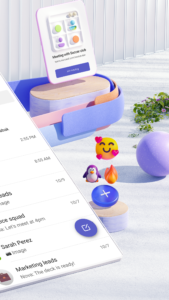
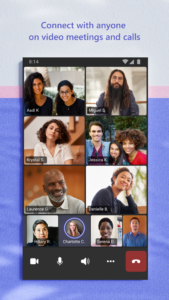
Easily connect with anyone:
• Skype is now part of Teams. Continue where you left off with your chats, calls and contacts in Microsoft Teams Free.
• Meet securely with communities, teammates, family, or friends.
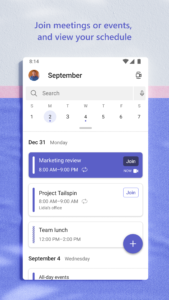
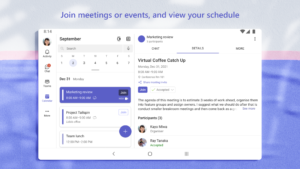
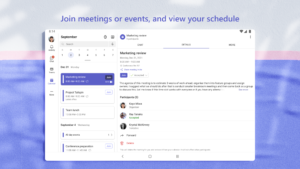
• Set up a meeting within seconds and invite anyone by sharing a link or calendar invite.
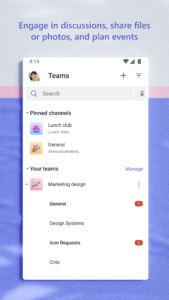
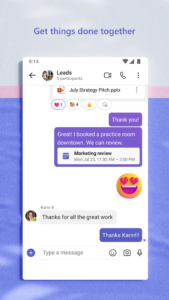
• Chat 1-1 or to your entire community, @mention people in chats to get their attention.
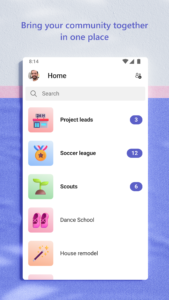
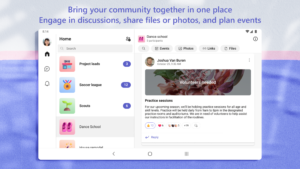
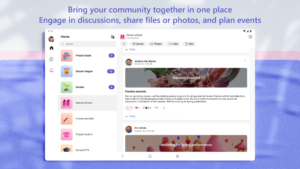
• Create a dedicated community to discuss specific topics and make plans*.
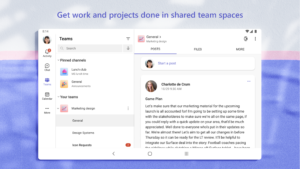
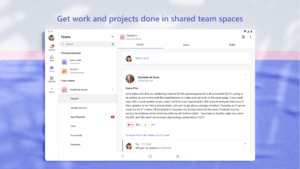
• Work closely and collaborate by keeping conversations organized by specific topics and projects with teams and channels.
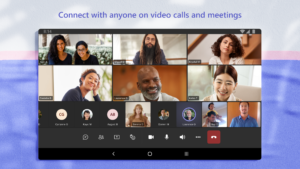
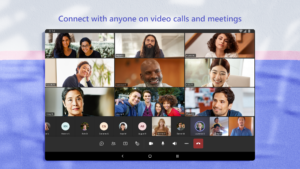
• Video or audio call anyone directly in Teams or instantly convert a group chat to a call.
• Use GIFs, emojis, and message animations to express yourself when words aren’t enough.
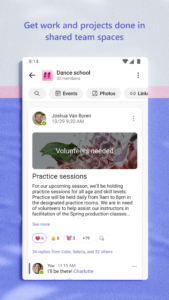
Accomplish plans and projects together:
• Send photos and videos in chats to quickly and easily share important moments.
• Use cloud storage to access shared documents and files on the go.
• Organize shared content in a community — events, photos, links, files —so you don’t have to waste time searching*.
• Get the most out of your meetings by using screenshare, whiteboard, or breakout in virtual rooms.
• Manage access to information and ensure the right people have access to the right info, even when people join and leave projects.
• Use task lists to stay on top of projects and plans - assign tasks, set due dates, and cross off items to keep everyone on the same page.
Designed to give you peace of mind:
• Securely collaborate with others while maintaining control over your data.
• Keep communities safe by allowing owners to remove inappropriate content or members*.
• Enterprise-level security and compliance you expect from Microsoft 365**.
*Available when using Microsoft Teams with your Microsoft account.
**Commercial features of this app require a paid Microsoft 365 commercial subscription or a trial subscription of Microsoft Teams for work. If you’re not sure about your company’s subscription or the services you have access to, visit Office.com/Teams to learn more or contact your IT department.
By downloading Teams, you agree to the license (see aka.ms/eulateamsmobile) and privacy terms (see aka.ms/privacy). For support or feedback, email us at
mtiosapp@microsoft.com
. EU Contract Summary: aka.ms/EUContractSummary
Consumer Health Data Privacy Policy
go.microsoft.com/fwlink/?linkid=2259814
Fast, free and safe download.
APK Permissions 73
- android.permission.ACCESS_COARSE_LOCATION
- android.permission.ACCESS_FINE_LOCATION
- android.permission.ACCESS_NETWORK_STATE
- android.permission.ACCESS_WIFI_STATE
- android.permission.AUTHENTICATE_ACCOUNTS
- android.permission.BLUETOOTH
- android.permission.BLUETOOTH_ADMIN
- android.permission.BLUETOOTH_ADVERTISE
- android.permission.BLUETOOTH_CONNECT
- android.permission.BLUETOOTH_PRIVILEGED
- android.permission.BLUETOOTH_SCAN
- android.permission.CALL_PHONE
- android.permission.CAMERA
- android.permission.CHANGE_NETWORK_STATE
- android.permission.DETECT_SCREEN_CAPTURE
- android.permission.FOREGROUND_SERVICE
- android.permission.FOREGROUND_SERVICE_CONNECTED_DEVICE
- android.permission.FOREGROUND_SERVICE_DATA_SYNC
- android.permission.FOREGROUND_SERVICE_MEDIA_PLAYBACK
- android.permission.FOREGROUND_SERVICE_MEDIA_PROJECTION
- android.permission.FOREGROUND_SERVICE_MICROPHONE
- android.permission.FOREGROUND_SERVICE_PHONE_CALL
- android.permission.FOREGROUND_SERVICE_SPECIAL_USE
- android.permission.GET_ACCOUNTS
- android.permission.INTERNET
- android.permission.LOCAL_MAC_ADDRESS
- android.permission.MANAGE_ACCOUNTS
- android.permission.MANAGE_OWN_CALLS
- android.permission.MODIFY_AUDIO_SETTINGS
- android.permission.NFC
- android.permission.POST_NOTIFICATIONS
- android.permission.READ_APP_BADGE
- android.permission.READ_CONTACTS
- android.permission.READ_EXTERNAL_STORAGE
- android.permission.READ_MEDIA_AUDIO
- android.permission.READ_MEDIA_IMAGES
- android.permission.READ_MEDIA_VIDEO
- android.permission.READ_MEDIA_VISUAL_USER_SELECTED
- android.permission.READ_PHONE_STATE
- android.permission.RECEIVE_BOOT_COMPLETED
- android.permission.RECORD_AUDIO
- android.permission.REORDER_TASKS
- android.permission.REQUEST_IGNORE_BATTERY_OPTIMIZATIONS
- android.permission.SCHEDULE_EXACT_ALARM
- android.permission.SYSTEM_ALERT_WINDOW
- android.permission.USE_CREDENTIALS
- android.permission.USE_FULL_SCREEN_INTENT
- android.permission.VIBRATE
- android.permission.WAKE_LOCK
- android.permission.WRITE_CONTACTS
- android.permission.WRITE_EXTERNAL_STORAGE
- com.anddoes.launcher.permission.UPDATE_COUNT
- com.android.vending.BILLING
- com.google.android.c2dm.permission.RECEIVE
- com.google.android.finsky.permission.BIND_GET_INSTALL_REFERRER_SERVICE
- com.htc.launcher.permission.READ_SETTINGS
- com.htc.launcher.permission.UPDATE_SHORTCUT
- com.huawei.android.launcher.permission.CHANGE_BADGE
- com.huawei.android.launcher.permission.READ_SETTINGS
- com.huawei.android.launcher.permission.WRITE_SETTINGS
- com.majeur.launcher.permission.UPDATE_BADGE
- com.microsoft.intune.aospagent.teamsipc.intune.permission.CALL_INTUNE_IPC
- com.microsoft.permission.LOCAL_MAC_ADDRESS
- com.microsoft.teams.DYNAMIC_RECEIVER_NOT_EXPORTED_PERMISSION
- com.oppo.launcher.permission.READ_SETTINGS
- com.oppo.launcher.permission.WRITE_SETTINGS
- com.sec.android.provider.badge.permission.READ
- com.sec.android.provider.badge.permission.WRITE
- com.sonyericsson.home.permission.BROADCAST_BADGE
- com.sonymobile.home.permission.PROVIDER_INSERT_BADGE
- Manifest.permission.CAPTURE_AUDIO_OUTPUT
- me.everything.badger.permission.BADGE_COUNT_READ
- me.everything.badger.permission.BADGE_COUNT_WRITE
APK Verified
The cryptographic signature guarantees that the file is safe to install and was not tampered with in any way.


