
Download Microsoft To Do: Lists & Tasks APK 2.143.935.04 x86_64 · Android 26+
Download APK
Verified Safe
This is the x86_64 build of Microsoft To Do: Lists & Tasks 2.143.935.04. Intel-architecture builds are useful for Android emulators (BlueStacks, NoxPlayer, Android Studio AVD), Chromebooks running ARC, and the small number of Intel-CPU Android phones. Most physical Android phones should download the ARM variant instead.
File size: 26.7 MB • Min Android: 26 • Target Android: 34 • Version code: 939 • Framework: React Native • Permissions: 24
Screenshots


File Information
| Package Name | com.microsoft.todos |
|---|---|
| Version Name | 2.143.935.04 |
| Version Code | 939 |
| Architecture | x86_64 |
| Min Android Version | Android 26 (API 34) |
| Main Activity | com.microsoft.todos.ui.LaunchActivity |
| Framework | React Native |
| File Size | 26.72 MB |
| Signature (SHA1) | 20183796AB8B63ADD2BC4EBF512008BA6279CB42 |
| File Hash (SHA256) | 259e8f4c7a5793c25ea860ae93e1f836e65713bc8ec21552f13a1d2391c5e288 |
What's New
We've addressed several bugs to improve security and enhance the overall app experience
App Description
Microsoft To Do is a task management app to help you stay organized and manage your day-to-day. You can use Microsoft To Do to make shopping lists or task lists, take notes, record collections, plan an event, or set reminders to increase your productivity and focus on what matters to you. Microsoft To Do makes it easy to stay organized and manage your life.
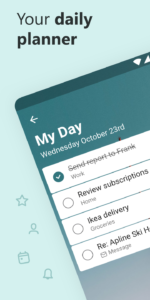
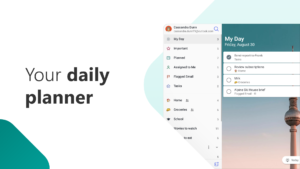
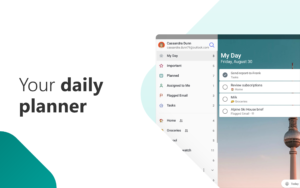
Accomplish what's meaningful and important to you each day with My Day and Suggestions, your personalized daily planner tools. Intelligent suggestions recommend tasks from across your lists that may be relevant for the day. From grocery lists to housecleaning routines, daily tasks are simple with To Do. When you're quickly switching between contexts and tasks, it's important to have tools that help you achieve what matters. Microsoft To Do helps you quickly capture and retrieve your lists and tasks across devices and between multiple accounts.
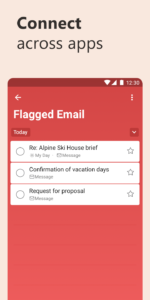
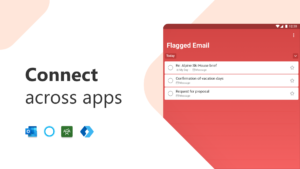
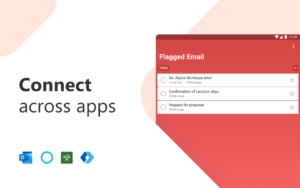
Capture tasks from different Microsoft apps and services and sync them with Microsoft To Do. Flag emails as tasks in Outlook or any email account hosted by Microsoft, add to lists with Cortana, and see tasks assigned to you from Microsoft Planner. Get peace of mind knowing that your tasks and lists are hosted on the Microsoft 365 service – one of the most reliable services with industry-leading security offerings.
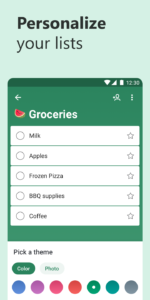
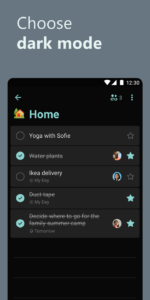
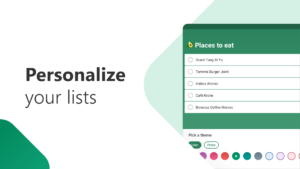
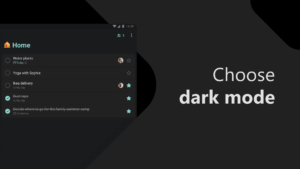
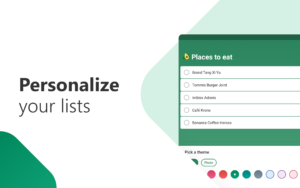
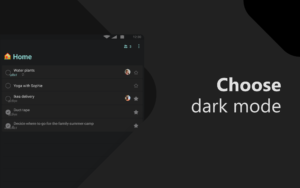
Microsoft To Do’s modern, easy-to-use experience makes your lists unique, with customizable features like emoji in lists, colorful themes, dark mode, and more. Plus, shared lists help you stay connected and collaborate with family, friends, and colleagues.
Microsoft To Do features:
Daily planner
• A daily planner personalized with suggested tasks: My Day
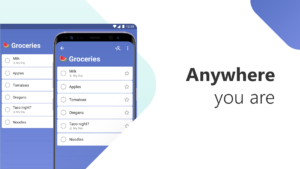
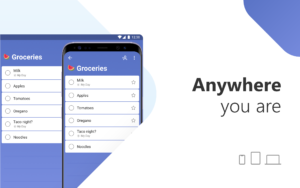
• To do lists are accessible anywhere, on any device
• Share lists and assign tasks with your friends, family, colleagues, and classmates
• Task management features break your tasks into manageable steps
• Take notes to add to any task
• Group lists together by topic or project
Task manager
• Add reminders, tasks and lists with the To Do widget
• Daily organizer personalized with bold and colorful backgrounds
• Reminders with one-time or recurring due dates
• Make task lists and switch between school, work, and personal lists
• Attach up to 25 MB of files to any task
To Do lists for any purpose
• Bill planner
• Shopping list
• Reminders
• Task management
• Take notes
• And more
Office 365 integration
• Sync reminders and task lists between Outlook and To Do
• Lists and tasks are hosted with the security of Microsoft 365
• Task lists are compiled from the apps and services across Microsoft 365
• Add multiple Microsoft accounts
Microsoft To Do helps you organize and simplify your plans, whether it's for work, school, or home.
To Do is free and available across the web and iOS, Mac, Android, and Windows devices.
Learn more:
to-do.microsoft.com
Follow us on Twitter: @MicrosoftToDo
Need support?
todosupport.microsoft.com/support?product_id=todo
By installing Microsoft To Do, you agree to the Microsoft Terms of Use:
go.microsoft.com/fwlink/?linkid=842575
Accomplish what's meaningful and important to you each day with My Day and Suggestions, your personalized daily planner tools. Intelligent suggestions recommend tasks from across your lists that may be relevant for the day. From grocery lists to housecleaning routines, daily tasks are simple with To Do. When you're quickly switching between contexts and tasks, it's important to have tools that help you achieve what matters. Microsoft To Do helps you quickly capture and retrieve your lists and tasks across devices and between multiple accounts.
Capture tasks from different Microsoft apps and services and sync them with Microsoft To Do. Flag emails as tasks in Outlook or any email account hosted by Microsoft, add to lists with Cortana, and see tasks assigned to you from Microsoft Planner. Get peace of mind knowing that your tasks and lists are hosted on the Microsoft 365 service – one of the most reliable services with industry-leading security offerings.
Microsoft To Do’s modern, easy-to-use experience makes your lists unique, with customizable features like emoji in lists, colorful themes, dark mode, and more. Plus, shared lists help you stay connected and collaborate with family, friends, and colleagues.
Microsoft To Do features:
Daily planner
• A daily planner personalized with suggested tasks: My Day
• To do lists are accessible anywhere, on any device
• Share lists and assign tasks with your friends, family, colleagues, and classmates
• Task management features break your tasks into manageable steps
• Take notes to add to any task
• Group lists together by topic or project
Task manager
• Add reminders, tasks and lists with the To Do widget
• Daily organizer personalized with bold and colorful backgrounds
• Reminders with one-time or recurring due dates
• Make task lists and switch between school, work, and personal lists
• Attach up to 25 MB of files to any task
To Do lists for any purpose
• Bill planner
• Shopping list
• Reminders
• Task management
• Take notes
• And more
Office 365 integration
• Sync reminders and task lists between Outlook and To Do
• Lists and tasks are hosted with the security of Microsoft 365
• Task lists are compiled from the apps and services across Microsoft 365
• Add multiple Microsoft accounts
Microsoft To Do helps you organize and simplify your plans, whether it's for work, school, or home.
To Do is free and available across the web and iOS, Mac, Android, and Windows devices.
Learn more:
to-do.microsoft.com
Follow us on Twitter: @MicrosoftToDo
Need support?
todosupport.microsoft.com/support?product_id=todo
By installing Microsoft To Do, you agree to the Microsoft Terms of Use:
go.microsoft.com/fwlink/?linkid=842575
Download Microsoft To Do: Lists & Tasks APK
Fast, free and safe download.
APK Permissions 24
- android.permission.ACCESS_NETWORK_STATE
- android.permission.ACCESS_WIFI_STATE
- android.permission.FOREGROUND_SERVICE
- android.permission.FOREGROUND_SERVICE_DATA_SYNC
- android.permission.FOREGROUND_SERVICE_REMOTE_MESSAGING
- android.permission.GET_ACCOUNTS
- android.permission.INTERNET
- android.permission.MANAGE_ACCOUNTS
- android.permission.NFC
- android.permission.POST_NOTIFICATIONS
- android.permission.READ_EXTERNAL_STORAGE
- android.permission.READ_MEDIA_AUDIO
- android.permission.READ_MEDIA_IMAGES
- android.permission.READ_MEDIA_VIDEO
- android.permission.READ_MEDIA_VISUAL_USER_SELECTED
- android.permission.RECEIVE_BOOT_COMPLETED
- android.permission.SCHEDULE_EXACT_ALARM
- android.permission.SEND_DOWNLOAD_COMPLETED_INTENTS
- android.permission.USE_CREDENTIALS
- android.permission.VIBRATE
- android.permission.WAKE_LOCK
- com.google.android.c2dm.permission.RECEIVE
- com.google.android.finsky.permission.BIND_GET_INSTALL_REFERRER_SERVICE
- com.microsoft.todos.DYNAMIC_RECEIVER_NOT_EXPORTED_PERMISSION
APK Verified
The cryptographic signature guarantees that the file is safe to install and was not tampered with in any way.
Other Variants
This release has multiple variants (e.g. diff architectures).
arm64-v8a armeabi-v7a x86Similar in Productivity


Frequently Asked Questions about Microsoft To Do: Lists & Tasks APK
This variant is built for 64-bit Intel (Android emulators, Chromebooks). If your device's CPU matches, this is the smallest, fastest version to install.
Yes — the APK's signature has been cryptographically verified against the publisher's signing key. The SHA-256 hash is shown in the File Information panel so you can independently confirm the file matches the original release.
Android 26 (API level 34) or newer. Older devices will refuse the install.
Install a free app like 'CPU-Z' or 'Droid Hardware Info' from the Play Store and look at the ABI / Instruction Set row. Most phones made after 2017 are arm64-v8a; if in doubt, download the universal variant.
All variants are functionally identical — same features, same version. They differ only in which CPU architectures the native code is compiled for, and (sometimes) which screen densities the included graphics target. Pick the one that matches your device for the smallest install size, or pick 'Universal' if you're unsure.