
This is the x86_64 build of Microsoft Copilot 16.0.19328.20130. Intel-architecture builds are useful for Android emulators (BlueStacks, NoxPlayer, Android Studio AVD), Chromebooks running ARC, and the small number of Intel-CPU Android phones. Most physical Android phones should download the ARM variant instead.
File size: 163.8 MB • Min Android: 33 • Target Android: 35 • Version code: 44834636 • Framework: React Native • Permissions: 46
Screenshots
File Information
| Package Name | com.microsoft.office.officehubrow |
|---|---|
| Version Name | 16.0.19328.20130 |
| Version Code | 44834636 |
| Architecture | x86_64 |
| Min Android Version | Android 33 (API 35) |
| Main Activity | com.microsoft.office.officesuite.OfficeSuiteActivity |
| Framework | React Native |
| File Size | 163.77 MB |
| Signature (SHA1) | 464FE87D17060838E59300C1472D6BEF074593A8 |
| File Hash (SHA256) | 1075a35594ee1b93726ec9cf45e1560bbeaf629964eda5e434849ebab8676a5f |
What's New
Thank you for using Office.
We regularly release updates to the app, which include great new features, as well as improvements for speed and reliability.
We regularly release updates to the app, which include great new features, as well as improvements for speed and reliability.
App Description
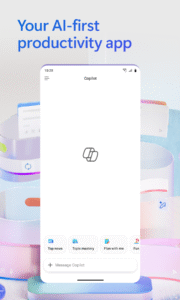
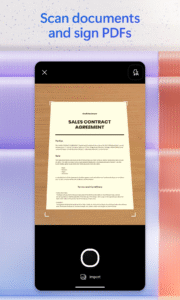
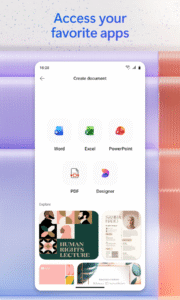
The Microsoft 365 Copilot app is your AI-first productivity app for work and home. It provides one place for you to chat with your AI assistant1, create and edit content, quickly find files, and access your favorite Microsoft 365 apps - helping you get more done, without doing more.
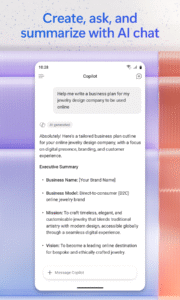
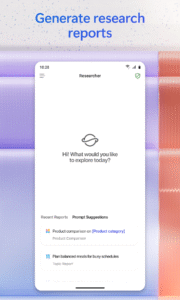
Chat with your AI assistant: Draft, summarize, analyze, and explore ideas with AI chat - plus, use agents to conduct research, manage photos, and more1.
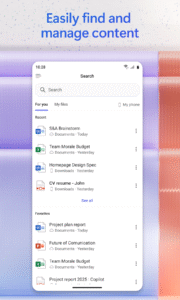
Find what matters fast: Find files and information with a streamlined search experience.
Keep everything in one place: Organize content and collaborate seamlessly with Copilot Pages and Notebooks2.
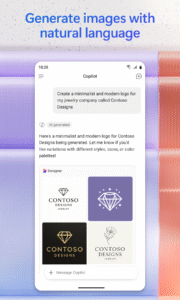
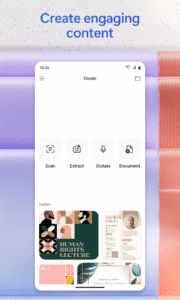
Turn ideas into polished content: Create images, posters, banners, videos, surveys and more with easy-to-use templates.
Sign in with your work, school, or personal Microsoft account to start using the free desktop app today. (Formerly the Microsoft 365 (Office) app)
(1) Copilot Chat in the Microsoft 365 Copilot app is available for Microsoft 365 Enterprise, Education, and Business Premium accounts, as well as Microsoft 365 Personal, Family, and Premium accounts. Availability is subject to currently supported regions and languages. Usage limits apply to AI features for Microsoft 365 Personal, Family, and Premium subscribers.
Some agent capabilities require specific licenses or may be disabled by your organization’s administrator. Researcher agent is available for Microsoft 365 Enterprise, Education, and Business Premium accounts with a Microsoft 365 Copilot license and Microsoft 365 Premium accounts. Photos agent is available for Microsoft 365 Premium accounts.
(2) Notebooks is available for Microsoft 365 Enterprise, Education, and Business Premium accounts with a Microsoft 365 Copilot license and Microsoft 365 Personal, Family, and Premium accounts.
Please refer to Microsoft's EULA for Terms of Service for Microsoft 365. By installing the app, you agree to these terms and conditions:
support.office.com/legal?llcc=en-gb&aid=SoftwareLicensingTerms_en-gb.htm
Chat with your AI assistant: Draft, summarize, analyze, and explore ideas with AI chat - plus, use agents to conduct research, manage photos, and more1.
Find what matters fast: Find files and information with a streamlined search experience.
Keep everything in one place: Organize content and collaborate seamlessly with Copilot Pages and Notebooks2.
Turn ideas into polished content: Create images, posters, banners, videos, surveys and more with easy-to-use templates.
Sign in with your work, school, or personal Microsoft account to start using the free desktop app today. (Formerly the Microsoft 365 (Office) app)
(1) Copilot Chat in the Microsoft 365 Copilot app is available for Microsoft 365 Enterprise, Education, and Business Premium accounts, as well as Microsoft 365 Personal, Family, and Premium accounts. Availability is subject to currently supported regions and languages. Usage limits apply to AI features for Microsoft 365 Personal, Family, and Premium subscribers.
Some agent capabilities require specific licenses or may be disabled by your organization’s administrator. Researcher agent is available for Microsoft 365 Enterprise, Education, and Business Premium accounts with a Microsoft 365 Copilot license and Microsoft 365 Premium accounts. Photos agent is available for Microsoft 365 Premium accounts.
(2) Notebooks is available for Microsoft 365 Enterprise, Education, and Business Premium accounts with a Microsoft 365 Copilot license and Microsoft 365 Personal, Family, and Premium accounts.
Please refer to Microsoft's EULA for Terms of Service for Microsoft 365. By installing the app, you agree to these terms and conditions:
support.office.com/legal?llcc=en-gb&aid=SoftwareLicensingTerms_en-gb.htm
Download Microsoft Copilot APK
Fast, free and safe download.
APK Permissions 46
- android.permission.ACCESS_NETWORK_STATE
- android.permission.ACCESS_WIFI_STATE
- android.permission.BLUETOOTH
- android.permission.CAMERA
- android.permission.FOREGROUND_SERVICE
- android.permission.FOREGROUND_SERVICE_DATA_SYNC
- android.permission.FOREGROUND_SERVICE_MEDIA_PLAYBACK
- android.permission.FOREGROUND_SERVICE_MICROPHONE
- android.permission.GET_PACKAGE_SIZE
- android.permission.HIGH_SAMPLING_RATE_SENSORS
- android.permission.INTERNET
- android.permission.MANAGE_EXTERNAL_STORAGE
- android.permission.MODIFY_AUDIO_SETTINGS
- android.permission.NFC
- android.permission.POST_NOTIFICATIONS
- android.permission.READ_EXTERNAL_STORAGE
- android.permission.READ_MEDIA_AUDIO
- android.permission.READ_MEDIA_IMAGES
- android.permission.READ_MEDIA_VIDEO
- android.permission.READ_MEDIA_VISUAL_USER_SELECTED
- android.permission.RECEIVE_BOOT_COMPLETED
- android.permission.RECORD_AUDIO
- android.permission.SET_WALLPAPER
- android.permission.SYSTEM_ALERT_WINDOW
- android.permission.VIBRATE
- android.permission.WAKE_LOCK
- android.permission.WRITE_EXTERNAL_STORAGE
- com.android.vending.BILLING
- com.google.android.c2dm.permission.RECEIVE
- com.google.android.finsky.permission.BIND_GET_INSTALL_REFERRER_SERVICE
- com.google.android.gms.permission.AD_ID
- com.microsoft.office.officehubrow.DYNAMIC_RECEIVER_NOT_EXPORTED_PERMISSION
- com.microsoft.office.officemobile.permission.ASK_FOR_STORAGE_PERMISSION
- com.microsoft.office.officemobile.permission.MOS_NOTIFICATION
- com.microsoft.office.officemobile.permission.NEEDS_ATTENTION
- com.microsoft.office.officemobile.permission.NOTIFICATION_CENTER_PUSH
- com.microsoft.office.officemobile.permission.NOTIFICATION_COUNTER_BASED_SIGN_IN_EXP
- com.microsoft.office.officemobile.permission.NOTIFICATION_DAY_BASED_SIGN_IN_EXP
- com.microsoft.office.officemobile.permission.NOTIFICATION_EXTERNAL_EVENT
- com.microsoft.office.officemobile.permission.NOTIFICATION_LENS
- com.microsoft.office.officemobile.permission.NOTIFICATION_MEETING_INSIGHT
- com.microsoft.office.officemobile.permission.NOTIFICATION_UNIVERSAL_PRINT
- com.microsoft.office.officemobile.permission.OFFICEMOBILE_PACKAGE_REPLACED
- com.microsoft.office.officemobile.permission.SCD_NOTIFICATION
- com.microsoft.office.officemobile.permission.SYSTEM_TIME_CHANGED
- com.microsoft.office.officemobile.permission.TRANSLATION_NOTIFICATION
APK Verified
The cryptographic signature guarantees that the file is safe to install and was not tampered with in any way.
Other Variants
This release has multiple variants (e.g. diff architectures).
arm64-v8a arm64-v8a armeabi-v7a x86 x86_64Similar in Productivity


Frequently Asked Questions about Microsoft Copilot APK
This variant is built for 64-bit Intel (Android emulators, Chromebooks). If your device's CPU matches, this is the smallest, fastest version to install.
Yes — the APK's signature has been cryptographically verified against the publisher's signing key. The SHA-256 hash is shown in the File Information panel so you can independently confirm the file matches the original release.
Android 33 (API level 35) or newer. Older devices will refuse the install.
Install a free app like 'CPU-Z' or 'Droid Hardware Info' from the Play Store and look at the ABI / Instruction Set row. Most phones made after 2017 are arm64-v8a; if in doubt, download the universal variant.
All variants are functionally identical — same features, same version. They differ only in which CPU architectures the native code is compiled for, and (sometimes) which screen densities the included graphics target. Pick the one that matches your device for the smallest install size, or pick 'Universal' if you're unsure.