
Download Microsoft Outlook Lite: Email APK 3.75.0-minApi22 arm64-v8a · Android 22+
Download APK
Verified Safe
This is the arm64-v8a build of Microsoft Outlook Lite: Email 3.75.0-minApi22 — the modern 64-bit ARM build that runs on virtually every Android phone released since 2017. It's smaller and faster than the universal variant because Android only loads the native code your CPU actually needs. If your phone is from the last 8 years, this is the right pick.
File size: 8.2 MB • Min Android: 22 • Target Android: 35 • Version code: 403750 • Framework: Native (Java/Kotlin) • Permissions: 15
Screenshots
File Information
| Package Name | com.microsoft.outlooklite |
|---|---|
| Version Name | 3.75.0-minApi22 |
| Version Code | 403750 |
| Architecture | arm64-v8a |
| Min Android Version | Android 22 (API 35) |
| Main Activity | com.microsoft.outlooklite.MainActivity |
| Framework | Native (Java/Kotlin) |
| File Size | 8.24 MB |
| Signature (SHA1) | 7DC83CD2ABE833560C2896626E307041C0DF3A7A |
| File Hash (SHA256) | 0b9f494dea16dab5529ce57f6b289847acacdffedf74ee16564b8817607723d6 |
What's New
Ability to take quick actions right from your notifications.
Now seamlessly add you Gmail accounts to Outlook Lite.
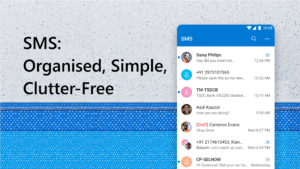
Access and manage your SMS messages directly within Outlook Lite (Available in India).
Now seamlessly add you Gmail accounts to Outlook Lite.
Access and manage your SMS messages directly within Outlook Lite (Available in India).
App Description
The mail app with everything. Microsoft Outlook Lite is your favorite inbox, calendar and contacts app in a lighter package. Manage your schedule through your calendars, read and send emails and manage your contacts. Navigate through your emails with enhanced performance, small size and lightning speed with Microsoft Outlook Lite, now optimized for low-resource phones including Android Go phones.
Never miss emails or meetings again. Microsoft Outlook Lite brings all of your favorite organization and planner features together all in one place, making your life easier than ever. Your inbox is always organized with flags and folders. Business email, school email or personal email, Outlook Lite will always protect and secure your emails and files with security for all your needs. Connect your email address from Outlook, Hotmail, other Microsoft accounts and Gmail. No matter your email address, stay in touch and avoid spam all with the help of Outlook Lite.
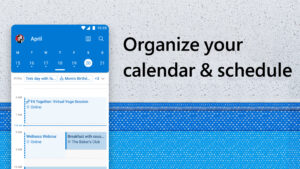
Calendars are no longer a mess. Microsoft Outlook Lite is your planner that connects with everything. Calendars, schedules and meetings can all be managed in one place. Organize your calendar and book meetings instantly. Join calls and manage your calendar directly within the app.
Having issues with other email apps? Never worry about your emails again. Use Outlook Lite to send secure mail on the go, even with limited connection. With a built-in spam blocker and security, you can rest easy knowing your inbox is organized and always protected.
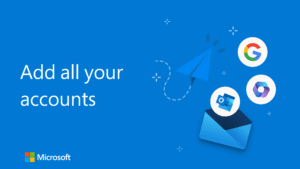
Get emails and organize your calendar from anywhere. Now you can connect your email accounts through Outlook Lite and stay connected on the go. Outlook Lite works with Outlook, Hotmail, Live, MSN, Microsoft Exchange Online and Google accounts.
Do more than any email app in a light and fast way on any network.
MANAGEMENT FOR EMAILS & CALENDARS WITH SMALL STORAGE
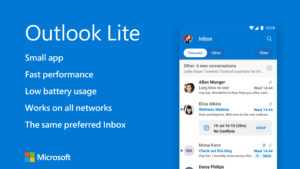
• Small – The lite app has a small download size and uses extremely low storage on your phone
• Fast - Optimized to run fast on all devices including devices with 1GB RAM
• Low Battery Usage - Light on your phone saving your battery
• All Networks - Works well even in 2G and 3G networks
OUTLOOK LITE FEATURES:
Email Manager – Enjoy an Organized Inbox
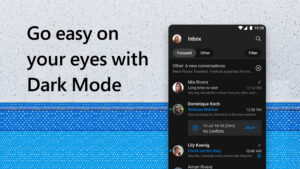
• Emails, organized for you: Read email, email friends and colleagues and see what matters the most.
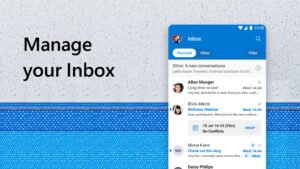
• Inbox organizer groups same subject emails & conversations for easier tracking in your inbox.
• Automatic email management: display the most important messages first with swipe gestures & smart filters.
• Organized inbox with custom flags, folders, and more for all kinds of email.
Planner & Calendar Organizer – Take Control of your Schedule
• Calendar management gives you the ability to plan your day
• Planner makes it easy to view, manage and schedule upcoming meetings
• Calendar gives you easy access to join online video calls and meetings with Skype
• Calendar and meeting invites are easy to RSVP from your inbox & send personalized comments.
Secure Mail with Spam Blocker & Email Protection – Safe & Secure
• Secure mail is built with security you can trust.
• Security with simple, secure sign-on to authenticate & protect your identity.
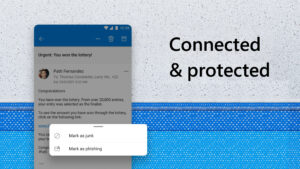
• Email app with built-in protection against viruses & spam email.
• Junk mail detection sends all potential threats to the folder.
• Advanced protection to keep your messages safe from phishing attacks & other online threats.
• Microsoft security & privacy keeps your email, calendar, contacts & files safe.
SMS Texts, Direct from your Email
• Send text messages directly from the email app
• Read and write any messages directly
• Organize your text message inbox into helpful categories
• Use messages to share your favorite articles or nearby places and engage with others while using the app
Consumer Health Data Privacy Policy:
go.microsoft.com/fwlink/?linkid=2259814
Never miss emails or meetings again. Microsoft Outlook Lite brings all of your favorite organization and planner features together all in one place, making your life easier than ever. Your inbox is always organized with flags and folders. Business email, school email or personal email, Outlook Lite will always protect and secure your emails and files with security for all your needs. Connect your email address from Outlook, Hotmail, other Microsoft accounts and Gmail. No matter your email address, stay in touch and avoid spam all with the help of Outlook Lite.
Calendars are no longer a mess. Microsoft Outlook Lite is your planner that connects with everything. Calendars, schedules and meetings can all be managed in one place. Organize your calendar and book meetings instantly. Join calls and manage your calendar directly within the app.
Having issues with other email apps? Never worry about your emails again. Use Outlook Lite to send secure mail on the go, even with limited connection. With a built-in spam blocker and security, you can rest easy knowing your inbox is organized and always protected.
Get emails and organize your calendar from anywhere. Now you can connect your email accounts through Outlook Lite and stay connected on the go. Outlook Lite works with Outlook, Hotmail, Live, MSN, Microsoft Exchange Online and Google accounts.
Do more than any email app in a light and fast way on any network.
MANAGEMENT FOR EMAILS & CALENDARS WITH SMALL STORAGE
• Small – The lite app has a small download size and uses extremely low storage on your phone
• Fast - Optimized to run fast on all devices including devices with 1GB RAM
• Low Battery Usage - Light on your phone saving your battery
• All Networks - Works well even in 2G and 3G networks
OUTLOOK LITE FEATURES:
Email Manager – Enjoy an Organized Inbox
• Emails, organized for you: Read email, email friends and colleagues and see what matters the most.
• Inbox organizer groups same subject emails & conversations for easier tracking in your inbox.
• Automatic email management: display the most important messages first with swipe gestures & smart filters.
• Organized inbox with custom flags, folders, and more for all kinds of email.
Planner & Calendar Organizer – Take Control of your Schedule
• Calendar management gives you the ability to plan your day
• Planner makes it easy to view, manage and schedule upcoming meetings
• Calendar gives you easy access to join online video calls and meetings with Skype
• Calendar and meeting invites are easy to RSVP from your inbox & send personalized comments.
Secure Mail with Spam Blocker & Email Protection – Safe & Secure
• Secure mail is built with security you can trust.
• Security with simple, secure sign-on to authenticate & protect your identity.
• Email app with built-in protection against viruses & spam email.
• Junk mail detection sends all potential threats to the folder.
• Advanced protection to keep your messages safe from phishing attacks & other online threats.
• Microsoft security & privacy keeps your email, calendar, contacts & files safe.
SMS Texts, Direct from your Email
• Send text messages directly from the email app
• Read and write any messages directly
• Organize your text message inbox into helpful categories
• Use messages to share your favorite articles or nearby places and engage with others while using the app
Consumer Health Data Privacy Policy:
go.microsoft.com/fwlink/?linkid=2259814
Download Microsoft Outlook Lite: Email APK
Fast, free and safe download.
APK Permissions 15
- android.permission.ACCESS_NETWORK_STATE
- android.permission.FOREGROUND_SERVICE
- android.permission.GET_ACCOUNTS
- android.permission.INTERNET
- android.permission.MODIFY_AUDIO_SETTINGS
- android.permission.NFC
- android.permission.POST_NOTIFICATIONS
- android.permission.READ_CONTACTS
- android.permission.RECEIVE_BOOT_COMPLETED
- android.permission.RECORD_AUDIO
- android.permission.WAKE_LOCK
- android.permission.WRITE_EXTERNAL_STORAGE
- com.google.android.c2dm.permission.RECEIVE
- com.google.android.finsky.permission.BIND_GET_INSTALL_REFERRER_SERVICE
- com.microsoft.outlooklite.DYNAMIC_RECEIVER_NOT_EXPORTED_PERMISSION
APK Verified
The cryptographic signature guarantees that the file is safe to install and was not tampered with in any way.
Other Variants
This release has multiple variants (e.g. diff architectures).
arm64-v8a armeabi-v7a x86 x86Similar in Productivity


Frequently Asked Questions about Microsoft Outlook Lite: Email APK
This variant is built for 64-bit ARM (most Android phones made since 2017). If your device's CPU matches, this is the smallest, fastest version to install.
Yes — the APK's signature has been cryptographically verified against the publisher's signing key. The SHA-256 hash is shown in the File Information panel so you can independently confirm the file matches the original release.
Android 22 (API level 35) or newer. Older devices will refuse the install.
Install a free app like 'CPU-Z' or 'Droid Hardware Info' from the Play Store and look at the ABI / Instruction Set row. Most phones made after 2017 are arm64-v8a; if in doubt, download the universal variant.
All variants are functionally identical — same features, same version. They differ only in which CPU architectures the native code is compiled for, and (sometimes) which screen densities the included graphics target. Pick the one that matches your device for the smallest install size, or pick 'Universal' if you're unsure.