
This is the x86 build of Microsoft Outlook 4.2534.2. Intel-architecture builds are useful for Android emulators (BlueStacks, NoxPlayer, Android Studio AVD), Chromebooks running ARC, and the small number of Intel-CPU Android phones. Most physical Android phones should download the ARM variant instead.
File size: 106.6 MB • Min Android: 28 • Target Android: 35 • Version code: 52534822 • Framework: React Native • Permissions: 57
Screenshots
File Information
| Package Name | com.microsoft.office.outlook |
|---|---|
| Version Name | 4.2534.2 |
| Version Code | 52534822 |
| Architecture | x86 |
| Min Android Version | Android 28 (API 35) |
| Main Activity | com.microsoft.office.outlook.MainActivity |
| Framework | React Native |
| File Size | 106.57 MB |
| Signature (SHA1) | 7DC83CD2ABE833560C2896626E307041C0DF3A7A |
| File Hash (SHA256) | 59c3276eec5d335c2a4bfdea9da3e5317d347554f0ccf3dc2bfc42e938fd4913 |
What's New
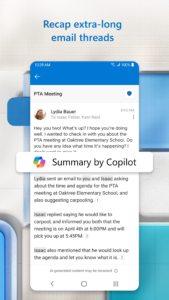
Copilot helps you prepare for your meeting in minutes by summarizing key documents, tasks, and past meetings.
App Description
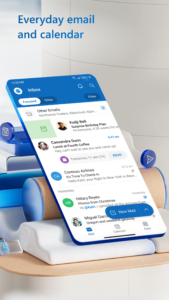
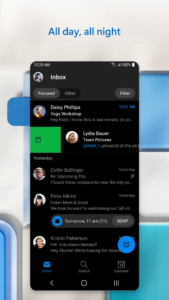
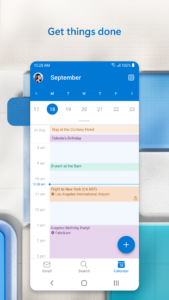
Connect and coordinate your busy life with Microsoft Outlook . Stay on top of your day through a secure email and calendar app that lets you manage your emails, files and calendar all in one place. Stay productive with whatever hits your inbox, whether it's from your work, school or your personal account. Organize your email intelligently, filtered into Focused and Other so you can easily see your most important messages. Keep your day organized by seeing multiple calendars at a glance.
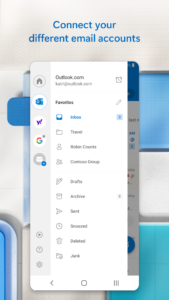
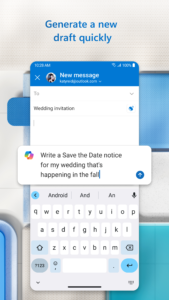
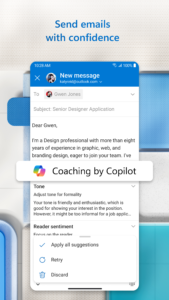
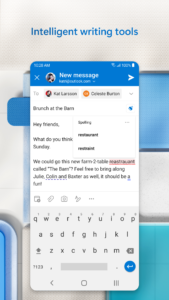
Outlook is free for personal use. You can connect your various accounts, like Microsoft Exchange, Microsoft 365, Outlook.com, Gmail, Yahoo Mail, iCloud and IMAP, giving you flexibility to stay connected on the go. Write polished, professional-quality emails with built-in intelligent editing tools for real-time typing suggestions, grammar, and spelling help. Send documents, photos, or video from your Files list, OneDrive, or your Gallery. Open Word, Excel, and PowerPoint documents right from your inbox.
Cut through daily noise and remove clutter with swipe gestures to delete, archive, snooze, or move to folders quickly. Flag important messages for follow-up or pin them to the top of your inbox. Listen to what’s new in your inbox, and find what you need with Search with a tap or your voice.
Stay protected from phishing and spam with Outlook’s enterprise-grade security. Connect with Teams, Skype, Zoom, or other video calling providers for any meeting on the go.
If it’s important, manage it with Microsoft Outlook.
Microsoft Outlook Includes:
Inbox for Everything All in One Place - Email, Contacts & Files
• Inbox access to everything you need, including other email providers. Manage your Gmail, Yahoo Mail, and iCloud inbox and calendars for free with Outlook
• Files are accessible right from your inbox, with connected experiences to Microsoft 365, Word, Excel, PowerPoint & OneNote. Access recent attachments from within Outlook, or attach links from OneDrive or other cloud storage
• Email organizer equipped with filters, folders & more. Easily filter out unwanted spam email
Planning & Calendar Management
• See your various calendars side by side to help you schedule your day
• Create and join your online video calls from Teams, Zoom, and Skype
• RSVP to invites from your inbox & send personalized comments
• Keep your weekly calendar and daily tasks organized with Outlook
Task Organizer & Productivity Solutions - Intelligence Everywhere
• Group same subject emails & conversations for easier tracking
• Use your voice to find people, contacts, emails, events & attachments with Search
• Use suggested replies to respond quickly
• Listen to emails with Play My Emails & catch up hands-free
• Calendar automatically updates with travel & delivery information
Security & Privacy - Protect your mailbox with enterprise-grade security
• Microsoft Outlook protects your files, emails and information with security you can trust
• Secure email app with built-in protection against viruses, phishing & spam email
• Encrypt emails to prevent forwarding when sending sensitive information (requires Microsoft 365 subscription)
The Microsoft Outlook mobile app is compatible with:
• Microsoft Exchange
• Microsoft 365
• Outlook.com, Hotmail.com, MSN.com, Live.com
• Gmail
• Yahoo Mail
• iCloud
• IMAP, POP3
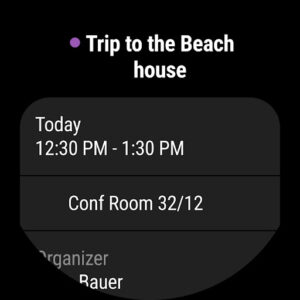
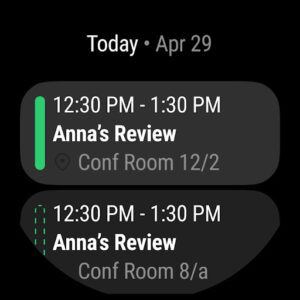
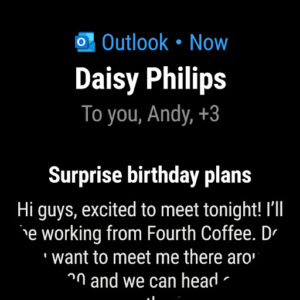
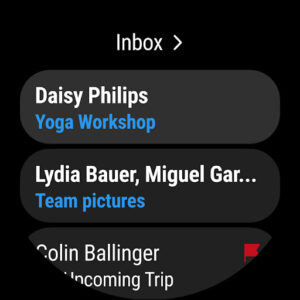
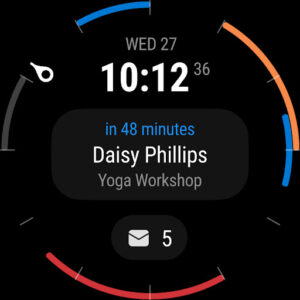
To see your emails and events at a glance, get the Outlook companion app - including a complication and tile - for Wear OS.
Consumer Health Data Privacy Policy:
go.microsoft.com/fwlink/?linkid=2259814
Outlook is free for personal use. You can connect your various accounts, like Microsoft Exchange, Microsoft 365, Outlook.com, Gmail, Yahoo Mail, iCloud and IMAP, giving you flexibility to stay connected on the go. Write polished, professional-quality emails with built-in intelligent editing tools for real-time typing suggestions, grammar, and spelling help. Send documents, photos, or video from your Files list, OneDrive, or your Gallery. Open Word, Excel, and PowerPoint documents right from your inbox.
Cut through daily noise and remove clutter with swipe gestures to delete, archive, snooze, or move to folders quickly. Flag important messages for follow-up or pin them to the top of your inbox. Listen to what’s new in your inbox, and find what you need with Search with a tap or your voice.
Stay protected from phishing and spam with Outlook’s enterprise-grade security. Connect with Teams, Skype, Zoom, or other video calling providers for any meeting on the go.
If it’s important, manage it with Microsoft Outlook.
Microsoft Outlook Includes:
Inbox for Everything All in One Place - Email, Contacts & Files
• Inbox access to everything you need, including other email providers. Manage your Gmail, Yahoo Mail, and iCloud inbox and calendars for free with Outlook
• Files are accessible right from your inbox, with connected experiences to Microsoft 365, Word, Excel, PowerPoint & OneNote. Access recent attachments from within Outlook, or attach links from OneDrive or other cloud storage
• Email organizer equipped with filters, folders & more. Easily filter out unwanted spam email
Planning & Calendar Management
• See your various calendars side by side to help you schedule your day
• Create and join your online video calls from Teams, Zoom, and Skype
• RSVP to invites from your inbox & send personalized comments
• Keep your weekly calendar and daily tasks organized with Outlook
Task Organizer & Productivity Solutions - Intelligence Everywhere
• Group same subject emails & conversations for easier tracking
• Use your voice to find people, contacts, emails, events & attachments with Search
• Use suggested replies to respond quickly
• Listen to emails with Play My Emails & catch up hands-free
• Calendar automatically updates with travel & delivery information
Security & Privacy - Protect your mailbox with enterprise-grade security
• Microsoft Outlook protects your files, emails and information with security you can trust
• Secure email app with built-in protection against viruses, phishing & spam email
• Encrypt emails to prevent forwarding when sending sensitive information (requires Microsoft 365 subscription)
The Microsoft Outlook mobile app is compatible with:
• Microsoft Exchange
• Microsoft 365
• Outlook.com, Hotmail.com, MSN.com, Live.com
• Gmail
• Yahoo Mail
• iCloud
• IMAP, POP3
To see your emails and events at a glance, get the Outlook companion app - including a complication and tile - for Wear OS.
Consumer Health Data Privacy Policy:
go.microsoft.com/fwlink/?linkid=2259814
Download Microsoft Outlook APK
Fast, free and safe download.
APK Permissions 57
- android.permission.ACCESS_COARSE_LOCATION
- android.permission.ACCESS_FINE_LOCATION
- android.permission.ACCESS_NETWORK_STATE
- android.permission.AUTHENTICATE_ACCOUNTS
- android.permission.CAMERA
- android.permission.FOREGROUND_SERVICE
- android.permission.GET_ACCOUNTS
- android.permission.INTERACT_ACROSS_PROFILES
- android.permission.INTERNET
- android.permission.MANAGE_ACCOUNTS
- android.permission.MODIFY_AUDIO_SETTINGS
- android.permission.NFC
- android.permission.POST_NOTIFICATIONS
- android.permission.READ_APP_BADGE
- android.permission.READ_CALENDAR
- android.permission.READ_CONTACTS
- android.permission.READ_EXTERNAL_STORAGE
- android.permission.READ_PROFILE
- android.permission.READ_SYNC_SETTINGS
- android.permission.READ_SYNC_STATS
- android.permission.RECEIVE_BOOT_COMPLETED
- android.permission.RECORD_AUDIO
- android.permission.REORDER_TASKS
- android.permission.REQUEST_PASSWORD_COMPLEXITY
- android.permission.SCHEDULE_EXACT_ALARM
- android.permission.USE_BIOMETRIC
- android.permission.USE_EXACT_ALARM
- android.permission.USE_FINGERPRINT
- android.permission.VIBRATE
- android.permission.WAKE_LOCK
- android.permission.WRITE_CALENDAR
- android.permission.WRITE_CONTACTS
- android.permission.WRITE_EXTERNAL_STORAGE
- android.permission.WRITE_SYNC_SETTINGS
- com.anddoes.launcher.permission.UPDATE_COUNT
- com.android.vending.BILLING
- com.android.vending.CHECK_LICENSE
- com.google.android.c2dm.permission.RECEIVE
- com.google.android.finsky.permission.BIND_GET_INSTALL_REFERRER_SERVICE
- com.google.android.gms.permission.AD_ID
- com.htc.launcher.permission.READ_SETTINGS
- com.htc.launcher.permission.UPDATE_SHORTCUT
- com.huawei.android.launcher.permission.CHANGE_BADGE
- com.huawei.android.launcher.permission.READ_SETTINGS
- com.huawei.android.launcher.permission.WRITE_SETTINGS
- com.majeur.launcher.permission.UPDATE_BADGE
- com.microsoft.office.outlook.ACCOUNT_CREATION_PERMISSION
- com.microsoft.office.outlook.configurator.READCONFIG
- com.microsoft.office.outlook.DYNAMIC_RECEIVER_NOT_EXPORTED_PERMISSION
- com.oppo.launcher.permission.READ_SETTINGS
- com.oppo.launcher.permission.WRITE_SETTINGS
- com.sec.android.provider.badge.permission.READ
- com.sec.android.provider.badge.permission.WRITE
- com.sonyericsson.home.permission.BROADCAST_BADGE
- com.sonymobile.home.permission.PROVIDER_INSERT_BADGE
- me.everything.badger.permission.BADGE_COUNT_READ
- me.everything.badger.permission.BADGE_COUNT_WRITE
APK Verified
The cryptographic signature guarantees that the file is safe to install and was not tampered with in any way.
Other Variants
This release has multiple variants (e.g. diff architectures).
arm64-v8a armeabi-v7a x86_64Similar in Productivity


Frequently Asked Questions about Microsoft Outlook APK
This variant is built for 32-bit Intel (older Chromebooks, some Android emulators). If your device's CPU matches, this is the smallest, fastest version to install.
Yes — the APK's signature has been cryptographically verified against the publisher's signing key. The SHA-256 hash is shown in the File Information panel so you can independently confirm the file matches the original release.
Android 28 (API level 35) or newer. Older devices will refuse the install.
Install a free app like 'CPU-Z' or 'Droid Hardware Info' from the Play Store and look at the ABI / Instruction Set row. Most phones made after 2017 are arm64-v8a; if in doubt, download the universal variant.
All variants are functionally identical — same features, same version. They differ only in which CPU architectures the native code is compiled for, and (sometimes) which screen densities the included graphics target. Pick the one that matches your device for the smallest install size, or pick 'Universal' if you're unsure.