
This is the arm64-v8a build of Power Apps 3.25091.5 — the modern 64-bit ARM build that runs on virtually every Android phone released since 2017. It's smaller and faster than the universal variant because Android only loads the native code your CPU actually needs. If your phone is from the last 8 years, this is the right pick.
File size: 84.8 MB • Min Android: 22 • Target Android: 34 • Version code: 4240935 • Framework: React Native • Permissions: 52
Screenshots
File Information
| Package Name | com.microsoft.msapps |
|---|---|
| Version Name | 3.25091.5 |
| Version Code | 4240935 |
| Architecture | arm64-v8a |
| Min Android Version | Android 22 (API 34) |
| Main Activity | com.microsoft.msapps.SplashActivity |
| Framework | React Native |
| File Size | 84.79 MB |
| Signature (SHA1) | 8F7678C716D748565FAC19870DB3431CF4478B12 |
| File Hash (SHA256) | 80b0a157999df5f182d4aebb0baaf60445389eea5c08468c861af8c8ab24d369 |
What's New
For information about what’s new in this release, please see this topic:
aka.ms/powerapps-releasenotes
aka.ms/powerapps-releasenotes
App Description
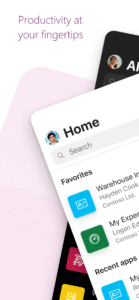
Get Power Apps to conveniently access your work or school apps no matter where you are: at home, on the road, in the field, off-campus, at the airport, or at the beach – anywhere life takes you.
WHAT’S INSIDE
The Power Apps app is the front door to the apps at your work or school. Which apps can you use? It depends on what’s been created for you. Here are some examples you might see, or ones you can make yourself using the Power Apps website:
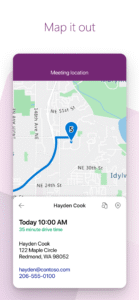
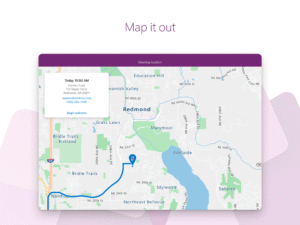
• Campus app: Map your campus with icons for landmarks and facility details.
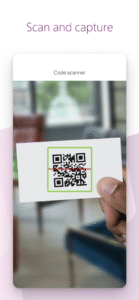
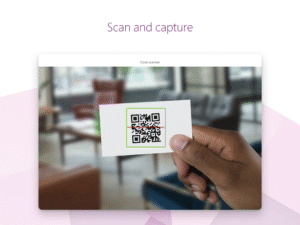
• Event registration app: Record attendees as they arrive using barcodes or QR codes.
• Expenses app: Let employees submit their expenses and upload photos of receipts.
• Health clinic app: Let patients check in to appointments with just a few taps.
• NFC reader app: Scan NFC tags on ID cards, equipment, packages, etc.
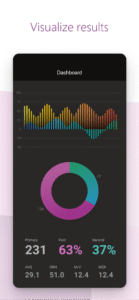
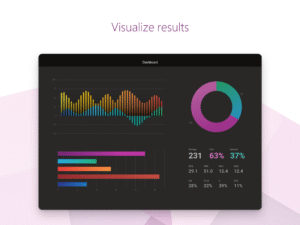
• Performance app: Visualize data and get insights with interactive dashboards.
• Sales app: See opportunities and leads, review comments, and approve for your P&L.
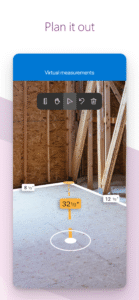
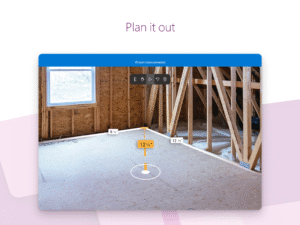
• Space planning app: Take 3D measurements and manipulate objects in mixed reality.
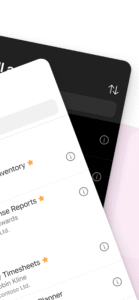
• Timesheet app: Collect, consolidate, and analyze shift data from employees.
This is just a handful of examples; the possibilities are endless. Build and share low-code apps for your work or school at the Power Apps website.
TIPS
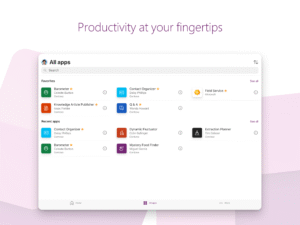
• Swipe right to make an app a favorite, swipe left to add a shortcut to the home screen.
• As an admin, mark an app as Featured, so that it stays pinned to the top of the apps list.
• Some apps can work offline, and Power Apps will sync your data when you reconnect.
Accessibility:
go.microsoft.com/fwlink/?linkid=2121429
WHAT’S INSIDE
The Power Apps app is the front door to the apps at your work or school. Which apps can you use? It depends on what’s been created for you. Here are some examples you might see, or ones you can make yourself using the Power Apps website:
• Campus app: Map your campus with icons for landmarks and facility details.
• Event registration app: Record attendees as they arrive using barcodes or QR codes.
• Expenses app: Let employees submit their expenses and upload photos of receipts.
• Health clinic app: Let patients check in to appointments with just a few taps.
• NFC reader app: Scan NFC tags on ID cards, equipment, packages, etc.
• Performance app: Visualize data and get insights with interactive dashboards.
• Sales app: See opportunities and leads, review comments, and approve for your P&L.
• Space planning app: Take 3D measurements and manipulate objects in mixed reality.
• Timesheet app: Collect, consolidate, and analyze shift data from employees.
This is just a handful of examples; the possibilities are endless. Build and share low-code apps for your work or school at the Power Apps website.
TIPS
• Swipe right to make an app a favorite, swipe left to add a shortcut to the home screen.
• As an admin, mark an app as Featured, so that it stays pinned to the top of the apps list.
• Some apps can work offline, and Power Apps will sync your data when you reconnect.
Accessibility:
go.microsoft.com/fwlink/?linkid=2121429
Download Power Apps APK
Fast, free and safe download.
APK Permissions 52
- android.permission.ACCESS_ADSERVICES_AD_ID
- android.permission.ACCESS_ADSERVICES_ATTRIBUTION
- android.permission.ACCESS_COARSE_LOCATION
- android.permission.ACCESS_FINE_LOCATION
- android.permission.ACCESS_MEDIA_LOCATION
- android.permission.ACCESS_NETWORK_STATE
- android.permission.ACCESS_WIFI_STATE
- android.permission.CAMERA
- android.permission.FLASHLIGHT
- android.permission.FOREGROUND_SERVICE
- android.permission.FOREGROUND_SERVICE_CAMERA
- android.permission.FOREGROUND_SERVICE_DATA_SYNC
- android.permission.GET_ACCOUNTS
- android.permission.INTERNET
- android.permission.MANAGE_ACCOUNTS
- android.permission.MODIFY_AUDIO_SETTINGS
- android.permission.NFC
- android.permission.POST_NOTIFICATIONS
- android.permission.READ_APP_BADGE
- android.permission.READ_EXTERNAL_STORAGE
- android.permission.READ_MEDIA_AUDIO
- android.permission.READ_MEDIA_IMAGES
- android.permission.READ_MEDIA_VIDEO
- android.permission.READ_PHONE_STATE
- android.permission.RECEIVE_BOOT_COMPLETED
- android.permission.RECORD_AUDIO
- android.permission.USE_CREDENTIALS
- android.permission.VIBRATE
- android.permission.WAKE_LOCK
- android.permission.WRITE_EXTERNAL_STORAGE
- com.anddoes.launcher.permission.UPDATE_COUNT
- com.android.launcher.permission.ACTION_CREATE_SHORTCUT
- com.android.launcher.permission.INSTALL_SHORTCUT
- com.android.vending.CHECK_LICENSE
- com.google.android.c2dm.permission.RECEIVE
- com.google.android.finsky.permission.BIND_GET_INSTALL_REFERRER_SERVICE
- com.google.android.gms.permission.AD_ID
- com.htc.launcher.permission.READ_SETTINGS
- com.htc.launcher.permission.UPDATE_SHORTCUT
- com.huawei.android.launcher.permission.CHANGE_BADGE
- com.huawei.android.launcher.permission.READ_SETTINGS
- com.huawei.android.launcher.permission.WRITE_SETTINGS
- com.majeur.launcher.permission.UPDATE_BADGE
- com.microsoft.msapps.DYNAMIC_RECEIVER_NOT_EXPORTED_PERMISSION
- com.oppo.launcher.permission.READ_SETTINGS
- com.oppo.launcher.permission.WRITE_SETTINGS
- com.sec.android.provider.badge.permission.READ
- com.sec.android.provider.badge.permission.WRITE
- com.sonyericsson.home.permission.BROADCAST_BADGE
- com.sonymobile.home.permission.PROVIDER_INSERT_BADGE
- me.everything.badger.permission.BADGE_COUNT_READ
- me.everything.badger.permission.BADGE_COUNT_WRITE
APK Verified
The cryptographic signature guarantees that the file is safe to install and was not tampered with in any way.
Similar in Business


Frequently Asked Questions about Power Apps APK
This variant is built for 64-bit ARM (most Android phones made since 2017). If your device's CPU matches, this is the smallest, fastest version to install.
Yes — the APK's signature has been cryptographically verified against the publisher's signing key. The SHA-256 hash is shown in the File Information panel so you can independently confirm the file matches the original release.
Android 22 (API level 34) or newer. Older devices will refuse the install.
Install a free app like 'CPU-Z' or 'Droid Hardware Info' from the Play Store and look at the ABI / Instruction Set row. Most phones made after 2017 are arm64-v8a; if in doubt, download the universal variant.
All variants are functionally identical — same features, same version. They differ only in which CPU architectures the native code is compiled for, and (sometimes) which screen densities the included graphics target. Pick the one that matches your device for the smallest install size, or pick 'Universal' if you're unsure.