
Download Remote Help APK 25.3.2-20250312.2-a5931d7c arm64-v8a, armeabi-v7a, x86, x86_64 · Android 26+
Download APK
Verified Safe
This is the arm64-v8a, armeabi-v7a, x86, x86_64 build of Remote Help 25.3.2-20250312.2-a5931d7c. Pick this build if your device's primary ABI matches.
File size: 61.8 MB • Min Android: 26 • Target Android: 35 • Version code: 25030200 • Framework: Native (Java/Kotlin) • Permissions: 19
Screenshots
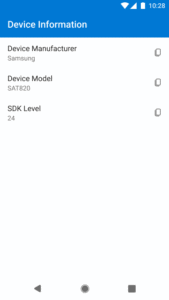
File Information
| Package Name | com.microsoft.intune.remotehelp |
|---|---|
| Version Name | 25.3.2-20250312.2-a5931d7c |
| Version Code | 25030200 |
| Architecture | arm64-v8a, armeabi-v7a, x86, x86_64 |
| Min Android Version | Android 26 (API 35) |
| Main Activity | com.microsoft.remoteassist.ui.launch.LaunchActivity |
| Framework | Native (Java/Kotlin) |
| File Size | 61.80 MB |
| Signature (SHA1) | D4BE19F45242827E5CD152E1C80C42E4EF4B7651 |
| File Hash (SHA256) | e025fb32df9d19122005fcc17dbca45cc80f1cb7d7adbf5093a5124e61ec4bf2 |
What's New
Get help from your organization.
App Description
This app allows you to receive technical support from your organization. Your IT support person will be able to view and control your device to troubleshoot issues on the device.
This app requires your device to be enrolled with Microsoft Intune. If you have issues with this app or questions about its use (including your company’s privacy policy) contact your IT administrator and not Microsoft, your network operator, or your device manufacturer.
Dichiarazione di accessibilità:
www.microsoft.com/it-it/accessibility/declarations
This app requires your device to be enrolled with Microsoft Intune. If you have issues with this app or questions about its use (including your company’s privacy policy) contact your IT administrator and not Microsoft, your network operator, or your device manufacturer.
Dichiarazione di accessibilità:
www.microsoft.com/it-it/accessibility/declarations
Download Remote Help APK
Fast, free and safe download.
APK Permissions 19
- android.permission.ACCESS_NETWORK_STATE
- android.permission.ACCESS_SURFACE_FLINGER
- android.permission.ACCESS_WIFI_STATE
- android.permission.CAMERA
- android.permission.FOREGROUND_SERVICE
- android.permission.FOREGROUND_SERVICE_MEDIA_PROJECTION
- android.permission.GET_ACCOUNTS
- android.permission.INJECT_EVENTS
- android.permission.INTERNET
- android.permission.POST_NOTIFICATIONS
- android.permission.READ_PHONE_STATE
- android.permission.READ_PRIVILEGED_PHONE_STATE
- android.permission.RECEIVE_BOOT_COMPLETED
- android.permission.SYSTEM_ALERT_WINDOW
- android.permission.WAKE_LOCK
- com.microsoft.intune.DIAGNOSTICS
- com.microsoft.intune.remotehelp.DYNAMIC_RECEIVER_NOT_EXPORTED_PERMISSION
- com.microsoft.remoteassist.permission.PLUGIN_BIND
- com.samsung.android.knox.permission.KNOX_REMOTE_CONTROL
APK Verified
The cryptographic signature guarantees that the file is safe to install and was not tampered with in any way.
Similar in Business


Frequently Asked Questions about Remote Help APK
This variant is built for devices that report `arm64-v8a, armeabi-v7a, x86, x86_64` as their primary ABI. If your device's CPU matches, this is the smallest, fastest version to install.
Yes — the APK's signature has been cryptographically verified against the publisher's signing key. The SHA-256 hash is shown in the File Information panel so you can independently confirm the file matches the original release.
Android 26 (API level 35) or newer. Older devices will refuse the install.
Install a free app like 'CPU-Z' or 'Droid Hardware Info' from the Play Store and look at the ABI / Instruction Set row. Most phones made after 2017 are arm64-v8a; if in doubt, download the universal variant.
All variants are functionally identical — same features, same version. They differ only in which CPU architectures the native code is compiled for, and (sometimes) which screen densities the included graphics target. Pick the one that matches your device for the smallest install size, or pick 'Universal' if you're unsure.