
Download Ultimate USB APK
com.mixapplications.ultimateusb · by MixApplications
Screenshots
About Ultimate USB
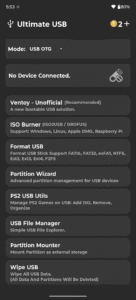
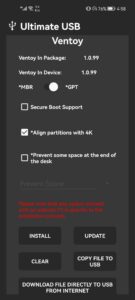
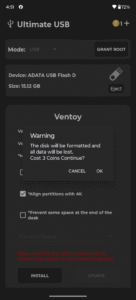
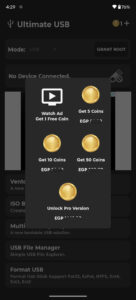
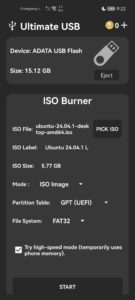
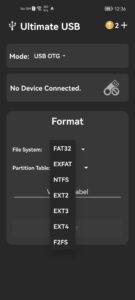
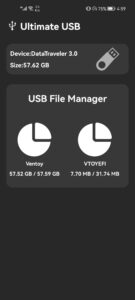
🔌 Ultimate USB – Full USB Control on Android Flash OS images, format drives, manage partitions, and organize PS2 games—no PC required. Ultimate USB is a complete toolkit for managing USB drives directly from your Android device. Most tools work without root. Only internal SD card slot access requires root. 🛠️ Bootable USB Tools • Ventoy (Unofficial) : Create multi-boot USBs with ISO selection – Supports Windows 7–11, major Linux ISOs – GPT/MBR support, NTFS/FAT32/EXFAT – ISO copy and download to USB • ISO Burner : Burn Windows, Linux, macOS DMG, Raspberry Pi, FreeDOS – Bypass Windows 11 checks – Auto Windows setup customization (Win10/11) – Split .wim files for FAT32 – Manual GPT/MBR selection • RAW Writer : Write raw disk images 🧹 USB Drive Management • Format to FAT16/32, EXFAT, NTFS, EXT2–4, F2FS • Create/delete partitions (GPT & MBR) • USB Wipe, Mounter, Backup & Restore, Image Manager 📁 File & Game Tools • File Manager: Browse, copy, delete, move files • Archive Extractor: Unpack ZIP, RAR, and more • PS2 USB Utils: – Organize, convert, defrag, and export PS2 games – Supports >4GB ISOs, USBExtreme format, OPL playlists – Clear corrupted files, convert to MBR without data loss 🔌 Supported Devices • USB flash drives, SSDs, HDDs, SD adapters, hubs (OTG — no root) • Internal SD card slot (requires root) 💰 Coin Usage Coins are used only for advanced features. You can earn coins by watching rewarded ads or buy them directly. Coin-required actions: • Ventoy: Install / Update / Clear → 2 coins • ISO Burner: Windows ISO burn → 2 coins • USB Formatter → 1–2 coins • Partition Wizard → up to 3 coins • PS2 USB fix (if formatting needed) → 1 coin Free actions: • Ventoy: ISO copy and download • ISO Burner: Linux ISO, DMG, Raspberry Pi images • RAW Writer: All usage • USB Wipe, Mounter, Backup & Restore, Image Manager • File Manager and Archive Extractor • PS2 tools: Organize, convert, defrag, export, and playlist generation (except formatting) 📢 Ad-Supported Experience Ads help keep core features free and support development. Upgrade to Pro to: • Remove all ads • Unlock unlimited access • Disable the coin system • Use offline and with ad blockers ⚠️ Notes • Internet required for ads unless using Pro • Disable ad blockers unless using Pro • Keep the app in the foreground during USB operations • If USB isn’t recognized: test on PC or reformat to FAT32 Download Ultimate USB now and take full control of your USB workflow—right from your Android device.


