
This is the universal build of Ventoy (Unofficial) 9.10.0 (1.1.07). It contains native libraries for every CPU architecture (arm64-v8a, armeabi-v7a, x86, x86_64), so it installs on any Android device. The trade-off is size — it's larger than per-architecture variants. Pick this one if you're unsure which CPU your phone has, or if you plan to share the APK with multiple devices.
File size: 71.9 MB • Min Android: 24 • Target Android: 36 • Version code: 91000 • Framework: Native (Java/Kotlin) • Permissions: 18
Screenshots
File Information
| Package Name | com.mixapplications.ventoy_app |
|---|---|
| Version Name | 9.10.0 (1.1.07) |
| Version Code | 91000 |
| Architecture | Universal |
| Min Android Version | Android 24 (API 36) |
| Main Activity | com.mixapplications.ventoy_app.MainActivity |
| Framework | Native (Java/Kotlin) |
| File Size | 71.87 MB |
| Signature (SHA1) | 6396B24A6F61E936B8CCCFD757D5C6F983E1F6B1 |
| File Hash (SHA256) | 14ee173f6559a0ec4b2b17037f2bb5e4b15bb8e47261ab3164e2944bc5e4edff |
What's New
*Improve App Performance*
*improve USB Connection*
*Update*
Update Ventoy Version 1.1.07
*Bug Fixes*
- UI Bug Fixed.
- All Reported Bugs Fixed.
*improve USB Connection*
*Update*
Update Ventoy Version 1.1.07
*Bug Fixes*
- UI Bug Fixed.
- All Reported Bugs Fixed.
App Description
🧭 Ventoy — Multi-Boot USB Creator for Android
Create multi-boot USB drives with dynamic ISO menus—no PC required.
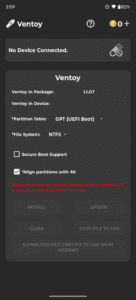
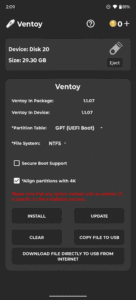
Ventoy is a standalone Android tool for building multi-boot USB drives. Just install once, then copy ISO files directly to your USB—no need to reformat or reburn. Boot any supported image from a dynamic menu with full control over partition schemes and file systems.
🛠️ Core Features
• Create multi-boot USB drives with ISO boot menu
• Supports Windows 7–11 and all major Linux distributions
• Bypass Windows 11 minimum requirements
• Manual selection of partition scheme: GPT (UEFI) or MBR (Legacy)
• File system support: NTFS, FAT32, EXFAT (FAT32/EXFAT require Pro)
• Add or remove ISOs anytime—no reburn needed
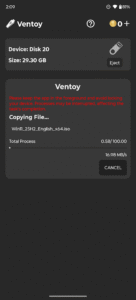
• Copy ISO files or download them directly to USB
💰 Coin Usage
Coins are used for core Ventoy operations. You can earn coins by watching rewarded ads or buy them directly.
Coin-required actions:
• Install Ventoy →
2 coins
• Update Ventoy →
2 coins
• Clear Ventoy →
2 coins
Free actions:
• Copy ISO files to USB
• Download ISO files directly to USB
Want unlimited access?
Upgrade to
Pro
to unlock all features, remove the coin system, and use the app offline—even with ad blockers.
📢 Ad-Supported Experience
Ventoy includes banner ads and rewarded video ads to keep core features free.
Upgrade to
Pro
to:
• Remove all ads
• Unlock unlimited access
• Disable the coin system
• Use offline and with ad blockers
⚠️ Notes
•
Internet required
unless using Pro
•
Disable ad blockers
unless using Pro
•
Keep the app in the foreground
during USB operations
• If USB isn’t recognized after setup:
– The USB is likely working correctly
– Test it on a PC to confirm
– Use FAT32 for better compatibility
Download Ventoy now
and boot smarter—right from your Android device.
Create multi-boot USB drives with dynamic ISO menus—no PC required.
Ventoy is a standalone Android tool for building multi-boot USB drives. Just install once, then copy ISO files directly to your USB—no need to reformat or reburn. Boot any supported image from a dynamic menu with full control over partition schemes and file systems.
🛠️ Core Features
• Create multi-boot USB drives with ISO boot menu
• Supports Windows 7–11 and all major Linux distributions
• Bypass Windows 11 minimum requirements
• Manual selection of partition scheme: GPT (UEFI) or MBR (Legacy)
• File system support: NTFS, FAT32, EXFAT (FAT32/EXFAT require Pro)
• Add or remove ISOs anytime—no reburn needed
• Copy ISO files or download them directly to USB
💰 Coin Usage
Coins are used for core Ventoy operations. You can earn coins by watching rewarded ads or buy them directly.
Coin-required actions:
• Install Ventoy →
2 coins
• Update Ventoy →
2 coins
• Clear Ventoy →
2 coins
Free actions:
• Copy ISO files to USB
• Download ISO files directly to USB
Want unlimited access?
Upgrade to
Pro
to unlock all features, remove the coin system, and use the app offline—even with ad blockers.
📢 Ad-Supported Experience
Ventoy includes banner ads and rewarded video ads to keep core features free.
Upgrade to
Pro
to:
• Remove all ads
• Unlock unlimited access
• Disable the coin system
• Use offline and with ad blockers
⚠️ Notes
•
Internet required
unless using Pro
•
Disable ad blockers
unless using Pro
•
Keep the app in the foreground
during USB operations
• If USB isn’t recognized after setup:
– The USB is likely working correctly
– Test it on a PC to confirm
– Use FAT32 for better compatibility
Download Ventoy now
and boot smarter—right from your Android device.
Download Ventoy (Unofficial) APK
Fast, free and safe download.
APK Permissions 18
- android.hardware.usb.action.USB_PERMISSION
- android.permission.ACCESS_ADSERVICES_AD_ID
- android.permission.ACCESS_ADSERVICES_ATTRIBUTION
- android.permission.ACCESS_ADSERVICES_TOPICS
- android.permission.ACCESS_NETWORK_STATE
- android.permission.ACCESS_WIFI_STATE
- android.permission.FOREGROUND_SERVICE
- android.permission.INTERNET
- android.permission.RECEIVE_BOOT_COMPLETED
- android.permission.REORDER_TASKS
- android.permission.VIBRATE
- android.permission.WAKE_LOCK
- com.android.vending.BILLING
- com.applovin.array.apphub.permission.BIND_APPHUB_SERVICE
- com.google.android.c2dm.permission.RECEIVE
- com.google.android.finsky.permission.BIND_GET_INSTALL_REFERRER_SERVICE
- com.google.android.gms.permission.AD_ID
- com.mixapplications.ventoy_app.DYNAMIC_RECEIVER_NOT_EXPORTED_PERMISSION
APK Verified
The cryptographic signature guarantees that the file is safe to install and was not tampered with in any way.
Similar in Tools


More by MixApplications


Frequently Asked Questions about Ventoy (Unofficial) APK
This is the universal variant — a single APK that contains native libraries for every CPU architecture. It installs on any Android device but is larger than per-architecture variants.
Yes — the APK's signature has been cryptographically verified against the publisher's signing key. The SHA-256 hash is shown in the File Information panel so you can independently confirm the file matches the original release.
Android 24 (API level 36) or newer. Older devices will refuse the install.
Install a free app like 'CPU-Z' or 'Droid Hardware Info' from the Play Store and look at the ABI / Instruction Set row. Most phones made after 2017 are arm64-v8a; if in doubt, download the universal variant.
All variants are functionally identical — same features, same version. They differ only in which CPU architectures the native code is compiled for, and (sometimes) which screen densities the included graphics target. Pick the one that matches your device for the smallest install size, or pick 'Universal' if you're unsure.