
Download MobiOffice: Word, Sheets, PDF APK 15.8.57539 Universal · Android 24+
Download APK
Verified Safe
This is the universal build of MobiOffice: Word, Sheets, PDF 15.8.57539. It contains native libraries for every CPU architecture (arm64-v8a, armeabi-v7a, x86, x86_64), so it installs on any Android device. The trade-off is size — it's larger than per-architecture variants. Pick this one if you're unsure which CPU your phone has, or if you plan to share the APK with multiple devices.
File size: 173.7 MB • Min Android: 24 • Target Android: 35 • Version code: 57539 • Framework: Native (Java/Kotlin) • Permissions: 46
Screenshots
File Information
| Package Name | com.mobisystems.office |
|---|---|
| Version Name | 15.8.57539 |
| Version Code | 57539 |
| Architecture | Universal |
| Min Android Version | Android 24 (API 35) |
| Main Activity | com.mobisystems.office.splashScreen.SplashScreenActivity |
| Framework | Native (Java/Kotlin) |
| File Size | 173.68 MB |
| Signature (SHA1) | 3924E1059F20B31D872E5A54595BC8C611A3E2B8 |
| File Hash (SHA256) | b4cd467ebc190559605f6cbc99c33241325af322043bc04f4d203afe2dbcbd77 |
What's New
Thank you for using MobiOffice!
During this month, our primary focus has been on enhancing the speed and reliability of our application. Our aim has been to make it more refined, user-friendly, and seamless in its performance.
Enjoying MobiOffice? Remember to leave us a review.
During this month, our primary focus has been on enhancing the speed and reliability of our application. Our aim has been to make it more refined, user-friendly, and seamless in its performance.
Enjoying MobiOffice? Remember to leave us a review.
App Description
MobiOffice is the smart choice for office productivity.
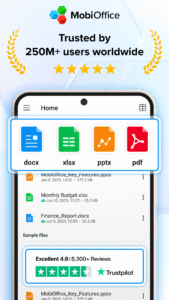
With this powerful office pack, you can create, edit, comment, format, convert, and protect documents, spreadsheets and presentations - as well as the ability to view and sign PDF files. Compatible with Microsoft Office (Word, Excel, PowerPoint), Google Docs, Google Sheets, Google Slides, OpenOffice, LibreOffice, WPS Office, Polaris Office, Adobe PDF, and more.
Everything you need to get your work done
Work on-the-go and take your productivity to the next level with our mobile office app. Easily link your Google Drive, OneDrive for Business, Box, or Dropbox accounts to access your projects from any device, anywhere, anytime. Collaborate seamlessly with your team and stay efficient, even when you're away from your desk.
Features include:
• Powerful applications packed with helpful tools to handle any task with any file format – Microsoft Office365 docs, Google docs, OpenOffice, and more.
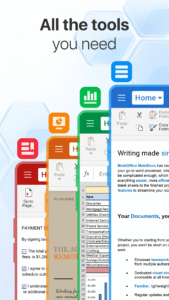
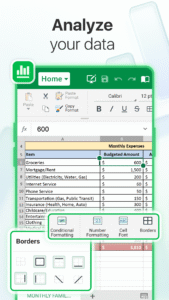
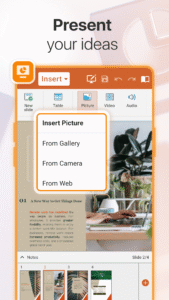
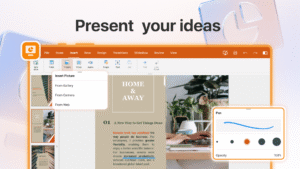
• All the advanced features you need – format painter, track changes, conditional formatting, formulas, presentation mode, and much more.
• Export Documents, Sheets, and presentations Slides to PDF with our PDF converter.
• Advanced security options.
• Save all your files on your Google Drive account, OneDrive for Business, Box, or Dropbox accounts.
Advanced PDF management
• PDF docs reader.
• PDF files editor.
• PDF documents filler.
• Work with fillable forms.
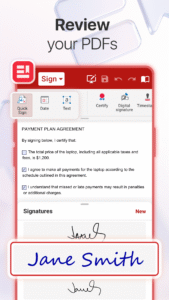
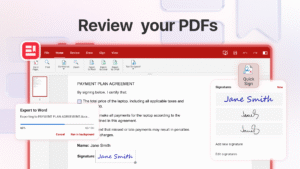
• Digitally sign PDF documents.
• Enhanced security and permissions management.
• PDF converter to Word, Excel or ePub.
Mobile office - Designed for work on the go
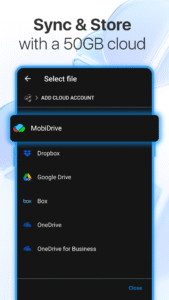
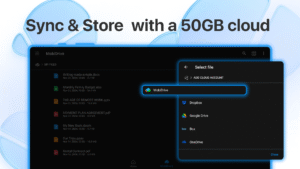
• Integrated cloud storage for easy access to files – get 5GB free on our MobiDrive cloud or link your existing Google Drive, OneDrive for Business, Box, or Dropbox accounts.
• Cross-platform capabilities linking your Windows PC with all your Android and iOS mobile devices with our office mobile pack.
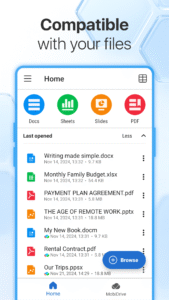
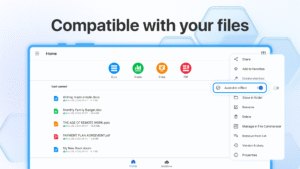
• Compatibility with popular file formats – Microsoft docs, Google docs, OpenOffice, Apple's iWork, and hundreds more.
• Practical and a user-friendly interface optimized for the latest Android version.
• PDF editor that you can use to create and fill PDF files, or as a PDF converter to office documents.
Create and edit files and documents with ease
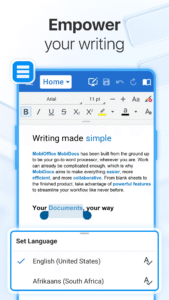
Take your office with you wherever you go and stay productive on-the-go with our mobile document editor. Our app enables you to edit Word documents, Excel spreadsheets, and PowerPoint slides, and easily convert them to PDF files. No matter what type of document you need to work on, you can access it from anywhere and make changes whenever you need to.
Give it a go and see for yourself
Experience the complete set of features and tools available in MobiOffice with our free 7-day trial, giving you access to our advanced document editor, as well as all other premium features and tools. Our flexible pricing plans, which include monthly and annual options, allow you to choose the package that perfectly meets your needs. Whether you need a powerful documents editor, a spreadsheet app for budgeting, or a comprehensive suite of productivity tools, MobiOffice has got you covered.
Mobile documents editor for Word docs, Excel Sheets & PowerPoint slides and PDF files at your fingertips.
Link your mobile office to your Google Drive account or OneDrive for Business, Box, or Dropbox accounts to save all your files, compatible with many file formats including Google Docs, OpenOffice, Microsoft Office 365, and many more.
Premium benefits include:
• 5GB storage on MobiDrive
• Unlimited usage of the PDF converter
• Unlock 20+ advanced features
• Use Premium on 2 mobile devices & 1 Windows PC.
• No ads
• Priority support
With this powerful office pack, you can create, edit, comment, format, convert, and protect documents, spreadsheets and presentations - as well as the ability to view and sign PDF files. Compatible with Microsoft Office (Word, Excel, PowerPoint), Google Docs, Google Sheets, Google Slides, OpenOffice, LibreOffice, WPS Office, Polaris Office, Adobe PDF, and more.
Everything you need to get your work done
Work on-the-go and take your productivity to the next level with our mobile office app. Easily link your Google Drive, OneDrive for Business, Box, or Dropbox accounts to access your projects from any device, anywhere, anytime. Collaborate seamlessly with your team and stay efficient, even when you're away from your desk.
Features include:
• Powerful applications packed with helpful tools to handle any task with any file format – Microsoft Office365 docs, Google docs, OpenOffice, and more.
• All the advanced features you need – format painter, track changes, conditional formatting, formulas, presentation mode, and much more.
• Export Documents, Sheets, and presentations Slides to PDF with our PDF converter.
• Advanced security options.
• Save all your files on your Google Drive account, OneDrive for Business, Box, or Dropbox accounts.
Advanced PDF management
• PDF docs reader.
• PDF files editor.
• PDF documents filler.
• Work with fillable forms.
• Digitally sign PDF documents.
• Enhanced security and permissions management.
• PDF converter to Word, Excel or ePub.
Mobile office - Designed for work on the go
• Integrated cloud storage for easy access to files – get 5GB free on our MobiDrive cloud or link your existing Google Drive, OneDrive for Business, Box, or Dropbox accounts.
• Cross-platform capabilities linking your Windows PC with all your Android and iOS mobile devices with our office mobile pack.
• Compatibility with popular file formats – Microsoft docs, Google docs, OpenOffice, Apple's iWork, and hundreds more.
• Practical and a user-friendly interface optimized for the latest Android version.
• PDF editor that you can use to create and fill PDF files, or as a PDF converter to office documents.
Create and edit files and documents with ease
Take your office with you wherever you go and stay productive on-the-go with our mobile document editor. Our app enables you to edit Word documents, Excel spreadsheets, and PowerPoint slides, and easily convert them to PDF files. No matter what type of document you need to work on, you can access it from anywhere and make changes whenever you need to.
Give it a go and see for yourself
Experience the complete set of features and tools available in MobiOffice with our free 7-day trial, giving you access to our advanced document editor, as well as all other premium features and tools. Our flexible pricing plans, which include monthly and annual options, allow you to choose the package that perfectly meets your needs. Whether you need a powerful documents editor, a spreadsheet app for budgeting, or a comprehensive suite of productivity tools, MobiOffice has got you covered.
Mobile documents editor for Word docs, Excel Sheets & PowerPoint slides and PDF files at your fingertips.
Link your mobile office to your Google Drive account or OneDrive for Business, Box, or Dropbox accounts to save all your files, compatible with many file formats including Google Docs, OpenOffice, Microsoft Office 365, and many more.
Premium benefits include:
• 5GB storage on MobiDrive
• Unlimited usage of the PDF converter
• Unlock 20+ advanced features
• Use Premium on 2 mobile devices & 1 Windows PC.
• No ads
• Priority support
Download MobiOffice: Word, Sheets, PDF APK
Fast, free and safe download.
APK Permissions 46
- android.permission.ACCESS_ADSERVICES_AD_ID
- android.permission.ACCESS_ADSERVICES_ATTRIBUTION
- android.permission.ACCESS_ADSERVICES_CUSTOM_AUDIENCE
- android.permission.ACCESS_ADSERVICES_TOPICS
- android.permission.ACCESS_NETWORK_STATE
- android.permission.ACCESS_WIFI_STATE
- android.permission.AUTHENTICATE_ACCOUNTS
- android.permission.FOREGROUND_SERVICE
- android.permission.FOREGROUND_SERVICE_DATA_SYNC
- android.permission.FOREGROUND_SERVICE_MEDIA_PROJECTION
- android.permission.INTERNET
- android.permission.NFC
- android.permission.POST_NOTIFICATIONS
- android.permission.READ_APP_BADGE
- android.permission.RECEIVE_BOOT_COMPLETED
- android.permission.REORDER_TASKS
- android.permission.VIBRATE
- android.permission.WAKE_LOCK
- android.permission.WRITE_EXTERNAL_STORAGE
- android.permission.WRITE_USER_DICTIONARY
- com.anddoes.launcher.permission.UPDATE_COUNT
- com.android.launcher.permission.INSTALL_SHORTCUT
- com.android.vending.BILLING
- com.applovin.array.apphub.permission.BIND_APPHUB_SERVICE
- com.google.android.c2dm.permission.RECEIVE
- com.google.android.finsky.permission.BIND_GET_INSTALL_REFERRER_SERVICE
- com.google.android.gms.permission.AD_ID
- com.google.android.providers.gmail.permission.READ_GMAIL
- com.htc.launcher.permission.READ_SETTINGS
- com.htc.launcher.permission.UPDATE_SHORTCUT
- com.huawei.android.launcher.permission.CHANGE_BADGE
- com.huawei.android.launcher.permission.READ_SETTINGS
- com.huawei.android.launcher.permission.WRITE_SETTINGS
- com.huawei.appmarket.service.commondata.permission.GET_COMMON_DATA
- com.majeur.launcher.permission.UPDATE_BADGE
- com.mobisystems.CustomReadWritePermission
- com.oppo.launcher.permission.READ_SETTINGS
- com.oppo.launcher.permission.WRITE_SETTINGS
- com.sec.android.iap.permission.BILLING
- com.sec.android.provider.badge.permission.READ
- com.sec.android.provider.badge.permission.WRITE
- com.sony.mobile.permission.SYSTEM_UI_VISIBILITY_EXTENSION
- com.sonyericsson.home.permission.BROADCAST_BADGE
- com.sonymobile.home.permission.PROVIDER_INSERT_BADGE
- me.everything.badger.permission.BADGE_COUNT_READ
- me.everything.badger.permission.BADGE_COUNT_WRITE
APK Verified
The cryptographic signature guarantees that the file is safe to install and was not tampered with in any way.
Similar in Business


Frequently Asked Questions about MobiOffice: Word, Sheets, PDF APK
This is the universal variant — a single APK that contains native libraries for every CPU architecture. It installs on any Android device but is larger than per-architecture variants.
Yes — the APK's signature has been cryptographically verified against the publisher's signing key. The SHA-256 hash is shown in the File Information panel so you can independently confirm the file matches the original release.
Android 24 (API level 35) or newer. Older devices will refuse the install.
Install a free app like 'CPU-Z' or 'Droid Hardware Info' from the Play Store and look at the ABI / Instruction Set row. Most phones made after 2017 are arm64-v8a; if in doubt, download the universal variant.
All variants are functionally identical — same features, same version. They differ only in which CPU architectures the native code is compiled for, and (sometimes) which screen densities the included graphics target. Pick the one that matches your device for the smallest install size, or pick 'Universal' if you're unsure.