
Download Mobizen Screen Recorder APK 3.10.14.3 arm64-v8a, armeabi-v7a · Android 21+
Download APK
Verified Safe
This is the arm64-v8a, armeabi-v7a build of Mobizen Screen Recorder 3.10.14.3. Pick this build if your device's primary ABI matches.
File size: 54.1 MB • Min Android: 21 • Target Android: 35 • Version code: 170301020 • Framework: Native (Java/Kotlin) • Permissions: 38
Screenshots


File Information
| Package Name | com.rsupport.mvagent |
|---|---|
| Version Name | 3.10.14.3 |
| Version Code | 170301020 |
| Architecture | arm64-v8a, armeabi-v7a |
| Min Android Version | Android 21 (API 35) |
| Main Activity | com.rsupport.mvagent.ui.activity.splash.SplashActivity |
| Framework | Native (Java/Kotlin) |
| File Size | 54.09 MB |
| Signature (SHA1) | B83FC5F2ADC8B6C7A269D6695F8DD45491B273CB |
| File Hash (SHA256) | 2cbb215fd23479b868ed082096db151efeae6cc811229d31f286880a944d713e |
What's New
A new version has been released.
- Fixed app slowdown caused by ads
- Improved drawing features and added new colors
- Enhanced reward ad UI/UX
- Other improvements and bug fixes
- Fixed app slowdown caused by ads
- Improved drawing features and added new colors
- Enhanced reward ad UI/UX
- Other improvements and bug fixes
App Description
The Screen Recorder you were looking for
▶ The “
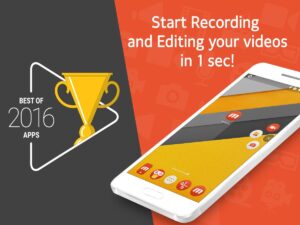
Best of 2016 Apps
” selected by Google.
▶ Screen recorder selected by
global 200 million users
.
▶
Featured in Google Play
.
----- Featured in many countries such as Korea, USA, Europe, Japan, North and South America
▶ Screen recording, capture, and editing functions are
free
.
▶ The video recorded with the Mobizen app is
not saved on the server, only on the user device
, so use it with confidence!
▶ Use it immediately
without signing up
(login).
▶ Meet Auto Tap and screen recording on Mobizen!
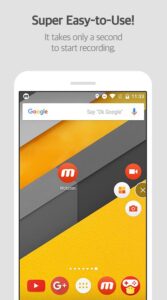
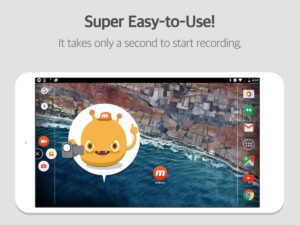
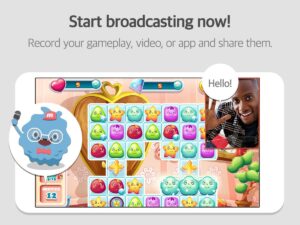
Download Mobizen Screen Recorder, which can start recording easily with one click, and start recording gameplay, video, and live broadcasting easily and conveniently!
Do you want your first screen recording to be perfect?
ㆍClean screen recording
without a record button
through Hide Air Circle mode!
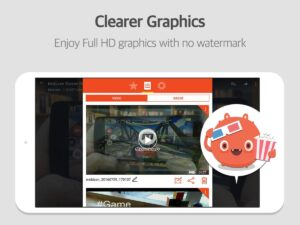
ㆍRecord the screen
without watermark for free
using Clean mode!
ㆍ
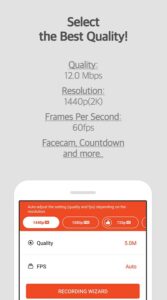
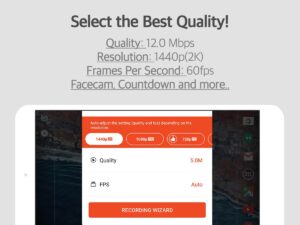
Not only FULL HD (FHD) screen recording, but also QUAD HD (QHD, 2K) screen recording! Supported maximum recording quality ▷ Recording resolution 1440P, recording quality 24.0Mbps, frame rate 60fps
ㆍ
Facecam
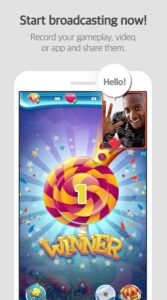
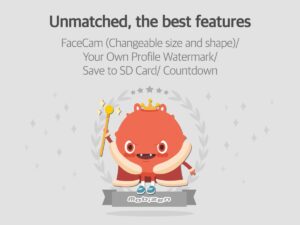
function! Express your reactions freely and record game sounds and voices together!
ㆍ
Save to external memory (SD card)!
Record long screen recordings of more than an hour without worrying about memory!
ㆍ
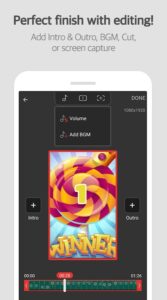
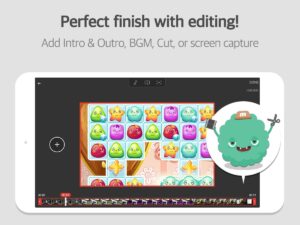
Various image editing functions
Increase the quality of the recorded video!
Only in Mobizen
ㆍProvide
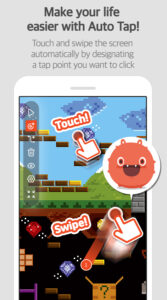
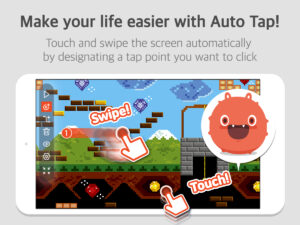
Auto Tap and Auto Swiping functions!
ㆍHighlight important points through the
drawing function!
ㆍCreate your
own watermark!
ㆍ
Create a GIF
and create a fun meme!
ㆍChoose the
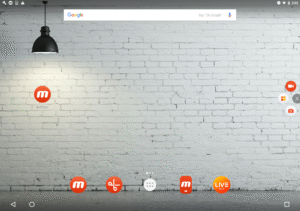
type of Air Circle!
(mini type, time bar type, transparent type)
Mobizen Recorder adopts AccessibilityService API to enable the core features Auto Tap and Auto Swiping.
1. Why is AccessibilityService API required?
▶ The AccessibilityService API allows to perform features such as Auto Tap and Auto Swiping.
2. Do you collect and/or transmit any personal data using AccessibilityService?
▶ No, we do not collect and/or transmit any personal data using AccessibilityService API.
Download it now and try it!
=====
ㆍHelpdesk: support.mobizen.com
ㆍYoutube channel: youtube.com/mobizenapp
Do you have any unnatural sounding text while using the Mobizen app?
ㆍSuggest a language☞
goo.gl/forms/pHGNRoD7nvalOU5l1
※ App access rights
ㆍRequired access rights
Storage: Used for saving and editing recorded video & image files.
ㆍOptional access rights
- Camera: Used for Facecam settings and Air Circle custom when recording screens.
- Microphone: Used for sound recording function during screen recording.
- Draw on top of other apps: To open Mobizen's Air Circle, you need to grant permission to draw on top of other apps.
- Notification: Used for top notification bar and some other functions from Mobizen.
* Please note that you can use the app even if you do not agree to the optional access rights.
* From Android OS 6.0 or higher, you can set and revoke access rights.
* If you are using Android OS version less than 6.0, you can modify the permissions after updating the software.
----
▶ The “
Best of 2016 Apps
” selected by Google.
▶ Screen recorder selected by
global 200 million users
.
▶
Featured in Google Play
.
----- Featured in many countries such as Korea, USA, Europe, Japan, North and South America
▶ Screen recording, capture, and editing functions are
free
.
▶ The video recorded with the Mobizen app is
not saved on the server, only on the user device
, so use it with confidence!
▶ Use it immediately
without signing up
(login).
▶ Meet Auto Tap and screen recording on Mobizen!
Download Mobizen Screen Recorder, which can start recording easily with one click, and start recording gameplay, video, and live broadcasting easily and conveniently!
Do you want your first screen recording to be perfect?
ㆍClean screen recording
without a record button
through Hide Air Circle mode!
ㆍRecord the screen
without watermark for free
using Clean mode!
ㆍ
Not only FULL HD (FHD) screen recording, but also QUAD HD (QHD, 2K) screen recording! Supported maximum recording quality ▷ Recording resolution 1440P, recording quality 24.0Mbps, frame rate 60fps
ㆍ
Facecam
function! Express your reactions freely and record game sounds and voices together!
ㆍ
Save to external memory (SD card)!
Record long screen recordings of more than an hour without worrying about memory!
ㆍ
Various image editing functions
Increase the quality of the recorded video!
Only in Mobizen
ㆍProvide
Auto Tap and Auto Swiping functions!
ㆍHighlight important points through the
drawing function!
ㆍCreate your
own watermark!
ㆍ
Create a GIF
and create a fun meme!
ㆍChoose the
type of Air Circle!
(mini type, time bar type, transparent type)
Mobizen Recorder adopts AccessibilityService API to enable the core features Auto Tap and Auto Swiping.
1. Why is AccessibilityService API required?
▶ The AccessibilityService API allows to perform features such as Auto Tap and Auto Swiping.
2. Do you collect and/or transmit any personal data using AccessibilityService?
▶ No, we do not collect and/or transmit any personal data using AccessibilityService API.
Download it now and try it!
=====
ㆍHelpdesk: support.mobizen.com
ㆍYoutube channel: youtube.com/mobizenapp
Do you have any unnatural sounding text while using the Mobizen app?
ㆍSuggest a language☞
goo.gl/forms/pHGNRoD7nvalOU5l1
※ App access rights
ㆍRequired access rights
Storage: Used for saving and editing recorded video & image files.
ㆍOptional access rights
- Camera: Used for Facecam settings and Air Circle custom when recording screens.
- Microphone: Used for sound recording function during screen recording.
- Draw on top of other apps: To open Mobizen's Air Circle, you need to grant permission to draw on top of other apps.
- Notification: Used for top notification bar and some other functions from Mobizen.
* Please note that you can use the app even if you do not agree to the optional access rights.
* From Android OS 6.0 or higher, you can set and revoke access rights.
* If you are using Android OS version less than 6.0, you can modify the permissions after updating the software.
----
Download Mobizen Screen Recorder APK
Fast, free and safe download.
APK Permissions 38
- android.permission.ACCESS_ADSERVICES_AD_ID
- android.permission.ACCESS_ADSERVICES_ATTRIBUTION
- android.permission.ACCESS_ADSERVICES_TOPICS
- android.permission.ACCESS_NETWORK_STATE
- android.permission.ACCESS_WIFI_STATE
- android.permission.CAMERA
- android.permission.CHANGE_NETWORK_STATE
- android.permission.CHANGE_WIFI_STATE
- android.permission.FOREGROUND_SERVICE
- android.permission.FOREGROUND_SERVICE_CAMERA
- android.permission.FOREGROUND_SERVICE_MEDIA_PROJECTION
- android.permission.FOREGROUND_SERVICE_MICROPHONE
- android.permission.FOREGROUND_SERVICE_SPECIAL_USE
- android.permission.GET_TASKS
- android.permission.INTERNET
- android.permission.KILL_BACKGROUND_PROCESSES
- android.permission.POST_NOTIFICATIONS
- android.permission.READ_EXTERNAL_STORAGE
- android.permission.READ_MEDIA_AUDIO
- android.permission.READ_MEDIA_IMAGES
- android.permission.READ_MEDIA_VIDEO
- android.permission.READ_MEDIA_VISUAL_USER_SELECTED
- android.permission.RECEIVE_BOOT_COMPLETED
- android.permission.RECORD_AUDIO
- android.permission.REQUEST_IGNORE_BATTERY_OPTIMIZATIONS
- android.permission.SYSTEM_ALERT_WINDOW
- android.permission.VIBRATE
- android.permission.WAKE_LOCK
- android.permission.WRITE_EXTERNAL_STORAGE
- android.permission.WRITE_SETTINGS
- com.android.launcher.permission.INSTALL_SHORTCUT
- com.android.launcher.permission.UNINSTALL_SHORTCUT
- com.android.vending.BILLING
- com.applovin.array.apphub.permission.BIND_APPHUB_SERVICE
- com.google.android.c2dm.permission.RECEIVE
- com.google.android.finsky.permission.BIND_GET_INSTALL_REFERRER_SERVICE
- com.google.android.gms.permission.AD_ID
- com.rsupport.mvagent.DYNAMIC_RECEIVER_NOT_EXPORTED_PERMISSION
APK Verified
The cryptographic signature guarantees that the file is safe to install and was not tampered with in any way.
Similar in Productivity


More by MOBIZEN

Frequently Asked Questions about Mobizen Screen Recorder APK
This variant is built for devices that report `arm64-v8a, armeabi-v7a` as their primary ABI. If your device's CPU matches, this is the smallest, fastest version to install.
Yes — the APK's signature has been cryptographically verified against the publisher's signing key. The SHA-256 hash is shown in the File Information panel so you can independently confirm the file matches the original release.
Android 21 (API level 35) or newer. Older devices will refuse the install.
Install a free app like 'CPU-Z' or 'Droid Hardware Info' from the Play Store and look at the ABI / Instruction Set row. Most phones made after 2017 are arm64-v8a; if in doubt, download the universal variant.
All variants are functionally identical — same features, same version. They differ only in which CPU architectures the native code is compiled for, and (sometimes) which screen densities the included graphics target. Pick the one that matches your device for the smallest install size, or pick 'Universal' if you're unsure.