
Download Moto Actions APK 07.80.28 arm64-v8a, armeabi-v7a, x86, x86_64 · Android 31+
Download APK
Verified Safe
This is the arm64-v8a, armeabi-v7a, x86, x86_64 build of Moto Actions 07.80.28. Pick this build if your device's primary ABI matches.
File size: 37.0 MB • Min Android: 31 • Target Android: 35 • Version code: 301078028 • Framework: Native (Java/Kotlin) • Permissions: 46
Screenshots
File Information
| Package Name | com.motorola.actions |
|---|---|
| Version Name | 07.80.28 |
| Version Code | 301078028 |
| Architecture | arm64-v8a, armeabi-v7a, x86, x86_64 |
| Min Android Version | Android 31 (API 35) |
| Framework | Native (Java/Kotlin) |
| File Size | 37.04 MB |
| Signature (SHA1) | D670D099A3A6E657BA839DCE0746FE1A31F4547E |
| File Hash (SHA256) | 6a9600e224cc982d3cd27dcbf0a7e097e23cd64f6955c8402478148f9b490bd6 |
What's New
• Performance enhancements
• Bug fixes
Note: Features and functions may vary by device
• Bug fixes
Note: Features and functions may vary by device
App Description
Interact naturally.
Moto Actions responds to simple gestures to make daily tasks quick and easy.
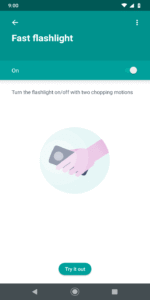
• Turn the flashlight on and off with two chopping motions
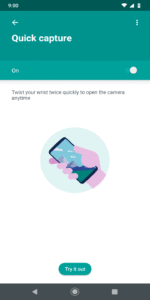
• Twist your wrist twice quickly to open the camera anytime
• Lift the phone to switch incoming calls to vibrate
• Place the phone face down to silence notifications and calls
• Approach to Wake your display, silence ring/alarms and trigger Moto AI
Open Moto app to know more about these features.
Important: Some of these features may not be available in your device.
The Swipe to split functionality needs accessibility services to recognize swiping gestures. We don't collect any data through the accessibility service.
Moto Actions responds to simple gestures to make daily tasks quick and easy.
• Turn the flashlight on and off with two chopping motions
• Twist your wrist twice quickly to open the camera anytime
• Lift the phone to switch incoming calls to vibrate
• Place the phone face down to silence notifications and calls
• Approach to Wake your display, silence ring/alarms and trigger Moto AI
Open Moto app to know more about these features.
Important: Some of these features may not be available in your device.
The Swipe to split functionality needs accessibility services to recognize swiping gestures. We don't collect any data through the accessibility service.
Download Moto Actions APK
Fast, free and safe download.
APK Permissions 46
- android.permission.ACCESS_NETWORK_STATE
- android.permission.ACCESS_NOTIFICATION_POLICY
- android.permission.BLUETOOTH
- android.permission.CAMERA
- android.permission.FLASHLIGHT
- android.permission.FOREGROUND_SERVICE
- android.permission.FOREGROUND_SERVICE_SYSTEM_EXEMPTED
- android.permission.MODIFY_AUDIO_SETTINGS
- android.permission.MODIFY_PHONE_STATE
- android.permission.POST_NOTIFICATIONS
- android.permission.READ_PHONE_STATE
- android.permission.READ_PRIVILEGED_PHONE_STATE
- android.permission.REAL_GET_TASKS
- android.permission.RECEIVE_BOOT_COMPLETED
- android.permission.START_ACTIVITIES_FROM_BACKGROUND
- android.permission.START_TASKS_FROM_RECENTS
- android.permission.SUBSTITUTE_NOTIFICATION_APP_NAME
- android.permission.SYSTEM_ALERT_WINDOW
- android.permission.VIBRATE
- android.permission.WAKE_LOCK
- android.permission.WRITE_SECURE_SETTINGS
- android.permission.WRITE_SETTINGS
- com.motorola.actions.DYNAMIC_RECEIVER_NOT_EXPORTED_PERMISSION
- com.motorola.aiservices.BIND_SERVICE
- com.motorola.audiorecorder.permission.ACCESS_AUDIO_RECORDER
- com.motorola.faceunlock.FACE_UNLOCK
- com.motorola.gamemode.permission.LAUNCH_GAMEMODE
- com.motorola.hardware.ACCESS_CLI
- com.motorola.moto.permission.MOTO_STATE
- com.motorola.moto.provider.permission.READ_MODES
- com.motorola.mover.LAUNCH_TASK
- com.motorola.mya.aiservices.engine.permission.CONTEXT_ENGINE
- com.motorola.mya.engine.permission.CONTEXT_ENGINE
- com.motorola.permission.ACCESS_CHECKIN
- com.motorola.permission.ACCESS_FOD
- com.motorola.permission.BIND_EXPERIENCE
- com.motorola.permission.EXTRA_SCREEN_CONTROL
- com.motorola.permission.EXTRA_SCREEN_STATUS
- com.motorola.permission.GET_ZEN_MODE_CONFIG
- com.motorola.permission.INTERNAL_SYSTEM_WINDOW
- com.motorola.permission.MANAGE_NOTIFICATIONS
- com.motorola.permission.MONITOR_INPUT
- com.motorola.permission.SET_ZEN_MODE_CONFIG
- com.motorola.permission.TAKE_SCREENSHOT
- com.motorola.permission.WRITE_SECURE_SETTINGS
- com.motorola.ttm.TTM_INTERACTION
APK Verified
The cryptographic signature guarantees that the file is safe to install and was not tampered with in any way.
Similar in Personalization


More by Motorola Mobility LLC.


Frequently Asked Questions about Moto Actions APK
This variant is built for devices that report `arm64-v8a, armeabi-v7a, x86, x86_64` as their primary ABI. If your device's CPU matches, this is the smallest, fastest version to install.
Yes — the APK's signature has been cryptographically verified against the publisher's signing key. The SHA-256 hash is shown in the File Information panel so you can independently confirm the file matches the original release.
Android 31 (API level 35) or newer. Older devices will refuse the install.
Install a free app like 'CPU-Z' or 'Droid Hardware Info' from the Play Store and look at the ABI / Instruction Set row. Most phones made after 2017 are arm64-v8a; if in doubt, download the universal variant.
All variants are functionally identical — same features, same version. They differ only in which CPU architectures the native code is compiled for, and (sometimes) which screen densities the included graphics target. Pick the one that matches your device for the smallest install size, or pick 'Universal' if you're unsure.