
Download Motorola Notifications APK 17.9.899 arm64-v8a, armeabi-v7a · Android 29+
Download APK
Verified Safe
This is the arm64-v8a, armeabi-v7a build of Motorola Notifications 17.9.899. Pick this build if your device's primary ABI matches.
File size: 50.0 MB • Min Android: 29 • Target Android: 35 • Version code: 179899 • Framework: Native (Java/Kotlin) • Permissions: 44
Screenshots
File Information
| Package Name | com.motorola.ccc.notification |
|---|---|
| Version Name | 17.9.899 |
| Version Code | 179899 |
| Architecture | arm64-v8a, armeabi-v7a |
| Min Android Version | Android 29 (API 35) |
| Framework | Native (Java/Kotlin) |
| File Size | 50.04 MB |
| Signature (SHA1) | D670D099A3A6E657BA839DCE0746FE1A31F4547E |
| File Hash (SHA256) | 3ae3fe21160602267339d1626b6bf61194abe9f8c055260badb1e30021c53df6 |
App Description
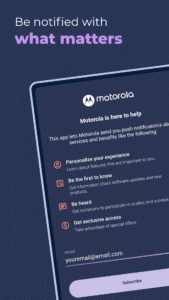
Motorola Notifications is here to improve your experience with your Motorola smartphone. If you opt-in, it sends periodic product-related information, including notifications on software updates, tips & tricks and information about new Motorola products and services. You will also receive invitations to participate in surveys about your experience with Motorola.
The Motorola Notifications app is available as an update on most Motorola devices. However, the notification service itself will be activated only for specific products and countries. If/when this rollout happens in your country, a new app will appear in your app tray named “Motorola Notifications”. To begin receiving notifications, you’ll need to opt in via device setup, via this Motorola Notifications app, or via an invitation sent through a notification. You may opt out of receiving notifications at any time by clicking on the unsubscribe button in this app or using the unsubscribe option that is presented when you click on the notifications you receive.
Note: The Data Safety section lists data the application collects for various services the application supports across regions. If a specific service is not available in your country (for example: Hello You, Dimo) or if you do not opt in to that service, your data will not be collected for that service. Any data collected by Motorola is compliant to the respective country's data privacy laws.
The Motorola Notifications app is available as an update on most Motorola devices. However, the notification service itself will be activated only for specific products and countries. If/when this rollout happens in your country, a new app will appear in your app tray named “Motorola Notifications”. To begin receiving notifications, you’ll need to opt in via device setup, via this Motorola Notifications app, or via an invitation sent through a notification. You may opt out of receiving notifications at any time by clicking on the unsubscribe button in this app or using the unsubscribe option that is presented when you click on the notifications you receive.
Note: The Data Safety section lists data the application collects for various services the application supports across regions. If a specific service is not available in your country (for example: Hello You, Dimo) or if you do not opt in to that service, your data will not be collected for that service. Any data collected by Motorola is compliant to the respective country's data privacy laws.
Download Motorola Notifications APK
Fast, free and safe download.
APK Permissions 44
- android.permission.ACCESS_COARSE_LOCATION
- android.permission.ACCESS_FINE_LOCATION
- android.permission.ACCESS_NETWORK_STATE
- android.permission.CAMERA
- android.permission.FOREGROUND_SERVICE
- android.permission.GET_ACCOUNTS_PRIVILEGED
- android.permission.HIDE_OVERLAY_WINDOWS
- android.permission.HIGH_SAMPLING_RATE_SENSORS
- android.permission.INTERNET
- android.permission.MANAGE_USERS
- android.permission.NFC
- android.permission.POST_NOTIFICATIONS
- android.permission.QUERY_ALL_PACKAGES
- android.permission.READ_CONTACTS
- android.permission.READ_PHONE_STATE
- android.permission.READ_PRIVILEGED_PHONE_STATE
- android.permission.RECEIVE_BOOT_COMPLETED
- android.permission.SET_WALLPAPER
- android.permission.SUBSTITUTE_NOTIFICATION_APP_NAME
- android.permission.SYSTEM_ALERT_WINDOW
- android.permission.USE_BIOMETRIC
- android.permission.USE_FINGERPRINT
- android.permission.VIBRATE
- android.permission.WAKE_LOCK
- android.permission.WRITE_EXTERNAL_STORAGE
- com.android.launcher.permission.INSTALL_SHORTCUT
- com.android.launcher3.permission.READ_SETTINGS
- com.android.launcher3.permission.WRITE_SETTINGS
- com.google.android.c2dm.permission.RECEIVE
- com.google.android.gms.permission.AD_ID
- com.google.android.providers.gsf.permission.READ_GSERVICES
- com.motorola.blur.service.blur.Permissions.INTERACT_BLUR_SERVICE
- com.motorola.ccc.notification.DYNAMIC_RECEIVER_NOT_EXPORTED_PERMISSION
- com.motorola.ccc.notification.READ_NOTIFICATIONS
- com.motorola.ccc.notification.WRITE_NOTIFICATIONS
- com.motorola.ccc.ota.Permissions.INTERACT_OTA_SERVICE
- com.motorola.ccc.plm.permission.READPROVIDER
- com.motorola.help.permission.INTERACT_HELP
- com.motorola.installer.permissions.ACCESS_MAIN_MOTO_INSTALLER
- com.motorola.launcher3.permission.READ_SETTINGS
- com.motorola.launcher3.permission.RECEIVE_FIRST_LOAD_BROADCAST
- com.motorola.launcher3.permission.WRITE_SETTINGS
- com.motorola.permission.ACCESS_CHECKIN
- com.motorola.permission.BIND_EXPERIENCE
APK Verified
The cryptographic signature guarantees that the file is safe to install and was not tampered with in any way.
Similar in Productivity


More by Motorola Mobility LLC.


Frequently Asked Questions about Motorola Notifications APK
This variant is built for devices that report `arm64-v8a, armeabi-v7a` as their primary ABI. If your device's CPU matches, this is the smallest, fastest version to install.
Yes — the APK's signature has been cryptographically verified against the publisher's signing key. The SHA-256 hash is shown in the File Information panel so you can independently confirm the file matches the original release.
Android 29 (API level 35) or newer. Older devices will refuse the install.
Install a free app like 'CPU-Z' or 'Droid Hardware Info' from the Play Store and look at the ABI / Instruction Set row. Most phones made after 2017 are arm64-v8a; if in doubt, download the universal variant.
All variants are functionally identical — same features, same version. They differ only in which CPU architectures the native code is compiled for, and (sometimes) which screen densities the included graphics target. Pick the one that matches your device for the smallest install size, or pick 'Universal' if you're unsure.