
Download Thunderbird Beta for Testers APK 13.0b1 arm64-v8a, armeabi-v7a, x86, x86_64 · Android 21+
Download APK
Verified Safe
This is the arm64-v8a, armeabi-v7a, x86, x86_64 build of Thunderbird Beta for Testers 13.0b1. Pick this build if your device's primary ABI matches.
File size: 11.8 MB • Min Android: 21 • Target Android: 35 • Version code: 27 • Framework: Native (Java/Kotlin) • Permissions: 16
Screenshots

File Information
| Package Name | net.thunderbird.android.beta |
|---|---|
| Version Name | 13.0b1 |
| Version Code | 27 |
| Architecture | arm64-v8a, armeabi-v7a, x86, x86_64 |
| Min Android Version | Android 21 (API 35) |
| Main Activity | com.fsck.k9.activity.MessageList |
| Framework | Native (Java/Kotlin) |
| File Size | 11.79 MB |
| Signature (SHA1) | A17411F1092CA647500A8B6F0297E205088F4015 |
| File Hash (SHA256) | 71c4275dbc9da3140811c12bc9c16124b8f253ba2fa4ea4e044616654f0d8fa2 |
What's New
Thunderbird for Android version 13.0b1, based on K-9 Mail. Changes include:
- Added new design elements to Message List UI
- Sync logging duration is now limited to 24 hours
- Client certificate was not displayed in SMTP settings
- Outlook headers included unnecessary newlines when replying
- "Enable debug logging" did not provide verbose logging
- Scrolling in a short email could trigger left/right swipe
- Scrolling only worked in center of Welcome and New Account screens (landscape)
- Added new design elements to Message List UI
- Sync logging duration is now limited to 24 hours
- Client certificate was not displayed in SMTP settings
- Outlook headers included unnecessary newlines when replying
- "Enable debug logging" did not provide verbose logging
- Scrolling in a short email could trigger left/right swipe
- Scrolling only worked in center of Welcome and New Account screens (landscape)
App Description
Help make the next Thunderbird release as awesome as possible by downloading Thunderbird Beta and getting early access to the latest features and bug fixes before they're officially released. Your testing and feedback are important, so please report bugs, rough edges, and share your thoughts with us!
Find our bug tracker, source code, and wiki at
https://github.com/thunderbird/thunderbird-android
.
We’re always happy to welcome new developers, designers, documenters, translators, bug triagers and friends. Visit us at
https://thunderbird.net/participate
to get started.
What you can do
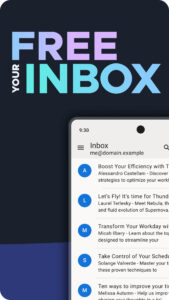
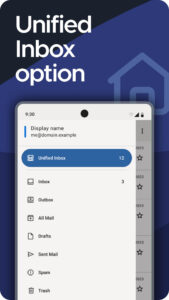
Thunderbird is a powerful, privacy-focused email app. Effortlessly manage multiple email accounts from one app, with a Unified Inbox option for maximum productivity. Built on open-source technology and supported by a dedicated team of developers alongside a global community of volunteers, Thunderbird never treats your private data as a product. Supported solely by financial contributions from our users, so you never have to see ads mixed in with your emails again.
What you can do
Ditch multiple apps and webmail. Use one app, with an optional Unified Inbox, to power through your day.
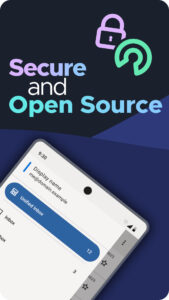
Enjoy a privacy-friendly email client that never collects or sells your personal data. We directly connect you to your email provider. That’s it!
Take your privacy to the next level by using OpenPGP email encryption (PGP/MIME) with the “OpenKeychain” app, to encrypt and decrypt your messages.
Choose to sync your email instantly, at set intervals, or on-demand. However you want to check your email, it’s up to you!
Find your important messages using both local and server-side search.
Compatibility
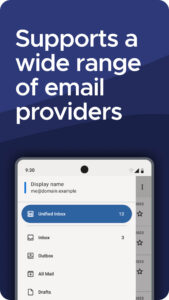
Thunderbird works with IMAP and POP3 protocols, supporting a wide range of email providers, including Gmail, Outlook, Yahoo Mail, iCloud, and more.
Why use Thunderbird
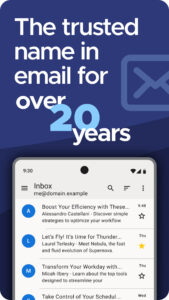
The trusted name in email for over 20 years - now on Android.
Thunderbird is fully funded by voluntary contributions from our users. We don’t mine your personal data. You are never the product.
Made by a team that is as efficiency-minded as you are. We want you to spend minimal time using the app while getting maximum in return.
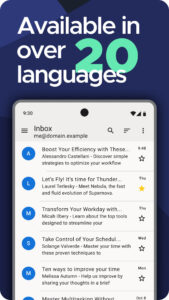
With contributors from all over the world, Thunderbird for Android has been translated into more than 20 languages.
Supported by MZLA Technologies Corporation, a wholly owned subsidiary of the Mozilla Foundation.
Open Source and Community
Thunderbird is free and open source, which means its code is available to see, modify, use and share freely. Its license also ensures that it will be free forever. You can think of Thunderbird as a gift from thousands of contributors to you.
We develop in the open with regular, transparent updates on our blog and mailing lists.
Our user support is powered by our global community. Find the answers you need, or step into the role of a contributor - whether it’s answering questions, translating the app, or telling your friends and family about Thunderbird.
Find our bug tracker, source code, and wiki at
https://github.com/thunderbird/thunderbird-android
.
We’re always happy to welcome new developers, designers, documenters, translators, bug triagers and friends. Visit us at
https://thunderbird.net/participate
to get started.
What you can do
Thunderbird is a powerful, privacy-focused email app. Effortlessly manage multiple email accounts from one app, with a Unified Inbox option for maximum productivity. Built on open-source technology and supported by a dedicated team of developers alongside a global community of volunteers, Thunderbird never treats your private data as a product. Supported solely by financial contributions from our users, so you never have to see ads mixed in with your emails again.
What you can do
Ditch multiple apps and webmail. Use one app, with an optional Unified Inbox, to power through your day.
Enjoy a privacy-friendly email client that never collects or sells your personal data. We directly connect you to your email provider. That’s it!
Take your privacy to the next level by using OpenPGP email encryption (PGP/MIME) with the “OpenKeychain” app, to encrypt and decrypt your messages.
Choose to sync your email instantly, at set intervals, or on-demand. However you want to check your email, it’s up to you!
Find your important messages using both local and server-side search.
Compatibility
Thunderbird works with IMAP and POP3 protocols, supporting a wide range of email providers, including Gmail, Outlook, Yahoo Mail, iCloud, and more.
Why use Thunderbird
The trusted name in email for over 20 years - now on Android.
Thunderbird is fully funded by voluntary contributions from our users. We don’t mine your personal data. You are never the product.
Made by a team that is as efficiency-minded as you are. We want you to spend minimal time using the app while getting maximum in return.
With contributors from all over the world, Thunderbird for Android has been translated into more than 20 languages.
Supported by MZLA Technologies Corporation, a wholly owned subsidiary of the Mozilla Foundation.
Open Source and Community
Thunderbird is free and open source, which means its code is available to see, modify, use and share freely. Its license also ensures that it will be free forever. You can think of Thunderbird as a gift from thousands of contributors to you.
We develop in the open with regular, transparent updates on our blog and mailing lists.
Our user support is powered by our global community. Find the answers you need, or step into the role of a contributor - whether it’s answering questions, translating the app, or telling your friends and family about Thunderbird.
Download Thunderbird Beta for Testers APK
Fast, free and safe download.
APK Permissions 16
- android.permission.ACCESS_NETWORK_STATE
- android.permission.CAMERA
- android.permission.FOREGROUND_SERVICE
- android.permission.FOREGROUND_SERVICE_DATA_SYNC
- android.permission.FOREGROUND_SERVICE_SPECIAL_USE
- android.permission.INTERNET
- android.permission.POST_NOTIFICATIONS
- android.permission.READ_CONTACTS
- android.permission.READ_SYNC_SETTINGS
- android.permission.RECEIVE_BOOT_COMPLETED
- android.permission.SCHEDULE_EXACT_ALARM
- android.permission.USE_BIOMETRIC
- android.permission.USE_FINGERPRINT
- android.permission.VIBRATE
- android.permission.WAKE_LOCK
- net.thunderbird.android.beta.DYNAMIC_RECEIVER_NOT_EXPORTED_PERMISSION
APK Verified
The cryptographic signature guarantees that the file is safe to install and was not tampered with in any way.
Similar in Communication


Frequently Asked Questions about Thunderbird Beta for Testers APK
This variant is built for devices that report `arm64-v8a, armeabi-v7a, x86, x86_64` as their primary ABI. If your device's CPU matches, this is the smallest, fastest version to install.
Yes — the APK's signature has been cryptographically verified against the publisher's signing key. The SHA-256 hash is shown in the File Information panel so you can independently confirm the file matches the original release.
Android 21 (API level 35) or newer. Older devices will refuse the install.
Install a free app like 'CPU-Z' or 'Droid Hardware Info' from the Play Store and look at the ABI / Instruction Set row. Most phones made after 2017 are arm64-v8a; if in doubt, download the universal variant.
All variants are functionally identical — same features, same version. They differ only in which CPU architectures the native code is compiled for, and (sometimes) which screen densities the included graphics target. Pick the one that matches your device for the smallest install size, or pick 'Universal' if you're unsure.