
This is the universal build of Lynx Launcher 1.4.3-0525. It contains native libraries for every CPU architecture (arm64-v8a, armeabi-v7a, x86, x86_64), so it installs on any Android device. The trade-off is size — it's larger than per-architecture variants. Pick this one if you're unsure which CPU your phone has, or if you plan to share the APK with multiple devices.
File size: 3.4 MB • Min Android: 21 • Target Android: 35 • Version code: 425 • Framework: Native (Java/Kotlin) • Permissions: 24
Screenshots
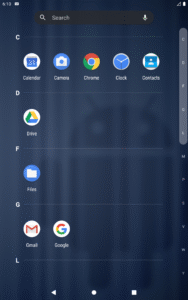
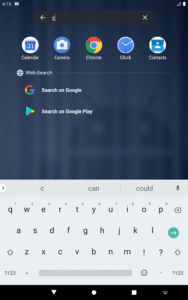
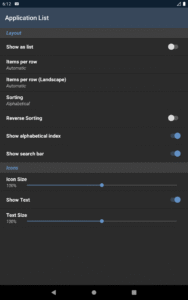
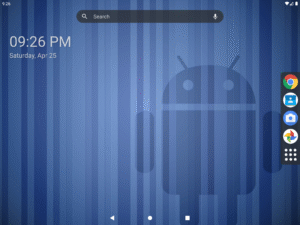
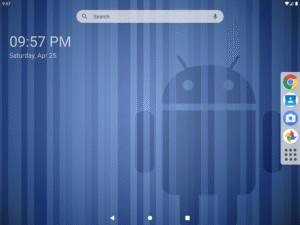
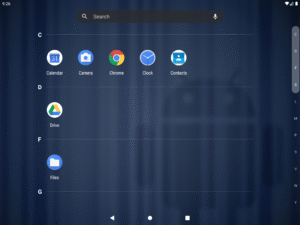
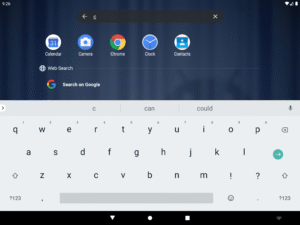
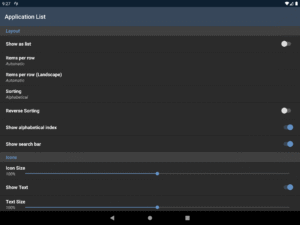
File Information
| Package Name | org.n277.lynxlauncher |
|---|---|
| Version Name | 1.4.3-0525 |
| Version Code | 425 |
| Architecture | Universal |
| Min Android Version | Android 21 (API 35) |
| Main Activity | org.n277.lynxlauncher.HomeActivity |
| Framework | Native (Java/Kotlin) |
| File Size | 3.40 MB |
| Signature (SHA1) | 867AB995CC7E7FC829860C9E888FB104593156BF |
| File Hash (SHA256) | a4d146d09b9c3bd92d2c6d909c5ef9979b03cd0899c2b2485fc1612baca77ae1 |
What's New
- Added support for private profiles
- Added support for TalkBack for Dock items
- Added support for TalkBack for Context menu icons
- Bug fixes and performance improvements
- Added support for TalkBack for Dock items
- Added support for TalkBack for Context menu icons
- Bug fixes and performance improvements
App Description
Lynx Launcher
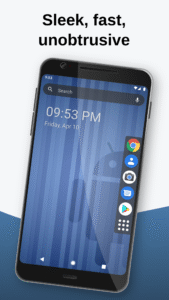
is a customizable replacement for your home screen 📲 that provides a focused, clean and unobtrusive user interface.
Inspired by the Gnome Desktop Environment™ for Linux, Lynx Launcher offers all functionalities of a modern home screen without being too complex or distracting.
Features:
🔶
No distractions or superfluous functions
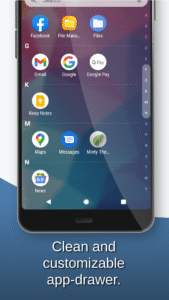
All available functions are carefully chosen to not clutter the launcher with unnecessary distractions and provide a clean look. You can also hide Applications you cannot uninstall but don't want to see.
🛠️
Customization options
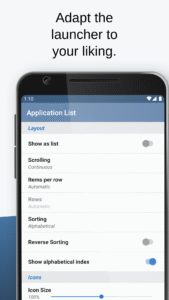
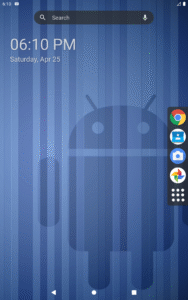
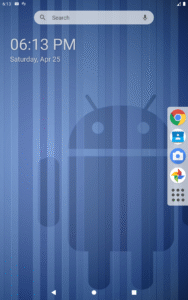
Change the position of the dock, text size, desktop grids, search bar visibility, notification dots(*) and more.
👆
Fast navigation and gestures
Applications, favorites, search and desktop are all reachable with just a single swipe. Want to open a shortcut, setting, app or see a contact using a gesture? No problem!
💚
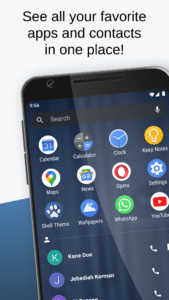
See your favorite applications and contacts at one place
The favorites screen will show you all your favorite applications and contacts for easy and fast access.
🔍
Extended search functionality
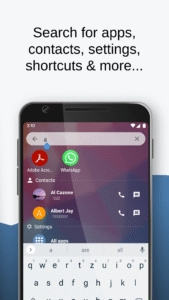
The in-app search function allows you to search for apps, contacts, shortcuts, settings and can be used as a calculator or to start an online search using a search engine of your choice.
🎨
Theming for launcher and icons
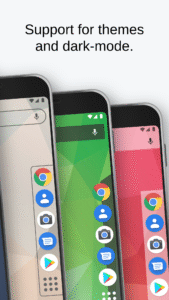
You can use your favorite icon theme from Google Play, change the shape of the adaptive icons(*) or even change the whole theme of the Launcher.
🌙
Dark mode support
Choose whether Lynx Launcher should use a dark or a light theme or when the dark theme should be used. You can also change the dark mode individually for parts of the app.
Lynx Launcher is being actively developed. Take a look at the roadmap to see what features will be added in the future:
https://www.lynxlauncher.de/roadmap.html
Community and Support:
❓
FAQ:
www.lynxlauncher.de/faq.html
💬
Discord:
www.lynxlauncher.de/discord.html
* Some features are only available with the Pro-Version.
Note:
This application may require access to the Accessibility Service to open the notifications shade or to lock the screen of the phone.
is a customizable replacement for your home screen 📲 that provides a focused, clean and unobtrusive user interface.
Inspired by the Gnome Desktop Environment™ for Linux, Lynx Launcher offers all functionalities of a modern home screen without being too complex or distracting.
Features:
🔶
No distractions or superfluous functions
All available functions are carefully chosen to not clutter the launcher with unnecessary distractions and provide a clean look. You can also hide Applications you cannot uninstall but don't want to see.
🛠️
Customization options
Change the position of the dock, text size, desktop grids, search bar visibility, notification dots(*) and more.
👆
Fast navigation and gestures
Applications, favorites, search and desktop are all reachable with just a single swipe. Want to open a shortcut, setting, app or see a contact using a gesture? No problem!
💚
See your favorite applications and contacts at one place
The favorites screen will show you all your favorite applications and contacts for easy and fast access.
🔍
Extended search functionality
The in-app search function allows you to search for apps, contacts, shortcuts, settings and can be used as a calculator or to start an online search using a search engine of your choice.
🎨
Theming for launcher and icons
You can use your favorite icon theme from Google Play, change the shape of the adaptive icons(*) or even change the whole theme of the Launcher.
🌙
Dark mode support
Choose whether Lynx Launcher should use a dark or a light theme or when the dark theme should be used. You can also change the dark mode individually for parts of the app.
Lynx Launcher is being actively developed. Take a look at the roadmap to see what features will be added in the future:
https://www.lynxlauncher.de/roadmap.html
Community and Support:
❓
FAQ:
www.lynxlauncher.de/faq.html
💬
Discord:
www.lynxlauncher.de/discord.html
* Some features are only available with the Pro-Version.
Note:
This application may require access to the Accessibility Service to open the notifications shade or to lock the screen of the phone.
Download Lynx Launcher APK
Fast, free and safe download.
APK Permissions 24
- android.permission.ACCESS_COARSE_LOCATION
- android.permission.ACCESS_HIDDEN_PROFILES
- android.permission.ACCESS_NETWORK_STATE
- android.permission.ACCESS_WIFI_STATE
- android.permission.BIND_ACCESSIBILITY_SERVICE
- android.permission.BIND_APPWIDGET
- android.permission.EXPAND_STATUS_BAR
- android.permission.INTERNET
- android.permission.QSB
- android.permission.QUERY_ALL_PACKAGES
- android.permission.READ_CONTACTS
- android.permission.READ_EXTERNAL_STORAGE
- android.permission.RECEIVE_BOOT_COMPLETED
- android.permission.RECORD_AUDIO
- android.permission.REQUEST_DELETE_PACKAGES
- android.permission.SET_WALLPAPER
- android.permission.SET_WALLPAPER_HINTS
- android.permission.WRITE_SETTINGS
- com.android.permission.RECEIVE_LAUNCH_BROADCASTS
- com.android.vending.BILLING
- com.huawei.android.thememanager.permission.ACCESS_CHANGE_WALLPAPER
- com.huawei.wallpaperservcie.permission.SET_WALLPAPER_OFFSET
- com.inveno.hwread.permission.LAUNCHER_RECEIVE
- org.n277.lynxlauncher.DYNAMIC_RECEIVER_NOT_EXPORTED_PERMISSION
APK Verified
The cryptographic signature guarantees that the file is safe to install and was not tampered with in any way.


Frequently Asked Questions about Lynx Launcher APK
This is the universal variant — a single APK that contains native libraries for every CPU architecture. It installs on any Android device but is larger than per-architecture variants.
Yes — the APK's signature has been cryptographically verified against the publisher's signing key. The SHA-256 hash is shown in the File Information panel so you can independently confirm the file matches the original release.
Android 21 (API level 35) or newer. Older devices will refuse the install.
Install a free app like 'CPU-Z' or 'Droid Hardware Info' from the Play Store and look at the ABI / Instruction Set row. Most phones made after 2017 are arm64-v8a; if in doubt, download the universal variant.
All variants are functionally identical — same features, same version. They differ only in which CPU architectures the native code is compiled for, and (sometimes) which screen densities the included graphics target. Pick the one that matches your device for the smallest install size, or pick 'Universal' if you're unsure.