
This is the universal build of Nanoleaf 11.7.0. It contains native libraries for every CPU architecture (arm64-v8a, armeabi-v7a, x86, x86_64), so it installs on any Android device. The trade-off is size — it's larger than per-architecture variants. Pick this one if you're unsure which CPU your phone has, or if you plan to share the APK with multiple devices.
File size: 125.5 MB • Min Android: 28 • Target Android: 35 • Version code: 477 • Framework: Native (Java/Kotlin) • Permissions: 29
Screenshots
File Information
| Package Name | me.nanoleaf.nanoleaf |
|---|---|
| Version Name | 11.7.0 |
| Version Code | 477 |
| Architecture | Universal |
| Min Android Version | Android 28 (API 35) |
| Main Activity | me.nanoleaf.nanoleaf.feature.launcher.LauncherActivity |
| Framework | Native (Java/Kotlin) |
| File Size | 125.45 MB |
| Signature (SHA1) | 1DE73E92B0223B69A4BEBF87FDADE3CBFF9BD829 |
| File Hash (SHA256) | bd7aca98af81126c4f1a5a2ce452578a688ec4d8743e50e7c995965f27702a0c |
What's New
What's New:
- New Paint Scene Creator for Light Panels
What's Changed:
- Improved Light Panel connectivity
- Improved Light Panel pairing
- Cloud Sync Bug Fixes
- Minor Bug Fixes and UI/UX improvements
- New Paint Scene Creator for Light Panels
What's Changed:
- Improved Light Panel connectivity
- Improved Light Panel pairing
- Cloud Sync Bug Fixes
- Minor Bug Fixes and UI/UX improvements
App Description
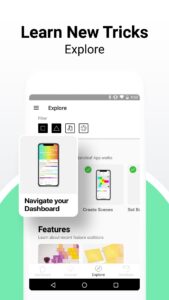
Design, set up, manage, and control your Nanoleaf lights all in one place. From the virtual Layout Assistant, to one-touch RGB presets, to full in-depth customization like you’ve never seen before, prepare for a lighting experience that is Smarter by Design.
Simple Control
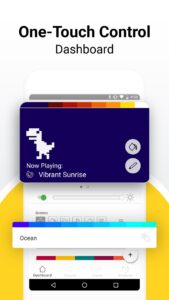
Use the App to scan your lights’ pairing code and get set up in seconds, then enjoy your smart light-switch. Remotely turn your lights on and off, adjust brightness (trust us they go BRIGHT), and select your color Scenes from anywhere within your home. Group your lights together for joint control with Group Scenes (because we love a team player), or segment by room to keep your lights as organized as you wish your life could be.
Complete Customization
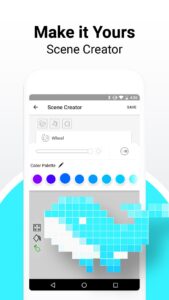
Create custom dynamic Scenes by selecting palettes and colors with the intuitive color wheel, adjusting ratios, and choosing animated motions. Try vibrant RGB hues to set a total vibe, or put the “fun” in functional lighting with the whole range of white color temperatures.
Advanced Automations
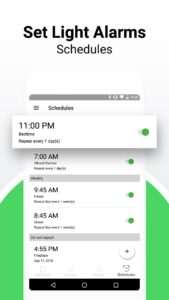
Set Schedules to automate your daily lighting needs, from gentle morning light-alarms, to gradually dimming nightly reminders that Holy **** it’s 2AM again, you need to wake up in 4 hours, PLEASE go to sleep.
Now You’re Talking
Connect your lights with your smart home assistant (Amazon Alexa, Google Assistant, or Samsung SmartThings) and use voice commands to control them hands-free. Just say “Ok Google, turn on my “TGIF” Scene” and instantly enter full relaxation-mode at the end of a long week. The best part of all, you don’t even have to say “Please”... but it’d still be nice if you did though :)
Join the Community
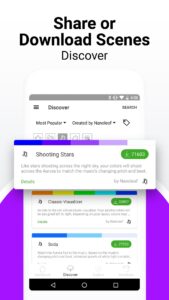
Explore the App’s “Discover” tab for a huge collection of incredible Scenes created by users like you. Well, like you, just more creative. But if you too are the creative type, share your own Scenes and show the community what you’ve got! There are endless Scenes to discover for every mood and occasion, all the way from “Ho Ho Holidays” to “Netflix and Chill”.
+ More
With a virtual AR Layout Assistant, curated Scenes and Playlists, and additional product information, the Nanoleaf App really is your smart lighting one-stop-shop.
The Nanoleaf App supports Nanoleaf Light Panels, Canvas, Shapes, Essentials, Elements, and Lines.
Enjoy it today on the ever superior Android operating system.
Simple Control
Use the App to scan your lights’ pairing code and get set up in seconds, then enjoy your smart light-switch. Remotely turn your lights on and off, adjust brightness (trust us they go BRIGHT), and select your color Scenes from anywhere within your home. Group your lights together for joint control with Group Scenes (because we love a team player), or segment by room to keep your lights as organized as you wish your life could be.
Complete Customization
Create custom dynamic Scenes by selecting palettes and colors with the intuitive color wheel, adjusting ratios, and choosing animated motions. Try vibrant RGB hues to set a total vibe, or put the “fun” in functional lighting with the whole range of white color temperatures.
Advanced Automations
Set Schedules to automate your daily lighting needs, from gentle morning light-alarms, to gradually dimming nightly reminders that Holy **** it’s 2AM again, you need to wake up in 4 hours, PLEASE go to sleep.
Now You’re Talking
Connect your lights with your smart home assistant (Amazon Alexa, Google Assistant, or Samsung SmartThings) and use voice commands to control them hands-free. Just say “Ok Google, turn on my “TGIF” Scene” and instantly enter full relaxation-mode at the end of a long week. The best part of all, you don’t even have to say “Please”... but it’d still be nice if you did though :)
Join the Community
Explore the App’s “Discover” tab for a huge collection of incredible Scenes created by users like you. Well, like you, just more creative. But if you too are the creative type, share your own Scenes and show the community what you’ve got! There are endless Scenes to discover for every mood and occasion, all the way from “Ho Ho Holidays” to “Netflix and Chill”.
+ More
With a virtual AR Layout Assistant, curated Scenes and Playlists, and additional product information, the Nanoleaf App really is your smart lighting one-stop-shop.
The Nanoleaf App supports Nanoleaf Light Panels, Canvas, Shapes, Essentials, Elements, and Lines.
Enjoy it today on the ever superior Android operating system.
Download Nanoleaf APK
Fast, free and safe download.
APK Permissions 29
- android.permission.ACCESS_ADSERVICES_AD_ID
- android.permission.ACCESS_ADSERVICES_ATTRIBUTION
- android.permission.ACCESS_FINE_LOCATION
- android.permission.ACCESS_NETWORK_STATE
- android.permission.ACCESS_WIFI_STATE
- android.permission.BLUETOOTH
- android.permission.BLUETOOTH_ADMIN
- android.permission.BLUETOOTH_CONNECT
- android.permission.BLUETOOTH_SCAN
- android.permission.CAMERA
- android.permission.CHANGE_NETWORK_STATE
- android.permission.CHANGE_WIFI_MULTICAST_STATE
- android.permission.CHANGE_WIFI_STATE
- android.permission.FOREGROUND_SERVICE
- android.permission.INTERNET
- android.permission.NFC
- android.permission.POST_NOTIFICATIONS
- android.permission.READ_EXTERNAL_STORAGE
- android.permission.READ_MEDIA_IMAGES
- android.permission.READ_MEDIA_VIDEO
- android.permission.RECEIVE_BOOT_COMPLETED
- android.permission.VIBRATE
- android.permission.WAKE_LOCK
- android.permission.WRITE_EXTERNAL_STORAGE
- com.android.vending.CHECK_LICENSE
- com.google.android.c2dm.permission.RECEIVE
- com.google.android.finsky.permission.BIND_GET_INSTALL_REFERRER_SERVICE
- com.google.android.gms.permission.AD_ID
- me.nanoleaf.nanoleaf.DYNAMIC_RECEIVER_NOT_EXPORTED_PERMISSION
APK Verified
The cryptographic signature guarantees that the file is safe to install and was not tampered with in any way.


Frequently Asked Questions about Nanoleaf APK
This is the universal variant — a single APK that contains native libraries for every CPU architecture. It installs on any Android device but is larger than per-architecture variants.
Yes — the APK's signature has been cryptographically verified against the publisher's signing key. The SHA-256 hash is shown in the File Information panel so you can independently confirm the file matches the original release.
Android 28 (API level 35) or newer. Older devices will refuse the install.
Install a free app like 'CPU-Z' or 'Droid Hardware Info' from the Play Store and look at the ABI / Instruction Set row. Most phones made after 2017 are arm64-v8a; if in doubt, download the universal variant.
All variants are functionally identical — same features, same version. They differ only in which CPU architectures the native code is compiled for, and (sometimes) which screen densities the included graphics target. Pick the one that matches your device for the smallest install size, or pick 'Universal' if you're unsure.