
Download Solid Explorer File Manager APK
pl.solidexplorer2 · by NeatBytes
Screenshots
About Solid Explorer File Manager
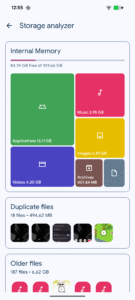
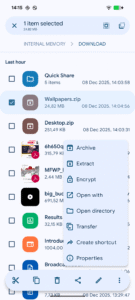
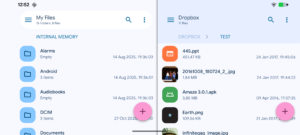
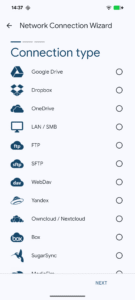
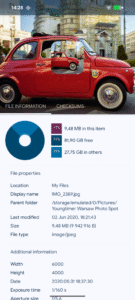
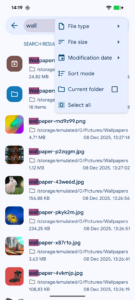
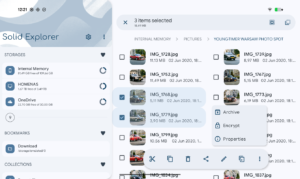
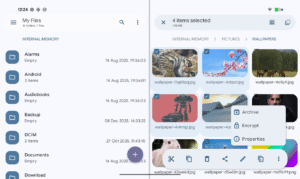
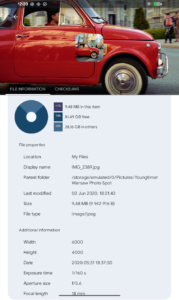
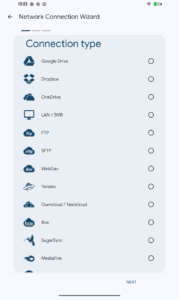
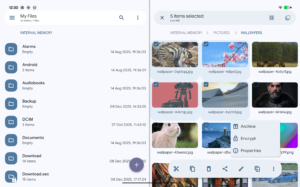
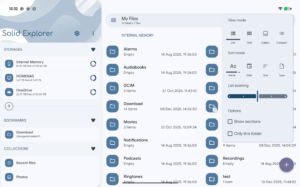
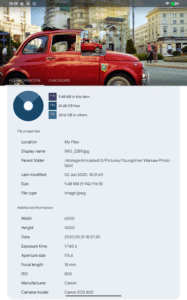
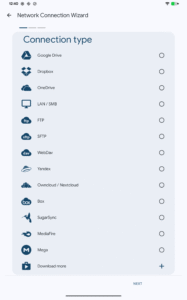
Solid Explorer is a file management app inspired by the old school file commander applications. It will help you: 🗄️ Easily manage files in dual pane layout 🔐 Protect files with strong encryption 🖥️ Manage files on your cloud storage or NAS ☁️ Backup apps and files to any desired destination Explore your device Solid Explorer lets you navigate to files stored on your device and automatically organizes them into collections. You can view, delete, move, rename or share any files. It also allows you to quickly find the files you need through indexed search with filters. Keep your files safe Solid Explorer can protect selected files with strong AES encryption and put them in a secure folder, which contents are unreadable for other apps. The file manager will ask for password or fingerprint confirmation when you browse the folder. Even if you uninstall Solid Explorer, the files stay on your device and are still protected. Analyze Storage Although this file manager doesn’t feature a dedicated storage analyzer, you can find out which files take up most of space by going to folder properties of internal storage or SD card. You will find the information about the percentage of space each folder takes and the list of biggest files. You can also use search with a file size filter. Organize remote files Solid Explorer supports major network protocols and cloud providers to let you organize multiple remote file locations in one place. You can easily transfer files between cloud locations/servers just by dragging them from one panel to another. Major feature list: • Files management - main storage, SD card, USB OTG • Cloud storage - easily connect and manage files on Google Drive, OneDrive, Dropbox, Box, Owncloud, SugarSync, MediaFire, Yandex, Mega* • NAS - support for major network protocols FTP, SFTP, SMB (Samba), WebDav • File encryption - password and fingerprint protection • Archives - support for ZIP, 7ZIP, RAR and TAR files • Root explorer - browse system files if your device is rooted • Indexed search - quickly find files on your device • Analyze storage - manage files taking too much space on your device • Organized collections - files categorized in Downloads, Recent,Photos, Videos, Music, Documents and Apps • Internal image viewer, music player and text editor - for easier browsing on remote storages • Batch rename - with support for naming patterns • FTP Server - for accessing your local files from PC • Themes and icon sets - rich customization options Solid Explorer will also manage files on your Chromebook with support for mouse and keyboard input. Useful links: Reddit : www.reddit.com/r/NeatBytes/ Translation : neatbytes.oneskyapp.com * with paid add-on