
Download PDF Document Scanner-NetraScan APK 2.2.35 Universal · Android 21+
Download APK
Verified Safe
This is the universal build of PDF Document Scanner-NetraScan 2.2.35. It contains native libraries for every CPU architecture (arm64-v8a, armeabi-v7a, x86, x86_64), so it installs on any Android device. The trade-off is size — it's larger than per-architecture variants. Pick this one if you're unsure which CPU your phone has, or if you plan to share the APK with multiple devices.
File size: 133.9 MB • Min Android: 21 • Target Android: 35 • Version code: 130 • Framework: Native (Java/Kotlin) • Permissions: 25
Screenshots




File Information
| Package Name | in.insomniactech.proscanner |
|---|---|
| Version Name | 2.2.35 |
| Version Code | 130 |
| Architecture | Universal |
| Min Android Version | Android 21 (API 35) |
| Main Activity | com.ignyte.docscanner.SplashActivity |
| Framework | Native (Java/Kotlin) |
| File Size | 133.94 MB |
| Signature (SHA1) | 8D1162DD271F5F3FF837590F6D2053A7E1C16E1E |
| File Hash (SHA256) | 56cdfbf3d5de82430ce28426951c7ec0aa7835d1ee4d6f549cfe60ec3bc10c1b |
What's New
Added Support for 16 KB
Improved membership hold on network failure
Added unsynced files info at log out
Added auto sync at app start
Fixed bugs and errors
Other exciting features coming soon.
Improved membership hold on network failure
Added unsynced files info at log out
Added auto sync at app start
Fixed bugs and errors
Other exciting features coming soon.
App Description
NetraScan is developed digital document scanner with data safety in mind. It is light on ram usage and memory storage with image compressor.
This Scanner store Scanned documents in local storage and with new updates you can store your scanned documents in google drive too.
This google drive sync capability brings in more flexibility in storing your pdf scanner images and documents. This is a completely free Digital Document scanner app which can be used anywhere anytime to scan pdf using pdf scanner for free documents and covert images to pdf.
What’s new in NetraScan free PDF Document Scanner app:
• Added Google Drive Sync: Scanned documents using pdf scanner can be synced with google drive for free which enables users to safely store data in their google drive and protect from data loss.
• Added Local only folder: No sign in required to store documents scanned through NetraScan free document scanner
• Added Sharpness editor: Clear document scanner app, all pdfs and images scanned using NetraScan can be edited according to the brightness level you need in the document. This feature of pdf document scanner can help you scan clear and bright documents.
• Added SD card Support: Move your scanned documents to your external memory also know as SD card, PDF Document scanner files can be stored to external memory to save phone storage.
• Added zoom at image editor: pdf image editor can now zoom in and edit pdf more clearly and give you better quality of scanned documents than any other free document scanner app.
• Bug fixing & speed optimization: We are constantly working to make your experience better than any other document scanner app and we have fixed all the bugs in previous versions of NetraScan-PDF Document Scanner.
USE NetraScan
● Doc scanner to convert images to pdf.
○ PDF Document Scanner feature helps to share images as pdf documents.
● Better quality of scanned images and better scanned pdf than other scanner apps.
○ There are various custom filters to apply on your pdf documents which are scanned and this helps to make your scans a good quality scan as if made from an actual document scanner.
○ Scan your invoices to share with your accountant to make hassle free billing and accounting with properly scanned documents
Easy free PDF editor
● Secure pdf editing tool
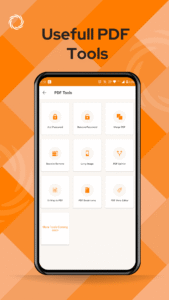
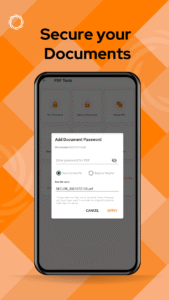
• You can add password to existing pdf documents or you can also add password to your scanned pdf document created using NetraScan
• Removing a password from pdf was never easier before but with the feature of “Remove Password” from scanned documents in the pdf tools option of NetraScan.
• Merge PDF
You can now merge different number of pdfs and pages into one big pdf document.
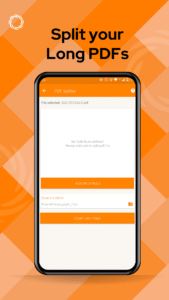
• Split PDF
You can separate long document into multiple pdf files and scanned document which can be shared easily.
Optimum size and quick doc scans
NetraScan free document scanner app just takes tiny space on your phone memory so you need not worry about excessive storage use and you can store multiple scanned files.
Read further to explore other free doc scan features of NetraScan
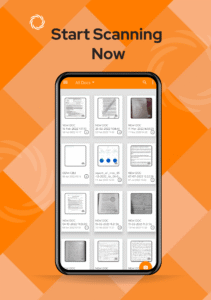
● Document management- organise your scanned pdf pages in the order you like
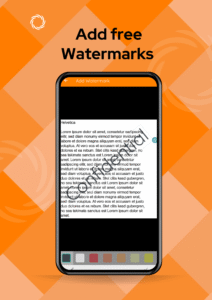
● Add Signature to documents- personalise your scans by adding your signature on the pages
● Multiple Filters - edit your pdf scans according to your preferred filter to decide
contrast and brightness of the pdf.
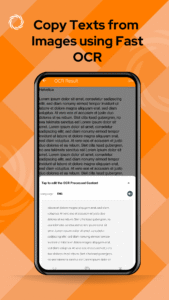
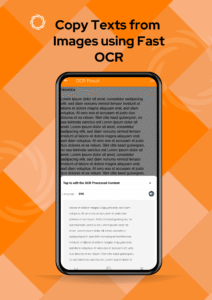
● Extract Text from Image
● Pdf Metadata Editor
● Auto image Skew correction and enhancement
● Automatic Image compression
● Free Encrypted PDF generation.
● Keep your files Secure by adding passwords to the scanned files.
● Bill, Invoice, Contract, Tax Roll, Business Card
● Whiteboard, Memo, Script, Letter
● Blackboard, Note, PPT, Book, Article
● Credential, Certificate, Identity Documents
● Backup and restore scanned documents with Google Drive
We’re delighted to learn from your feedbacks:
support@netranow.com
This Scanner store Scanned documents in local storage and with new updates you can store your scanned documents in google drive too.
This google drive sync capability brings in more flexibility in storing your pdf scanner images and documents. This is a completely free Digital Document scanner app which can be used anywhere anytime to scan pdf using pdf scanner for free documents and covert images to pdf.
What’s new in NetraScan free PDF Document Scanner app:
• Added Google Drive Sync: Scanned documents using pdf scanner can be synced with google drive for free which enables users to safely store data in their google drive and protect from data loss.
• Added Local only folder: No sign in required to store documents scanned through NetraScan free document scanner
• Added Sharpness editor: Clear document scanner app, all pdfs and images scanned using NetraScan can be edited according to the brightness level you need in the document. This feature of pdf document scanner can help you scan clear and bright documents.
• Added SD card Support: Move your scanned documents to your external memory also know as SD card, PDF Document scanner files can be stored to external memory to save phone storage.
• Added zoom at image editor: pdf image editor can now zoom in and edit pdf more clearly and give you better quality of scanned documents than any other free document scanner app.
• Bug fixing & speed optimization: We are constantly working to make your experience better than any other document scanner app and we have fixed all the bugs in previous versions of NetraScan-PDF Document Scanner.
USE NetraScan
● Doc scanner to convert images to pdf.
○ PDF Document Scanner feature helps to share images as pdf documents.
● Better quality of scanned images and better scanned pdf than other scanner apps.
○ There are various custom filters to apply on your pdf documents which are scanned and this helps to make your scans a good quality scan as if made from an actual document scanner.
○ Scan your invoices to share with your accountant to make hassle free billing and accounting with properly scanned documents
Easy free PDF editor
● Secure pdf editing tool
• You can add password to existing pdf documents or you can also add password to your scanned pdf document created using NetraScan
• Removing a password from pdf was never easier before but with the feature of “Remove Password” from scanned documents in the pdf tools option of NetraScan.
• Merge PDF
You can now merge different number of pdfs and pages into one big pdf document.
• Split PDF
You can separate long document into multiple pdf files and scanned document which can be shared easily.
Optimum size and quick doc scans
NetraScan free document scanner app just takes tiny space on your phone memory so you need not worry about excessive storage use and you can store multiple scanned files.
Read further to explore other free doc scan features of NetraScan
● Document management- organise your scanned pdf pages in the order you like
● Add Signature to documents- personalise your scans by adding your signature on the pages
● Multiple Filters - edit your pdf scans according to your preferred filter to decide
contrast and brightness of the pdf.
● Extract Text from Image
● Pdf Metadata Editor
● Auto image Skew correction and enhancement
● Automatic Image compression
● Free Encrypted PDF generation.
● Keep your files Secure by adding passwords to the scanned files.
● Bill, Invoice, Contract, Tax Roll, Business Card
● Whiteboard, Memo, Script, Letter
● Blackboard, Note, PPT, Book, Article
● Credential, Certificate, Identity Documents
● Backup and restore scanned documents with Google Drive
We’re delighted to learn from your feedbacks:
support@netranow.com
Download PDF Document Scanner-NetraScan APK
Fast, free and safe download.
APK Permissions 25
- android.permission.ACCESS_ADSERVICES_AD_ID
- android.permission.ACCESS_ADSERVICES_ATTRIBUTION
- android.permission.ACCESS_ADSERVICES_TOPICS
- android.permission.ACCESS_NETWORK_STATE
- android.permission.ACCESS_WIFI_STATE
- android.permission.CAMERA
- android.permission.CHANGE_NETWORK_STATE
- android.permission.CHANGE_WIFI_STATE
- android.permission.FLASHLIGHT
- android.permission.FOREGROUND_SERVICE
- android.permission.FOREGROUND_SERVICE_DATA_SYNC
- android.permission.FOREGROUND_SERVICE_SPECIAL_USE
- android.permission.INTERNET
- android.permission.POST_NOTIFICATIONS
- android.permission.READ_EXTERNAL_STORAGE
- android.permission.READ_MEDIA_IMAGES
- android.permission.WAKE_LOCK
- android.permission.WRITE_EXTERNAL_STORAGE
- com.android.vending.BILLING
- com.android.vending.CHECK_LICENSE
- com.google.android.c2dm.permission.RECEIVE
- com.google.android.finsky.permission.BIND_GET_INSTALL_REFERRER_SERVICE
- com.google.android.gms.permission.AD_ID
- in.insomniactech.proscanner.BIND_GET_INSTALL_REFERRER_SERVICE
- in.insomniactech.proscanner.DYNAMIC_RECEIVER_NOT_EXPORTED_PERMISSION
APK Verified
The cryptographic signature guarantees that the file is safe to install and was not tampered with in any way.


Frequently Asked Questions about PDF Document Scanner-NetraScan APK
This is the universal variant — a single APK that contains native libraries for every CPU architecture. It installs on any Android device but is larger than per-architecture variants.
Yes — the APK's signature has been cryptographically verified against the publisher's signing key. The SHA-256 hash is shown in the File Information panel so you can independently confirm the file matches the original release.
Android 21 (API level 35) or newer. Older devices will refuse the install.
Install a free app like 'CPU-Z' or 'Droid Hardware Info' from the Play Store and look at the ABI / Instruction Set row. Most phones made after 2017 are arm64-v8a; if in doubt, download the universal variant.
All variants are functionally identical — same features, same version. They differ only in which CPU architectures the native code is compiled for, and (sometimes) which screen densities the included graphics target. Pick the one that matches your device for the smallest install size, or pick 'Universal' if you're unsure.