
Download Nielsen Mobile App APK 10.3.0 arm64-v8a, armeabi-v7a, x86, x86_64 · Android 26+
Download APK
Verified Safe
This is the arm64-v8a, armeabi-v7a, x86, x86_64 build of Nielsen Mobile App 10.3.0. Pick this build if your device's primary ABI matches.
File size: 54.8 MB • Min Android: 26 • Target Android: 34 • Version code: 10272 • Framework: Native (Java/Kotlin) • Permissions: 35
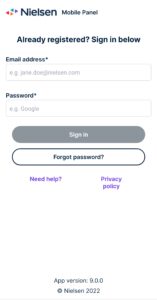
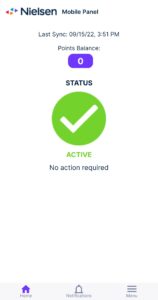
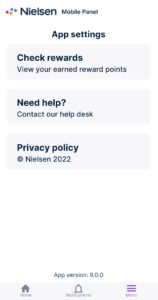
Screenshots
File Information
| Package Name | com.nielsen.odm |
|---|---|
| Version Name | 10.3.0 |
| Version Code | 10272 |
| Architecture | arm64-v8a, armeabi-v7a, x86, x86_64 |
| Min Android Version | Android 26 (API 34) |
| Main Activity | com.nielsen.odm.NielsenMobileMeter |
| Framework | Native (Java/Kotlin) |
| File Size | 54.80 MB |
| Signature (SHA1) | E5D892ACD33E2E3431A1E9131DD669B1B395AA6D |
| File Hash (SHA256) | 8a71d459154c7ac3e8bcea0dea9d5e836d6344dbf19831babaf9dc7e19be1694 |
What's New
• New look and improved features
• Improved stability
• Improved stability
App Description
The Nielsen Mobile App is your opportunity to be a part of the research we do here at Nielsen. Your participation helps us understand how consumers use the internet and their mobile devices by studying the types of websites and apps people like you use. By installing our app on your smartphone or tablet, you’re contributing to the measurement of the digital landscape and are eligible to earn rewards.
Before downloading our Nielsen Mobile App, you must first sign up using our registration form (if you were directly invited to participate, use the provided information to register your account). Once your registration is submitted, you can download this app to your smartphone or tablet.
If you haven’t completed our registration form, this app will not function and you won’t receive rewards. In addition, if you weren’t directly invited to participate or did not already register, you can sign up online for the Nielsen Computer and Mobile Panel.
With your help, Nielsen and our clients will better understand mobile device trends such as app usage, website visits and how much time is spent viewing content. Your mobile activity will be anonymized and aggregated along with thousands of other participating panelists before any reports are shared. Note that our app uses an on-device local VPN to collect high level mobile web and app usage information such as timestamp and URL for media research purposes.
Our app also uses Foreground Services to connect with and locate panelists’ wearable devices via bluetooth (which are provided by Nielsen), and sync with a Nielsen backoffice on a regular interval to collect and process data - both of which are critical features of the app and core components of participation. In addition, the App serves as a tool for panelists to manage their account, including accessing their rewards.
You can access our Privacy Policy here:
markets.nielsen.com/global/en/legal/privacy-statement/nielsen-panel-app-privacy-notice/
If you have any questions, you can contact our support team at:
us.support@digitalpanels.nielsen.com
Before downloading our Nielsen Mobile App, you must first sign up using our registration form (if you were directly invited to participate, use the provided information to register your account). Once your registration is submitted, you can download this app to your smartphone or tablet.
If you haven’t completed our registration form, this app will not function and you won’t receive rewards. In addition, if you weren’t directly invited to participate or did not already register, you can sign up online for the Nielsen Computer and Mobile Panel.
With your help, Nielsen and our clients will better understand mobile device trends such as app usage, website visits and how much time is spent viewing content. Your mobile activity will be anonymized and aggregated along with thousands of other participating panelists before any reports are shared. Note that our app uses an on-device local VPN to collect high level mobile web and app usage information such as timestamp and URL for media research purposes.
Our app also uses Foreground Services to connect with and locate panelists’ wearable devices via bluetooth (which are provided by Nielsen), and sync with a Nielsen backoffice on a regular interval to collect and process data - both of which are critical features of the app and core components of participation. In addition, the App serves as a tool for panelists to manage their account, including accessing their rewards.
You can access our Privacy Policy here:
markets.nielsen.com/global/en/legal/privacy-statement/nielsen-panel-app-privacy-notice/
If you have any questions, you can contact our support team at:
us.support@digitalpanels.nielsen.com
Download Nielsen Mobile App APK
Fast, free and safe download.
APK Permissions 35
- android.permission.ACCESS_BACKGROUND_LOCATION
- android.permission.ACCESS_COARSE_LOCATION
- android.permission.ACCESS_FINE_LOCATION
- android.permission.ACCESS_NETWORK_STATE
- android.permission.ACCESS_WIFI_STATE
- android.permission.BATTERY_STATS
- android.permission.BLUETOOTH
- android.permission.BLUETOOTH_ADMIN
- android.permission.BLUETOOTH_ADVERTISE
- android.permission.BLUETOOTH_CONNECT
- android.permission.BLUETOOTH_SCAN
- android.permission.BROADCAST_STICKY
- android.permission.CHANGE_WIFI_STATE
- android.permission.FILE_WRITE
- android.permission.FOREGROUND_SERVICE
- android.permission.FOREGROUND_SERVICE_CONNECTED_DEVICE
- android.permission.FOREGROUND_SERVICE_DATA_SYNC
- android.permission.FOREGROUND_SERVICE_LOCATION
- android.permission.GET_TASKS
- android.permission.INTERNET
- android.permission.PACKAGE_USAGE_STATS
- android.permission.POST_NOTIFICATIONS
- android.permission.READ_LOGS
- android.permission.READ_PHONE_STATE
- android.permission.RECEIVE_BOOT_COMPLETED
- android.permission.REQUEST_IGNORE_BATTERY_OPTIMIZATIONS
- android.permission.WAKE_LOCK
- com.android.browser.permission.READ_HISTORY_BOOKMARKS
- com.android.providers.im.permission.READ_ONLY
- com.google.android.c2dm.permission.RECEIVE
- com.google.android.finsky.permission.BIND_GET_INSTALL_REFERRER_SERVICE
- com.google.android.gms.permission.AD_ID
- com.google.android.providers.gsf.permission.READ_GSERVICES
- com.nielsen.odm.DYNAMIC_RECEIVER_NOT_EXPORTED_PERMISSION
- com.nielsen.odm.permission.NOTIFY_CLONE
APK Verified
The cryptographic signature guarantees that the file is safe to install and was not tampered with in any way.


Frequently Asked Questions about Nielsen Mobile App APK
This variant is built for devices that report `arm64-v8a, armeabi-v7a, x86, x86_64` as their primary ABI. If your device's CPU matches, this is the smallest, fastest version to install.
Yes — the APK's signature has been cryptographically verified against the publisher's signing key. The SHA-256 hash is shown in the File Information panel so you can independently confirm the file matches the original release.
Android 26 (API level 34) or newer. Older devices will refuse the install.
Install a free app like 'CPU-Z' or 'Droid Hardware Info' from the Play Store and look at the ABI / Instruction Set row. Most phones made after 2017 are arm64-v8a; if in doubt, download the universal variant.
All variants are functionally identical — same features, same version. They differ only in which CPU architectures the native code is compiled for, and (sometimes) which screen densities the included graphics target. Pick the one that matches your device for the smallest install size, or pick 'Universal' if you're unsure.