
This is the universal build of MyNorthwell 1.135.0. It contains native libraries for every CPU architecture (arm64-v8a, armeabi-v7a, x86, x86_64), so it installs on any Android device. The trade-off is size — it's larger than per-architecture variants. Pick this one if you're unsure which CPU your phone has, or if you plan to share the APK with multiple devices.
File size: 42.2 MB • Min Android: 30 • Target Android: 35 • Version code: 163208 • Framework: React Native • Permissions: 15
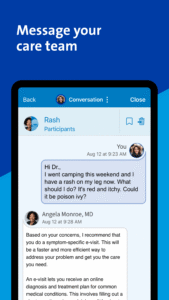
Screenshots
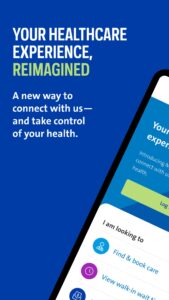
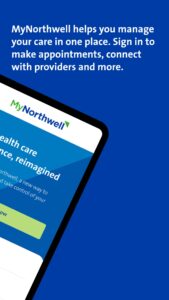
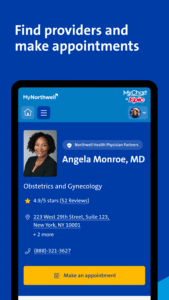
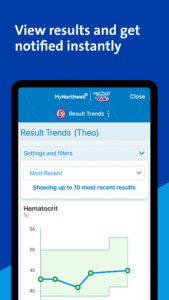
File Information
| Package Name | edu.northwell.dpxapp |
|---|---|
| Version Name | 1.135.0 |
| Version Code | 163208 |
| Architecture | Universal |
| Min Android Version | Android 30 (API 35) |
| Main Activity | edu.northwell.dpxapp.MainActivity |
| Framework | React Native |
| File Size | 42.16 MB |
| Signature (SHA1) | AB9C302FE5718A8A3F597887DDA49BB6B4AC3FA5 |
| File Hash (SHA256) | 19e0de9ce594a7159e2e80a097a0446487f3155f40fbfd4af49499cc2ae1349a |
What's New
Thank you for choosing the Northwell Health app! In this release, alongside design enhancements and bug fixes, patients can now digitally view ambulance billing statements in the online payment center.
App Description
Use our Northwell Health App to easily schedule and manage appointments—as well as pay bills, find doctors, access medical records and get directions. Simply download the app and create an account to get started.
Features include:
Create your profile and personalize your experience
• Tell us about yourself
• Update and view Northwell patient and insurance information
• Manage account settings and preferences
• Access FollowMyHealth® to view your medical records
Plan care with doctor profiles, reviews, insurance info and more
• Search for top doctors and facilities near you
• Read reviews from actual Northwell patients
• Get info on accepted insurance plans
• Find hours, locations and directions
Book and manage appointments on the go
• Schedule new appointments—for the times and locations you prefer
• Reschedule and cancel appointments
• View past and upcoming visits
Make payments in Northwell’s secure payment portal
• View and pay bills
• See payment history
• Find financial assistance
• Save a card on file for future use
Share your feedback
• Rate our app
• Leave comments and suggestions
• Share your great ideas
• Help us make the Northwell Health App even better for you
Features include:
Create your profile and personalize your experience
• Tell us about yourself
• Update and view Northwell patient and insurance information
• Manage account settings and preferences
• Access FollowMyHealth® to view your medical records
Plan care with doctor profiles, reviews, insurance info and more
• Search for top doctors and facilities near you
• Read reviews from actual Northwell patients
• Get info on accepted insurance plans
• Find hours, locations and directions
Book and manage appointments on the go
• Schedule new appointments—for the times and locations you prefer
• Reschedule and cancel appointments
• View past and upcoming visits
Make payments in Northwell’s secure payment portal
• View and pay bills
• See payment history
• Find financial assistance
• Save a card on file for future use
Share your feedback
• Rate our app
• Leave comments and suggestions
• Share your great ideas
• Help us make the Northwell Health App even better for you
Download MyNorthwell APK
Fast, free and safe download.
APK Permissions 15
- android.permission.ACCESS_COARSE_LOCATION
- android.permission.ACCESS_FINE_LOCATION
- android.permission.ACCESS_NETWORK_STATE
- android.permission.DOWNLOAD_WITHOUT_NOTIFICATION
- android.permission.INTERNET
- android.permission.READ_CALENDAR
- android.permission.READ_EXTERNAL_STORAGE
- android.permission.SYSTEM_ALERT_WINDOW
- android.permission.USE_BIOMETRIC
- android.permission.USE_FINGERPRINT
- android.permission.WAKE_LOCK
- android.permission.WRITE_CALENDAR
- android.permission.WRITE_EXTERNAL_STORAGE
- com.google.android.c2dm.permission.RECEIVE
- com.google.android.finsky.permission.BIND_GET_INSTALL_REFERRER_SERVICE
APK Verified
The cryptographic signature guarantees that the file is safe to install and was not tampered with in any way.
Similar in Medical


Frequently Asked Questions about MyNorthwell APK
This is the universal variant — a single APK that contains native libraries for every CPU architecture. It installs on any Android device but is larger than per-architecture variants.
Yes — the APK's signature has been cryptographically verified against the publisher's signing key. The SHA-256 hash is shown in the File Information panel so you can independently confirm the file matches the original release.
Android 30 (API level 35) or newer. Older devices will refuse the install.
Install a free app like 'CPU-Z' or 'Droid Hardware Info' from the Play Store and look at the ABI / Instruction Set row. Most phones made after 2017 are arm64-v8a; if in doubt, download the universal variant.
All variants are functionally identical — same features, same version. They differ only in which CPU architectures the native code is compiled for, and (sometimes) which screen densities the included graphics target. Pick the one that matches your device for the smallest install size, or pick 'Universal' if you're unsure.