
This is the universal build of Norton Password Manager 8.8.5. It contains native libraries for every CPU architecture (arm64-v8a, armeabi-v7a, x86, x86_64), so it installs on any Android device. The trade-off is size — it's larger than per-architecture variants. Pick this one if you're unsure which CPU your phone has, or if you plan to share the APK with multiple devices.
File size: 99.1 MB • Min Android: 26 • Target Android: 35 • Version code: 3772 • Framework: React Native • Permissions: 22
Screenshots
File Information
| Package Name | com.symantec.mobile.idsafe |
|---|---|
| Version Name | 8.8.5 |
| Version Code | 3772 |
| Architecture | Universal |
| Min Android Version | Android 26 (API 35) |
| Main Activity | com.symantec.mobile.idsafe.ui.EntryActivity |
| Framework | React Native |
| File Size | 99.14 MB |
| Signature (SHA1) | 353CB8F965DFB6AF8B01C17C847B7921FCCD60E7 |
| File Hash (SHA256) | f708d6016aaa1b50b4d2aa7d020909b250a8622e631fb8867681f943e203690d |
What's New
Bugs be gone! We’ve cleaned digital house with this update by implementing some fixes and getting rid of pesky bugs for Norton Password Manager. Happy with our attention to detail? Don’t forget to rate our app!
App Description
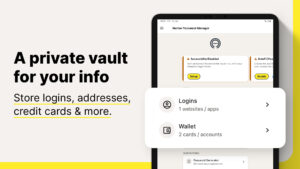
Want a free, powerful password manager? Norton Password Manager is a single solution to help manage your unique passwords in multiple ways. Memorizing complex passwords with symbols, numbers, capital letters, and more, is difficult but important to help keep your personal information secure. With Norton Password Manager, your information is encrypted, making it more secure, yet still available across your devices so you can access it anywhere. Best of all, it’s free!*
Why Norton Password Manager
• Passwords filled in a single tap
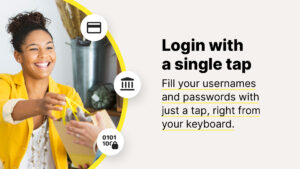
When you log in to websites and apps, it’s a smoother, quicker, and more convenient experience. Your passwords are stored in an online vault, which can be used to auto fill online login information with a single tap.¹
• Encrypted
With zero knowledge encryption and two-factor authentication, only you control access to your password vault–not even Norton can access it. These security measures help keep your data safer from cybercriminals and hacking attempts.
• Free*
Norton Password Manager is free and accessible to anyone and works on devices including computers, tablets, and phones
• Sync passwords¹
Your entire password vault can be synced and accessible across your devices.
• Biometric unlock²
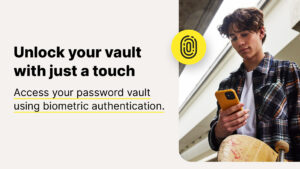
Access your vault faster or recover your vault password³ using the fingerprint reader on Android™ devices.
• Password Assessment
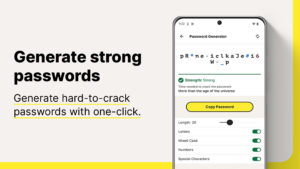
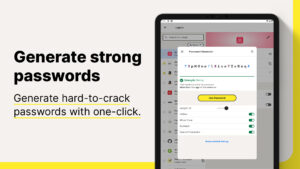
Check if your passwords are strong and easily create new passwords or change weak to stronger passwords that are more difficult to crack
Your information stays private even from us because it’s encrypted using zero-knowledge encryption before being stored in your cloud-based vault. Your passwords and other personal information can be even more secure by enabling two-factor authentication, plus you can use the fingerprint reader on Android™ devices so you can access your vault even faster.
Creating and remembering complex passwords doesn’t have to be difficult. Norton Password Manager helps you safeguard your personal information by making recommendations to strengthen passwords, adding more security to your online, digital life.
* With the free version of Norton Password Manager, we reserve the right to limit the number of entries (like passwords) at any time. This limitation won’t affect any existing entries in your vault.
¹ Requires your device to have an Internet/data plan and be turned on.
² Only available on Android and iOS devices with Fingerprint Authentication or Touch ID/Face ID activated.
³ Vault Password Reset can only be initiated on an Android or iOS smartphone. To work, your smartphone must have the Norton Password Manager mobile app installed, set up, and connected to your Norton account, plus the Biometric Authentication (fingerprint, or Touch ID/Face ID) activated, beforehand.
USE OF ACCESSIBILITY SERVICE
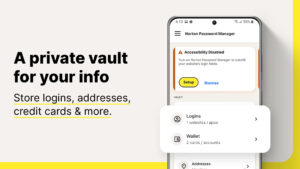
Norton Password Manager uses Accessibility features provided by Android to fill credentials stored in your vault.
PRIVACY POLICY
NortonLifeLock respects the privacy of our users and carefully safeguards personal data.
For more information:
www.nortonlifelock.com/privacy
Why Norton Password Manager
• Passwords filled in a single tap
When you log in to websites and apps, it’s a smoother, quicker, and more convenient experience. Your passwords are stored in an online vault, which can be used to auto fill online login information with a single tap.¹
• Encrypted
With zero knowledge encryption and two-factor authentication, only you control access to your password vault–not even Norton can access it. These security measures help keep your data safer from cybercriminals and hacking attempts.
• Free*
Norton Password Manager is free and accessible to anyone and works on devices including computers, tablets, and phones
• Sync passwords¹
Your entire password vault can be synced and accessible across your devices.
• Biometric unlock²
Access your vault faster or recover your vault password³ using the fingerprint reader on Android™ devices.
• Password Assessment
Check if your passwords are strong and easily create new passwords or change weak to stronger passwords that are more difficult to crack
Your information stays private even from us because it’s encrypted using zero-knowledge encryption before being stored in your cloud-based vault. Your passwords and other personal information can be even more secure by enabling two-factor authentication, plus you can use the fingerprint reader on Android™ devices so you can access your vault even faster.
Creating and remembering complex passwords doesn’t have to be difficult. Norton Password Manager helps you safeguard your personal information by making recommendations to strengthen passwords, adding more security to your online, digital life.
* With the free version of Norton Password Manager, we reserve the right to limit the number of entries (like passwords) at any time. This limitation won’t affect any existing entries in your vault.
¹ Requires your device to have an Internet/data plan and be turned on.
² Only available on Android and iOS devices with Fingerprint Authentication or Touch ID/Face ID activated.
³ Vault Password Reset can only be initiated on an Android or iOS smartphone. To work, your smartphone must have the Norton Password Manager mobile app installed, set up, and connected to your Norton account, plus the Biometric Authentication (fingerprint, or Touch ID/Face ID) activated, beforehand.
USE OF ACCESSIBILITY SERVICE
Norton Password Manager uses Accessibility features provided by Android to fill credentials stored in your vault.
PRIVACY POLICY
NortonLifeLock respects the privacy of our users and carefully safeguards personal data.
For more information:
www.nortonlifelock.com/privacy
Download Norton Password Manager APK
Fast, free and safe download.
APK Permissions 22
- android.permission.ACCESS_ADSERVICES_AD_ID
- android.permission.ACCESS_ADSERVICES_ATTRIBUTION
- android.permission.ACCESS_FINE_LOCATION
- android.permission.ACCESS_NETWORK_STATE
- android.permission.ACCESS_WIFI_STATE
- android.permission.CAMERA
- android.permission.FOREGROUND_SERVICE
- android.permission.INTERNET
- android.permission.POST_NOTIFICATIONS
- android.permission.READ_EXTERNAL_STORAGE
- android.permission.RECEIVE_BOOT_COMPLETED
- android.permission.SYSTEM_ALERT_WINDOW
- android.permission.USE_BIOMETRIC
- android.permission.USE_FINGERPRINT
- android.permission.VIBRATE
- android.permission.WAKE_LOCK
- android.permission.WRITE_EXTERNAL_STORAGE
- com.android.launcher.permission.INSTALL_SHORTCUT
- com.google.android.c2dm.permission.RECEIVE
- com.google.android.finsky.permission.BIND_GET_INSTALL_REFERRER_SERVICE
- com.google.android.gms.permission.AD_ID
- com.symantec.mobile.idsafe.DYNAMIC_RECEIVER_NOT_EXPORTED_PERMISSION
APK Verified
The cryptographic signature guarantees that the file is safe to install and was not tampered with in any way.
Similar in Tools


Frequently Asked Questions about Norton Password Manager APK
This is the universal variant — a single APK that contains native libraries for every CPU architecture. It installs on any Android device but is larger than per-architecture variants.
Yes — the APK's signature has been cryptographically verified against the publisher's signing key. The SHA-256 hash is shown in the File Information panel so you can independently confirm the file matches the original release.
Android 26 (API level 35) or newer. Older devices will refuse the install.
Install a free app like 'CPU-Z' or 'Droid Hardware Info' from the Play Store and look at the ABI / Instruction Set row. Most phones made after 2017 are arm64-v8a; if in doubt, download the universal variant.
All variants are functionally identical — same features, same version. They differ only in which CPU architectures the native code is compiled for, and (sometimes) which screen densities the included graphics target. Pick the one that matches your device for the smallest install size, or pick 'Universal' if you're unsure.