
Download Notepad – Notes and To Do List APK 4.0.0.18276 Universal · Android 28+
Download APK
Verified Safe
This is the universal build of Notepad – Notes and To Do List 4.0.0.18276. It contains native libraries for every CPU architecture (arm64-v8a, armeabi-v7a, x86, x86_64), so it installs on any Android device. The trade-off is size — it's larger than per-architecture variants. Pick this one if you're unsure which CPU your phone has, or if you plan to share the APK with multiple devices.
File size: 57.0 MB • Min Android: 28 • Target Android: 35 • Version code: 18276 • Framework: Native (Java/Kotlin) • Permissions: 38
Screenshots
File Information
| Package Name | com.ztnstudio.notepad |
|---|---|
| Version Name | 4.0.0.18276 |
| Version Code | 18276 |
| Architecture | Universal |
| Min Android Version | Android 28 (API 35) |
| Main Activity | com.ztnstudio.notepad.presentation.main.view.NoteListActivity |
| Framework | Native (Java/Kotlin) |
| File Size | 57.03 MB |
| Signature (SHA1) | 83F62B034B1AEC0D2024952F4AE604181BFECCBA |
| File Hash (SHA256) | ae899ebc6281e530177dd4c16dc2d16e080dbe0e9d1d0b9f733f27d6272ef699 |
What's New
Thank you for using our app. The latest update optimizes performance and integrates improvements based on your suggestions.
App Description
Notepad – Simple & Smart Note Taking App
Notepad
is a
free, easy-to-use notebook app
for Android, built for
quick and efficient note-taking
. Whether you’re writing down
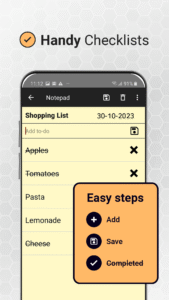
ideas, creating to-do lists, making checklists, or saving important memos
, Notepad helps you stay organized and productive every day.
WHY CHOOSE NOTEPAD?
✎
✒
All-in-One Notes & Lists
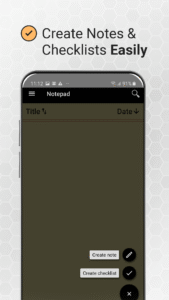
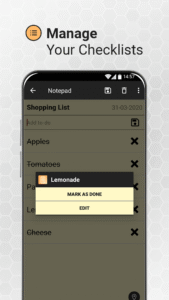
– Create notes, shopping lists, to-do lists, and more.
✒
Color Notes
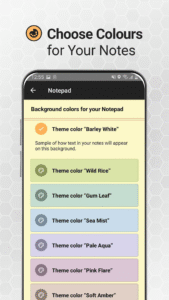
– Organize and personalize your notes with different background colors.
✒
Fast & Simple
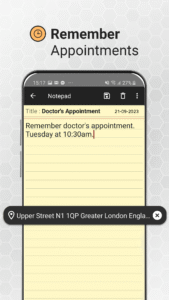
– Jot down thoughts, reminders, and ideas in seconds.
✒
Caller Notes
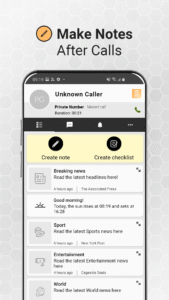
– Take instant notes after calls so you never forget important details.
✒
Share with Ease
– Send notes via email, SMS, or social apps for collaboration.
✒
Text Formatting
– Highlight key points with bold, underline, or italic text.
✒
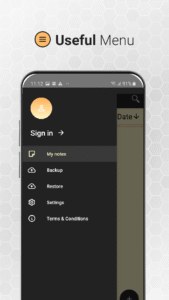
Backup & Secure
– Keep your notes safe and accessible anytime.
STAY ORGANIZED EFFORTLESSLY
Notepad
is designed to be your go-to
digital notebook
. From
daily reminders and personal memos
to
work tasks and lecture notes
, it keeps everything neatly stored in one place.
SMART CALLER ID INTEGRATION
Unlike other notepad apps,
Notepad
includes a
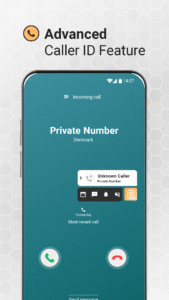
smart Caller ID
. It not only helps
identify unknown callers
but also lets you
instantly write notes right after a call
. Perfect for capturing names, numbers, or action items without losing track.
PERSONALIZE & COLLABORATE
Color-coded notes
and
text formatting
make it easy to organize your thoughts visually. Plus, with
seamless sharing options
, Notepad turns into a simple collaboration tool for projects, groups, or just sharing ideas with friends.
👉
Notepad
is the perfect companion for
students, professionals, and anyone who loves to stay organized
.
Download now
and simplify your note-taking!
Notepad
is a
free, easy-to-use notebook app
for Android, built for
quick and efficient note-taking
. Whether you’re writing down
ideas, creating to-do lists, making checklists, or saving important memos
, Notepad helps you stay organized and productive every day.
WHY CHOOSE NOTEPAD?
✎
✒
All-in-One Notes & Lists
– Create notes, shopping lists, to-do lists, and more.
✒
Color Notes
– Organize and personalize your notes with different background colors.
✒
Fast & Simple
– Jot down thoughts, reminders, and ideas in seconds.
✒
Caller Notes
– Take instant notes after calls so you never forget important details.
✒
Share with Ease
– Send notes via email, SMS, or social apps for collaboration.
✒
Text Formatting
– Highlight key points with bold, underline, or italic text.
✒
Backup & Secure
– Keep your notes safe and accessible anytime.
STAY ORGANIZED EFFORTLESSLY
Notepad
is designed to be your go-to
digital notebook
. From
daily reminders and personal memos
to
work tasks and lecture notes
, it keeps everything neatly stored in one place.
SMART CALLER ID INTEGRATION
Unlike other notepad apps,
Notepad
includes a
smart Caller ID
. It not only helps
identify unknown callers
but also lets you
instantly write notes right after a call
. Perfect for capturing names, numbers, or action items without losing track.
PERSONALIZE & COLLABORATE
Color-coded notes
and
text formatting
make it easy to organize your thoughts visually. Plus, with
seamless sharing options
, Notepad turns into a simple collaboration tool for projects, groups, or just sharing ideas with friends.
👉
Notepad
is the perfect companion for
students, professionals, and anyone who loves to stay organized
.
Download now
and simplify your note-taking!
Download Notepad – Notes and To Do List APK
Fast, free and safe download.
APK Permissions 38
- android.permission.ACCESS_ADSERVICES_AD_ID
- android.permission.ACCESS_ADSERVICES_ATTRIBUTION
- android.permission.ACCESS_ADSERVICES_CUSTOM_AUDIENCE
- android.permission.ACCESS_ADSERVICES_TOPICS
- android.permission.ACCESS_BACKGROUND_LOCATION
- android.permission.ACCESS_COARSE_LOCATION
- android.permission.ACCESS_FINE_LOCATION
- android.permission.ACCESS_NETWORK_STATE
- android.permission.ACCESS_NOTIFICATION_POLICY
- android.permission.ACCESS_WIFI_STATE
- android.permission.ANSWER_PHONE_CALLS
- android.permission.BATTERY_STATS
- android.permission.CALL_PHONE
- android.permission.FOREGROUND_SERVICE
- android.permission.FOREGROUND_SERVICE_PHONE_CALL
- android.permission.INTERNET
- android.permission.MANAGE_OWN_CALLS
- android.permission.MODIFY_AUDIO_SETTINGS
- android.permission.POST_NOTIFICATIONS
- android.permission.READ_BASIC_PHONE_STATE
- android.permission.READ_CONTACTS
- android.permission.READ_EXTERNAL_STORAGE
- android.permission.READ_PHONE_NUMBERS
- android.permission.READ_PHONE_STATE
- android.permission.RECEIVE_BOOT_COMPLETED
- android.permission.SYSTEM_ALERT_WINDOW
- android.permission.USE_FULL_SCREEN_INTENT
- android.permission.VIBRATE
- android.permission.WAKE_LOCK
- android.permission.WRITE_CONTACTS
- android.permission.WRITE_EXTERNAL_STORAGE
- com.android.vending.BILLING
- com.applovin.array.apphub.permission.BIND_APPHUB_SERVICE
- com.google.android.c2dm.permission.RECEIVE
- com.google.android.finsky.permission.BIND_GET_INSTALL_REFERRER_SERVICE
- com.google.android.gms.permission.AD_ID
- com.ztnstudio.notepad.assistant.RECEIVE_BROADCAST_PERMISSION
- com.ztnstudio.notepad.DYNAMIC_RECEIVER_NOT_EXPORTED_PERMISSION
APK Verified
The cryptographic signature guarantees that the file is safe to install and was not tampered with in any way.


Frequently Asked Questions about Notepad – Notes and To Do List APK
This is the universal variant — a single APK that contains native libraries for every CPU architecture. It installs on any Android device but is larger than per-architecture variants.
Yes — the APK's signature has been cryptographically verified against the publisher's signing key. The SHA-256 hash is shown in the File Information panel so you can independently confirm the file matches the original release.
Android 28 (API level 35) or newer. Older devices will refuse the install.
Install a free app like 'CPU-Z' or 'Droid Hardware Info' from the Play Store and look at the ABI / Instruction Set row. Most phones made after 2017 are arm64-v8a; if in doubt, download the universal variant.
All variants are functionally identical — same features, same version. They differ only in which CPU architectures the native code is compiled for, and (sometimes) which screen densities the included graphics target. Pick the one that matches your device for the smallest install size, or pick 'Universal' if you're unsure.