
This is the arm64-v8a build of Nothing Wallpaper 1.6.10 — the modern 64-bit ARM build that runs on virtually every Android phone released since 2017. It's smaller and faster than the universal variant because Android only loads the native code your CPU actually needs. If your phone is from the last 8 years, this is the right pick.
File size: 20.2 MB • Min Android: 34 • Target Android: 35 • Version code: 1061000 • Framework: Native (Java/Kotlin) • Permissions: 29
Screenshots
File Information
| Package Name | com.nothing.wallpaper |
|---|---|
| Version Name | 1.6.10 |
| Version Code | 1061000 |
| Architecture | arm64-v8a |
| Min Android Version | Android 34 (API 35) |
| Framework | Native (Java/Kotlin) |
| File Size | 20.17 MB |
| Signature (SHA1) | 95E1F157FE98518A9954494B98CE66E66F8729A8 |
| File Hash (SHA256) | 5b32c85487351174e0bba46c161674b9562919ae0d6e7d3d8679b8c23ea1ecaf |
What's New
🛠️ General bug fixes and performance improvements.
App Description
Nothing Wallpaper is only available to Nothing OS V2.5.0 and above users. You can update your wallpaper app via the Play Store without waiting for Nothing OS updates. Just turn on auto updates.
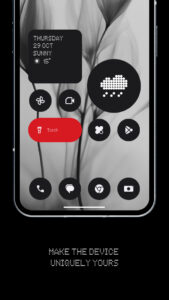
Customise your screen with unique visuals and enjoy a more immersive smartphone experience.
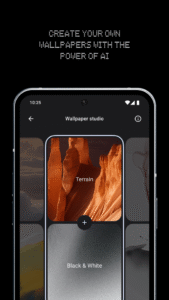
- Wallpaper Studio: combine various subjects and styles to craft wallpaper with the power of AI.
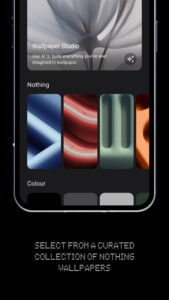
- Nothing series wallpapers: visuals perfectly crafted to complement our unique Nothing OS.
- Atmosphere: smoothly transition your wallpaper from lock to home screen with sleek animations, elevating your home screen to a cleaner and more elegant look.
- Colour series wallpapers: clean and tidy but still full of personality.
Stay tuned, we'll be continuing to update the app with more exciting features soon.
Customise your screen with unique visuals and enjoy a more immersive smartphone experience.
- Wallpaper Studio: combine various subjects and styles to craft wallpaper with the power of AI.
- Nothing series wallpapers: visuals perfectly crafted to complement our unique Nothing OS.
- Atmosphere: smoothly transition your wallpaper from lock to home screen with sleek animations, elevating your home screen to a cleaner and more elegant look.
- Colour series wallpapers: clean and tidy but still full of personality.
Stay tuned, we'll be continuing to update the app with more exciting features soon.
Download Nothing Wallpaper APK
Fast, free and safe download.
APK Permissions 29
- android.permission.ACCESS_NETWORK_STATE
- android.permission.BIND_WALLPAPER
- android.permission.CHANGE_OVERLAY_PACKAGES
- android.permission.CUSTOMIZE_SYSTEM_UI
- android.permission.INTERNET
- android.permission.LAUNCH_MULTI_PANE_SETTINGS_DEEP_LINK
- android.permission.MODIFY_DAY_NIGHT_MODE
- android.permission.QUERY_ALL_PACKAGES
- android.permission.READ_DEVICE_CONFIG
- android.permission.READ_MEDIA_IMAGES
- android.permission.READ_SETTINGS
- android.permission.READ_WALLPAPER_INTERNAL
- android.permission.RECEIVE_BOOT_COMPLETED
- android.permission.SET_WALLPAPER
- android.permission.SET_WALLPAPER_COMPONENT
- android.permission.SET_WALLPAPER_DIM_AMOUNT
- android.permission.VIBRATE
- android.permission.WAKE_LOCK
- android.permission.WRITE_SECURE_SETTINGS
- android.permission.WRITE_SETTINGS
- com.android.settings.permission.LAUNCH_SUBSETTINGS
- com.android.wallpaper.NOTIFY_ROTATING_WALLPAPER_CHANGED
- com.nothing.blurwallpaper.AtmosphereProvider
- com.nothing.launcher.permission.ACCESS_SHARE_INFO
- com.nothing.permission.BIND_CARD_SERVICE
- com.nothing.permission.READ_QUICKLOOK_SHARE
- com.nothing.soundrecorder.permission.RECORD
- com.nothing.wallpaper.DYNAMIC_RECEIVER_NOT_EXPORTED_PERMISSION
- com.nothing.weather.permission.ACCESS_WEATHER_INFO
APK Verified
The cryptographic signature guarantees that the file is safe to install and was not tampered with in any way.
Similar in Personalization


More by NOTHING TECHNOLOGY LIMITED


Frequently Asked Questions about Nothing Wallpaper APK
This variant is built for 64-bit ARM (most Android phones made since 2017). If your device's CPU matches, this is the smallest, fastest version to install.
Yes — the APK's signature has been cryptographically verified against the publisher's signing key. The SHA-256 hash is shown in the File Information panel so you can independently confirm the file matches the original release.
Android 34 (API level 35) or newer. Older devices will refuse the install.
Install a free app like 'CPU-Z' or 'Droid Hardware Info' from the Play Store and look at the ABI / Instruction Set row. Most phones made after 2017 are arm64-v8a; if in doubt, download the universal variant.
All variants are functionally identical — same features, same version. They differ only in which CPU architectures the native code is compiled for, and (sometimes) which screen densities the included graphics target. Pick the one that matches your device for the smallest install size, or pick 'Universal' if you're unsure.