
Download Opera Mini: Fast Web Browser APK 88.0.2254.75874 arm64-v8a, armeabi-v7a · Android 21+
Download APK
Verified Safe
This is the arm64-v8a, armeabi-v7a build of Opera Mini: Fast Web Browser 88.0.2254.75874. Pick this build if your device's primary ABI matches.
File size: 45.4 MB • Min Android: 21 • Target Android: 34 • Version code: 888075874 • Framework: Native (Java/Kotlin) • Permissions: 37
Screenshots
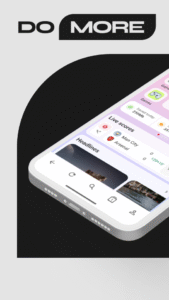
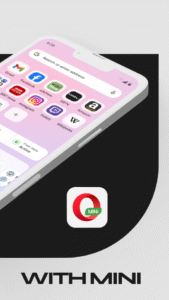
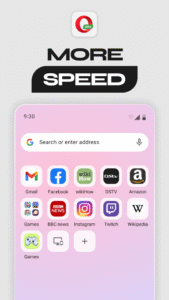
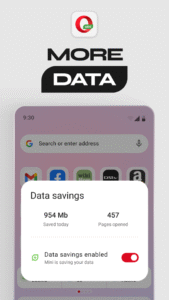

File Information
| Package Name | com.opera.mini.native |
|---|---|
| Version Name | 88.0.2254.75874 |
| Version Code | 888075874 |
| Architecture | arm64-v8a, armeabi-v7a |
| Min Android Version | Android 21 (API 34) |
| Main Activity | com.opera.mini.android.Browser |
| Framework | Native (Java/Kotlin) |
| File Size | 45.43 MB |
| Signature (SHA1) | D67A8C3BE07403744EF8827071A939D395DCB248 |
| File Hash (SHA256) | afc910667acb1638bbb0462bc869ea3639448141658e0d69efac928ee8e22da2 |
What's New
- Various fixes and performance improvements
App Description
Opera Mini is the super-fast, secure and full-featured web browser in light package size and saving data up to 90%. Now with Ad-Block, private search, smart download tool, video player, and so much more!
Key features:
✔ Save up to 90% of phone data
✔ Browse fast with compression algorithms
✔ Industry leading security on web
✔ Built-in Ad-Block
✔ Smart downloader for websites
✔ Keep downloads personal with PIN
✔ Personalized feed, fast local news & funny video
✔ Customized shortcut, wallpaper & interface
✔ Offline mode, file sharing
✔ Multiple tab management
• Private Browser
Opera Mini is a secure browser providing great privacy protection on the web. Use private tabs to secure private and incognito browsing without leaving a trace.
• Fast Browsing around the world
With local Opera data centers, enjoy one of the fastest and most reliable web connections when using the browser.
• Live Football Scores
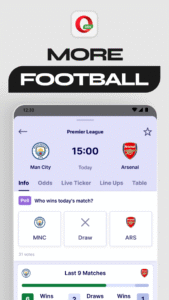
Opera Mini brings a dedicated Live Scores section, ensuring lightning-fast access to football match results.
• Smart Download tool
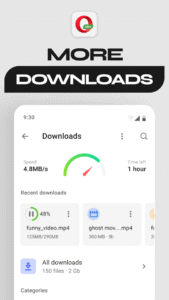
The Mini browser scans websites fast for video and music treasures, snatch them and download in the background. Rediscover all past download and any private files on device with ease.
• Private Downloads
Keep your files accessible by only you with a PIN-protected download folder, ensuring your personal documents and media stay personal!
• Save Data
Save up to 90% of your data without disrupting browsing experience, browse fast and light with Opera Mini Data Saver.
• Offline Mode
Save news, stories and any web pages to phone while web-connected and read them later offline without using data.
• Video Player
Watch & listen live, or download for later. Opera Mini’s video player has a one-handed mode for easy operations on mobile, and is integrated with Download Manager.
• Customize Your Private Browser
Customize the private browser by choosing your favorite layout, wallpaper, news categories and more. Make your Opera Mini stand out!
• Night Mode
Dim screen and protect eyes in the dark with Opera Mini’s night mode.
• Ad-Block
Opera Mini has a native built-in ad blocker for a completely fast & private web browsing experience!
About Opera Mini
Dedicated to provide a fast and secure web browser to users with feature-packed in a small size, ease the phone storage while save data. Download today!
We love hearing from you, contact us at
help.opera.com/en/mini/
Key features:
✔ Save up to 90% of phone data
✔ Browse fast with compression algorithms
✔ Industry leading security on web
✔ Built-in Ad-Block
✔ Smart downloader for websites
✔ Keep downloads personal with PIN
✔ Personalized feed, fast local news & funny video
✔ Customized shortcut, wallpaper & interface
✔ Offline mode, file sharing
✔ Multiple tab management
• Private Browser
Opera Mini is a secure browser providing great privacy protection on the web. Use private tabs to secure private and incognito browsing without leaving a trace.
• Fast Browsing around the world
With local Opera data centers, enjoy one of the fastest and most reliable web connections when using the browser.
• Live Football Scores
Opera Mini brings a dedicated Live Scores section, ensuring lightning-fast access to football match results.
• Smart Download tool
The Mini browser scans websites fast for video and music treasures, snatch them and download in the background. Rediscover all past download and any private files on device with ease.
• Private Downloads
Keep your files accessible by only you with a PIN-protected download folder, ensuring your personal documents and media stay personal!
• Save Data
Save up to 90% of your data without disrupting browsing experience, browse fast and light with Opera Mini Data Saver.
• Offline Mode
Save news, stories and any web pages to phone while web-connected and read them later offline without using data.
• Video Player
Watch & listen live, or download for later. Opera Mini’s video player has a one-handed mode for easy operations on mobile, and is integrated with Download Manager.
• Customize Your Private Browser
Customize the private browser by choosing your favorite layout, wallpaper, news categories and more. Make your Opera Mini stand out!
• Night Mode
Dim screen and protect eyes in the dark with Opera Mini’s night mode.
• Ad-Block
Opera Mini has a native built-in ad blocker for a completely fast & private web browsing experience!
About Opera Mini
Dedicated to provide a fast and secure web browser to users with feature-packed in a small size, ease the phone storage while save data. Download today!
We love hearing from you, contact us at
help.opera.com/en/mini/
Download Opera Mini: Fast Web Browser APK
Fast, free and safe download.
APK Permissions 37
- android.permission.ACCESS_ADSERVICES_AD_ID
- android.permission.ACCESS_ADSERVICES_ATTRIBUTION
- android.permission.ACCESS_COARSE_LOCATION
- android.permission.ACCESS_NETWORK_STATE
- android.permission.ACCESS_WIFI_STATE
- android.permission.AUTHENTICATE_ACCOUNTS
- android.permission.CAMERA
- android.permission.FLASHLIGHT
- android.permission.FOREGROUND_SERVICE
- android.permission.FOREGROUND_SERVICE_DATA_SYNC
- android.permission.FOREGROUND_SERVICE_MEDIA_PLAYBACK
- android.permission.FOREGROUND_SERVICE_SPECIAL_USE
- android.permission.INTERNET
- android.permission.NFC
- android.permission.POST_NOTIFICATIONS
- android.permission.READ_CONTACTS
- android.permission.READ_EXTERNAL_STORAGE
- android.permission.READ_PHONE_STATE
- android.permission.READ_SYNC_SETTINGS
- android.permission.SYSTEM_ALERT_WINDOW
- android.permission.USE_BIOMETRIC
- android.permission.USE_FINGERPRINT
- android.permission.VIBRATE
- android.permission.WAKE_LOCK
- android.permission.WRITE_EXTERNAL_STORAGE
- android.permission.WRITE_SYNC_SETTINGS
- com.android.browser.permission.READ_HISTORY_BOOKMARKS
- com.android.launcher.permission.INSTALL_SHORTCUT
- com.google.android.c2dm.permission.RECEIVE
- com.google.android.finsky.permission.BIND_GET_INSTALL_REFERRER_SERVICE
- com.google.android.gms.permission.AD_ID
- com.google.android.providers.gsf.permission.READ_GSERVICES
- com.huawei.appmarket.service.commondata.permission.GET_COMMON_DATA
- com.opera.GET_BRANDING
- com.opera.mini.native.DYNAMIC_RECEIVER_NOT_EXPORTED_PERMISSION
- com.opera.mini.native.permission.C2D_MESSAGE
- com.samsung.android.mapsagent.permission.READ_APP_INFO
APK Verified
The cryptographic signature guarantees that the file is safe to install and was not tampered with in any way.
Similar in Communication


Frequently Asked Questions about Opera Mini: Fast Web Browser APK
This variant is built for devices that report `arm64-v8a, armeabi-v7a` as their primary ABI. If your device's CPU matches, this is the smallest, fastest version to install.
Yes — the APK's signature has been cryptographically verified against the publisher's signing key. The SHA-256 hash is shown in the File Information panel so you can independently confirm the file matches the original release.
Android 21 (API level 34) or newer. Older devices will refuse the install.
Install a free app like 'CPU-Z' or 'Droid Hardware Info' from the Play Store and look at the ABI / Instruction Set row. Most phones made after 2017 are arm64-v8a; if in doubt, download the universal variant.
All variants are functionally identical — same features, same version. They differ only in which CPU architectures the native code is compiled for, and (sometimes) which screen densities the included graphics target. Pick the one that matches your device for the smallest install size, or pick 'Universal' if you're unsure.