
Download Notein Notes: Handwriting PDF v1.2.518.0 (120-640dpi) APK v1.2.577.0 arm64-v8a, armeabi-v7a · Android 26+
Download APK
Verified Safe
This is the arm64-v8a, armeabi-v7a build of Notein Notes: Handwriting PDF v1.2.518.0 (120-640dpi) v1.2.577.0. Pick this build if your device's primary ABI matches.
File size: 141.3 MB • Min Android: 26 • Target Android: 35 • Version code: 338 • Framework: Native (Java/Kotlin) • Permissions: 29
Screenshots
File Information
| Package Name | com.orion.notein.global |
|---|---|
| Version Name | v1.2.577.0 |
| Version Code | 338 |
| Architecture | arm64-v8a, armeabi-v7a |
| Min Android Version | Android 26 (API 35) |
| Main Activity | com.orion.notein.MainActivity |
| Framework | Native (Java/Kotlin) |
| File Size | 141.28 MB |
| Signature (SHA1) | 12BFD784AD62499656C9AF510C0B064FA9CE4B03 |
| File Hash (SHA256) | 30b0c0b72fc95fe9342bc6b00b4b661a337ca6bf35af7cfa05bc6c7c9832134d |
What's New
Optimized pencil brush effect.
App Description
Step into the future of note-taking with Notein Handwriting Notes, the ultimate app designed to boost your efficiency and creativity. Whether you're capturing ideas, managing projects, or creating detailed artwork, Notein offers a comprehensive suite of tools to meet all your needs.
🖊️ RICH WRITING TOOLS
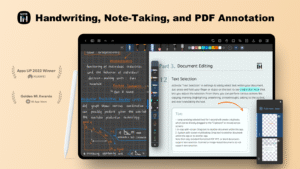
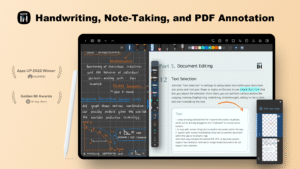
Low Latency & Exquisite Brush Effects: Experience smooth, responsive writing that feels natural, whether you're jotting down notes or creating calligraphic masterpieces.
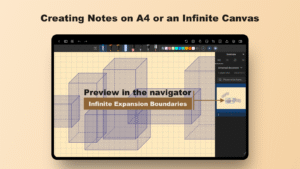
📜 STANDARD PAPER OR INFINITE CANVAS
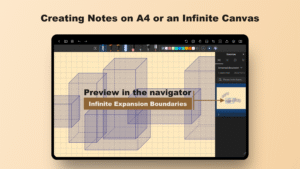
Flexible Workspaces: Choose between traditional paper sizes or unlimited canvas space, perfect for both structured notes and freeform sketches.
📄 SUPPORT FOR VARIOUS FILE FORMATS
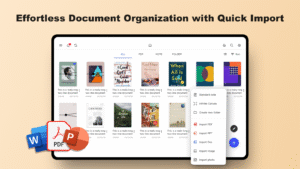
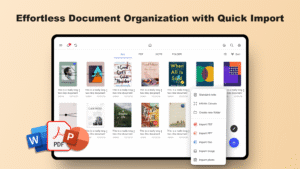
Versatile Import Options: Easily import PDFs, PowerPoint presentations, Word documents, and images into Notein, making it the perfect companion for organized study materials and detailed projects.
✏️ PDF EDITING AND ANNOTATION
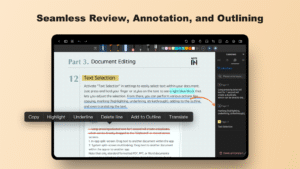
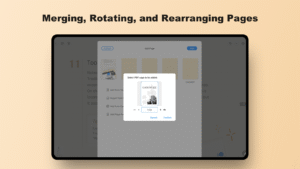
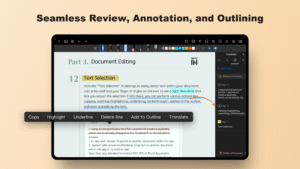
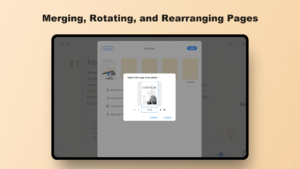
Powerful PDF Tools: Edit, highlight, annotate, and search within PDFs with ease. You can also split or merge PDFs, allowing for comprehensive document management.
🗂️ CREATE HYPERLINKED CUSTOM NOTEBOOKS
Efficient Organization: Craft custom planner notebooks with clickable hyperlinks, making navigation and organization seamless.
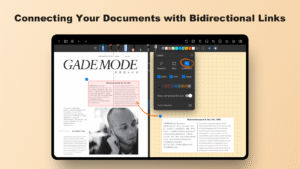
🔗 BIDIRECTIONAL LINKS
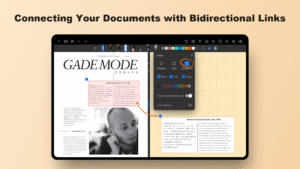
Integrated Knowledge Management: Interconnect your notes and documents with bidirectional links, creating a web-like structure that enhances your study and reference process.
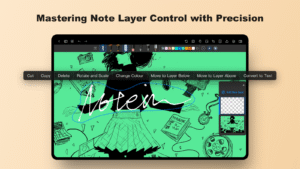
🎨 LAYER FUNCTIONALITY
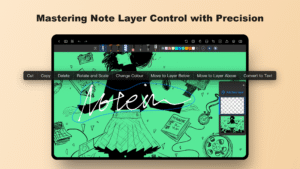
Advanced Editing Capabilities: Manage different elements on separate layers, making revisions and illustrations simpler and more efficient.
🤖 AI-ASSISTANT
- Document Outlines: Effortlessly organize your documents with automatically generated, structured outlines.
- Summaries: Quickly understand key points with concise AI-generated summaries of lengthy documents.
- Content Dialogues: Engage in intelligent conversations with your documents, asking for clarifications or additional information directly from the content.
📝 AI-POWERED OCR CONVERSION
- Text Conversion: Seamlessly convert handwriting, images, or scanned documents into editable digital text, with the ability to make changes directly in the app.
- Automatic Translation: Instantly translate OCR-recognized content into your selected language, enhancing multilingual note-taking and document management.
- Enhanced Accuracy: Experience high accuracy in recognizing various fonts and handwriting styles, ensuring that your digital content remains true to the original.
- Streamlined Workflow: Integrate AI OCR with productivity tools for quick document scanning, conversion, and summarization, making your workflow more efficient.
🎨 FULLY CUSTOMIZABLE
Personalize Your Workspace: Import fonts, templates, colors, grids, and stickers to make your note-taking environment truly your own.
🖼️ PROFESSIONAL GRAPHICS
Create Stunning Visuals: Use specialized graphic pens and automatic guidelines to create flat or 3D shapes with professional precision.
☁️ CLOUD SYNC ACROSS DEVICES
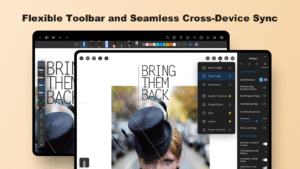
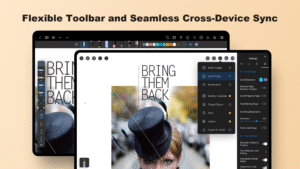
Always in Sync: Keep your notes accessible and up-to-date across all your devices with synchronization via Google Drive or OneDrive.
---
Experience Smarter Note-Taking with Notein
Whether you're a student, professional, or creative, Notein is designed to elevate your note-taking experience. Start your digital notebook journey with Notein today and discover a smarter way to work and study. For feedback or assistance, reach out to us at
(mailto:support@notein.cn
).
🖊️ RICH WRITING TOOLS
Low Latency & Exquisite Brush Effects: Experience smooth, responsive writing that feels natural, whether you're jotting down notes or creating calligraphic masterpieces.
📜 STANDARD PAPER OR INFINITE CANVAS
Flexible Workspaces: Choose between traditional paper sizes or unlimited canvas space, perfect for both structured notes and freeform sketches.
📄 SUPPORT FOR VARIOUS FILE FORMATS
Versatile Import Options: Easily import PDFs, PowerPoint presentations, Word documents, and images into Notein, making it the perfect companion for organized study materials and detailed projects.
✏️ PDF EDITING AND ANNOTATION
Powerful PDF Tools: Edit, highlight, annotate, and search within PDFs with ease. You can also split or merge PDFs, allowing for comprehensive document management.
🗂️ CREATE HYPERLINKED CUSTOM NOTEBOOKS
Efficient Organization: Craft custom planner notebooks with clickable hyperlinks, making navigation and organization seamless.
🔗 BIDIRECTIONAL LINKS
Integrated Knowledge Management: Interconnect your notes and documents with bidirectional links, creating a web-like structure that enhances your study and reference process.
🎨 LAYER FUNCTIONALITY
Advanced Editing Capabilities: Manage different elements on separate layers, making revisions and illustrations simpler and more efficient.
🤖 AI-ASSISTANT
- Document Outlines: Effortlessly organize your documents with automatically generated, structured outlines.
- Summaries: Quickly understand key points with concise AI-generated summaries of lengthy documents.
- Content Dialogues: Engage in intelligent conversations with your documents, asking for clarifications or additional information directly from the content.
📝 AI-POWERED OCR CONVERSION
- Text Conversion: Seamlessly convert handwriting, images, or scanned documents into editable digital text, with the ability to make changes directly in the app.
- Automatic Translation: Instantly translate OCR-recognized content into your selected language, enhancing multilingual note-taking and document management.
- Enhanced Accuracy: Experience high accuracy in recognizing various fonts and handwriting styles, ensuring that your digital content remains true to the original.
- Streamlined Workflow: Integrate AI OCR with productivity tools for quick document scanning, conversion, and summarization, making your workflow more efficient.
🎨 FULLY CUSTOMIZABLE
Personalize Your Workspace: Import fonts, templates, colors, grids, and stickers to make your note-taking environment truly your own.
🖼️ PROFESSIONAL GRAPHICS
Create Stunning Visuals: Use specialized graphic pens and automatic guidelines to create flat or 3D shapes with professional precision.
☁️ CLOUD SYNC ACROSS DEVICES
Always in Sync: Keep your notes accessible and up-to-date across all your devices with synchronization via Google Drive or OneDrive.
---
Experience Smarter Note-Taking with Notein
Whether you're a student, professional, or creative, Notein is designed to elevate your note-taking experience. Start your digital notebook journey with Notein today and discover a smarter way to work and study. For feedback or assistance, reach out to us at
(mailto:support@notein.cn
).
Download Notein Notes: Handwriting PDF v1.2.518.0 (120-640dpi) APK
Fast, free and safe download.
APK Permissions 29
- android.permission.ACCESS_ADSERVICES_AD_ID
- android.permission.ACCESS_ADSERVICES_ATTRIBUTION
- android.permission.ACCESS_NETWORK_STATE
- android.permission.ACCESS_WIFI_STATE
- android.permission.FOREGROUND_SERVICE
- android.permission.FOREGROUND_SERVICE_MEDIA_PROJECTION
- android.permission.INTERNET
- android.permission.LAUNCH_CAPTURE_CONTENT_ACTIVITY_FOR_NOTE
- android.permission.NFC
- android.permission.POST_NOTIFICATIONS
- android.permission.READ_EXTERNAL_STORAGE
- android.permission.READ_MEDIA_IMAGES
- android.permission.RECEIVE_BOOT_COMPLETED
- android.permission.RECORD_AUDIO
- android.permission.SYSTEM_ALERT_WINDOW
- android.permission.USE_BIOMETRIC
- android.permission.USE_FINGERPRINT
- android.permission.WAKE_LOCK
- android.permission.WRITE_EXTERNAL_STORAGE
- com.android.vending.BILLING
- com.android.vending.CHECK_LICENSE
- com.google.android.c2dm.permission.RECEIVE
- com.google.android.finsky.permission.BIND_GET_INSTALL_REFERRER_SERVICE
- com.google.android.gms.permission.AD_ID
- com.google.android.providers.gsf.permission.READ_GSERVICES
- com.oplus.ipemanager.permission.receiver.DOUBLE_CLICK
- com.orion.notein.global.DYNAMIC_RECEIVER_NOT_EXPORTED_PERMISSION
- com.xiaomi.dist.permission.ACCESS_APP_HANDOFF
- com.xiaomi.dist.permission.ACCESS_APP_META
APK Verified
The cryptographic signature guarantees that the file is safe to install and was not tampered with in any way.


Frequently Asked Questions about Notein Notes: Handwriting PDF v1.2.518.0 (120-640dpi) APK
This variant is built for devices that report `arm64-v8a, armeabi-v7a` as their primary ABI. If your device's CPU matches, this is the smallest, fastest version to install.
Yes — the APK's signature has been cryptographically verified against the publisher's signing key. The SHA-256 hash is shown in the File Information panel so you can independently confirm the file matches the original release.
Android 26 (API level 35) or newer. Older devices will refuse the install.
Install a free app like 'CPU-Z' or 'Droid Hardware Info' from the Play Store and look at the ABI / Instruction Set row. Most phones made after 2017 are arm64-v8a; if in doubt, download the universal variant.
All variants are functionally identical — same features, same version. They differ only in which CPU architectures the native code is compiled for, and (sometimes) which screen densities the included graphics target. Pick the one that matches your device for the smallest install size, or pick 'Universal' if you're unsure.