
This is the universal build of Privacy.com 3.3.11. It contains native libraries for every CPU architecture (arm64-v8a, armeabi-v7a, x86, x86_64), so it installs on any Android device. The trade-off is size — it's larger than per-architecture variants. Pick this one if you're unsure which CPU your phone has, or if you plan to share the APK with multiple devices.
File size: 47.1 MB • Min Android: 24 • Target Android: 34 • Version code: 52 • Framework: React Native • Permissions: 35
Screenshots
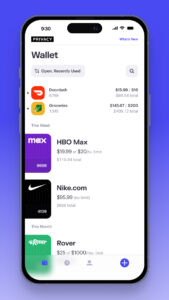
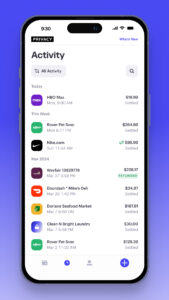
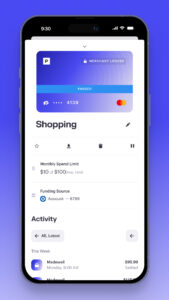
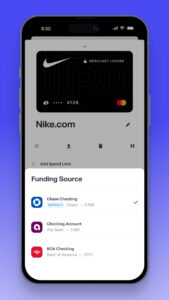
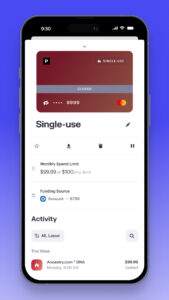
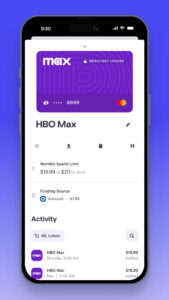
File Information
| Package Name | com.privacy.pay |
|---|---|
| Version Name | 3.3.11 |
| Version Code | 52 |
| Architecture | Universal |
| Min Android Version | Android 24 (API 34) |
| Main Activity | com.privacy.pay.MainActivity |
| Framework | React Native |
| File Size | 47.10 MB |
| Signature (SHA1) | 42DCEBFE9D598751331E786EB423F66D9F204ED5 |
| File Hash (SHA256) | 98afa5f07f676a6ac74eb887bb0c73cbdfad4f0be4ec339ab546e02b07d3c8ca |
What's New
Bug fixes and improvements
App Description
Stop exposing your credit or debit card information and protect your online payments with Privacy. Join over 250,000 users who have saved millions of dollars by using Privacy to block unwanted charges from compromised cards, overcharging, hidden fees, and forgotten subscriptions.
Getting started with Privacy is simple: create your account, verify your information, securely link your bank account or debit card, and request your first virtual card. Start shopping and enjoy the added layer of protection Privacy provides to protect you from payment card theft and fraud.
Benefits:
- Shield your true financial information: Our Privacy Cards mask your debit card or bank account number to help protect you from card theft and fraud. Pay with greater privacy and security anytime, anywhere on desktop or on mobile.
- Create merchant-locked and one-time-use cards: Our cards automatically "lock" to the first merchant they are used at, so if the merchant is ever breached, the card number can never be used anywhere else. You can also create one-time-use cards that automatically close after a single transaction.
- Take complete control over your spending: Set customizable spending limits to prevent overcharging and block hidden fees—perfect for managing subscriptions and recurring expenses. If a transaction goes over the limit, we will automatically decline it.
- Leverage real-time transaction monitoring: Receive notifications any time a Privacy Card is used. Easily pause, unpause, and close Privacy Cards any time with just one push of a button.
Privacy’s core product is free to use on domestic transactions, because, like other card companies, we collect transaction fees from merchants. Privacy Cards can be used at most merchants that accept credit and debit cards.
The security of our users’ personal information and data is critical to everything that we do at Privacy. You can review our security policies at
privacy.com/security
.
Read about us in Forbes, Wirecutter, and The Wall Street Journal!
For support, questions, or more information, please contact us at
support@privacy.com
.
Getting started with Privacy is simple: create your account, verify your information, securely link your bank account or debit card, and request your first virtual card. Start shopping and enjoy the added layer of protection Privacy provides to protect you from payment card theft and fraud.
Benefits:
- Shield your true financial information: Our Privacy Cards mask your debit card or bank account number to help protect you from card theft and fraud. Pay with greater privacy and security anytime, anywhere on desktop or on mobile.
- Create merchant-locked and one-time-use cards: Our cards automatically "lock" to the first merchant they are used at, so if the merchant is ever breached, the card number can never be used anywhere else. You can also create one-time-use cards that automatically close after a single transaction.
- Take complete control over your spending: Set customizable spending limits to prevent overcharging and block hidden fees—perfect for managing subscriptions and recurring expenses. If a transaction goes over the limit, we will automatically decline it.
- Leverage real-time transaction monitoring: Receive notifications any time a Privacy Card is used. Easily pause, unpause, and close Privacy Cards any time with just one push of a button.
Privacy’s core product is free to use on domestic transactions, because, like other card companies, we collect transaction fees from merchants. Privacy Cards can be used at most merchants that accept credit and debit cards.
The security of our users’ personal information and data is critical to everything that we do at Privacy. You can review our security policies at
privacy.com/security
.
Read about us in Forbes, Wirecutter, and The Wall Street Journal!
For support, questions, or more information, please contact us at
support@privacy.com
.
Download Privacy.com APK
Fast, free and safe download.
APK Permissions 35
- android.permission.ACCESS_NETWORK_STATE
- android.permission.ACCESS_WIFI_STATE
- android.permission.CAMERA
- android.permission.CHANGE_NETWORK_STATE
- android.permission.FOREGROUND_SERVICE
- android.permission.INTERNET
- android.permission.POST_NOTIFICATIONS
- android.permission.READ_APP_BADGE
- android.permission.READ_EXTERNAL_STORAGE
- android.permission.RECEIVE_BOOT_COMPLETED
- android.permission.RECORD_AUDIO
- android.permission.SYSTEM_ALERT_WINDOW
- android.permission.USE_BIOMETRIC
- android.permission.USE_FINGERPRINT
- android.permission.VIBRATE
- android.permission.WAKE_LOCK
- android.permission.WRITE_EXTERNAL_STORAGE
- com.anddoes.launcher.permission.UPDATE_COUNT
- com.google.android.c2dm.permission.RECEIVE
- com.google.android.finsky.permission.BIND_GET_INSTALL_REFERRER_SERVICE
- com.htc.launcher.permission.READ_SETTINGS
- com.htc.launcher.permission.UPDATE_SHORTCUT
- com.huawei.android.launcher.permission.CHANGE_BADGE
- com.huawei.android.launcher.permission.READ_SETTINGS
- com.huawei.android.launcher.permission.WRITE_SETTINGS
- com.majeur.launcher.permission.UPDATE_BADGE
- com.oppo.launcher.permission.READ_SETTINGS
- com.oppo.launcher.permission.WRITE_SETTINGS
- com.privacy.pay.DYNAMIC_RECEIVER_NOT_EXPORTED_PERMISSION
- com.sec.android.provider.badge.permission.READ
- com.sec.android.provider.badge.permission.WRITE
- com.sonyericsson.home.permission.BROADCAST_BADGE
- com.sonymobile.home.permission.PROVIDER_INSERT_BADGE
- me.everything.badger.permission.BADGE_COUNT_READ
- me.everything.badger.permission.BADGE_COUNT_WRITE
APK Verified
The cryptographic signature guarantees that the file is safe to install and was not tampered with in any way.


Frequently Asked Questions about Privacy.com APK
This is the universal variant — a single APK that contains native libraries for every CPU architecture. It installs on any Android device but is larger than per-architecture variants.
Yes — the APK's signature has been cryptographically verified against the publisher's signing key. The SHA-256 hash is shown in the File Information panel so you can independently confirm the file matches the original release.
Android 24 (API level 34) or newer. Older devices will refuse the install.
Install a free app like 'CPU-Z' or 'Droid Hardware Info' from the Play Store and look at the ABI / Instruction Set row. Most phones made after 2017 are arm64-v8a; if in doubt, download the universal variant.
All variants are functionally identical — same features, same version. They differ only in which CPU architectures the native code is compiled for, and (sometimes) which screen densities the included graphics target. Pick the one that matches your device for the smallest install size, or pick 'Universal' if you're unsure.