
This is the universal build of pCloud: Cloud Storage 4.13.0. It contains native libraries for every CPU architecture (arm64-v8a, armeabi-v7a, x86, x86_64), so it installs on any Android device. The trade-off is size — it's larger than per-architecture variants. Pick this one if you're unsure which CPU your phone has, or if you plan to share the APK with multiple devices.
File size: 35.9 MB • Min Android: 26 • Target Android: 35 • Version code: 4130002 • Framework: Native (Java/Kotlin) • Permissions: 25
Screenshots
File Information
| Package Name | com.pcloud.pcloud |
|---|---|
| Version Name | 4.13.0 |
| Version Code | 4130002 |
| Architecture | Universal |
| Min Android Version | Android 26 (API 35) |
| Main Activity | com.pcloud.screens.Main |
| Framework | Native (Java/Kotlin) |
| File Size | 35.90 MB |
| Signature (SHA1) | 389C4DC773716865EF4A66D63AA58EAA2E05C480 |
| File Hash (SHA256) | 8828ff547d502e6e60fc64e49daa20bab474470be8b6cdeaa653078a3a7ef92c |
What's New
What's New:
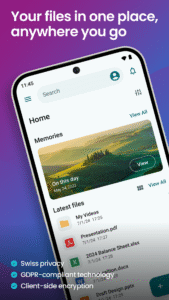
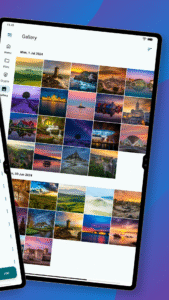
* Memories UI Improvements: Memories from the current date are now presented in a sleek new grid, making it easier and faster to browse and relive your moments.
* Bug Fixes & Stability: Addressed various issues to ensure a smoother and more reliable app experience.
* Memories UI Improvements: Memories from the current date are now presented in a sleek new grid, making it easier and faster to browse and relive your moments.
* Bug Fixes & Stability: Addressed various issues to ensure a smoother and more reliable app experience.
App Description
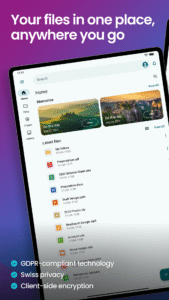
pCloud is the secure place to store, preview and share files, anywhere you go. Start with up to 10 GB free storage.
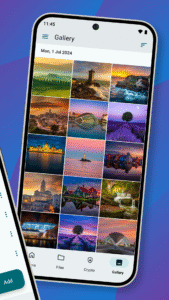
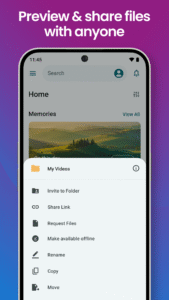
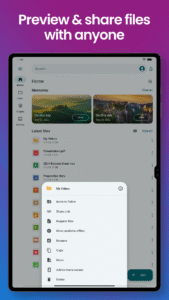
You'll be able to backup photos and videos from your device, play your personal playlists, or preview work-related documents. You'll also be able to share large files with anyone and control access with password protection and expiration dates. From your vacation photos to videos and work documents, pCloud brings all your files together.
• Start with up to 10 GB free. Extend the space on your phone with up to 2 TB
• Choose where to store your files - in the United States or the European Union.
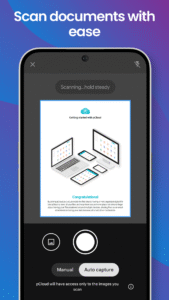
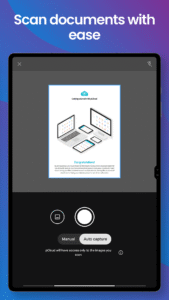
• Scan invoices, reports or receipts with an easy-to-use document scanner.
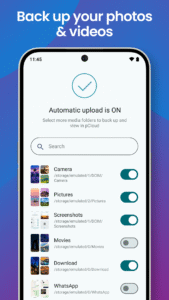
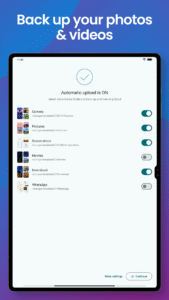
• Backup photos and videos from your phone with the option Automatic Upload.
• Access and preview files across all your devices.
• Share large files with added security (password protection, expiration date).
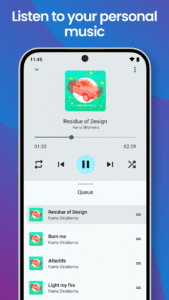
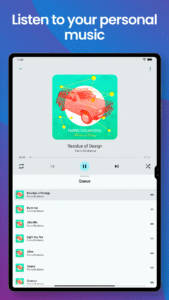
• Play your personal music collection with the built-in audio player.
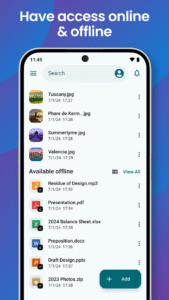
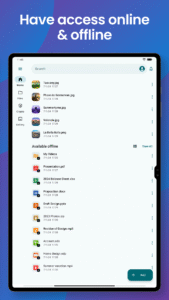
• Get offline access to important files, when you're on the go.
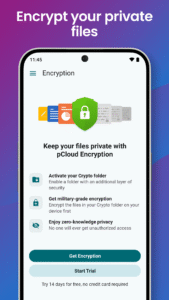
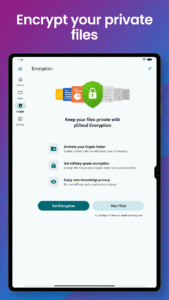
• Encrypt private files with client-side encryption, using pCloud Encryption.
Use pCloud Encryption as the vault for your passwords, financial reports or other sensitive documents. The files you upload to the Crypto folder will be protected with client-side encryption. This means that they will be encrypted before they get uploaded to pCloud. With pCloud's zero-knowledge privacy policy we, as a service provider, will not know what kind of data you store in the Crypto folder.
pCloud is also available for iOS, desktop (Windows, macOS and Linux) and from my.pCloud.com.
You'll be able to backup photos and videos from your device, play your personal playlists, or preview work-related documents. You'll also be able to share large files with anyone and control access with password protection and expiration dates. From your vacation photos to videos and work documents, pCloud brings all your files together.
• Start with up to 10 GB free. Extend the space on your phone with up to 2 TB
• Choose where to store your files - in the United States or the European Union.
• Scan invoices, reports or receipts with an easy-to-use document scanner.
• Backup photos and videos from your phone with the option Automatic Upload.
• Access and preview files across all your devices.
• Share large files with added security (password protection, expiration date).
• Play your personal music collection with the built-in audio player.
• Get offline access to important files, when you're on the go.
• Encrypt private files with client-side encryption, using pCloud Encryption.
Use pCloud Encryption as the vault for your passwords, financial reports or other sensitive documents. The files you upload to the Crypto folder will be protected with client-side encryption. This means that they will be encrypted before they get uploaded to pCloud. With pCloud's zero-knowledge privacy policy we, as a service provider, will not know what kind of data you store in the Crypto folder.
pCloud is also available for iOS, desktop (Windows, macOS and Linux) and from my.pCloud.com.
Download pCloud: Cloud Storage APK
Fast, free and safe download.
APK Permissions 25
- android.permission.ACCESS_ADSERVICES_AD_ID
- android.permission.ACCESS_ADSERVICES_ATTRIBUTION
- android.permission.ACCESS_MEDIA_LOCATION
- android.permission.ACCESS_NETWORK_STATE
- android.permission.FOREGROUND_SERVICE
- android.permission.FOREGROUND_SERVICE_DATA_SYNC
- android.permission.FOREGROUND_SERVICE_MEDIA_PLAYBACK
- android.permission.INTERNET
- android.permission.POST_NOTIFICATIONS
- android.permission.READ_EXTERNAL_STORAGE
- android.permission.READ_MEDIA_IMAGES
- android.permission.READ_MEDIA_VIDEO
- android.permission.READ_MEDIA_VISUAL_USER_SELECTED
- android.permission.RECEIVE_BOOT_COMPLETED
- android.permission.REQUEST_IGNORE_BATTERY_OPTIMIZATIONS
- android.permission.USE_BIOMETRIC
- android.permission.USE_FINGERPRINT
- android.permission.WAKE_LOCK
- android.permission.WRITE_EXTERNAL_STORAGE
- android.permission.WRITE_SYNC_SETTINGS
- com.android.vending.BILLING
- com.google.android.c2dm.permission.RECEIVE
- com.google.android.finsky.permission.BIND_GET_INSTALL_REFERRER_SERVICE
- com.google.android.gms.permission.AD_ID
- com.pcloud.pcloud.DYNAMIC_RECEIVER_NOT_EXPORTED_PERMISSION
APK Verified
The cryptographic signature guarantees that the file is safe to install and was not tampered with in any way.
Similar in Productivity


More by pCloud LTD

Frequently Asked Questions about pCloud: Cloud Storage APK
This is the universal variant — a single APK that contains native libraries for every CPU architecture. It installs on any Android device but is larger than per-architecture variants.
Yes — the APK's signature has been cryptographically verified against the publisher's signing key. The SHA-256 hash is shown in the File Information panel so you can independently confirm the file matches the original release.
Android 26 (API level 35) or newer. Older devices will refuse the install.
Install a free app like 'CPU-Z' or 'Droid Hardware Info' from the Play Store and look at the ABI / Instruction Set row. Most phones made after 2017 are arm64-v8a; if in doubt, download the universal variant.
All variants are functionally identical — same features, same version. They differ only in which CPU architectures the native code is compiled for, and (sometimes) which screen densities the included graphics target. Pick the one that matches your device for the smallest install size, or pick 'Universal' if you're unsure.