
Screenshots
File Information
| Package Name | com.pcloud.pcloud |
|---|---|
| Version Name | 4.15.1 |
| Version Code | 4151001 |
| Architecture | Universal |
| Min Android Version | Android 26 (API 35) |
| Main Activity | com.pcloud.screens.Main |
| Framework | Native (Java/Kotlin) |
| File Size | 35.60 MB |
| Signature (SHA1) | 389C4DC773716865EF4A66D63AA58EAA2E05C480 |
| File Hash (SHA256) | a13ede84400906611d953407a8cd29c9c2fcaf19649e5eeace2461415c48a2bf |
What's New
What’s new?
* Third-party backups are now available on Android. Easily back up your files from other apps and services directly to pCloud. Кeep everything safe, organized, and accessible in one place.
* Bug Fixes & Stability: Addressed various issues to ensure a smoother and more reliable app experience.
* Third-party backups are now available on Android. Easily back up your files from other apps and services directly to pCloud. Кeep everything safe, organized, and accessible in one place.
* Bug Fixes & Stability: Addressed various issues to ensure a smoother and more reliable app experience.
App Description
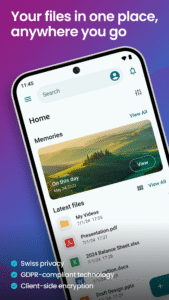
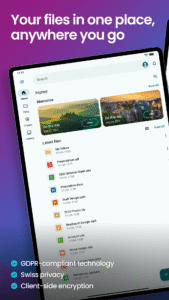
pCloud is the secure place to store, preview and share files, anywhere you go. Start with up to 10 GB free storage.
Advertisement
Remove ads, dark theme, and more with
Premium
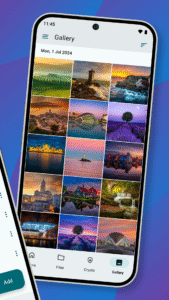
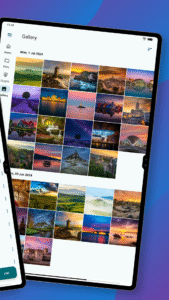
You'll be able to backup photos and videos from your device, play your personal playlists, or preview work-related documents. You'll also be able to share large files with anyone and control access with password protection and expiration dates. From your vacation photos to videos and work documents, pCloud brings all your files together.
• Start with up to 10 GB free. Extend the space on your phone with up to 2 TB
• Choose where to store your files - in the United States or the European Union.
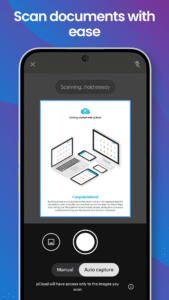
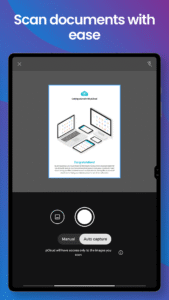
• Scan invoices, reports or receipts with an easy-to-use document scanner.
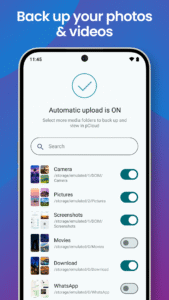
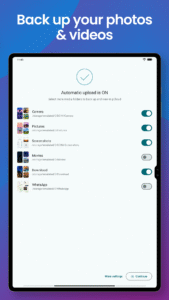
• Backup photos and videos from your phone with the option Automatic Upload.
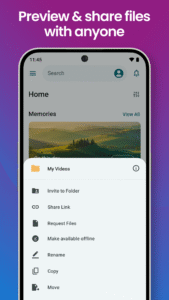
• Access and preview files across all your devices.
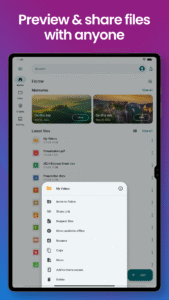
• Share large files with added security (password protection, expiration date).
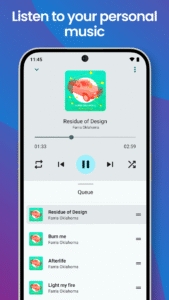
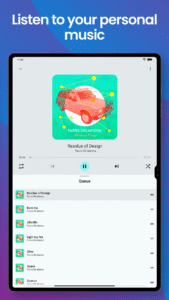
• Play your personal music collection with the built-in audio player.
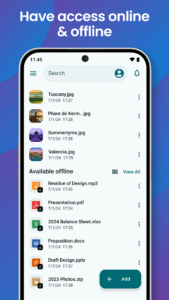
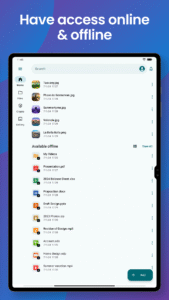
• Get offline access to important files, when you're on the go.
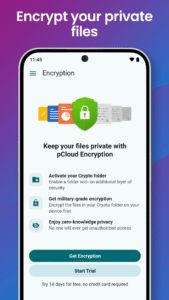
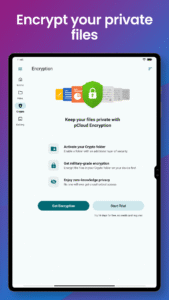
• Encrypt private files with client-side encryption, using pCloud Encryption.
Use pCloud Encryption as the vault for your passwords, financial reports or other sensitive documents. The files you upload to the Crypto folder will be protected with client-side encryption. This means that they will be encrypted before they get uploaded to pCloud. With pCloud's zero-knowledge privacy policy we, as a service provider, will not know what kind of data you store in the Crypto folder.
pCloud is also available for iOS, desktop (Windows, macOS and Linux) and from my.pCloud.com.
Show more
Show less
Advertisement
Remove ads, dark theme, and more with
Premium
You'll be able to backup photos and videos from your device, play your personal playlists, or preview work-related documents. You'll also be able to share large files with anyone and control access with password protection and expiration dates. From your vacation photos to videos and work documents, pCloud brings all your files together.
• Start with up to 10 GB free. Extend the space on your phone with up to 2 TB
• Choose where to store your files - in the United States or the European Union.
• Scan invoices, reports or receipts with an easy-to-use document scanner.
• Backup photos and videos from your phone with the option Automatic Upload.
• Access and preview files across all your devices.
• Share large files with added security (password protection, expiration date).
• Play your personal music collection with the built-in audio player.
• Get offline access to important files, when you're on the go.
• Encrypt private files with client-side encryption, using pCloud Encryption.
Use pCloud Encryption as the vault for your passwords, financial reports or other sensitive documents. The files you upload to the Crypto folder will be protected with client-side encryption. This means that they will be encrypted before they get uploaded to pCloud. With pCloud's zero-knowledge privacy policy we, as a service provider, will not know what kind of data you store in the Crypto folder.
pCloud is also available for iOS, desktop (Windows, macOS and Linux) and from my.pCloud.com.
Show more
Show less
Download pCloud: Cloud Storage APK
Fast, free and safe download.
APK Permissions 25
- android.permission.ACCESS_ADSERVICES_AD_ID
- android.permission.ACCESS_ADSERVICES_ATTRIBUTION
- android.permission.ACCESS_MEDIA_LOCATION
- android.permission.ACCESS_NETWORK_STATE
- android.permission.FOREGROUND_SERVICE
- android.permission.FOREGROUND_SERVICE_DATA_SYNC
- android.permission.FOREGROUND_SERVICE_MEDIA_PLAYBACK
- android.permission.INTERNET
- android.permission.POST_NOTIFICATIONS
- android.permission.READ_EXTERNAL_STORAGE
- android.permission.READ_MEDIA_IMAGES
- android.permission.READ_MEDIA_VIDEO
- android.permission.READ_MEDIA_VISUAL_USER_SELECTED
- android.permission.RECEIVE_BOOT_COMPLETED
- android.permission.REQUEST_IGNORE_BATTERY_OPTIMIZATIONS
- android.permission.USE_BIOMETRIC
- android.permission.USE_FINGERPRINT
- android.permission.WAKE_LOCK
- android.permission.WRITE_EXTERNAL_STORAGE
- android.permission.WRITE_SYNC_SETTINGS
- com.android.vending.BILLING
- com.google.android.c2dm.permission.RECEIVE
- com.google.android.finsky.permission.BIND_GET_INSTALL_REFERRER_SERVICE
- com.google.android.gms.permission.AD_ID
- com.pcloud.pcloud.DYNAMIC_RECEIVER_NOT_EXPORTED_PERMISSION
APK Verified
The cryptographic signature guarantees that the file is safe to install and was not tampered with in any way.


