
This is the universal build of Private Internet Access VPN 4.0.22. It contains native libraries for every CPU architecture (arm64-v8a, armeabi-v7a, x86, x86_64), so it installs on any Android device. The trade-off is size — it's larger than per-architecture variants. Pick this one if you're unsure which CPU your phone has, or if you plan to share the APK with multiple devices.
File size: 45.4 MB • Min Android: 24 • Target Android: 35 • Version code: 686 • Framework: Native (Java/Kotlin) • Permissions: 17
Screenshots
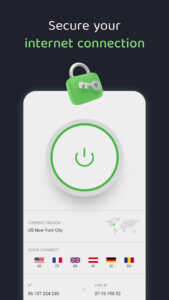
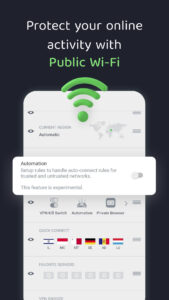
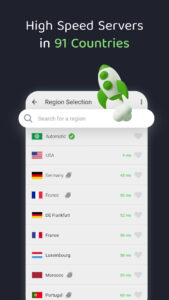


File Information
| Package Name | com.privateinternetaccess.android |
|---|---|
| Version Name | 4.0.22 |
| Version Code | 686 |
| Architecture | Universal |
| Min Android Version | Android 24 (API 35) |
| Main Activity | com.kape.vpn.MainActivity |
| Framework | Native (Java/Kotlin) |
| File Size | 45.37 MB |
| Signature (SHA1) | DA9E77DE77F5E7CD17ECCD0B4F634EA3A40B33AC |
| File Hash (SHA256) | b7473839cbbbf293bc8cd2fe3cc113eff5308d026c038a3c3242b5e49f95758d |
What's New
- Updated gradle dependency to 8.12.1.
- Updated signup request to accept the device property.
- Fixed an obfuscation issue causing some connection attempts to fail.
- Updated signup request to accept the device property.
- Fixed an obfuscation issue causing some connection attempts to fail.
App Description
Private Internet Access (PIA): The Best VPN for Digital Privacy
Unlock the full potential of your Android device with PIA VPN – the unrivaled choice for securing your digital privacy. PIA is a leading VPN provider with the best VPN apps, security standards, and features.
Our 7-day free trial lets you try PIA without worry and make an informed decision about your VPN protection. With our top VPN apps, you can – hide your IP address, spoof your location, safeguard your data, prevent monitoring on public Wi-Fi hotspots, and more. You won't find this level of security in any proxy server or private browser.
PIA’s VPN service gives you seamless browsing and gaming from anywhere. Say goodbye to restrictions with our VPN location changer, and enjoy peace of mind with our safe and secure VPN protocols. Elevate your online experience on your Android device starting today.
Get PIA VPN and explore the web without boundaries, restrictions, network slowdowns, trackers, and online threats. ✅ 🌐 🔐
✔ 7-Day Free VPN Trial
Download Private Internet Access, and use the app for free for the next seven days. We also have a 30-day money-back guarantee if you want to keep and try PIA for longer.
✔ Top VPN IP Changer
Mask your private IP address. Connect to one of PIA’s servers to hide your IP address and IP data for better privacy, security, and anonymity online.
✔ Digital Location Changer
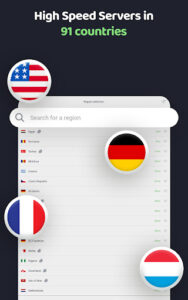
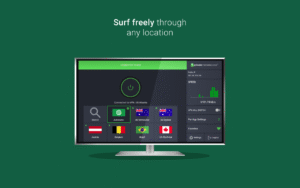
Change location with PIA’s vast VPN server network across 90+ countries, including all 50 US states. It’s easy and fast to choose a server and switch your location.
✔ Ultra-Fast VPN Servers
Enjoy blazing-fast VPN speeds with our 10-Gbps server network. Watch videos in UHD quality, play multiplayer online games without interruptions, avoid buffering, and lower your ping.
✔ Safe Connection on Public Wi-Fi
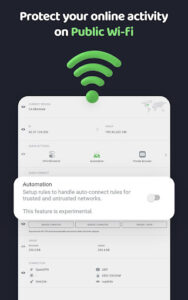
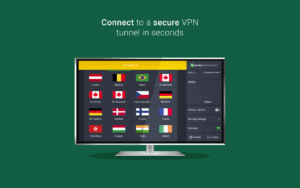
Keep your connection private when you’re using public Wi-Fi hotspots. Connect to one of our servers to send your internet traffic through a secure VPN tunnel.
✔ Ironclad VPN Encryption
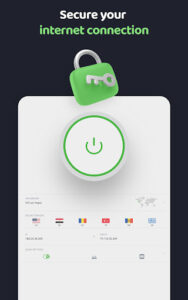
Shield your IP address and data with Private Internet Access. PIA encrypts all internet communications coming from your device so no one can monitor your browsing history.
✔ Unlimited Connections
Protect all your devices at once with just one PIA VPN account. You don’t have to choose or prioritize – with PIA, you can simultaneously enjoy a secure VPN connection on countless devices.
✔ Native VPN Apps
Get PIA VPN for Android and gain access to all our other easy-to-use VPN apps. We have apps for Windows, macOS, Linux, and other operating systems. We also have dedicated browser VPN apps for Chrome, Firefox, and Opera.
✔ Open Source Transparency
Private Internet Access is one of the only top VPN providers that offer 100% open-source VPN apps, which means its code is publicly available for anyone to inspect and analyze.
- MORE PIA VPN FEATURES & BENEFITS -
⭐ Full GDPR compliance
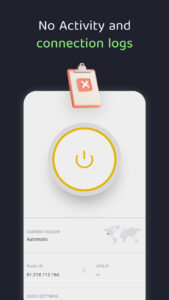
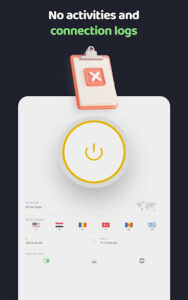
⭐ Court-proven no-logs policy
⭐ 24/7 customer support via live chat or email
⭐ Advanced split tunneling
⭐ Unlimited VPN bandwidth
⭐ WireGuard® VPN protocol
⭐ PIA MACE DNS-based ad blocker
⭐ Solid-strong 256-bit AES encryption ciphers
⭐ Kill switch feature for sudden network disconnects
Don't compromise on your online security. Choose Private Internet Access for a reliable, fast, and safe VPN experience on your Android device.
Unlock the full potential of your Android device with PIA VPN – the unrivaled choice for securing your digital privacy. PIA is a leading VPN provider with the best VPN apps, security standards, and features.
Our 7-day free trial lets you try PIA without worry and make an informed decision about your VPN protection. With our top VPN apps, you can – hide your IP address, spoof your location, safeguard your data, prevent monitoring on public Wi-Fi hotspots, and more. You won't find this level of security in any proxy server or private browser.
PIA’s VPN service gives you seamless browsing and gaming from anywhere. Say goodbye to restrictions with our VPN location changer, and enjoy peace of mind with our safe and secure VPN protocols. Elevate your online experience on your Android device starting today.
Get PIA VPN and explore the web without boundaries, restrictions, network slowdowns, trackers, and online threats. ✅ 🌐 🔐
✔ 7-Day Free VPN Trial
Download Private Internet Access, and use the app for free for the next seven days. We also have a 30-day money-back guarantee if you want to keep and try PIA for longer.
✔ Top VPN IP Changer
Mask your private IP address. Connect to one of PIA’s servers to hide your IP address and IP data for better privacy, security, and anonymity online.
✔ Digital Location Changer
Change location with PIA’s vast VPN server network across 90+ countries, including all 50 US states. It’s easy and fast to choose a server and switch your location.
✔ Ultra-Fast VPN Servers
Enjoy blazing-fast VPN speeds with our 10-Gbps server network. Watch videos in UHD quality, play multiplayer online games without interruptions, avoid buffering, and lower your ping.
✔ Safe Connection on Public Wi-Fi
Keep your connection private when you’re using public Wi-Fi hotspots. Connect to one of our servers to send your internet traffic through a secure VPN tunnel.
✔ Ironclad VPN Encryption
Shield your IP address and data with Private Internet Access. PIA encrypts all internet communications coming from your device so no one can monitor your browsing history.
✔ Unlimited Connections
Protect all your devices at once with just one PIA VPN account. You don’t have to choose or prioritize – with PIA, you can simultaneously enjoy a secure VPN connection on countless devices.
✔ Native VPN Apps
Get PIA VPN for Android and gain access to all our other easy-to-use VPN apps. We have apps for Windows, macOS, Linux, and other operating systems. We also have dedicated browser VPN apps for Chrome, Firefox, and Opera.
✔ Open Source Transparency
Private Internet Access is one of the only top VPN providers that offer 100% open-source VPN apps, which means its code is publicly available for anyone to inspect and analyze.
- MORE PIA VPN FEATURES & BENEFITS -
⭐ Full GDPR compliance
⭐ Court-proven no-logs policy
⭐ 24/7 customer support via live chat or email
⭐ Advanced split tunneling
⭐ Unlimited VPN bandwidth
⭐ WireGuard® VPN protocol
⭐ PIA MACE DNS-based ad blocker
⭐ Solid-strong 256-bit AES encryption ciphers
⭐ Kill switch feature for sudden network disconnects
Don't compromise on your online security. Choose Private Internet Access for a reliable, fast, and safe VPN experience on your Android device.
Download Private Internet Access VPN APK
Fast, free and safe download.
APK Permissions 17
- android.permission.ACCESS_BACKGROUND_LOCATION
- android.permission.ACCESS_FINE_LOCATION
- android.permission.ACCESS_NETWORK_STATE
- android.permission.ACCESS_WIFI_STATE
- android.permission.CHANGE_NETWORK_STATE
- android.permission.CHANGE_WIFI_STATE
- android.permission.DETECT_SCREEN_CAPTURE
- android.permission.FOREGROUND_SERVICE
- android.permission.FOREGROUND_SERVICE_LOCATION
- android.permission.FOREGROUND_SERVICE_SYSTEM_EXEMPTED
- android.permission.INTERNET
- android.permission.POST_NOTIFICATIONS
- android.permission.RECEIVE_BOOT_COMPLETED
- android.permission.SCHEDULE_EXACT_ALARM
- android.permission.WAKE_LOCK
- com.android.vending.BILLING
- com.privateinternetaccess.android.DYNAMIC_RECEIVER_NOT_EXPORTED_PERMISSION
APK Verified
The cryptographic signature guarantees that the file is safe to install and was not tampered with in any way.


Frequently Asked Questions about Private Internet Access VPN APK
This is the universal variant — a single APK that contains native libraries for every CPU architecture. It installs on any Android device but is larger than per-architecture variants.
Yes — the APK's signature has been cryptographically verified against the publisher's signing key. The SHA-256 hash is shown in the File Information panel so you can independently confirm the file matches the original release.
Android 24 (API level 35) or newer. Older devices will refuse the install.
Install a free app like 'CPU-Z' or 'Droid Hardware Info' from the Play Store and look at the ABI / Instruction Set row. Most phones made after 2017 are arm64-v8a; if in doubt, download the universal variant.
All variants are functionally identical — same features, same version. They differ only in which CPU architectures the native code is compiled for, and (sometimes) which screen densities the included graphics target. Pick the one that matches your device for the smallest install size, or pick 'Universal' if you're unsure.