
Download AppLock APK
com.domobile.applockwatcher · by PIPS Tech
Screenshots

About AppLock
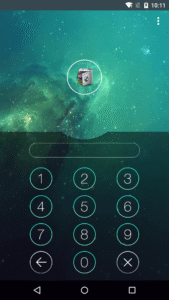
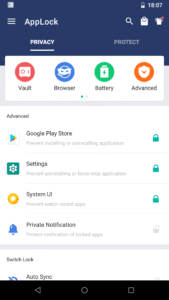
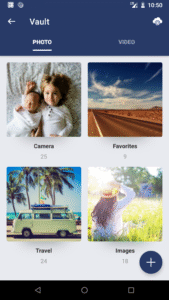
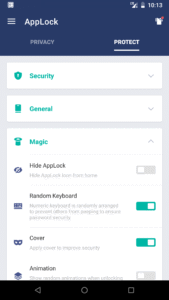
Protect privacy. Supports 45 languages. ☞ AppLock can lock Facebook, WhatsApp, Gallery, Messenger, Snapchat, Instagram, SMS, Contacts, Gmail, Settings, incoming calls and any app you choose. Prevent unauthorized access and guard privacy. Ensure security. ☞ AppLock can lock pictures and videos. Hidden pictures and videos are vanished from Gallery and only visible in the photo and video vault. Protect private memories easily. No pin, no way. ☞AppLock has random keyboard and invisible pattern lock. No more worry people may peep the pin or pattern. More safe! ★ With AppLock, you will: Never worry about parents check your Snapchat, TikTok! Never worry about friends borrow your phone to play games with mobile data again! Never worry about a workmate gets your phone to look the gallery again! Never worry about someone reads private data in your apps again! Never worry about kids mess up Settings, send wrong messages, paying games again! ---FAQ--- 1)How to change password? Open AppLock, Protect, Unlock Settings 2)How to open hidden AppLock? Please update to the latest version and then try the following four methods to open hidden AppLock: 1. Gallery Open your Gallery, select a picture, click the share button. Find "Open AppLock" and click it. 2. Widgets Long press the home screen, click Widgets. Find "Open AppLock" and drag it to the home screen. 3. Dial pad Enter *#*#12345#*#* in your dial pad. 4. Browser Open any link in the browser: ① openapplock.com ② domobile.com/applock 3)How to stop uninstalling AppLock? Please enable Advanced Protection in Protect of AppLock, so nobody can uninstall or kill AppLock without password. You can disable Advanced Protection when you don't want it. 4)I forgot my password, How to find it? Update to the latest version first. And then tap AppLock icon, click the icon at top right corner of lock page, tap 'forgot password'. 1. Security answer: enter security answer, click 'reset password'. 2. Security email: click 'send code to security email', input reset code, click 'reset password'. AppLock uses the Device Administrator permission. To enable Advanced Protection, please activate AppLock as "device administrator". It's only used for preventing intruders uninstalling AppLock. AppLock uses Accessibility service. To enable Power saving mode, please allow Accessibility services. The service is only used to reduce battery usage, improve unlocking efficiency, and ensure AppLock works stably. Please be assured that AppLock will never use these permissions to access your private data. Feel free to send your feedback to us! support@domobile.com Official SNS account Facebook: www.facebook.com/bestapplock Twitter: twitter.com/bestapplock Website: www.domobile.com