
Download PlayKids Learning Video Games APK 6.0.46 Universal · Android 23+
Download APK
Verified Safe
This is the universal build of PlayKids Learning Video Games 6.0.46. It contains native libraries for every CPU architecture (arm64-v8a, armeabi-v7a, x86, x86_64), so it installs on any Android device. The trade-off is size — it's larger than per-architecture variants. Pick this one if you're unsure which CPU your phone has, or if you plan to share the APK with multiple devices.
File size: 113.4 MB • Min Android: 23 • Target Android: 35 • Version code: 1749 • Framework: React Native • Permissions: 21
Screenshots



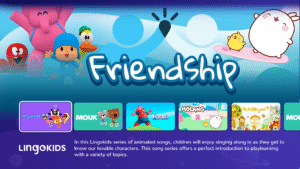
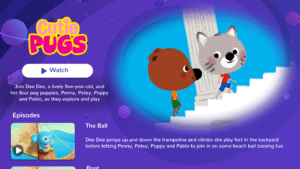
File Information
| Package Name | com.movile.playkids |
|---|---|
| Version Name | 6.0.46 |
| Version Code | 1749 |
| Architecture | Universal |
| Min Android Version | Android 23 (API 35) |
| Main Activity | com.movile.playkids.MainActivity |
| Framework | React Native |
| File Size | 113.41 MB |
| Signature (SHA1) | B884D10467CA64F61D06F4DE0E4C0FE8C16636D3 |
| File Hash (SHA256) | e6c8f4fac3137dae00a0c92b86aab1cf03913d056f3bc299f2d0d943f4ef731e |
What's New
🎉 PlayKids+ Just Got Even Better! 🎉
Here's what's new:
🔧 General Bug Fixes: We've squashed some bugs to ensure a seamless experience for you and your little ones.
Update now to dive into a world of endless entertainment and learning with PlayKids+! 🚀🌟
Here's what's new:
🔧 General Bug Fixes: We've squashed some bugs to ensure a seamless experience for you and your little ones.
Update now to dive into a world of endless entertainment and learning with PlayKids+! 🚀🌟
App Description
A children’s app where learning and fun become one!
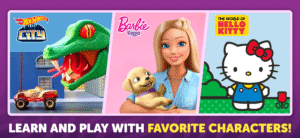
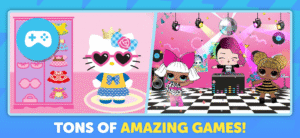
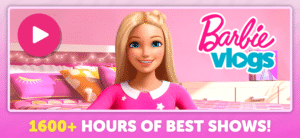
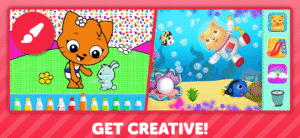
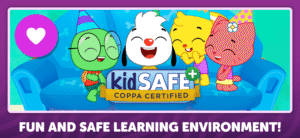
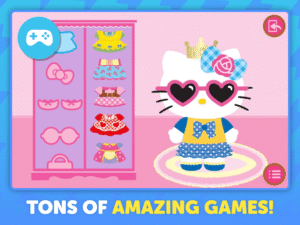
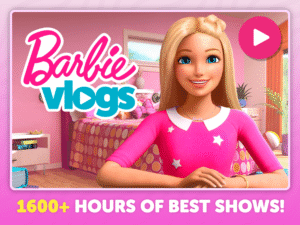
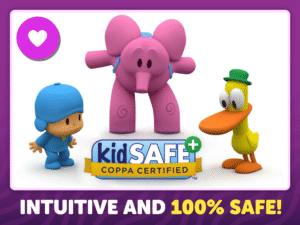
Discover PlayKids+, the award-winning, safe and ad-free kids app that brings together your children’s favorite videos, songs and games.Developed by experts in children’s education, PlayKids+ promotes child development and is suitable for all kids aged 2-12 years. The app is COPPA certified for parents’ peace of mind and it brings together 1,000+ cartoons, TV shows, educational games, and interactive activities.
Playkids+ is available in 180 countries in 4 languages.
Be one of the more than 5 million families who already trust PlayKids+ to keep their kids safely entertained. to learn about the best app for educational experiences.
Why subscribe to PlayKids+?
- It's 100% safe with no ads
- PlayKids+ is KidSAFE and COPPA certified, KidSAFE certified, Parents' Choice, Nappa (National Parenting Product - Awards) and the Michael Cohen Group.
- Peace of mind for parents with content and screen time controls
- Content available offline with downloadable content
- Simultaneous access on more than one device
- Created by early childhood education specialists to fit children’s different learning stages and ages
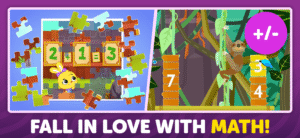
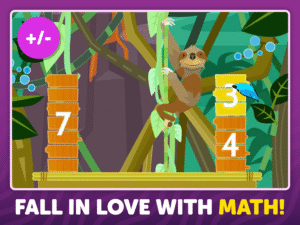
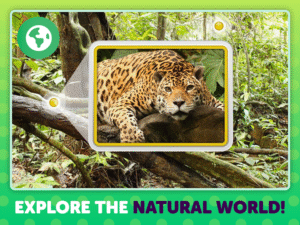
- Topics covered in the app include literature, arts, music, math, meditation, phonics, spelling, and more
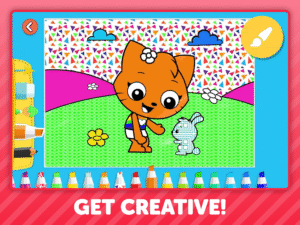
- Encourages offline play with arts and crafts activities, songs and exercises
- The app features original and exclusive content including: Junior, Theo, Kate, Mimi e Lupi, Kantalá, SuperHands, Tiny Balloon, Lupi Club, and more
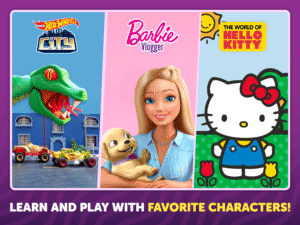
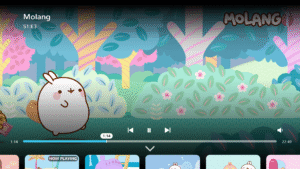
- Your child's favorite series are here like: Saturday Club, Two Minute Tales, Alphablocks, Numberblocks, Cutie Pugs, Talking Tom and Friends, Baby Shark, Masha and the Bear, Pingu, and much more
SUBSCRIPTION DETAILS:
After an initial 3 days FREE trial,your paid subscription to PlayKids+ will begin. This will give you access to the app's entire library of videos, games, music, and news!
Here's how it works:
Choose between a monthly or annual subscription plan that fits your preference.
The subscription is renewed automatically unless the account is deactivated at least 24 hours before the end of the current subscription period.
You can deactivate your account any time after purchase by accessing your account settings.
Your annual subscription payment may be refunded and your service canceled if you request it within seven days after purchase.
Your trial period ends when a paid subscription is purchased.
Privacy Policy:
policies.playkidsapp.com/en/privacy
Terms of Service:
policies.playkidsapp.com/en/tos/
Content may vary by country. Log on to
support.playkidsapp.com/
if you have any questions.
Discover PlayKids+, the award-winning, safe and ad-free kids app that brings together your children’s favorite videos, songs and games.Developed by experts in children’s education, PlayKids+ promotes child development and is suitable for all kids aged 2-12 years. The app is COPPA certified for parents’ peace of mind and it brings together 1,000+ cartoons, TV shows, educational games, and interactive activities.
Playkids+ is available in 180 countries in 4 languages.
Be one of the more than 5 million families who already trust PlayKids+ to keep their kids safely entertained. to learn about the best app for educational experiences.
Why subscribe to PlayKids+?
- It's 100% safe with no ads
- PlayKids+ is KidSAFE and COPPA certified, KidSAFE certified, Parents' Choice, Nappa (National Parenting Product - Awards) and the Michael Cohen Group.
- Peace of mind for parents with content and screen time controls
- Content available offline with downloadable content
- Simultaneous access on more than one device
- Created by early childhood education specialists to fit children’s different learning stages and ages
- Topics covered in the app include literature, arts, music, math, meditation, phonics, spelling, and more
- Encourages offline play with arts and crafts activities, songs and exercises
- The app features original and exclusive content including: Junior, Theo, Kate, Mimi e Lupi, Kantalá, SuperHands, Tiny Balloon, Lupi Club, and more
- Your child's favorite series are here like: Saturday Club, Two Minute Tales, Alphablocks, Numberblocks, Cutie Pugs, Talking Tom and Friends, Baby Shark, Masha and the Bear, Pingu, and much more
SUBSCRIPTION DETAILS:
After an initial 3 days FREE trial,your paid subscription to PlayKids+ will begin. This will give you access to the app's entire library of videos, games, music, and news!
Here's how it works:
Choose between a monthly or annual subscription plan that fits your preference.
The subscription is renewed automatically unless the account is deactivated at least 24 hours before the end of the current subscription period.
You can deactivate your account any time after purchase by accessing your account settings.
Your annual subscription payment may be refunded and your service canceled if you request it within seven days after purchase.
Your trial period ends when a paid subscription is purchased.
Privacy Policy:
policies.playkidsapp.com/en/privacy
Terms of Service:
policies.playkidsapp.com/en/tos/
Content may vary by country. Log on to
support.playkidsapp.com/
if you have any questions.
Download PlayKids Learning Video Games APK
Fast, free and safe download.
APK Permissions 21
- android.permission.ACCESS_ADSERVICES_AD_ID
- android.permission.ACCESS_ADSERVICES_ATTRIBUTION
- android.permission.ACCESS_NETWORK_STATE
- android.permission.ACCESS_NOTIFICATION_POLICY
- android.permission.ACCESS_WIFI_STATE
- android.permission.BROADCAST_CLOSE_SYSTEM_DIALOGS
- android.permission.DOWNLOAD_WITHOUT_NOTIFICATION
- android.permission.FOREGROUND_SERVICE
- android.permission.INTERNET
- android.permission.POST_NOTIFICATIONS
- android.permission.READ_EXTERNAL_STORAGE
- android.permission.RECEIVE_BOOT_COMPLETED
- android.permission.SCHEDULE_EXACT_ALARM
- android.permission.VIBRATE
- android.permission.WAKE_LOCK
- android.permission.WRITE_EXTERNAL_STORAGE
- com.android.vending.BILLING
- com.android.vending.CHECK_LICENSE
- com.google.android.c2dm.permission.RECEIVE
- com.google.android.finsky.permission.BIND_GET_INSTALL_REFERRER_SERVICE
- com.movile.playkids.DYNAMIC_RECEIVER_NOT_EXPORTED_PERMISSION
APK Verified
The cryptographic signature guarantees that the file is safe to install and was not tampered with in any way.
Similar in Entertainment


Frequently Asked Questions about PlayKids Learning Video Games APK
This is the universal variant — a single APK that contains native libraries for every CPU architecture. It installs on any Android device but is larger than per-architecture variants.
Yes — the APK's signature has been cryptographically verified against the publisher's signing key. The SHA-256 hash is shown in the File Information panel so you can independently confirm the file matches the original release.
Android 23 (API level 35) or newer. Older devices will refuse the install.
Install a free app like 'CPU-Z' or 'Droid Hardware Info' from the Play Store and look at the ABI / Instruction Set row. Most phones made after 2017 are arm64-v8a; if in doubt, download the universal variant.
All variants are functionally identical — same features, same version. They differ only in which CPU architectures the native code is compiled for, and (sometimes) which screen densities the included graphics target. Pick the one that matches your device for the smallest install size, or pick 'Universal' if you're unsure.