
Download Image Toolbox - Edit & Convert (github version) APK 3.2.0 Universal · Android 21+
Download APK
Verified Safe
This is the universal build of Image Toolbox - Edit & Convert (github version) 3.2.0. It contains native libraries for every CPU architecture (arm64-v8a, armeabi-v7a, x86, x86_64), so it installs on any Android device. The trade-off is size — it's larger than per-architecture variants. Pick this one if you're unsure which CPU your phone has, or if you plan to share the APK with multiple devices.
File size: 118.7 MB • Min Android: 21 • Target Android: 35 • Version code: 171 • Framework: Native (Java/Kotlin) • Permissions: 15
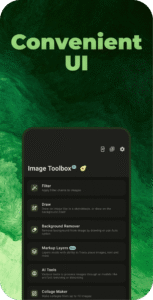
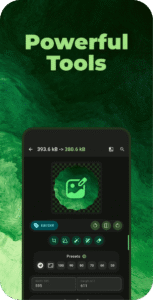
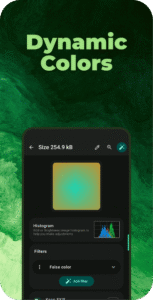
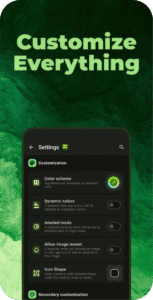
Screenshots

File Information
| Package Name | ru.tech.imageresizershrinker |
|---|---|
| Version Name | 3.2.0 |
| Version Code | 171 |
| Architecture | Universal |
| Min Android Version | Android 21 (API 35) |
| Main Activity | ru.tech.imageresizershrinker.app.presentation.AppActivity |
| Framework | Native (Java/Kotlin) |
| File Size | 118.74 MB |
| Signature (SHA1) | 3C2620EFDE42C8570C900B95B50164B3259F97A9 |
| File Hash (SHA256) | f91ed09c73e1fecc68ef388d3f5a3013ccda24da98d6cd60e15325fe559593cd |
What's New
## What's Changed
- New tools: Checksum verification, Image size calculator, Image Cutting, Mesh Gradients, EXIF Deletion, Pixel comparison and MORE!
- Encryption & QR: 105 crypto algorithms, 13 barcode types, QR code size limit.
- Other updates: Predictive back gesture support, fixes for Cropper, Watermark, and OCR, UI
- Bug fixes and stability improvements
## List of new features is much more bigger, see it down below
github.com/T8RIN/ImageToolbox/compare/3.1.2...3.2.0
- New tools: Checksum verification, Image size calculator, Image Cutting, Mesh Gradients, EXIF Deletion, Pixel comparison and MORE!
- Encryption & QR: 105 crypto algorithms, 13 barcode types, QR code size limit.
- Other updates: Predictive back gesture support, fixes for Cropper, Watermark, and OCR, UI
- Bug fixes and stability improvements
## List of new features is much more bigger, see it down below
github.com/T8RIN/ImageToolbox/compare/3.1.2...3.2.0
App Description
Image Toolbox with these ✨ Features:
- Batch processing
- Applying filter chains (More than 160 various filters)
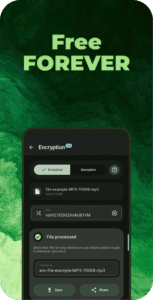
- AES-256 GCM No Padding files encryption and decryption
- Extract Text From Images
- 120+ languages
- 3 Type of data: Fast, Standard, Best
- Segmentation Mode Selection
- Multiple languages at the same time
- EXIF metadata editing/deleting
- Loading images from internet
- Image Stitching
- Background Removal
- By drawing
- Automatic
- Watermarking
- By Text
- By Image
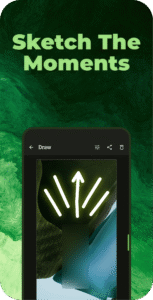
- Drawing on Image/Background
- Pen
- Neon
- Highlighter
- Privacy Blur
- Pixelation Paint
- Pointing Arrow
- Line
- Double Pointing Arrow
- Line Pointing Arrow
- Double Line Pointing Arrow
- Outlined Rect
- Outlined Oval
- Rect
- Oval
- Lasso
- Image Resizing
- Width changing
- Height changing
- Adaptive resize
- Resize retaining aspect ratio
- Resize by given limits
- Center Crop with
- Background color changing
- Background blur drawing
- Different Scaling Algorhytms
- Bilinear
- Nearest Neighbour
- Bicubic
- Mitchell
- Lanczos
- Catmull
- Hermite
- Spline
- BSpline
- Hann
- GIF conversion
- GIF to images
- Images to GIF
- APNG conversion
- APNG to images
- Images to APNG
- JXL transcoding
- JXL to JPEG
- JPEG to JXL
- Animated JXL conversion
- Images to JXL
- JXL to Images
- APNG to JXL
- GIF to JXL
- Image Shrinking
- Quality compressing
- Preset shrinking
- Reducing size by given weight (in KB)
- Cropping
- Regular crop
- Crop by aspect ratio
- Crop with shape mask
- Rounded Corners
- Cut Corners
- Oval
- Squircle
- Octagon
- Rounded Pentagon
- Clover
- Material Star
- Kotlin Logo
- Small Material Star
- Heart
- Enhanced Heart
- Star
- Image Mask
- Format Conversion
- HEIF
- HEIC
- AVIF
- WEBP
- JPEG
- JPG
- PNG Lossless
- PNG Lossy
- MozJpeg
- Jpegli
- JXL
- SVG and GIF to WEBP, PNG, JPEG, JPG, HEIF, HEIC, AVIF, JXL
- Telegram sticker PNG format
- Files to Zip
- Comparing images
- Slide
- Toggle Tap
- Transparency
- Side By Side
- Color Utils
- Palette generation
- Material You Scheme
- Simple Colors
- Picking color from image
- Gradient creation
- Overlaying image with gradient
- Image source selection
- Additional Features
- Rotating
- Flipping
- Previewing SVG, GIF and mostly all types of images
- Saving to any specific folder
- Randomizing output filename
- Embedded media picker
- Batch processing
- Applying filter chains (More than 160 various filters)
- AES-256 GCM No Padding files encryption and decryption
- Extract Text From Images
- 120+ languages
- 3 Type of data: Fast, Standard, Best
- Segmentation Mode Selection
- Multiple languages at the same time
- EXIF metadata editing/deleting
- Loading images from internet
- Image Stitching
- Background Removal
- By drawing
- Automatic
- Watermarking
- By Text
- By Image
- Drawing on Image/Background
- Pen
- Neon
- Highlighter
- Privacy Blur
- Pixelation Paint
- Pointing Arrow
- Line
- Double Pointing Arrow
- Line Pointing Arrow
- Double Line Pointing Arrow
- Outlined Rect
- Outlined Oval
- Rect
- Oval
- Lasso
- Image Resizing
- Width changing
- Height changing
- Adaptive resize
- Resize retaining aspect ratio
- Resize by given limits
- Center Crop with
- Background color changing
- Background blur drawing
- Different Scaling Algorhytms
- Bilinear
- Nearest Neighbour
- Bicubic
- Mitchell
- Lanczos
- Catmull
- Hermite
- Spline
- BSpline
- Hann
- GIF conversion
- GIF to images
- Images to GIF
- APNG conversion
- APNG to images
- Images to APNG
- JXL transcoding
- JXL to JPEG
- JPEG to JXL
- Animated JXL conversion
- Images to JXL
- JXL to Images
- APNG to JXL
- GIF to JXL
- Image Shrinking
- Quality compressing
- Preset shrinking
- Reducing size by given weight (in KB)
- Cropping
- Regular crop
- Crop by aspect ratio
- Crop with shape mask
- Rounded Corners
- Cut Corners
- Oval
- Squircle
- Octagon
- Rounded Pentagon
- Clover
- Material Star
- Kotlin Logo
- Small Material Star
- Heart
- Enhanced Heart
- Star
- Image Mask
- Format Conversion
- HEIF
- HEIC
- AVIF
- WEBP
- JPEG
- JPG
- PNG Lossless
- PNG Lossy
- MozJpeg
- Jpegli
- JXL
- SVG and GIF to WEBP, PNG, JPEG, JPG, HEIF, HEIC, AVIF, JXL
- Telegram sticker PNG format
- Files to Zip
- Comparing images
- Slide
- Toggle Tap
- Transparency
- Side By Side
- Color Utils
- Palette generation
- Material You Scheme
- Simple Colors
- Picking color from image
- Gradient creation
- Overlaying image with gradient
- Image source selection
- Additional Features
- Rotating
- Flipping
- Previewing SVG, GIF and mostly all types of images
- Saving to any specific folder
- Randomizing output filename
- Embedded media picker
Download Image Toolbox - Edit & Convert (github version) APK
Fast, free and safe download.
APK Permissions 15
- android.permission.ACCESS_ADSERVICES_AD_ID
- android.permission.ACCESS_ADSERVICES_ATTRIBUTION
- android.permission.ACCESS_MEDIA_LOCATION
- android.permission.ACCESS_NETWORK_STATE
- android.permission.CAMERA
- android.permission.FOREGROUND_SERVICE
- android.permission.FOREGROUND_SERVICE_MEDIA_PROJECTION
- android.permission.INTERNET
- android.permission.PROJECT_MEDIA
- android.permission.READ_EXTERNAL_STORAGE
- android.permission.READ_MEDIA_IMAGES
- android.permission.WAKE_LOCK
- android.permission.WRITE_EXTERNAL_STORAGE
- com.google.android.finsky.permission.BIND_GET_INSTALL_REFERRER_SERVICE
- ru.tech.imageresizershrinker.DYNAMIC_RECEIVER_NOT_EXPORTED_PERMISSION
APK Verified
The cryptographic signature guarantees that the file is safe to install and was not tampered with in any way.


Frequently Asked Questions about Image Toolbox - Edit & Convert (github version) APK
This is the universal variant — a single APK that contains native libraries for every CPU architecture. It installs on any Android device but is larger than per-architecture variants.
Yes — the APK's signature has been cryptographically verified against the publisher's signing key. The SHA-256 hash is shown in the File Information panel so you can independently confirm the file matches the original release.
Android 21 (API level 35) or newer. Older devices will refuse the install.
Install a free app like 'CPU-Z' or 'Droid Hardware Info' from the Play Store and look at the ABI / Instruction Set row. Most phones made after 2017 are arm64-v8a; if in doubt, download the universal variant.
All variants are functionally identical — same features, same version. They differ only in which CPU architectures the native code is compiled for, and (sometimes) which screen densities the included graphics target. Pick the one that matches your device for the smallest install size, or pick 'Universal' if you're unsure.