
Download Image Toolbox - Edit & Convert (github version) APK 3.4.0 Universal · Android 23+
Download APK
Verified Safe
This is the universal build of Image Toolbox - Edit & Convert (github version) 3.4.0. It contains native libraries for every CPU architecture (arm64-v8a, armeabi-v7a, x86, x86_64), so it installs on any Android device. The trade-off is size — it's larger than per-architecture variants. Pick this one if you're unsure which CPU your phone has, or if you plan to share the APK with multiple devices.
File size: 123.4 MB • Min Android: 23 • Target Android: 36 • Version code: 191 • Framework: Native (Java/Kotlin) • Permissions: 16
Screenshots
File Information
| Package Name | ru.tech.imageresizershrinker |
|---|---|
| Version Name | 3.4.0 |
| Version Code | 191 |
| Architecture | Universal |
| Min Android Version | Android 23 (API 36) |
| Main Activity | com.t8rin.imagetoolbox.app.presentation.AppActivity |
| Framework | Native (Java/Kotlin) |
| File Size | 123.41 MB |
| Signature (SHA1) | 3C2620EFDE42C8570C900B95B50164B3259F97A9 |
| File Hash (SHA256) | 638498de92bcae4e93e349335d731f204f831186edecda130cebd4d4dbfba8b2 |
What's New
What's New
• Min SDK 23 + support for 16kb pages
• Many crash & UI fixes
• New animated splash
• Color search, Flood Fill, Spray mode, ASCII Art
• Import/export 41 palette formats
• New barcode types + customizable QR
• Improved cropper
• New quick tiles + wallpapers export
• 47 new filters
• Upgrades to ASCII filter + new settings
• Better Image Splitting/Stitching, zoom-in-place & improved QR readability
Full changelog on GitHub
• Min SDK 23 + support for 16kb pages
• Many crash & UI fixes
• New animated splash
• Color search, Flood Fill, Spray mode, ASCII Art
• Import/export 41 palette formats
• New barcode types + customizable QR
• Improved cropper
• New quick tiles + wallpapers export
• 47 new filters
• Upgrades to ASCII filter + new settings
• Better Image Splitting/Stitching, zoom-in-place & improved QR readability
Full changelog on GitHub
App Description
Unleash your inner pixel artist with Image Toolbox - Edit & Convert! This powerful photo editor gives you complete control over your images, from basic pixel-level edits to advanced image manipulation and format conversion. Looking to tweak a single pixel or transform an entire image? Image Toolbox has you covered.
Pixel Perfect Editing:
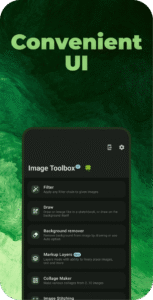
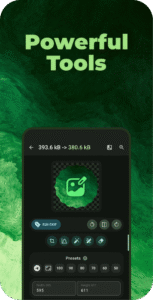
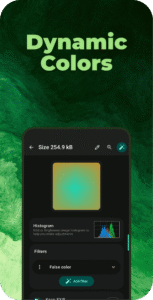
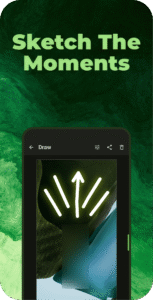
* Precise Drawing Tools: Dive into detailed editing with a wide array of drawing tools, including pen, neon, highlighter, pixelation paint, and more. Perfect for adding highlights, creating custom pixel art, or censoring sensitive areas with privacy blur. * Resizing & Cropping: Resize images with pixel-perfect precision, maintaining aspect ratio or cropping to specific dimensions. Explore unique crop shapes, including rounded corners, hearts, stars, and even custom image masks. * Color Utils: Create stunning color palettes with Material You schemes or extract colors directly from your images. Design custom gradients and overlay them onto your photos for unique effects.
Beyond Pixel Editing:
Image Toolbox is more than just a pixel editor; it's a complete image manipulation powerhouse.
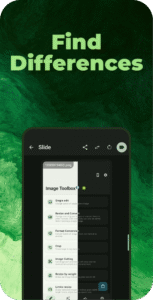
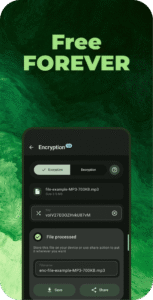
* Batch Processing: Edit multiple images at once, saving you valuable time. * 160+ Filters: Experiment with a vast library of filters to achieve the perfect look. Chain filters together for endless creative possibilities. * AI-Powered Background Removal: Effortlessly remove backgrounds with automatic detection or precise drawing tools. * Text Extraction (OCR): Extract text from images in over 120 languages with varying levels of precision. * Image Format Conversion: Seamlessly convert between various image formats, including HEIF, HEIC, AVIF, WEBP, JPEG, PNG, JXL, and more. Convert GIFs and SVGs to other formats with ease. * Animation Support: Create GIFs and APNGs, and even explore the cutting-edge Animated JXL format. * Advanced Features: Edit EXIF metadata, stitch images together, add watermarks, encrypt files, and much more!
Download Image Toolbox today and experience the ultimate pixel edit photo editor! Transform your photos with powerful tools, explore endless creative possibilities, and share your pixel-perfect masterpieces with the world.
Pixel Perfect Editing:
* Precise Drawing Tools: Dive into detailed editing with a wide array of drawing tools, including pen, neon, highlighter, pixelation paint, and more. Perfect for adding highlights, creating custom pixel art, or censoring sensitive areas with privacy blur. * Resizing & Cropping: Resize images with pixel-perfect precision, maintaining aspect ratio or cropping to specific dimensions. Explore unique crop shapes, including rounded corners, hearts, stars, and even custom image masks. * Color Utils: Create stunning color palettes with Material You schemes or extract colors directly from your images. Design custom gradients and overlay them onto your photos for unique effects.
Beyond Pixel Editing:
Image Toolbox is more than just a pixel editor; it's a complete image manipulation powerhouse.
* Batch Processing: Edit multiple images at once, saving you valuable time. * 160+ Filters: Experiment with a vast library of filters to achieve the perfect look. Chain filters together for endless creative possibilities. * AI-Powered Background Removal: Effortlessly remove backgrounds with automatic detection or precise drawing tools. * Text Extraction (OCR): Extract text from images in over 120 languages with varying levels of precision. * Image Format Conversion: Seamlessly convert between various image formats, including HEIF, HEIC, AVIF, WEBP, JPEG, PNG, JXL, and more. Convert GIFs and SVGs to other formats with ease. * Animation Support: Create GIFs and APNGs, and even explore the cutting-edge Animated JXL format. * Advanced Features: Edit EXIF metadata, stitch images together, add watermarks, encrypt files, and much more!
Download Image Toolbox today and experience the ultimate pixel edit photo editor! Transform your photos with powerful tools, explore endless creative possibilities, and share your pixel-perfect masterpieces with the world.
Download Image Toolbox - Edit & Convert (github version) APK
Fast, free and safe download.
APK Permissions 16
- android.permission.ACCESS_ADSERVICES_AD_ID
- android.permission.ACCESS_ADSERVICES_ATTRIBUTION
- android.permission.ACCESS_MEDIA_LOCATION
- android.permission.ACCESS_NETWORK_STATE
- android.permission.CAMERA
- android.permission.FOREGROUND_SERVICE
- android.permission.FOREGROUND_SERVICE_MEDIA_PROJECTION
- android.permission.INTERNET
- android.permission.PROJECT_MEDIA
- android.permission.READ_CONTACTS
- android.permission.READ_EXTERNAL_STORAGE
- android.permission.READ_MEDIA_IMAGES
- android.permission.WAKE_LOCK
- android.permission.WRITE_EXTERNAL_STORAGE
- com.google.android.finsky.permission.BIND_GET_INSTALL_REFERRER_SERVICE
- ru.tech.imageresizershrinker.DYNAMIC_RECEIVER_NOT_EXPORTED_PERMISSION
APK Verified
The cryptographic signature guarantees that the file is safe to install and was not tampered with in any way.


Frequently Asked Questions about Image Toolbox - Edit & Convert (github version) APK
This is the universal variant — a single APK that contains native libraries for every CPU architecture. It installs on any Android device but is larger than per-architecture variants.
Yes — the APK's signature has been cryptographically verified against the publisher's signing key. The SHA-256 hash is shown in the File Information panel so you can independently confirm the file matches the original release.
Android 23 (API level 36) or newer. Older devices will refuse the install.
Install a free app like 'CPU-Z' or 'Droid Hardware Info' from the Play Store and look at the ABI / Instruction Set row. Most phones made after 2017 are arm64-v8a; if in doubt, download the universal variant.
All variants are functionally identical — same features, same version. They differ only in which CPU architectures the native code is compiled for, and (sometimes) which screen densities the included graphics target. Pick the one that matches your device for the smallest install size, or pick 'Universal' if you're unsure.