
This is the universal build of PROTO - circuit simulator 1.40.0. It contains native libraries for every CPU architecture (arm64-v8a, armeabi-v7a, x86, x86_64), so it installs on any Android device. The trade-off is size — it's larger than per-architecture variants. Pick this one if you're unsure which CPU your phone has, or if you plan to share the APK with multiple devices.
File size: 23.4 MB • Min Android: 23 • Target Android: 35 • Version code: 85 • Framework: Native (Java/Kotlin) • Permissions: 9
Screenshots
File Information
| Package Name | com.proto.circuitsimulator |
|---|---|
| Version Name | 1.40.0 |
| Version Code | 85 |
| Architecture | Universal |
| Min Android Version | Android 23 (API 35) |
| Main Activity | com.proto.circuitsimulator.splash.SplashActivity |
| Framework | Native (Java/Kotlin) |
| File Size | 23.39 MB |
| Signature (SHA1) | 94F514A3012C81DCB5B755B3798E1A96ABE27D2F |
| File Hash (SHA256) | 865c7b0221c437c65948937a469abcdb3170c1741af095369caff7adc24f729b |
What's New
> Update PROTO to Android 15
> Add edge-to-edge support on Android 15
> You can expect short survey about PROTO in next weeks (it will help us with PROTO development)
> Fix component labels not copied -
github.com/Proto-App/Proto-Android/issues/419
> Improve JavaScript landscape UI -
github.com/Proto-App/Proto-Android/issues/415
> Try to fix JavaScript crash on CAT S42 device -
github.com/Proto-App/Proto-Android/issues/411
> Add edge-to-edge support on Android 15
> You can expect short survey about PROTO in next weeks (it will help us with PROTO development)
> Fix component labels not copied -
github.com/Proto-App/Proto-Android/issues/419
> Improve JavaScript landscape UI -
github.com/Proto-App/Proto-Android/issues/415
> Try to fix JavaScript crash on CAT S42 device -
github.com/Proto-App/Proto-Android/issues/411
App Description
Are you looking for tools like
Multisim, SPICE, LTspice, Proteus, Altium
or
PhET
simulations? That's great!
PROTO
is an real time electronic circuit simulator which means you are able to setup a circuit with various components and simulate behaviour of the electronic circuit ⚡
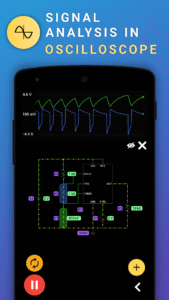
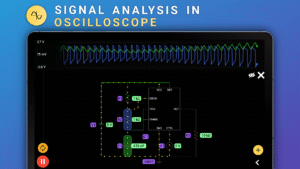
During simulation you can check voltages, currents and many other variables. Check signals on multichannel oscilioscope and tune your circuit in real time! Our app can greatly help with your
Raspberry Pi, Arduino or ESP32
project. You can also use PROTO as logic circuit simulator and perform digital electronic analysis!
ℹ️ You can report an issue or make component request at
Github
👉
Features:
✅ Animations of voltage values and current flows
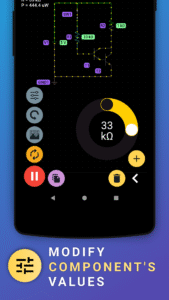
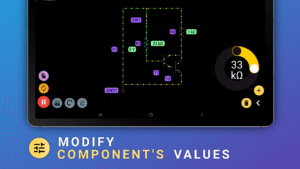
✅ Adjusts circuit parameters (like voltage, current and other)
✅ Four-channel oscilloscope
✅ Single play/pause button to control simulation
✅ Copy electronic components
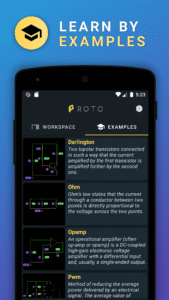
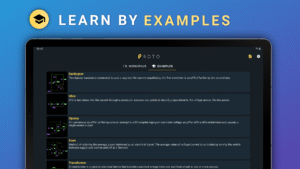
✅ Learn about electronic circuits by examples in app
✅ Share circuit with friends
✅ Themes (Dark, Light, Ocean, Solarized)
✅ PNG, JPG, PDF circuit export
✅ Export workspace
✅ Video tutorials about electronics
🔥 Arduino support in future
👉
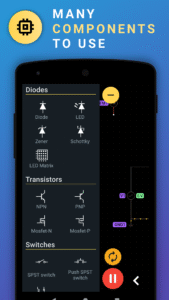
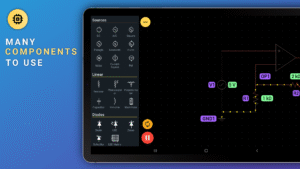
Components:
+ DC, AC, Square, Trinagle, Sawtooth, Pulse, Noise voltage source
+ Current source
+ Resistor
+ Potentiometer
+ Capacitor
+ Polarized capacitor
+ Inductor
+ Transformer
+ Diode (rectifying diode, LED, Zener, Schottky)
+ Transistor (NPN, PNP, N and P channel Mosfet)
+ Switches (SPST, Relay)
+ Bulb
+ Operational amplifier
+ Timer 555 (NE555)
+ Digital Gates (AND, NAND, OR, XOR, NOR, NXOR, Inverter)
+ Voltmeter
+ Ammeter
+ Fuse
+ Photoresistor (uses phone light sensor)
+ Analog-to-digital converter (ADC)
+ Accelerometer (uses phone accelerometer sensor)
+ FM source
+ Logic Input
+ Memristor
+ Logic output
+ Probe
+ Voltage rail
👉
Analog Pack:
+ Tunnel diode
+ Varactor
+ NTC Thermistor
+ Center tapped transformer
+ Schmitt trigger
+ Schmitt trigger (inverting)
+ Solar cell
+ TRIAC
+ DIAC
+ Thyristor
+ Triode
+ Darlington NPN
+ Darlington PNP
+ Analog SPST
+ Analog SPDT
Digital Pack:
+ Adder
+ Counter
+ Latch
+ PISO Register
+ SIPO Register
+ Seven segment decoder
+ Sequence generator
+ D Flip-flop
+ T Flip-flop
+ JK Flip-flop
+ Multiplexer
+ Demultiplexer
+ Voltage controlled current source (VCCS)
+ Voltage controlled voltage source (VCVS)
+ Current controlled current source (CCCS)
+ Current controlled voltage source (CCVS)
+ Optocoupler
👉
Misc Pack:
+ Wobbulator
+ AM Source
+ SPDT Switch
+ Digital to analog converter (DAC)
+ Antenna
+ Spark gap
+ LED Bar
+ 7 segment LED
+ RGB LED
+ Ohmmeter
+ Audio input
+ Microphone
+ Device battery
+ DC Motor
+ 14 segment LED
+ Diode bridge
+ Crystal
+ Voltage regulators (78xx family)
+ TL431
+ Buzzer
+ Frequency meter
👉
JavaScrip Pack:
+ Write code
+ JavaScript interpreter (ES2020 class)
+ Access to IC inputs in code
+ Access to IC outputs in code
+ Four custom ICs
👉
7400 TTL Pack:
+ 7404 - hex inverter
+ 7410 - triple 3-input NAND Gate
+ 7414 - hex Schmitt-trigger inverter
+ 7432 - quadruple 2-input OR gate
+ 7440 - dual 4-input NAND buffer
+ 7485 - 4-bit magnitude comparator
+ 7493 - binary counter
+ 744075 - triple 3-input OR gate
+ 741G32 - single 2-input OR gate
+ 741G86 - single 2-input XOR gate
👉
4000 CMOS Pack:
+ 4000 - dual 3-input NOR gate and inverter.
+ 4001 - quad 2-input NOR gate.
+ 4002 - dual 4-input NOR gate.
+ 4011 - quad 2-input NAND gate.
+ 4016 - quad bilateral switch.
+ 4017 - 5-stage Johnson decade counter.
+ 4023 - triple 3-input NAND gate.
+ 4025 - triple 3-input NOR gate.
+ 4081 - quad 2-input AND gate.
+ 4511 - BCD to 7-segment decoder.
👉
Sensors pack:
+ Pressure
+ Gyroscope
+ Light
+ Magnetic field
+ Proximity
+ Temperature
+ Humidity
Multisim, SPICE, LTspice, Proteus, Altium
or
PhET
simulations? That's great!
PROTO
is an real time electronic circuit simulator which means you are able to setup a circuit with various components and simulate behaviour of the electronic circuit ⚡
During simulation you can check voltages, currents and many other variables. Check signals on multichannel oscilioscope and tune your circuit in real time! Our app can greatly help with your
Raspberry Pi, Arduino or ESP32
project. You can also use PROTO as logic circuit simulator and perform digital electronic analysis!
ℹ️ You can report an issue or make component request at
Github
👉
Features:
✅ Animations of voltage values and current flows
✅ Adjusts circuit parameters (like voltage, current and other)
✅ Four-channel oscilloscope
✅ Single play/pause button to control simulation
✅ Copy electronic components
✅ Learn about electronic circuits by examples in app
✅ Share circuit with friends
✅ Themes (Dark, Light, Ocean, Solarized)
✅ PNG, JPG, PDF circuit export
✅ Export workspace
✅ Video tutorials about electronics
🔥 Arduino support in future
👉
Components:
+ DC, AC, Square, Trinagle, Sawtooth, Pulse, Noise voltage source
+ Current source
+ Resistor
+ Potentiometer
+ Capacitor
+ Polarized capacitor
+ Inductor
+ Transformer
+ Diode (rectifying diode, LED, Zener, Schottky)
+ Transistor (NPN, PNP, N and P channel Mosfet)
+ Switches (SPST, Relay)
+ Bulb
+ Operational amplifier
+ Timer 555 (NE555)
+ Digital Gates (AND, NAND, OR, XOR, NOR, NXOR, Inverter)
+ Voltmeter
+ Ammeter
+ Fuse
+ Photoresistor (uses phone light sensor)
+ Analog-to-digital converter (ADC)
+ Accelerometer (uses phone accelerometer sensor)
+ FM source
+ Logic Input
+ Memristor
+ Logic output
+ Probe
+ Voltage rail
👉
Analog Pack:
+ Tunnel diode
+ Varactor
+ NTC Thermistor
+ Center tapped transformer
+ Schmitt trigger
+ Schmitt trigger (inverting)
+ Solar cell
+ TRIAC
+ DIAC
+ Thyristor
+ Triode
+ Darlington NPN
+ Darlington PNP
+ Analog SPST
+ Analog SPDT
Digital Pack:
+ Adder
+ Counter
+ Latch
+ PISO Register
+ SIPO Register
+ Seven segment decoder
+ Sequence generator
+ D Flip-flop
+ T Flip-flop
+ JK Flip-flop
+ Multiplexer
+ Demultiplexer
+ Voltage controlled current source (VCCS)
+ Voltage controlled voltage source (VCVS)
+ Current controlled current source (CCCS)
+ Current controlled voltage source (CCVS)
+ Optocoupler
👉
Misc Pack:
+ Wobbulator
+ AM Source
+ SPDT Switch
+ Digital to analog converter (DAC)
+ Antenna
+ Spark gap
+ LED Bar
+ 7 segment LED
+ RGB LED
+ Ohmmeter
+ Audio input
+ Microphone
+ Device battery
+ DC Motor
+ 14 segment LED
+ Diode bridge
+ Crystal
+ Voltage regulators (78xx family)
+ TL431
+ Buzzer
+ Frequency meter
👉
JavaScrip Pack:
+ Write code
+ JavaScript interpreter (ES2020 class)
+ Access to IC inputs in code
+ Access to IC outputs in code
+ Four custom ICs
👉
7400 TTL Pack:
+ 7404 - hex inverter
+ 7410 - triple 3-input NAND Gate
+ 7414 - hex Schmitt-trigger inverter
+ 7432 - quadruple 2-input OR gate
+ 7440 - dual 4-input NAND buffer
+ 7485 - 4-bit magnitude comparator
+ 7493 - binary counter
+ 744075 - triple 3-input OR gate
+ 741G32 - single 2-input OR gate
+ 741G86 - single 2-input XOR gate
👉
4000 CMOS Pack:
+ 4000 - dual 3-input NOR gate and inverter.
+ 4001 - quad 2-input NOR gate.
+ 4002 - dual 4-input NOR gate.
+ 4011 - quad 2-input NAND gate.
+ 4016 - quad bilateral switch.
+ 4017 - 5-stage Johnson decade counter.
+ 4023 - triple 3-input NAND gate.
+ 4025 - triple 3-input NOR gate.
+ 4081 - quad 2-input AND gate.
+ 4511 - BCD to 7-segment decoder.
👉
Sensors pack:
+ Pressure
+ Gyroscope
+ Light
+ Magnetic field
+ Proximity
+ Temperature
+ Humidity
Download PROTO - circuit simulator APK
Fast, free and safe download.
APK Permissions 9
- android.permission.ACCESS_ADSERVICES_AD_ID
- android.permission.ACCESS_ADSERVICES_ATTRIBUTION
- android.permission.ACCESS_NETWORK_STATE
- android.permission.INTERNET
- android.permission.RECORD_AUDIO
- android.permission.WAKE_LOCK
- com.android.vending.BILLING
- com.google.android.finsky.permission.BIND_GET_INSTALL_REFERRER_SERVICE
- com.proto.circuitsimulator.DYNAMIC_RECEIVER_NOT_EXPORTED_PERMISSION
APK Verified
The cryptographic signature guarantees that the file is safe to install and was not tampered with in any way.


Frequently Asked Questions about PROTO - circuit simulator APK
This is the universal variant — a single APK that contains native libraries for every CPU architecture. It installs on any Android device but is larger than per-architecture variants.
Yes — the APK's signature has been cryptographically verified against the publisher's signing key. The SHA-256 hash is shown in the File Information panel so you can independently confirm the file matches the original release.
Android 23 (API level 35) or newer. Older devices will refuse the install.
Install a free app like 'CPU-Z' or 'Droid Hardware Info' from the Play Store and look at the ABI / Instruction Set row. Most phones made after 2017 are arm64-v8a; if in doubt, download the universal variant.
All variants are functionally identical — same features, same version. They differ only in which CPU architectures the native code is compiled for, and (sometimes) which screen densities the included graphics target. Pick the one that matches your device for the smallest install size, or pick 'Universal' if you're unsure.