
Download Proton Calendar: Secure Events APK 2.28.0 arm64-v8a, armeabi-v7a, x86, x86_64 · Android 23+
Download APK
Verified Safe
This is the arm64-v8a, armeabi-v7a, x86, x86_64 build of Proton Calendar: Secure Events 2.28.0. Pick this build if your device's primary ABI matches.
File size: 123.1 MB • Min Android: 23 • Target Android: 35 • Version code: 329 • Framework: Native (Java/Kotlin) • Permissions: 15
Screenshots
File Information
| Package Name | me.proton.android.calendar |
|---|---|
| Version Name | 2.28.0 |
| Version Code | 329 |
| Architecture | arm64-v8a, armeabi-v7a, x86, x86_64 |
| Min Android Version | Android 23 (API 35) |
| Main Activity | me.proton.android.calendar.presentation.main.MainActivity |
| Framework | Native (Java/Kotlin) |
| File Size | 123.08 MB |
| Signature (SHA1) | D8E1EE3FF3A7F6EC46883C898032FE03C23EEC20 |
| File Hash (SHA256) | 28432a97c52b93eb066a291696a21bc2f829e99e1289d3407b3d8e071e3de629 |
What's New
Minor fixes and improvements.
App Description
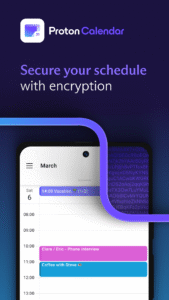
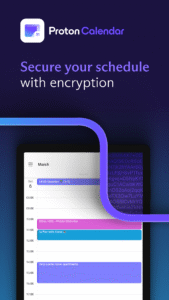
Proton Calendar is an easy-to-use planner and a time-management tool that keeps your schedule private
Additional Highlights
✓ Schedule planner syncs automatically across browsers and devices
✓ Create recurring events on a daily, weekly, monthly, yearly, or custom basis
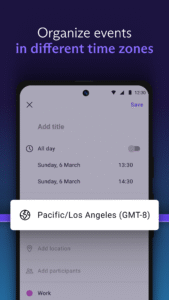
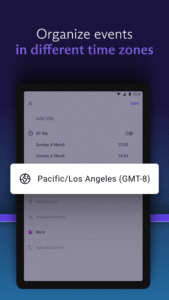
✓ Use as an appointment scheduler in local or foreign time zones
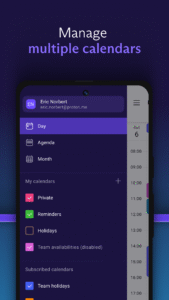
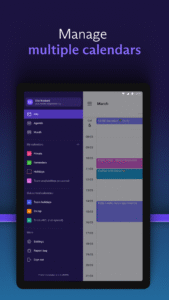
✓ Manage up to 20 calendars (paid feature)
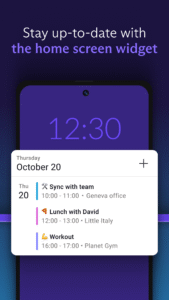
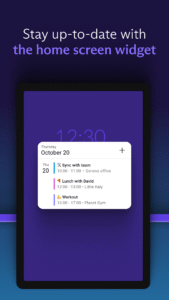
✓ View your agenda from the home screen with the Proton Calendar widget
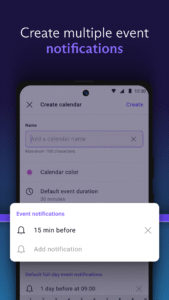
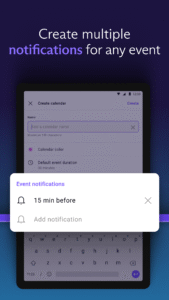
✓ Add multiple reminders for any event
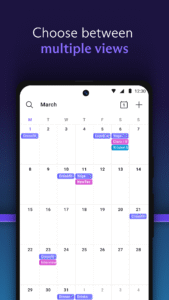
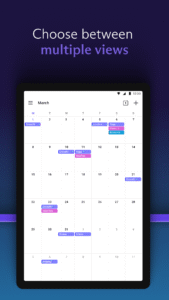
✓ Use as a daily planner or monthly planner by switching between different views
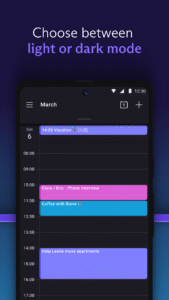
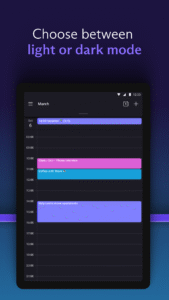
✓ Choose to view your event schedule in dark mode or light mode
PRIVATE CALENDAR
✓ No ads, no trackers, and no data sharing with any third parties
✓ We can’t spy on your activities or misuse your data
✓ End-to-end encryption — fully encrypted data exchange between Proton Calendar users
✓ Zero-access encryption — event names, descriptions, and participants are encrypted on our servers
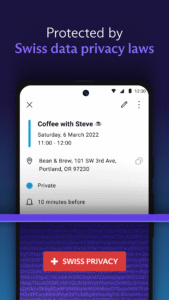
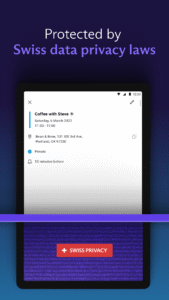
✓ Based in Switzerland 🇨🇭 — All your data is protected by strict Swiss privacy laws
USERS FIRST
Building an internet that puts people ahead of profits
✓ Funded by users, not advertisers — privacy is our business model
✓ Built by scientists and engineers who met at CERN and MIT and founded Proton Mail
✓ Used by high-profile journalists and organizations globally
✓ GDPR and HIPAA compliant
✓ Based in Switzerland and protected by some of the world’s strongest privacy laws
What others say about Proton Calendar
“Proton Mail has now made it stupid-easy to encrypt your schedule. Information about what you plan to do, where, and with whom, can be just as sensitive as the messages you send and receive.” Gizmodo
Additional Highlights
✓ Schedule planner syncs automatically across browsers and devices
✓ Create recurring events on a daily, weekly, monthly, yearly, or custom basis
✓ Use as an appointment scheduler in local or foreign time zones
✓ Manage up to 20 calendars (paid feature)
✓ View your agenda from the home screen with the Proton Calendar widget
✓ Add multiple reminders for any event
✓ Use as a daily planner or monthly planner by switching between different views
✓ Choose to view your event schedule in dark mode or light mode
PRIVATE CALENDAR
✓ No ads, no trackers, and no data sharing with any third parties
✓ We can’t spy on your activities or misuse your data
✓ End-to-end encryption — fully encrypted data exchange between Proton Calendar users
✓ Zero-access encryption — event names, descriptions, and participants are encrypted on our servers
✓ Based in Switzerland 🇨🇭 — All your data is protected by strict Swiss privacy laws
USERS FIRST
Building an internet that puts people ahead of profits
✓ Funded by users, not advertisers — privacy is our business model
✓ Built by scientists and engineers who met at CERN and MIT and founded Proton Mail
✓ Used by high-profile journalists and organizations globally
✓ GDPR and HIPAA compliant
✓ Based in Switzerland and protected by some of the world’s strongest privacy laws
What others say about Proton Calendar
“Proton Mail has now made it stupid-easy to encrypt your schedule. Information about what you plan to do, where, and with whom, can be just as sensitive as the messages you send and receive.” Gizmodo
Download Proton Calendar: Secure Events APK
Fast, free and safe download.
APK Permissions 15
- android.permission.ACCESS_NETWORK_STATE
- android.permission.CAMERA
- android.permission.FOREGROUND_SERVICE
- android.permission.FOREGROUND_SERVICE_DATA_SYNC
- android.permission.INTERNET
- android.permission.POST_NOTIFICATIONS
- android.permission.READ_CONTACTS
- android.permission.RECEIVE_BOOT_COMPLETED
- android.permission.SCHEDULE_EXACT_ALARM
- android.permission.USE_BIOMETRIC
- android.permission.USE_EXACT_ALARM
- android.permission.USE_FINGERPRINT
- android.permission.WAKE_LOCK
- com.android.vending.BILLING
- me.proton.android.calendar.DYNAMIC_RECEIVER_NOT_EXPORTED_PERMISSION
APK Verified
The cryptographic signature guarantees that the file is safe to install and was not tampered with in any way.
Similar in Productivity


Frequently Asked Questions about Proton Calendar: Secure Events APK
This variant is built for devices that report `arm64-v8a, armeabi-v7a, x86, x86_64` as their primary ABI. If your device's CPU matches, this is the smallest, fastest version to install.
Yes — the APK's signature has been cryptographically verified against the publisher's signing key. The SHA-256 hash is shown in the File Information panel so you can independently confirm the file matches the original release.
Android 23 (API level 35) or newer. Older devices will refuse the install.
Install a free app like 'CPU-Z' or 'Droid Hardware Info' from the Play Store and look at the ABI / Instruction Set row. Most phones made after 2017 are arm64-v8a; if in doubt, download the universal variant.
All variants are functionally identical — same features, same version. They differ only in which CPU architectures the native code is compiled for, and (sometimes) which screen densities the included graphics target. Pick the one that matches your device for the smallest install size, or pick 'Universal' if you're unsure.