
Download Proton Drive: Cloud Storage APK 2.28.0-beta (3580) arm64-v8a, armeabi-v7a, x86, x86_64 · Android 26+
Download APK
Verified Safe
This is the arm64-v8a, armeabi-v7a, x86, x86_64 build of Proton Drive: Cloud Storage 2.28.0-beta (3580). Pick this build if your device's primary ABI matches.
File size: 85.5 MB • Min Android: 26 • Target Android: 35 • Version code: 35802 • Framework: Native (Java/Kotlin) • Permissions: 18
Screenshots
File Information
| Package Name | me.proton.android.drive |
|---|---|
| Version Name | 2.28.0-beta (3580) |
| Version Code | 35802 |
| Architecture | arm64-v8a, armeabi-v7a, x86, x86_64 |
| Min Android Version | Android 26 (API 35) |
| Main Activity | me.proton.android.drive.ui.MainActivity |
| Framework | Native (Java/Kotlin) |
| File Size | 85.54 MB |
| Signature (SHA1) | D8E1EE3FF3A7F6EC46883C898032FE03C23EEC20 |
| File Hash (SHA256) | d81eab8f0bdb3c1eb15046d7fd03268ca845189d4928980464ba850511180a11 |
What's New
Fixed various bugs and improved app stability for a smoother experience.
App Description
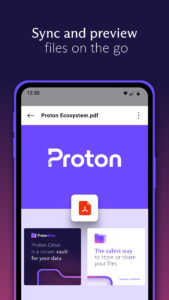
Proton Drive provides private and secure storage for your files and photos. With Proton Drive you can protect important documents, automatically back up cherished memories, and access your content across devices. All Proton Drive accounts come with 5 GB of free storage and you can upgrade to up to 1 TB of storage at any time.
Trusted by over 100 million users, Proton Drive gives you an end-to-end encrypted vault where only you—and the people you choose—can access your files and photos.
Proton Drive features:
- Secure storage
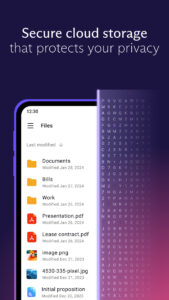
- Get 5 GB of free encrypted cloud storage with no file size limits.
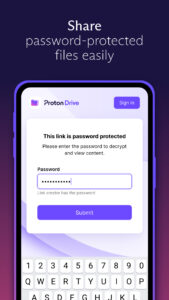
- Share content using secure links with password and expiration settings.
- Keep your files and photos safe with PIN or biometric protection.
- Access important files and photos even if your device is lost or damaged.
Easy to use
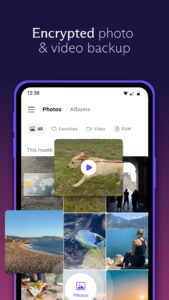
- Automatically back up photos and videos in their original quality.
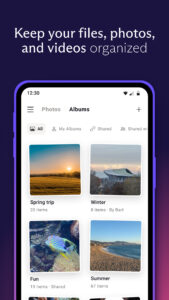
- Securely organize your cherished memories into albums.
- Rename, move, and delete your personal files securely within the app.
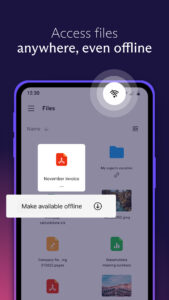
- View your important files and memories – even when offline.
- Restore files with version history.
Advanced privacy
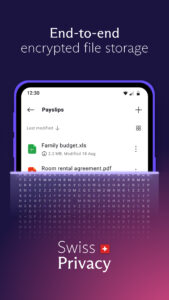
- Stay private with end-to-end encryption – even Proton can’t view your content.
- Secure your metadata, including filenames, sizes, and modification dates.
- Protect your content with Swiss privacy laws, the strongest in the world.
- Trust in our open-source code that is public and verified by experts.
Secure up to 5 GB of free storage for your personal files, photos, and videos with Proton Drive.
Learn more about Proton Drive at proton.me/drive
Trusted by over 100 million users, Proton Drive gives you an end-to-end encrypted vault where only you—and the people you choose—can access your files and photos.
Proton Drive features:
- Secure storage
- Get 5 GB of free encrypted cloud storage with no file size limits.
- Share content using secure links with password and expiration settings.
- Keep your files and photos safe with PIN or biometric protection.
- Access important files and photos even if your device is lost or damaged.
Easy to use
- Automatically back up photos and videos in their original quality.
- Securely organize your cherished memories into albums.
- Rename, move, and delete your personal files securely within the app.
- View your important files and memories – even when offline.
- Restore files with version history.
Advanced privacy
- Stay private with end-to-end encryption – even Proton can’t view your content.
- Secure your metadata, including filenames, sizes, and modification dates.
- Protect your content with Swiss privacy laws, the strongest in the world.
- Trust in our open-source code that is public and verified by experts.
Secure up to 5 GB of free storage for your personal files, photos, and videos with Proton Drive.
Learn more about Proton Drive at proton.me/drive
Download Proton Drive: Cloud Storage APK
Fast, free and safe download.
APK Permissions 18
- android.permission.ACCESS_MEDIA_LOCATION
- android.permission.ACCESS_NETWORK_STATE
- android.permission.CAMERA
- android.permission.FOREGROUND_SERVICE
- android.permission.FOREGROUND_SERVICE_DATA_SYNC
- android.permission.INTERNET
- android.permission.POST_NOTIFICATIONS
- android.permission.READ_EXTERNAL_STORAGE
- android.permission.READ_MEDIA_IMAGES
- android.permission.READ_MEDIA_VIDEO
- android.permission.READ_MEDIA_VISUAL_USER_SELECTED
- android.permission.RECEIVE_BOOT_COMPLETED
- android.permission.REQUEST_IGNORE_BATTERY_OPTIMIZATIONS
- android.permission.USE_BIOMETRIC
- android.permission.USE_FINGERPRINT
- android.permission.WAKE_LOCK
- com.android.vending.BILLING
- me.proton.android.drive.DYNAMIC_RECEIVER_NOT_EXPORTED_PERMISSION
APK Verified
The cryptographic signature guarantees that the file is safe to install and was not tampered with in any way.
Similar in Productivity


Frequently Asked Questions about Proton Drive: Cloud Storage APK
This variant is built for devices that report `arm64-v8a, armeabi-v7a, x86, x86_64` as their primary ABI. If your device's CPU matches, this is the smallest, fastest version to install.
Yes — the APK's signature has been cryptographically verified against the publisher's signing key. The SHA-256 hash is shown in the File Information panel so you can independently confirm the file matches the original release.
Android 26 (API level 35) or newer. Older devices will refuse the install.
Install a free app like 'CPU-Z' or 'Droid Hardware Info' from the Play Store and look at the ABI / Instruction Set row. Most phones made after 2017 are arm64-v8a; if in doubt, download the universal variant.
All variants are functionally identical — same features, same version. They differ only in which CPU architectures the native code is compiled for, and (sometimes) which screen densities the included graphics target. Pick the one that matches your device for the smallest install size, or pick 'Universal' if you're unsure.