
Download Ivanti Secure Access Client APK 22.8.4.12 Universal · Android 30+
This is the universal build of Ivanti Secure Access Client 22.8.4.12. It contains native libraries for every CPU architecture (arm64-v8a, armeabi-v7a, x86, x86_64), so it installs on any Android device. The trade-off is size — it's larger than per-architecture variants. Pick this one if you're unsure which CPU your phone has, or if you plan to share the APK with multiple devices.
File size: 49.7 MB • Min Android: 30 • Target Android: 35 • Version code: 899901 • Framework: React Native • Permissions: 22
Screenshots
File Information
| Package Name | net.pulsesecure.pulsesecure |
|---|---|
| Version Name | 22.8.4.12 |
| Version Code | 899901 |
| Architecture | Universal |
| Min Android Version | Android 30 (API 35) |
| Main Activity | net.juniper.junos.pulse.android.ui.LaunchActivity |
| Framework | React Native |
| File Size | 49.70 MB |
| Signature (SHA1) | C40F02BDDDA072CE10B480972EE63E5695433710 |
| File Hash (SHA256) | 32db841fc0898652a243e606e71abe99b718b2d932050c397a48ca9d024f4868 |
What's New
-Supporting TLS 1.3
-General Improvements and Bug Fixes
App Description
Ivanti recommends to deploy Ivanti Secure Access Client (formerly Pulse Mobile Client) through MDM solutions for better management. This helps administrator to control the clients deployed on the endpoints. Administrators can test latest Ivanti Secure Access Client releases for all the relevant use cases before upgrading the endpoints to prevent any environment specific issues.
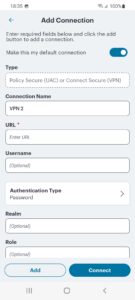
Ivanti Secure Access client for Android makes it easy to use your personal device for work. It is an all-in-one client that securely connects your device to work and provides a work space to do your job.
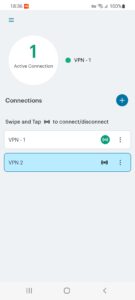
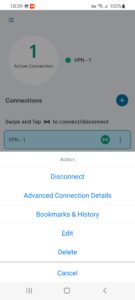
With Ivanti Secure Access Client for Android you can connect to your corporate VPN with just the touch of a button that provides easy and secure mobile access to information stored on corporate servers or in the cloud.
Ivanti Secure Access for Android provides an integrated Workspace that lets you use the latest business apps for email, collaboration, and productivity. The Workspace keeps corporate apps and data on your mobile device separate from your personal apps and information. That means everything stays private and your employer can only wipe the Workspace.
REQUIREMENTS:
Check with your IT team to ensure that your VPN is ready for Ivanti Secure Access Client for Android.
FEATURES:
• Get connected! Safe, secure access to web-based applications, enterprise networks, and bookmarks through an encrypted VPN tunnel.
• Your pictures are safe! Privacy controls ensure that your company cannot see your information and can only wipe the work space.
• Your work is secured! Protects corporate information by encrypting all stored information, controlling data sharing between enterprise applications and connecting directly to the corporate VPN.
Special Consideration for Workspace Customers:
The Ivanti Secure Access Android application uses the Android BIND-DEVICE-ADMIN, QUERY_ALL_PACKAGES permission. This allows your company's administrator to create a Managed Work Profile which is separate and independent from your Personal Profile on your device or smart phone. In the Managed Work Profile the BIND-DEVICE-ADMIN and QUERY_ALL_PACKAGES permission is used by your company's administrator to provision and control enterprise applications to your Android device and to enforce various application policies defined by your company, which might include configuring passcodes, erasing data, configuring WiFi or other profile specific settings. Typically, no personally identifiable data is collected within the Managed Work Profile. The Ivanti Secure Access Android application does not access information found in your Personal Profile.
The application uses the permission USE_EXACT_ALARM in onDemand VPN usecase only. We plan to replace with SCHEDULE_EXACT_ALARM in future release, which requires user acceptance.
Privacy Policy:
www.ivanti.com/company/legal/privacy-policy
Client Software EULA:
www.ivanti.com/company/legal/eula
SUPPORT:
forums.ivanti.com/s/welcome-pulse-secure
Documentation and Release Notes:
www.ivanti.com/support/product-documentation#96
Fast, free and safe download.
APK Permissions 22
- android.permission.ACCESS_NETWORK_STATE
- android.permission.ACCESS_WIFI_STATE
- android.permission.CHANGE_WIFI_STATE
- android.permission.FOREGROUND_SERVICE
- android.permission.FOREGROUND_SERVICE_SPECIAL_USE
- android.permission.INTERNET
- android.permission.POST_NOTIFICATIONS
- android.permission.READ_EXTERNAL_STORAGE
- android.permission.READ_LOGS
- android.permission.READ_PHONE_STATE
- android.permission.RECEIVE_BOOT_COMPLETED
- android.permission.SAMSUNG_MODIFY_ROUTE
- android.permission.SAMSUNG_TUNTAP
- android.permission.SCHEDULE_EXACT_ALARM
- android.permission.USE_BIOMETRIC
- android.permission.USE_FINGERPRINT
- android.permission.WAKE_LOCK
- android.permission.WRITE_EXTERNAL_STORAGE
- android.permission.WRITE_INTERNAL_STORAGE
- com.google.android.c2dm.permission.RECEIVE
- com.google.android.finsky.permission.BIND_GET_INSTALL_REFERRER_SERVICE
- com.juniper.permission.JUNIPER_VPN_ACCESS
APK Verified
The cryptographic signature guarantees that the file is safe to install and was not tampered with in any way.
Other Variants
This release has multiple variants (e.g. diff architectures).
arm64-v8a, armeabi-v7a, x86, x86_64


