
Download PureVPN: Fast VPN & Secure VPN APK 8.87.76 Universal · Android 23+
Download APK
Verified Safe
This is the universal build of PureVPN: Fast VPN & Secure VPN 8.87.76. It contains native libraries for every CPU architecture (arm64-v8a, armeabi-v7a, x86, x86_64), so it installs on any Android device. The trade-off is size — it's larger than per-architecture variants. Pick this one if you're unsure which CPU your phone has, or if you plan to share the APK with multiple devices.
File size: 94.9 MB • Min Android: 23 • Target Android: 34 • Version code: 9165 • Framework: Native (Java/Kotlin) • Permissions: 21
Screenshots




File Information
| Package Name | com.gaditek.purevpnics |
|---|---|
| Version Name | 8.87.76 |
| Version Code | 9165 |
| Architecture | Universal |
| Min Android Version | Android 23 (API 34) |
| Main Activity | com.purevpn.SplashActivity |
| Framework | Native (Java/Kotlin) |
| File Size | 94.92 MB |
| Signature (SHA1) | 240A4E2B75C4075713CF4D9B9683A60692B4EF7A |
| File Hash (SHA256) | 9275b4b0eeb09ac3ca8a2215723428b92afd0e8ed9f4cebb6a2a1749a42e8ca8 |
What's New
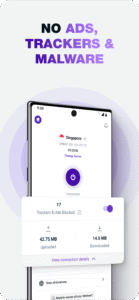
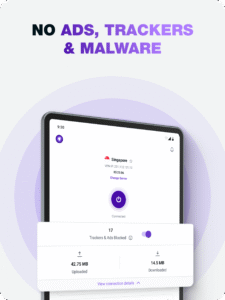
We’ve introduced a new Add-ons section in the app—making it easier to explore and manage extras. Plus, Team Servers now come with built-in tracker and ad blocker for faster, safer browsing.
App Description
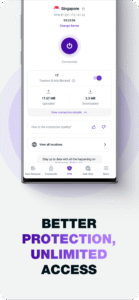
Get secure and safe online with the blazing-fast VPN for Android in just a few taps.
PureVPN is rated 4.7/5 based on 11,000+ customer reviews on Trustpilot.
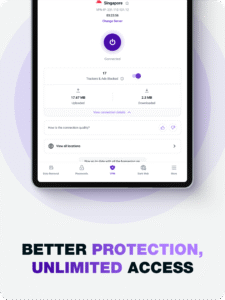
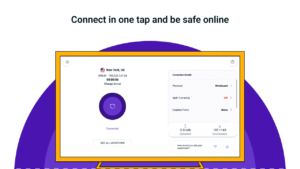
Just launch PureVPN and select the location of your new IP address for a safe and secure internet experience.
Start your 7-days free trial now!
• Download the app on your device
• Register for an account
• Enjoy one-tap safe and private internet access
Why PureVPN?
✓ 7-day free trial
Download PureVPN and experience its features for free without any commitment!
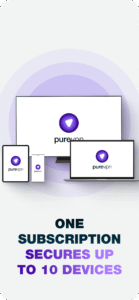
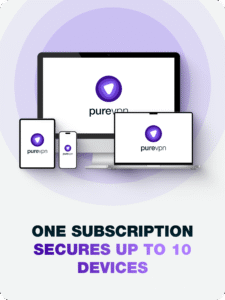
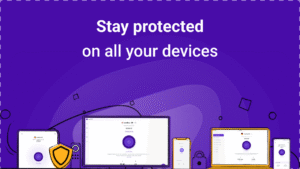
✓ 1 Account for up to 10 devices
Each PureVPN account allows you to connect up to 10 devices at a time. This means that you can protect all your devices simultaneously!
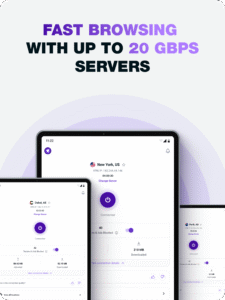
✓ Unbeatable speed & reliability
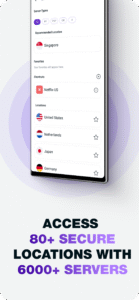
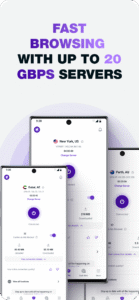
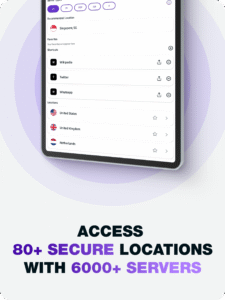
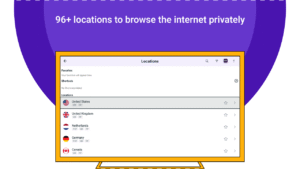
Connect to 6500+ ultra-fast and super secure VPN servers located in over 140 countries and safely access content worldwide at the fastest speed.
✓ State of the art encryption
Once you connect to PureVPN, you get AES encryption by default. Be it on a computer, smartphone, or tablet, PureVPN's state-of-the-art 256-bit encryption initiates a secure connection with the VPN server and ensures your data is transmitted securely.
✓ First & only VPN with ‘Always-on’ Audit
PureVPN is the industry's first VPN that qualified KPMG’s ‘Always-on’ Audit setting for its No-Log claims, enabling the auditing firm to conduct surprise audits. Moreover, PureVPN is also externally audited by Altius IT. We allow ourselves to go through this rigorous screening just for your peace of mind.
✓ 24/7 Customer support
Get complete peace of mind with PureVPN. We are here for you 24/7 to help you with queries or issues on live chat, email, and support center.
✓ WireGuard Protocol
WireGuard, the industry's most requested and top-rated protocol, has been introduced in the app. It is optimized for both speed and security.
✓ Split tunneling
Split Tunneling does exactly what it stands for: splitting your internet traffic. With a split tunnel, you have the ability to route internet traffic through the VPN network or through your local network.
Features:
• VPN Protocols: IKEV, OpenVPN TCP, and UDP
• Advanced automatic protocol selection
• Auto-reconnects if the VPN gets disconnected
• Get the best server location recommendation
• Easily reconnect to your recently connected locations and mark them favorite
Want to stay secure and private online?
Download PureVPN on Android, and start your 7-Day Free Trial to enjoy safe internet access.
For more information, visit:
www.purevpn.com
For troubleshooting and support:
support.purevpn.com/
For queries or complaints, please write to us at
enquiry@purevpn.com
.
PureVPN is rated 4.7/5 based on 11,000+ customer reviews on Trustpilot.
Just launch PureVPN and select the location of your new IP address for a safe and secure internet experience.
Start your 7-days free trial now!
• Download the app on your device
• Register for an account
• Enjoy one-tap safe and private internet access
Why PureVPN?
✓ 7-day free trial
Download PureVPN and experience its features for free without any commitment!
✓ 1 Account for up to 10 devices
Each PureVPN account allows you to connect up to 10 devices at a time. This means that you can protect all your devices simultaneously!
✓ Unbeatable speed & reliability
Connect to 6500+ ultra-fast and super secure VPN servers located in over 140 countries and safely access content worldwide at the fastest speed.
✓ State of the art encryption
Once you connect to PureVPN, you get AES encryption by default. Be it on a computer, smartphone, or tablet, PureVPN's state-of-the-art 256-bit encryption initiates a secure connection with the VPN server and ensures your data is transmitted securely.
✓ First & only VPN with ‘Always-on’ Audit
PureVPN is the industry's first VPN that qualified KPMG’s ‘Always-on’ Audit setting for its No-Log claims, enabling the auditing firm to conduct surprise audits. Moreover, PureVPN is also externally audited by Altius IT. We allow ourselves to go through this rigorous screening just for your peace of mind.
✓ 24/7 Customer support
Get complete peace of mind with PureVPN. We are here for you 24/7 to help you with queries or issues on live chat, email, and support center.
✓ WireGuard Protocol
WireGuard, the industry's most requested and top-rated protocol, has been introduced in the app. It is optimized for both speed and security.
✓ Split tunneling
Split Tunneling does exactly what it stands for: splitting your internet traffic. With a split tunnel, you have the ability to route internet traffic through the VPN network or through your local network.
Features:
• VPN Protocols: IKEV, OpenVPN TCP, and UDP
• Advanced automatic protocol selection
• Auto-reconnects if the VPN gets disconnected
• Get the best server location recommendation
• Easily reconnect to your recently connected locations and mark them favorite
Want to stay secure and private online?
Download PureVPN on Android, and start your 7-Day Free Trial to enjoy safe internet access.
For more information, visit:
www.purevpn.com
For troubleshooting and support:
support.purevpn.com/
For queries or complaints, please write to us at
enquiry@purevpn.com
.
Download PureVPN: Fast VPN & Secure VPN APK
Fast, free and safe download.
APK Permissions 21
- android.permission.ACCESS_ADSERVICES_AD_ID
- android.permission.ACCESS_ADSERVICES_ATTRIBUTION
- android.permission.ACCESS_NETWORK_STATE
- android.permission.ACCESS_WIFI_STATE
- android.permission.CHANGE_WIFI_STATE
- android.permission.FOREGROUND_SERVICE
- android.permission.FOREGROUND_SERVICE_SPECIAL_USE
- android.permission.INTERNET
- android.permission.POST_NOTIFICATIONS
- android.permission.QUERY_ALL_PACKAGES
- android.permission.RECEIVE_BOOT_COMPLETED
- android.permission.VIBRATE
- android.permission.WAKE_LOCK
- com.adjust.preinstall.READ_PERMISSION
- com.android.vending.BILLING
- com.gaditek.purevpnics.DYNAMIC_RECEIVER_NOT_EXPORTED_PERMISSION
- com.google.android.c2dm.permission.RECEIVE
- com.google.android.finsky.permission.BIND_GET_INSTALL_REFERRER_SERVICE
- com.google.android.gms.permission.AD_ID
- com.google.android.providers.gsf.permission.READ_GSERVICES
- com.huawei.appmarket.service.commondata.permission.GET_COMMON_DATA
APK Verified
The cryptographic signature guarantees that the file is safe to install and was not tampered with in any way.


Frequently Asked Questions about PureVPN: Fast VPN & Secure VPN APK
This is the universal variant — a single APK that contains native libraries for every CPU architecture. It installs on any Android device but is larger than per-architecture variants.
Yes — the APK's signature has been cryptographically verified against the publisher's signing key. The SHA-256 hash is shown in the File Information panel so you can independently confirm the file matches the original release.
Android 23 (API level 34) or newer. Older devices will refuse the install.
Install a free app like 'CPU-Z' or 'Droid Hardware Info' from the Play Store and look at the ABI / Instruction Set row. Most phones made after 2017 are arm64-v8a; if in doubt, download the universal variant.
All variants are functionally identical — same features, same version. They differ only in which CPU architectures the native code is compiled for, and (sometimes) which screen densities the included graphics target. Pick the one that matches your device for the smallest install size, or pick 'Universal' if you're unsure.