
Download Pushbullet: SMS on PC and more APK 13.7.1 Universal · Android 14+
Download APK
Verified Safe
This is the universal build of Pushbullet: SMS on PC and more 13.7.1. It contains native libraries for every CPU architecture (arm64-v8a, armeabi-v7a, x86, x86_64), so it installs on any Android device. The trade-off is size — it's larger than per-architecture variants. Pick this one if you're unsure which CPU your phone has, or if you plan to share the APK with multiple devices.
File size: 1.5 MB • Min Android: 14 • Target Android: 19 • Version code: 60 • Framework: Native (Java/Kotlin) • Permissions: 18
Screenshots
File Information
| Package Name | com.pushbullet.android |
|---|---|
| Version Name | 13.7.1 |
| Version Code | 60 |
| Architecture | Universal |
| Min Android Version | Android 14 (API 19) |
| Main Activity | com.pushbullet.android.ui.LaunchActivity |
| Framework | Native (Java/Kotlin) |
| File Size | 1.53 MB |
| Signature (SHA1) | 71A2209FFE29E0B869AE67EB1ED8ABFF43FEA33B |
| File Hash (SHA256) | a3c60c294ee45a9f5023634281aa930445fb547f15b261ca833f78768fa2d4fe |
What's New
- Updated target Android SDK version to 34
- Updated Google Play In-App billing library version to 7.0.0
- Updated various Android libraries used
- Updated Google Play In-App billing library version to 7.0.0
- Updated various Android libraries used
App Description
Pushbullet is "the app you never knew you needed", according to CNET. Here's why:
Stay Connected
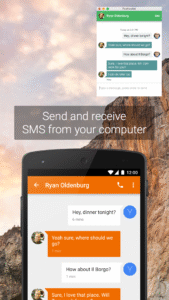
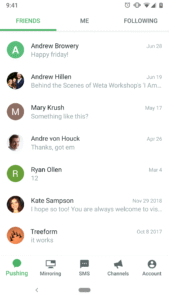
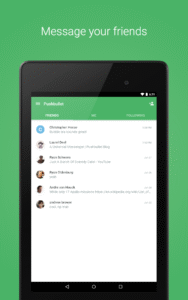
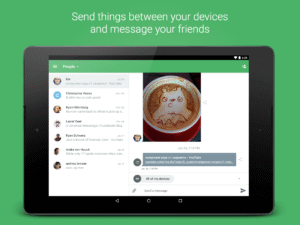
• Conveniently send and receive SMS messages from your computer
• Reply to messages from many popular apps including WhatsApp, Kik, and Facebook Messenger
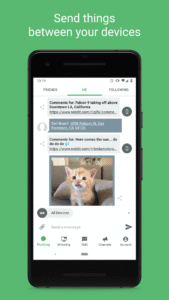
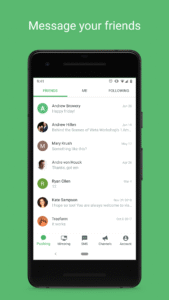
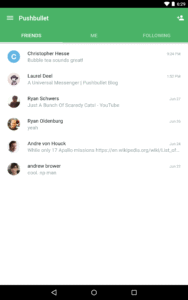
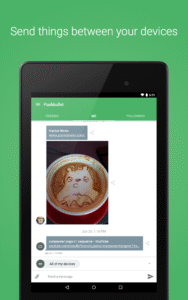
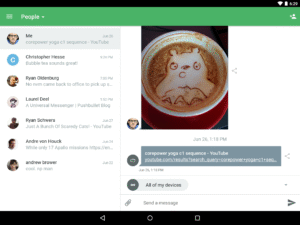
• Easily share links and files between your devices, or with friends
Never Miss A Notification
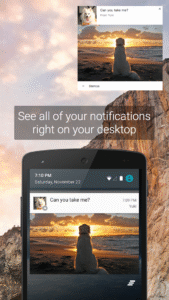
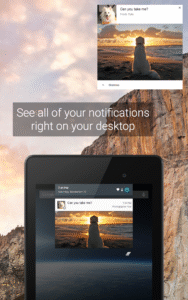
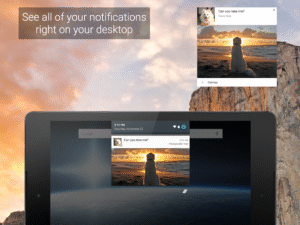
• See all of your phone's notifications on your computer, including phone calls
• Dismiss a notification on your computer and it goes away on your phone too
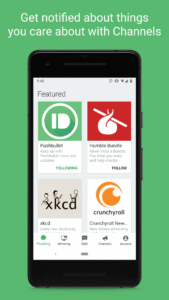
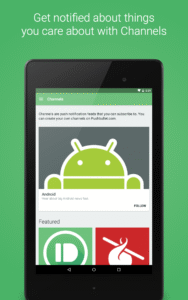
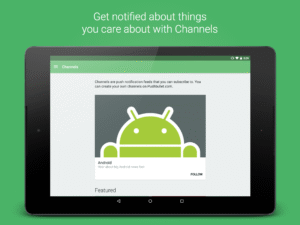
• Use Pushbullet Channels to subscribe to timely notifications about things you care about
Save Time
• Text from your computer using your keyboard instead of grabbing your phone
• The easiest way to get a link or file onto your phone to open or share
• Deal with notifications on your computer as they arrive
"Pushbullet Is a Fantastic App Every Phone Should Have" - Gizmodo
"TNW’s Apps of the Year: PushBullet for Android" - TNW
★ Secure: Protect your notifications and SMS with end-to-end encryption
★ Used by millions of people and counting
★ Translated into over a dozen languages by an awesome group of our own users
See all the places Pushbullet is available:
www.pushbullet.com/apps
Stay Connected
• Conveniently send and receive SMS messages from your computer
• Reply to messages from many popular apps including WhatsApp, Kik, and Facebook Messenger
• Easily share links and files between your devices, or with friends
Never Miss A Notification
• See all of your phone's notifications on your computer, including phone calls
• Dismiss a notification on your computer and it goes away on your phone too
• Use Pushbullet Channels to subscribe to timely notifications about things you care about
Save Time
• Text from your computer using your keyboard instead of grabbing your phone
• The easiest way to get a link or file onto your phone to open or share
• Deal with notifications on your computer as they arrive
"Pushbullet Is a Fantastic App Every Phone Should Have" - Gizmodo
"TNW’s Apps of the Year: PushBullet for Android" - TNW
★ Secure: Protect your notifications and SMS with end-to-end encryption
★ Used by millions of people and counting
★ Translated into over a dozen languages by an awesome group of our own users
See all the places Pushbullet is available:
www.pushbullet.com/apps
Download Pushbullet: SMS on PC and more APK
Fast, free and safe download.
APK Permissions 18
- android.permission.ACCESS_NETWORK_STATE
- android.permission.ACCESS_WIFI_STATE
- android.permission.AUTHENTICATE_ACCOUNTS
- android.permission.GET_ACCOUNTS
- android.permission.INTERNET
- android.permission.MANAGE_ACCOUNTS
- android.permission.READ_CONTACTS
- android.permission.READ_EXTERNAL_STORAGE
- android.permission.READ_SYNC_SETTINGS
- android.permission.READ_SYNC_STATS
- android.permission.RECEIVE_BOOT_COMPLETED
- android.permission.USE_CREDENTIALS
- android.permission.VIBRATE
- android.permission.WAKE_LOCK
- android.permission.WRITE_EXTERNAL_STORAGE
- android.permission.WRITE_SYNC_SETTINGS
- com.google.android.c2dm.permission.RECEIVE
- com.pushbullet.android.permission.C2D_MESSAGE
APK Verified
The cryptographic signature guarantees that the file is safe to install and was not tampered with in any way.


Frequently Asked Questions about Pushbullet: SMS on PC and more APK
This is the universal variant — a single APK that contains native libraries for every CPU architecture. It installs on any Android device but is larger than per-architecture variants.
Yes — the APK's signature has been cryptographically verified against the publisher's signing key. The SHA-256 hash is shown in the File Information panel so you can independently confirm the file matches the original release.
Android 14 (API level 19) or newer. Older devices will refuse the install.
Install a free app like 'CPU-Z' or 'Droid Hardware Info' from the Play Store and look at the ABI / Instruction Set row. Most phones made after 2017 are arm64-v8a; if in doubt, download the universal variant.
All variants are functionally identical — same features, same version. They differ only in which CPU architectures the native code is compiled for, and (sometimes) which screen densities the included graphics target. Pick the one that matches your device for the smallest install size, or pick 'Universal' if you're unsure.