
Download melonDS Beta APK Beta 1.10.0 PS arm64-v8a, armeabi-v7a, x86_64 · Android 24+
Download APK
Verified Safe
This is the arm64-v8a, armeabi-v7a, x86_64 build of melonDS Beta Beta 1.10.0 PS. Pick this build if your device's primary ABI matches.
File size: 19.4 MB • Min Android: 24 • Target Android: 35 • Version code: 33 • Framework: Native (Java/Kotlin) • Permissions: 11
Screenshots
File Information
| Package Name | me.magnum.melonds |
|---|---|
| Version Name | Beta 1.10.0 PS |
| Version Code | 33 |
| Architecture | arm64-v8a, armeabi-v7a, x86_64 |
| Min Android Version | Android 24 (API 35) |
| Main Activity | me.magnum.melonds.ui.romlist.RomListActivity |
| Framework | Native (Java/Kotlin) |
| File Size | 19.40 MB |
| Signature (SHA1) | 14EF15C7B03D0659B52BE8D0123DD6BFBDFECB20 |
| File Hash (SHA256) | 0d7af91003bc1bfe5382bbd2e5d2a29813bc6791058bff9c49b43368a70f4890 |
What's New
Beta 1.10.0
• Add OpenGL renderer, with resolution scaling up to 8x native
• Add support for manual cheat input
• Add button to toggle microphone input
• Add visual indicators for toggle buttons
• Add support for memory expansion GBA slot
• Allow DSiWare title data to be imported/exported
• Improve foldable support
• Add Italian translation
• Fix crash when importing cheat databases
• Minor fixes and improvements
• Add OpenGL renderer, with resolution scaling up to 8x native
• Add support for manual cheat input
• Add button to toggle microphone input
• Add visual indicators for toggle buttons
• Add support for memory expansion GBA slot
• Allow DSiWare title data to be imported/exported
• Improve foldable support
• Add Italian translation
• Fix crash when importing cheat databases
• Minor fixes and improvements
App Description
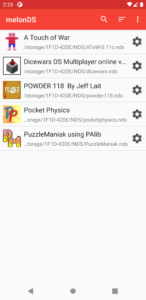
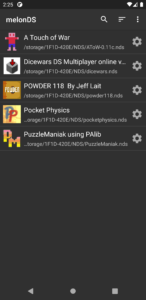
Unofficial port of melonDS, a free, open-source and highly customizable emulator. Its main features include:
•
Light and dark themes
•
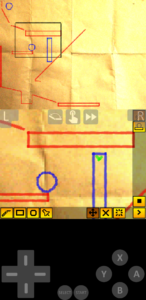
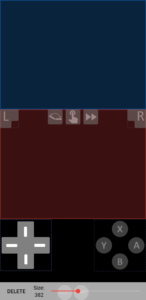
Customizable controller layouts and backgrounds
: create the best layout for each individual game with only what you really need
•
Fast-forward support
: skip cutscenes and tedious parts at high speed
•
Save state support
: save your progress at any point and return to it instantly
•
Action Replay support
: import codes to help you advance in your adventures or unlock special features (no codes are provided out of the box)
•
Gamepad support
: control the game using your wired or Bluetooth controllers
For help and suggestions, please visit the project's
GitHub repository
.
Notes:
• No ROM files are provided. You must extract ROM files from your own cartridges and/or systems
• Emulation of some systems requires the use of custom BIOS and firmware files extracted from a real system
•
Light and dark themes
•
Customizable controller layouts and backgrounds
: create the best layout for each individual game with only what you really need
•
Fast-forward support
: skip cutscenes and tedious parts at high speed
•
Save state support
: save your progress at any point and return to it instantly
•
Action Replay support
: import codes to help you advance in your adventures or unlock special features (no codes are provided out of the box)
•
Gamepad support
: control the game using your wired or Bluetooth controllers
For help and suggestions, please visit the project's
GitHub repository
.
Notes:
• No ROM files are provided. You must extract ROM files from your own cartridges and/or systems
• Emulation of some systems requires the use of custom BIOS and firmware files extracted from a real system
Download melonDS Beta APK
Fast, free and safe download.
APK Permissions 11
- android.permission.ACCESS_NETWORK_STATE
- android.permission.CAMERA
- android.permission.FOREGROUND_SERVICE
- android.permission.FOREGROUND_SERVICE_DATA_SYNC
- android.permission.INTERNET
- android.permission.POST_NOTIFICATIONS
- android.permission.RECEIVE_BOOT_COMPLETED
- android.permission.RECORD_AUDIO
- android.permission.VIBRATE
- android.permission.WAKE_LOCK
- me.magnum.melonds.DYNAMIC_RECEIVER_NOT_EXPORTED_PERMISSION
APK Verified
The cryptographic signature guarantees that the file is safe to install and was not tampered with in any way.


Frequently Asked Questions about melonDS Beta APK
This variant is built for devices that report `arm64-v8a, armeabi-v7a, x86_64` as their primary ABI. If your device's CPU matches, this is the smallest, fastest version to install.
Yes — the APK's signature has been cryptographically verified against the publisher's signing key. The SHA-256 hash is shown in the File Information panel so you can independently confirm the file matches the original release.
Android 24 (API level 35) or newer. Older devices will refuse the install.
Install a free app like 'CPU-Z' or 'Droid Hardware Info' from the Play Store and look at the ABI / Instruction Set row. Most phones made after 2017 are arm64-v8a; if in doubt, download the universal variant.
All variants are functionally identical — same features, same version. They differ only in which CPU architectures the native code is compiled for, and (sometimes) which screen densities the included graphics target. Pick the one that matches your device for the smallest install size, or pick 'Universal' if you're unsure.