
Download RaiPlay per Android TV APK 4.2.7 arm64-v8a, armeabi-v7a, x86, x86_64 · Android 21+
Download APK
Verified Safe
This is the arm64-v8a, armeabi-v7a, x86, x86_64 build of RaiPlay per Android TV 4.2.7. Pick this build if your device's primary ABI matches.
File size: 75.2 MB • Min Android: 21 • Target Android: 35 • Version code: 1004020711 • Framework: Native (Java/Kotlin) • Permissions: 17
Screenshots




File Information
| Package Name | it.rainet.androidtv |
|---|---|
| Version Name | 4.2.7 |
| Version Code | 1004020711 |
| Architecture | arm64-v8a, armeabi-v7a, x86, x86_64 |
| Min Android Version | Android 21 (API 35) |
| Framework | Native (Java/Kotlin) |
| File Size | 75.19 MB |
| Signature (SHA1) | FE30CC509C311DC873B16898D3313E2191CECB89 |
| File Hash (SHA256) | c6d6d220f935c941657da13d724db222037a7779f8fc4df025e579a2696c00b8 |
What's New
Per il nuovo aggiornamento il team si è concentrato su una serie di fix per migliorare l'esperienza su RaiPlay.
App Description
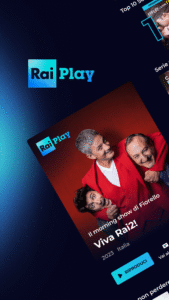
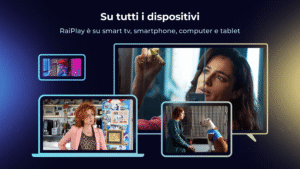
Discover RaiPlay's extensive on-demand catalog and follow the Rai channels live.
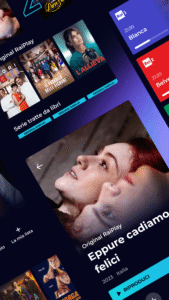
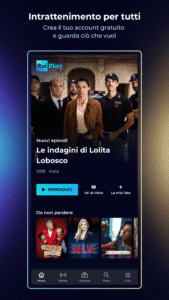
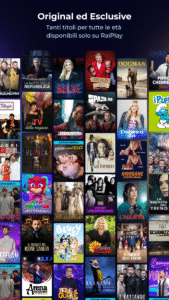
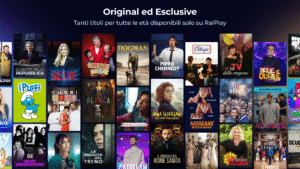
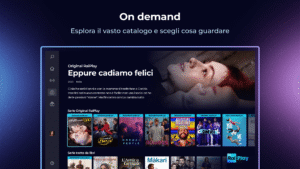
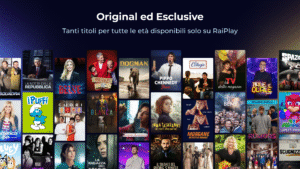
Films, Italian and international series, cultural, entertainment and in-depth programmes, cartoons, documentaries, sport, opera, theatre, music and selections from the Rai Teche but also original formats designed for a younger audience, all available on demand , for free, whenever you want and wherever you want. Furthermore, live broadcasts from Rai channels and the TV Guide/Replay service.
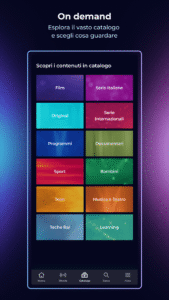
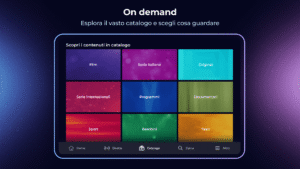
From the CATALOG section you can discover all the offers available by type, genre and sub-genre, discover what's new and what content you shouldn't miss.
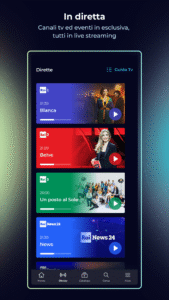
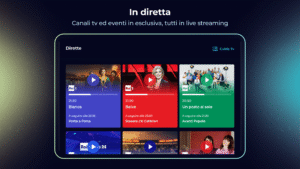
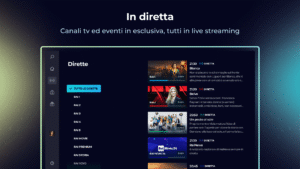
From the LIVE section you will have access to the live streaming of all Rai channels (Rai 1, Rai 2, Rai 3, Rai 4, Rai 5, Rai Movie, Rai Premium, Rai Gulp, Rai Yoyo, Rai Storia, Rai News24, Rai Sport, Rai Scuola and Rai Radio2), exclusive live streaming content on the RaiPlay channels and the TV Guide/Replay service to review on demand the programs broadcast in the last 7 days and discover what the future programming of the Rai networks offers.
The live broadcasts of the streaming channels can be enjoyed without registration; creating a free Rai account and logging in to the platform (LOGIN section) is necessary to access the complete on-demand content and to use the personalization services available to the registered user such as the Continue watching service or the services available in the section MY LIST (Favourites, Last seen).
Registration for RaiPlay - available on the mobile and web app - is free, secure and Rai will protect your data without giving it to anyone. On the TV app you can log in but not create a new account.
To access the RaiPlay TV app you have three options: pair the TV device by framing the QR code that appears on the TV screen with the smartphone or tablet on which you already use the RaiPlay app or pair it by entering the numerical code that appears on the screen in the “Associate TV” section of RaiPlay (accessible on the mobile app from the More > Settings > Smart TV section and on RaiPlay browsing from the Support > Associate TV menu); you can also opt for the standard access process and therefore enter the credentials (email and password) of your Rai account on the TV.
The functionality is available in multi-user mode, for use with family and friends.
We remind you that from abroad you will only be able to access part of the content available on RaiPlay: the live broadcast of the Rai News24 channel and the on-demand catalog of works for which Rai holds the related distribution right via IP.
CONTACT US
For info
support@rai.it
or visit our website:
www.raiplay.it
Films, Italian and international series, cultural, entertainment and in-depth programmes, cartoons, documentaries, sport, opera, theatre, music and selections from the Rai Teche but also original formats designed for a younger audience, all available on demand , for free, whenever you want and wherever you want. Furthermore, live broadcasts from Rai channels and the TV Guide/Replay service.
From the CATALOG section you can discover all the offers available by type, genre and sub-genre, discover what's new and what content you shouldn't miss.
From the LIVE section you will have access to the live streaming of all Rai channels (Rai 1, Rai 2, Rai 3, Rai 4, Rai 5, Rai Movie, Rai Premium, Rai Gulp, Rai Yoyo, Rai Storia, Rai News24, Rai Sport, Rai Scuola and Rai Radio2), exclusive live streaming content on the RaiPlay channels and the TV Guide/Replay service to review on demand the programs broadcast in the last 7 days and discover what the future programming of the Rai networks offers.
The live broadcasts of the streaming channels can be enjoyed without registration; creating a free Rai account and logging in to the platform (LOGIN section) is necessary to access the complete on-demand content and to use the personalization services available to the registered user such as the Continue watching service or the services available in the section MY LIST (Favourites, Last seen).
Registration for RaiPlay - available on the mobile and web app - is free, secure and Rai will protect your data without giving it to anyone. On the TV app you can log in but not create a new account.
To access the RaiPlay TV app you have three options: pair the TV device by framing the QR code that appears on the TV screen with the smartphone or tablet on which you already use the RaiPlay app or pair it by entering the numerical code that appears on the screen in the “Associate TV” section of RaiPlay (accessible on the mobile app from the More > Settings > Smart TV section and on RaiPlay browsing from the Support > Associate TV menu); you can also opt for the standard access process and therefore enter the credentials (email and password) of your Rai account on the TV.
The functionality is available in multi-user mode, for use with family and friends.
We remind you that from abroad you will only be able to access part of the content available on RaiPlay: the live broadcast of the Rai News24 channel and the on-demand catalog of works for which Rai holds the related distribution right via IP.
CONTACT US
For info
support@rai.it
or visit our website:
www.raiplay.it
Download RaiPlay per Android TV APK
Fast, free and safe download.
APK Permissions 17
- android.permission.ACCESS_NETWORK_STATE
- android.permission.ACCESS_WIFI_STATE
- android.permission.FOREGROUND_SERVICE
- android.permission.INTERNET
- android.permission.MEDIA_CONTENT_CONTROL
- android.permission.READ_EXTERNAL_STORAGE
- android.permission.READ_PHONE_STATE
- android.permission.RECEIVE_BOOT_COMPLETED
- android.permission.WAKE_LOCK
- android.permission.WRITE_EXTERNAL_STORAGE
- com.amazon.alexa.vsk_app_agent_api.permission.BIND_SERVICE_PERMISSION
- com.amazon.device.permission.COMRADE_CAPABILITIES
- com.amazon.permission.media.session.voicecommandcontrol
- com.android.providers.tv.permission.READ_EPG_DATA
- com.android.providers.tv.permission.WRITE_EPG_DATA
- com.google.android.finsky.permission.BIND_GET_INSTALL_REFERRER_SERVICE
- com.google.android.gms.permission.AD_ID
APK Verified
The cryptographic signature guarantees that the file is safe to install and was not tampered with in any way.
Similar in Entertainment


More by RAI Radiotelevisione Italiana S.p.A.

Frequently Asked Questions about RaiPlay per Android TV APK
This variant is built for devices that report `arm64-v8a, armeabi-v7a, x86, x86_64` as their primary ABI. If your device's CPU matches, this is the smallest, fastest version to install.
Yes — the APK's signature has been cryptographically verified against the publisher's signing key. The SHA-256 hash is shown in the File Information panel so you can independently confirm the file matches the original release.
Android 21 (API level 35) or newer. Older devices will refuse the install.
Install a free app like 'CPU-Z' or 'Droid Hardware Info' from the Play Store and look at the ABI / Instruction Set row. Most phones made after 2017 are arm64-v8a; if in doubt, download the universal variant.
All variants are functionally identical — same features, same version. They differ only in which CPU architectures the native code is compiled for, and (sometimes) which screen densities the included graphics target. Pick the one that matches your device for the smallest install size, or pick 'Universal' if you're unsure.