
Download eBoox: ePub PDF e-book Reader APK 2.61.0.3 arm64-v8a, armeabi-v7a, x86, x86_64 · Android 21+
Download APK
Verified Safe
This is the arm64-v8a, armeabi-v7a, x86, x86_64 build of eBoox: ePub PDF e-book Reader 2.61.0.3. Pick this build if your device's primary ABI matches.
File size: 20.8 MB • Min Android: 21 • Target Android: 35 • Version code: 84 • Framework: Native (Java/Kotlin) • Permissions: 13
Screenshots

File Information
| Package Name | com.reader.books |
|---|---|
| Version Name | 2.61.0.3 |
| Version Code | 84 |
| Architecture | arm64-v8a, armeabi-v7a, x86, x86_64 |
| Min Android Version | Android 21 (API 35) |
| Main Activity | com.reader.books.gui.activities.MainActivity |
| Framework | Native (Java/Kotlin) |
| File Size | 20.78 MB |
| Signature (SHA1) | 556E4DD14A6E605DCD73B4A2480764F195E02A5E |
| File Hash (SHA256) | c055b90f530e8fc6208233d4228a3e1338b819c733fe85814255634e9c15a052 |
What's New
We update rarely, but accurately. We fixed bugs, optimized the application. All to ensure that the application remains the most beloved.
App Description
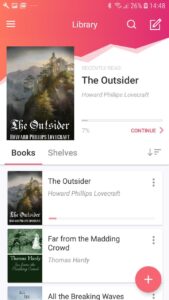
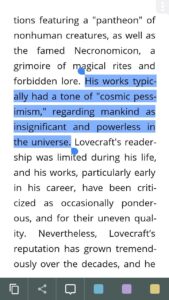
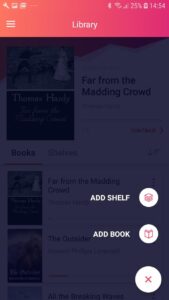
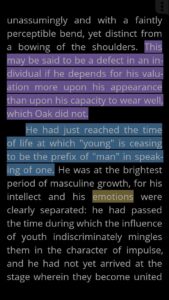
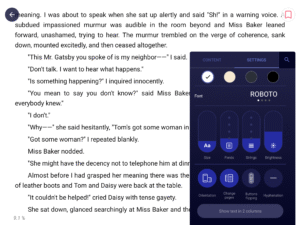
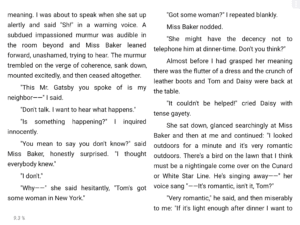
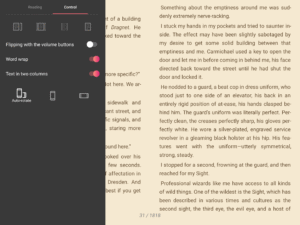
📚 eBoox is the nicest book reader: fb2, epub, pdf, doc, docx, mobi, prc, txt, rtf, odt, html, cbr, cbz, zip and rar archives. Convenient loading of books into the reader from any smartphone folder, SD card, the cloud and browsers. eBoox is free, has no advertising, but got lots of advantages: ✨
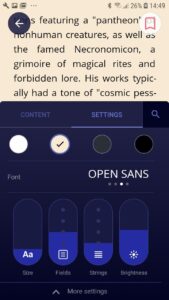
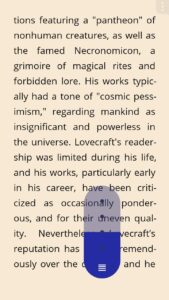
• Awesome settings for comfortable reading;
• Instant loading pages;
• Simple and convenient book's loading from your memory card or the Internet;
• Friendly interface;
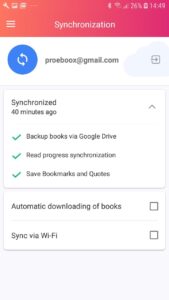
• Sync files for Android devices;
• Support service that hears its users.
Install eBoox and our cat Bun 😻 will tell you about all the settings. We've already downloaded four books, so you could try our reader.Added simple step-by-step instructions for downloading books.
Don't know what to read? 📖 📱 Go to the built-in online book directories and find the most desired e-books!
We have added several directories in different languages. Book Reader eBoox is the best way to read books for free! 👍🔥❤️
If you find a mistake in the localization of the application, write to us by mail
locals4eboox@gmail.com
Take part in the translation of the application with the eBoox team! 💫
• Awesome settings for comfortable reading;
• Instant loading pages;
• Simple and convenient book's loading from your memory card or the Internet;
• Friendly interface;
• Sync files for Android devices;
• Support service that hears its users.
Install eBoox and our cat Bun 😻 will tell you about all the settings. We've already downloaded four books, so you could try our reader.Added simple step-by-step instructions for downloading books.
Don't know what to read? 📖 📱 Go to the built-in online book directories and find the most desired e-books!
We have added several directories in different languages. Book Reader eBoox is the best way to read books for free! 👍🔥❤️
If you find a mistake in the localization of the application, write to us by mail
locals4eboox@gmail.com
Take part in the translation of the application with the eBoox team! 💫
Download eBoox: ePub PDF e-book Reader APK
Fast, free and safe download.
APK Permissions 13
- android.permission.ACCESS_NETWORK_STATE
- android.permission.DOWNLOAD_WITHOUT_NOTIFICATION
- android.permission.GET_ACCOUNTS
- android.permission.INTERNET
- android.permission.MANAGE_EXTERNAL_STORAGE
- android.permission.READ_EXTERNAL_STORAGE
- android.permission.REORDER_TASKS
- android.permission.VIBRATE
- android.permission.WAKE_LOCK
- android.permission.WRITE_EXTERNAL_STORAGE
- com.android.vending.BILLING
- com.google.android.finsky.permission.BIND_GET_INSTALL_REFERRER_SERVICE
- com.google.android.gms.permission.AD_ID
APK Verified
The cryptographic signature guarantees that the file is safe to install and was not tampered with in any way.
Similar in Books & Reference


Frequently Asked Questions about eBoox: ePub PDF e-book Reader APK
This variant is built for devices that report `arm64-v8a, armeabi-v7a, x86, x86_64` as their primary ABI. If your device's CPU matches, this is the smallest, fastest version to install.
Yes — the APK's signature has been cryptographically verified against the publisher's signing key. The SHA-256 hash is shown in the File Information panel so you can independently confirm the file matches the original release.
Android 21 (API level 35) or newer. Older devices will refuse the install.
Install a free app like 'CPU-Z' or 'Droid Hardware Info' from the Play Store and look at the ABI / Instruction Set row. Most phones made after 2017 are arm64-v8a; if in doubt, download the universal variant.
All variants are functionally identical — same features, same version. They differ only in which CPU architectures the native code is compiled for, and (sometimes) which screen densities the included graphics target. Pick the one that matches your device for the smallest install size, or pick 'Universal' if you're unsure.