
This is the universal build of Code Editor - Compiler & IDE 0.11.2. It contains native libraries for every CPU architecture (arm64-v8a, armeabi-v7a, x86, x86_64), so it installs on any Android device. The trade-off is size — it's larger than per-architecture variants. Pick this one if you're unsure which CPU your phone has, or if you plan to share the APK with multiple devices.
File size: 16.7 MB • Min Android: 23 • Target Android: 35 • Version code: 103 • Framework: Native (Java/Kotlin) • Permissions: 17
Screenshots
File Information
| Package Name | com.rhmsoft.code |
|---|---|
| Version Name | 0.11.2 |
| Version Code | 103 |
| Architecture | Universal |
| Min Android Version | Android 23 (API 35) |
| Main Activity | com.rhmsoft.code.MainActivity |
| Framework | Native (Java/Kotlin) |
| File Size | 16.68 MB |
| Signature (SHA1) | EF210027E087AE855F4057A2A33F88DA64888854 |
| File Hash (SHA256) | 94b92d9495a1b5e31b8715b7e9c5fbd5ed2a26741357410e2ecad27d3cf44bb5 |
What's New
✓ Fixed display issues with large system fonts
✓ Updated for latest Android version and libraries.
✓ Updated for latest Android version and libraries.
App Description
Code editor is an optimized text editor that focuses on coding. It is a handy tool for development on Android. It contains all the necessary features for coding, includes syntax highlighting, auto indention, code assist, auto completion, compilation and execution, etc.
If you need a plain text editor, please search for and download
QuickEdit Text Editor
.
Features:
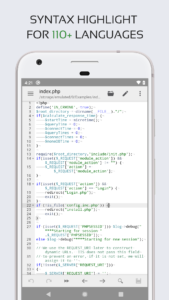
★ Syntax highlighting for over 110 languages (C++, Java, JavaScript, HTML, Markdown, PHP, Perl, Python, Lua, Dart, etc).
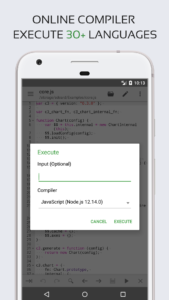
★ Include online compiler, can compile and run over 30 common languages (Python, PHP, Java, JS/NodeJS, C/C++, Rust, Pascal, Haskell, Ruby, etc).
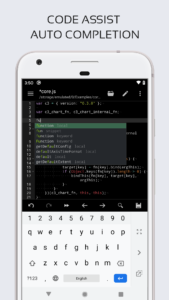
★ Code assist, folding and auto completion.
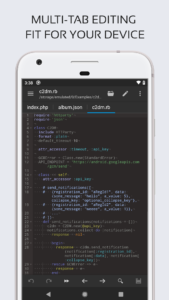
★ Easily navigate between multiple tabs.
★ Undo and redo changes without limit.
★ Search and replace with regular expressions.
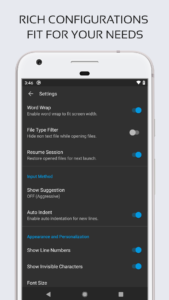
★ Show or hide line numbers.
★ Highlight matching parentheses.
★ Automatic indent and outdent.
★ Displays invisible characters.
★ Open files from recently opened or added file collections.
★ Preview HTML and Markdown files.
★ Includes Emmet support for web development.
★ Evaluate JavaScript code with built-in JavaScript console.
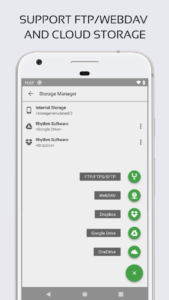
★ Access files from FTP, FTPS, SFTP and WebDAV.
★ Integrate and easy access to GitHub and GitLab.
★ Access files from Google Drive, Dropbox, and OneDrive.
★ Physical keyboard support, including key combinations.
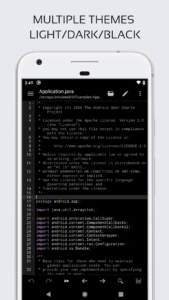
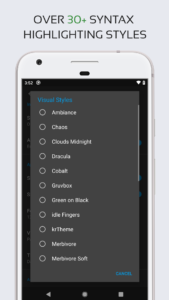
★ Three application themes and over 30 syntax highlighting themes.
If you can help to translate this application into your native language, please contact us at
support@rhmsoft.com
If you encounter any issues or have any suggestions, please feel free to contact us at
support@rhmsoft.com
If you need a plain text editor, please search for and download
QuickEdit Text Editor
.
Features:
★ Syntax highlighting for over 110 languages (C++, Java, JavaScript, HTML, Markdown, PHP, Perl, Python, Lua, Dart, etc).
★ Include online compiler, can compile and run over 30 common languages (Python, PHP, Java, JS/NodeJS, C/C++, Rust, Pascal, Haskell, Ruby, etc).
★ Code assist, folding and auto completion.
★ Easily navigate between multiple tabs.
★ Undo and redo changes without limit.
★ Search and replace with regular expressions.
★ Show or hide line numbers.
★ Highlight matching parentheses.
★ Automatic indent and outdent.
★ Displays invisible characters.
★ Open files from recently opened or added file collections.
★ Preview HTML and Markdown files.
★ Includes Emmet support for web development.
★ Evaluate JavaScript code with built-in JavaScript console.
★ Access files from FTP, FTPS, SFTP and WebDAV.
★ Integrate and easy access to GitHub and GitLab.
★ Access files from Google Drive, Dropbox, and OneDrive.
★ Physical keyboard support, including key combinations.
★ Three application themes and over 30 syntax highlighting themes.
If you can help to translate this application into your native language, please contact us at
support@rhmsoft.com
If you encounter any issues or have any suggestions, please feel free to contact us at
support@rhmsoft.com
Download Code Editor - Compiler & IDE APK
Fast, free and safe download.
APK Permissions 17
- android.permission.ACCESS_ADSERVICES_AD_ID
- android.permission.ACCESS_ADSERVICES_ATTRIBUTION
- android.permission.ACCESS_ADSERVICES_TOPICS
- android.permission.ACCESS_NETWORK_STATE
- android.permission.ACCESS_WIFI_STATE
- android.permission.FOREGROUND_SERVICE
- android.permission.INTERNET
- android.permission.MANAGE_EXTERNAL_STORAGE
- android.permission.VIBRATE
- android.permission.WAKE_LOCK
- android.permission.WRITE_EXTERNAL_STORAGE
- com.android.vending.BILLING
- com.applovin.array.apphub.permission.BIND_APPHUB_SERVICE
- com.google.android.finsky.permission.BIND_GET_INSTALL_REFERRER_SERVICE
- com.google.android.gms.permission.AD_ID
- com.rhmsoft.code.DYNAMIC_RECEIVER_NOT_EXPORTED_PERMISSION
- com.sony.mobile.permission.SYSTEM_UI_VISIBILITY_EXTENSION
APK Verified
The cryptographic signature guarantees that the file is safe to install and was not tampered with in any way.
Similar in Productivity


Frequently Asked Questions about Code Editor - Compiler & IDE APK
This is the universal variant — a single APK that contains native libraries for every CPU architecture. It installs on any Android device but is larger than per-architecture variants.
Yes — the APK's signature has been cryptographically verified against the publisher's signing key. The SHA-256 hash is shown in the File Information panel so you can independently confirm the file matches the original release.
Android 23 (API level 35) or newer. Older devices will refuse the install.
Install a free app like 'CPU-Z' or 'Droid Hardware Info' from the Play Store and look at the ABI / Instruction Set row. Most phones made after 2017 are arm64-v8a; if in doubt, download the universal variant.
All variants are functionally identical — same features, same version. They differ only in which CPU architectures the native code is compiled for, and (sometimes) which screen densities the included graphics target. Pick the one that matches your device for the smallest install size, or pick 'Universal' if you're unsure.