
This is the arm64-v8a build of Perfect Viewer 5.0.4.3 — the modern 64-bit ARM build that runs on virtually every Android phone released since 2017. It's smaller and faster than the universal variant because Android only loads the native code your CPU actually needs. If your phone is from the last 8 years, this is the right pick.
File size: 12.7 MB • Min Android: 14 • Target Android: 35 • Version code: 30000735 • Framework: Native (Java/Kotlin) • Permissions: 10
Screenshots
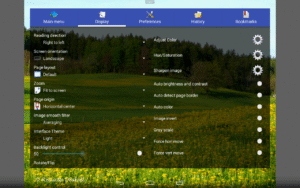
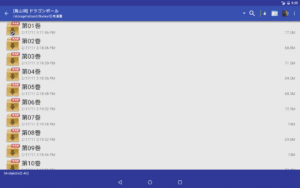
File Information
| Package Name | com.rookiestudio.perfectviewer |
|---|---|
| Version Name | 5.0.4.3 |
| Version Code | 30000735 |
| Architecture | arm64-v8a |
| Min Android Version | Android 14 (API 35) |
| Main Activity | com.rookiestudio.perfectviewer.TStartup |
| Framework | Native (Java/Kotlin) |
| File Size | 12.72 MB |
| Signature (SHA1) | A009E3EC07D85D8FE48722EA3FB5E08015B1FC4E |
| File Hash (SHA256) | b40307fe01fa531aeb131aa27af1fa55421861b783786a3fe29da2a387ed9c3d |
What's New
-Fixed : Upgrade Android API version
-Notification : PerfectViewer is no longer under development, but a brand-new cross-platform version, PerfectViewerX, is currently in development. It is expected to run on Windows, Linux, macOS, and Android, with the first version anticipated to be released next year. Please stay tuned!
-Notification : PerfectViewer is no longer under development, but a brand-new cross-platform version, PerfectViewerX, is currently in development. It is expected to run on Windows, Linux, macOS, and Android, with the first version anticipated to be released next year. Please stay tuned!
App Description
Perfect Viewer is a very fast image/comics/ebook viewer.
*Turn black/white image into 4 colorize image(Only available for donated users. Need install Perfect Viewer donation application).
*Page layout: Auto single page, Auto dual page, Auto switch by screen orientation
*Support eEook file format: EPUB, HTML, TXT
*Support image file format: JPEG, PNG, GIF, BMP, WebP, TIFF
*Support archive file format: CBZ/ZIP, CBR/RAR, 7Z/CB7, LZH, CBT/TAR
*Support PDF, XPS & DJVU file after install the PDF plugin
*Open file from network file sharing(CIFS/SAMBA), FTP, SFTP, FTPS, OPDS
*Require internet permission for CIFS/SAMBA support.
*Support open files from Google Drive, Dropbox, OneDrive after install the source plugin
*Require "GET_ACCOUNTS" and "USE_CREDENTIALS" permission for Google Drive support
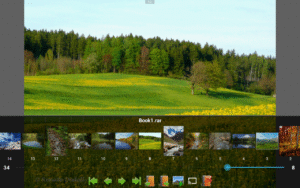
*Support 3 viewer mode: Page mode, Vertical scroll mode (PDF viewer,webtoon like) and Horizontal scroll mode.
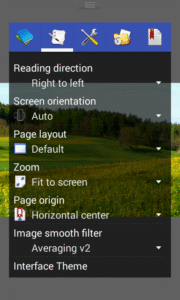
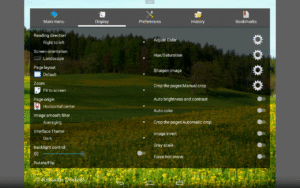
*Smooth filters: Averaging, Bilinear, Bicubic, Lanczos3;
*Five view mode: Full size, Fit Screen, Fit Width, Fit Height, Fixed size, Stretch;
*Support Left-to-right & right-to-left reading
*Set image as wallpaper
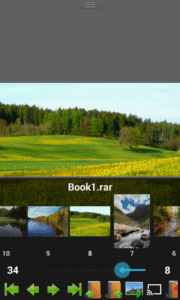
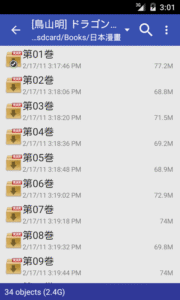
*Browse image in folder/archive as thumbnail
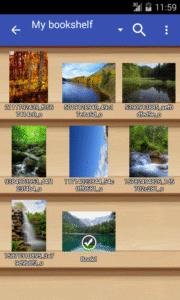
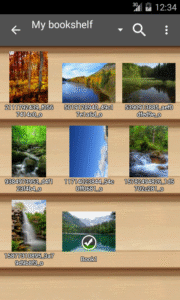
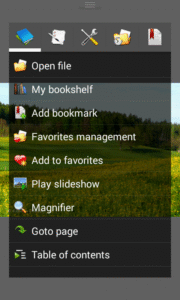
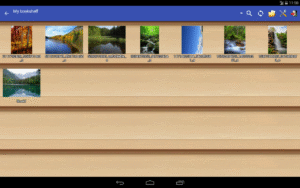
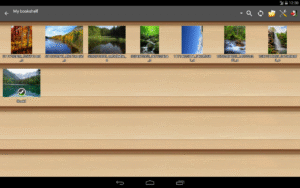
*Bookshelf function
*Support pinch to zoom & fling gesture
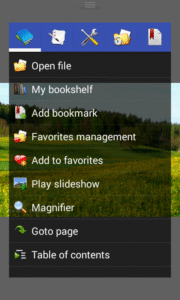
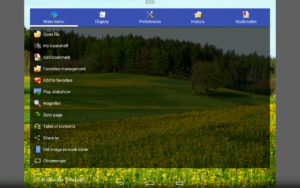
*Simple bookmark function
*My favorites management
*Cache next and previous page
*Simple file management(delete, rename)
*Slideshow
*Support extract files from archive
*Adjust image brightness,contrast & gamma
*Auto cut off white border.
*Support Google Chromecast
*Balloon magnifier
*Turn black/white image into 4 colorize image(Only available for donated users. Need install Perfect Viewer donation application).
*Page layout: Auto single page, Auto dual page, Auto switch by screen orientation
*Support eEook file format: EPUB, HTML, TXT
*Support image file format: JPEG, PNG, GIF, BMP, WebP, TIFF
*Support archive file format: CBZ/ZIP, CBR/RAR, 7Z/CB7, LZH, CBT/TAR
*Support PDF, XPS & DJVU file after install the PDF plugin
*Open file from network file sharing(CIFS/SAMBA), FTP, SFTP, FTPS, OPDS
*Require internet permission for CIFS/SAMBA support.
*Support open files from Google Drive, Dropbox, OneDrive after install the source plugin
*Require "GET_ACCOUNTS" and "USE_CREDENTIALS" permission for Google Drive support
*Support 3 viewer mode: Page mode, Vertical scroll mode (PDF viewer,webtoon like) and Horizontal scroll mode.
*Smooth filters: Averaging, Bilinear, Bicubic, Lanczos3;
*Five view mode: Full size, Fit Screen, Fit Width, Fit Height, Fixed size, Stretch;
*Support Left-to-right & right-to-left reading
*Set image as wallpaper
*Browse image in folder/archive as thumbnail
*Bookshelf function
*Support pinch to zoom & fling gesture
*Simple bookmark function
*My favorites management
*Cache next and previous page
*Simple file management(delete, rename)
*Slideshow
*Support extract files from archive
*Adjust image brightness,contrast & gamma
*Auto cut off white border.
*Support Google Chromecast
*Balloon magnifier
Download Perfect Viewer APK
Fast, free and safe download.
APK Permissions 10
- android.permission.GET_ACCOUNTS
- android.permission.INTERNET
- android.permission.READ_EXTERNAL_STORAGE
- android.permission.RECEIVE_BOOT_COMPLETED
- android.permission.SET_WALLPAPER
- android.permission.SET_WALLPAPER_HINTS
- android.permission.USE_BIOMETRIC
- android.permission.USE_CREDENTIALS
- android.permission.USE_FINGERPRINT
- android.permission.WRITE_EXTERNAL_STORAGE
APK Verified
The cryptographic signature guarantees that the file is safe to install and was not tampered with in any way.


Frequently Asked Questions about Perfect Viewer APK
This variant is built for 64-bit ARM (most Android phones made since 2017). If your device's CPU matches, this is the smallest, fastest version to install.
Yes — the APK's signature has been cryptographically verified against the publisher's signing key. The SHA-256 hash is shown in the File Information panel so you can independently confirm the file matches the original release.
Android 14 (API level 35) or newer. Older devices will refuse the install.
Install a free app like 'CPU-Z' or 'Droid Hardware Info' from the Play Store and look at the ABI / Instruction Set row. Most phones made after 2017 are arm64-v8a; if in doubt, download the universal variant.
All variants are functionally identical — same features, same version. They differ only in which CPU architectures the native code is compiled for, and (sometimes) which screen densities the included graphics target. Pick the one that matches your device for the smallest install size, or pick 'Universal' if you're unsure.