
Download TermOne Plus APK 5.0.1 arm64-v8a, armeabi-v7a, x86, x86_64 · Android 14+
Download APK
Verified Safe
This is the arm64-v8a, armeabi-v7a, x86, x86_64 build of TermOne Plus 5.0.1. Pick this build if your device's primary ABI matches.
File size: 5.5 MB • Min Android: 14 • Target Android: 34 • Version code: 501 • Framework: Native (Java/Kotlin) • Permissions: 10
Screenshots
File Information
| Package Name | com.termoneplus |
|---|---|
| Version Name | 5.0.1 |
| Version Code | 501 |
| Architecture | arm64-v8a, armeabi-v7a, x86, x86_64 |
| Min Android Version | Android 14 (API 34) |
| Main Activity | com.termoneplus.TermActivity |
| Framework | Native (Java/Kotlin) |
| File Size | 5.50 MB |
| Signature (SHA1) | 3F57616AF61D1AC2A8D12FF8756BEB367244BB9D |
| File Hash (SHA256) | 977da1242fe2741529cd9d7de47e097dbbb0c3c4ef489b0705ec02dd15d0ab1d |
What's New
Working bound (remote) sessions.
Switch to bound session window on Android 14.
Do not preserve system path items.
Revise path collection.
Build improvements.
Switch to bound session window on Android 14.
Do not preserve system path items.
Revise path collection.
Build improvements.
App Description
"TermOne Plus" is a terminal emulator application for Android devices.
Each android device has a build-in born shell and a number of shell command that allows user to:
- manage files and directories: list, create, move(rename), delete, compare, view, and etc;
- get information for running processes, network status and connections, mounted file system, free space, device;
- use package and application manager;
- do screen-shots.
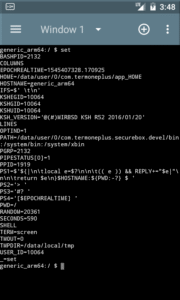
Application supports multiple terminal windows(screens). Each terminal starts own console session with build-in shell (by default).
Terminal emulates large subset of Digital Equipment Corporation VT-100 terminal capabilities - supported are following terminal types: vt100, screen (default), linux, screen-256color, xterm and xterm-256color. Also it supports UTF-8 console text mode by default.
For instance supported terminal capabilities allows users fully to use textual interface in remote login programs (ssh connections).
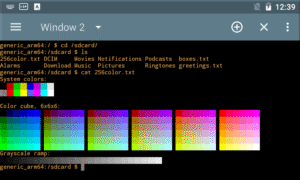
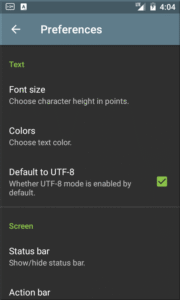
Terminal screen support color schemes like "Dark Pastels", "Solarized Light", "Solarized Dark", "Linux Console" and etc. Also user could chose size of text.
Terminal session use "shell start-up script" where you could tune environment setting, add shell functions or command aliases. In addition user could paste script obtained from content provider.
Tap on text with http or rtsp URL try to open it with respective "view" activity.
If needed user could request "Wake" and "Wi-Fi" locks.
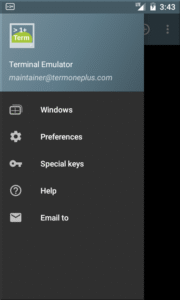
"TermOne Plus" user interface is based on material design - icons, colors. It uses navigation drawer as main menu. Also user could switch between "Light" and "Dark" theme mode.
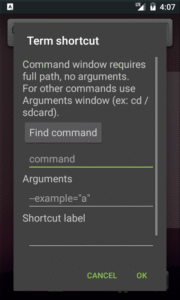
Launcher short-cut functionality allows user to create "button"(android short-cut widget) to a command or shell script.
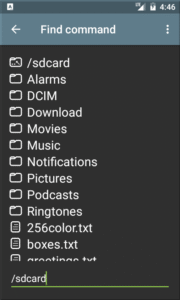
Build-in file selector (aka file explorer) is exported and so allows other applications easy to pick a file.
Application is localized in many languages and/or territories (locales).
"TermOne Plus" is successor of excellent but un-maintained since 2015 "Terminal Emulator for Android". This new application includes rewritten user interface, many compatibility and portability improvements, stability and defect fixes, and localization enhancements. As result it works fine with recent android releases (Android 12). Even on ancient like Gingerbread(2.3) it looks and works the same as for recent one.
Please visit application site to find out how to participate into development and/or localization, how to request new or enhanced functionality.
Each android device has a build-in born shell and a number of shell command that allows user to:
- manage files and directories: list, create, move(rename), delete, compare, view, and etc;
- get information for running processes, network status and connections, mounted file system, free space, device;
- use package and application manager;
- do screen-shots.
Application supports multiple terminal windows(screens). Each terminal starts own console session with build-in shell (by default).
Terminal emulates large subset of Digital Equipment Corporation VT-100 terminal capabilities - supported are following terminal types: vt100, screen (default), linux, screen-256color, xterm and xterm-256color. Also it supports UTF-8 console text mode by default.
For instance supported terminal capabilities allows users fully to use textual interface in remote login programs (ssh connections).
Terminal screen support color schemes like "Dark Pastels", "Solarized Light", "Solarized Dark", "Linux Console" and etc. Also user could chose size of text.
Terminal session use "shell start-up script" where you could tune environment setting, add shell functions or command aliases. In addition user could paste script obtained from content provider.
Tap on text with http or rtsp URL try to open it with respective "view" activity.
If needed user could request "Wake" and "Wi-Fi" locks.
"TermOne Plus" user interface is based on material design - icons, colors. It uses navigation drawer as main menu. Also user could switch between "Light" and "Dark" theme mode.
Launcher short-cut functionality allows user to create "button"(android short-cut widget) to a command or shell script.
Build-in file selector (aka file explorer) is exported and so allows other applications easy to pick a file.
Application is localized in many languages and/or territories (locales).
"TermOne Plus" is successor of excellent but un-maintained since 2015 "Terminal Emulator for Android". This new application includes rewritten user interface, many compatibility and portability improvements, stability and defect fixes, and localization enhancements. As result it works fine with recent android releases (Android 12). Even on ancient like Gingerbread(2.3) it looks and works the same as for recent one.
Please visit application site to find out how to participate into development and/or localization, how to request new or enhanced functionality.
Download TermOne Plus APK
Fast, free and safe download.
APK Permissions 10
- android.permission.ACCESS_SUPERUSER
- android.permission.DUMP
- android.permission.FOREGROUND_SERVICE
- android.permission.FOREGROUND_SERVICE_DATA_SYNC
- android.permission.INTERNET
- android.permission.POST_NOTIFICATIONS
- android.permission.READ_EXTERNAL_STORAGE
- android.permission.WAKE_LOCK
- android.permission.WRITE_EXTERNAL_STORAGE
- com.termoneplus.DYNAMIC_RECEIVER_NOT_EXPORTED_PERMISSION
APK Verified
The cryptographic signature guarantees that the file is safe to install and was not tampered with in any way.


Frequently Asked Questions about TermOne Plus APK
This variant is built for devices that report `arm64-v8a, armeabi-v7a, x86, x86_64` as their primary ABI. If your device's CPU matches, this is the smallest, fastest version to install.
Yes — the APK's signature has been cryptographically verified against the publisher's signing key. The SHA-256 hash is shown in the File Information panel so you can independently confirm the file matches the original release.
Android 14 (API level 34) or newer. Older devices will refuse the install.
Install a free app like 'CPU-Z' or 'Droid Hardware Info' from the Play Store and look at the ABI / Instruction Set row. Most phones made after 2017 are arm64-v8a; if in doubt, download the universal variant.
All variants are functionally identical — same features, same version. They differ only in which CPU architectures the native code is compiled for, and (sometimes) which screen densities the included graphics target. Pick the one that matches your device for the smallest install size, or pick 'Universal' if you're unsure.