
This is the x86 build of RSA Authenticator (SecurID) 4.6.0.16. Intel-architecture builds are useful for Android emulators (BlueStacks, NoxPlayer, Android Studio AVD), Chromebooks running ARC, and the small number of Intel-CPU Android phones. Most physical Android phones should download the ARM variant instead.
File size: 57.7 MB • Min Android: 28 • Target Android: 34 • Version code: 324 • Framework: Native (Java/Kotlin) • Permissions: 26
Screenshots
File Information
| Package Name | com.rsa.securidapp |
|---|---|
| Version Name | 4.6.0.16 |
| Version Code | 324 |
| Architecture | x86 |
| Min Android Version | Android 28 (API 34) |
| Main Activity | com.rsa.securidapp.ui.activity.SplashActivity |
| Framework | Native (Java/Kotlin) |
| File Size | 57.72 MB |
| Signature (SHA1) | 2B8FB56949AC57F9002C33C5ABDAD1BE40529BE9 |
| File Hash (SHA256) | 3c72cbf9c44c94e1098771560272041426d6bb1cca41157befd1ba77c9a5de36 |
What's New
- Streamline registration for RSA MFA and FIDO credentials.
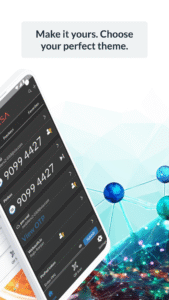
- Redesign UI to simplify navigation and improve the management of up to 30 credentials.
- Notification in the app when a new version is available to install.
- Enhanced information when Critical Threats are detected.
- Multiple Defect fixes.
- Redesign UI to simplify navigation and improve the management of up to 30 credentials.
- Notification in the app when a new version is available to install.
- Enhanced information when Critical Threats are detected.
- Multiple Defect fixes.
App Description
RSA Authenticator App
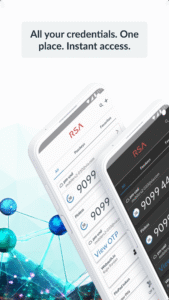
Secure your digital life and streamline access with the RSA Authenticator App. Designed for enterprises and highly regulated industries, RSA offers a trusted way to secure authentication regardless of your environment.
Multi-Factor Authentication (MFA) Made Easy
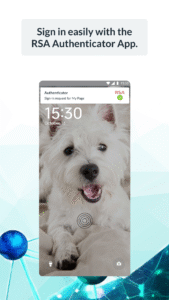
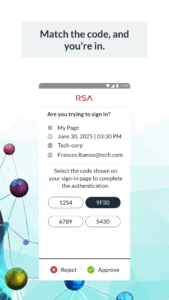
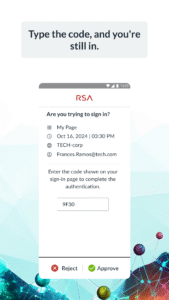
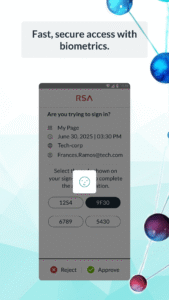
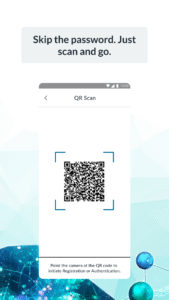
Protect your accounts with RSA's diverse multi-factor authentication (MFA) options, including one-time passcodes (OTP), QR codes, code matching, push notifications, biometrics, and hardware authenticators for an extra layer of security. RSA provides device-bound passkeys that are seamless and phishing-resistant, ensuring a smooth experience across your apps and services.
Passwordless Security, Simplified
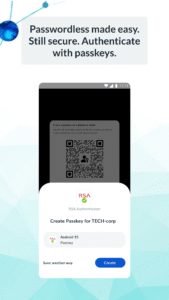
Forget passwords; use passkeys. Use your device-bound passkey for fast, secure, and frictionless authentication—perfect for organizations looking to reduce risks and boost workforce productivity.
Note:
Your company must be an RSA customer to use this app. Contact your help desk administrator if you did not receive the information required to register your device.
Secure your digital life and streamline access with the RSA Authenticator App. Designed for enterprises and highly regulated industries, RSA offers a trusted way to secure authentication regardless of your environment.
Multi-Factor Authentication (MFA) Made Easy
Protect your accounts with RSA's diverse multi-factor authentication (MFA) options, including one-time passcodes (OTP), QR codes, code matching, push notifications, biometrics, and hardware authenticators for an extra layer of security. RSA provides device-bound passkeys that are seamless and phishing-resistant, ensuring a smooth experience across your apps and services.
Passwordless Security, Simplified
Forget passwords; use passkeys. Use your device-bound passkey for fast, secure, and frictionless authentication—perfect for organizations looking to reduce risks and boost workforce productivity.
Note:
Your company must be an RSA customer to use this app. Contact your help desk administrator if you did not receive the information required to register your device.
Download RSA Authenticator (SecurID) APK
Fast, free and safe download.
APK Permissions 26
- android.permission.ACCESS_ADSERVICES_AD_ID
- android.permission.ACCESS_ADSERVICES_ATTRIBUTION
- android.permission.ACCESS_NETWORK_STATE
- android.permission.ACCESS_WIFI_STATE
- android.permission.BLUETOOTH
- android.permission.BLUETOOTH_ADMIN
- android.permission.BLUETOOTH_ADVERTISE
- android.permission.BLUETOOTH_CONNECT
- android.permission.CAMERA
- android.permission.CHANGE_NETWORK_STATE
- android.permission.CHANGE_WIFI_STATE
- android.permission.DISABLE_KEYGUARD
- android.permission.FOREGROUND_SERVICE
- android.permission.HIDE_OVERLAY_WINDOWS
- android.permission.INTERNET
- android.permission.POST_NOTIFICATIONS
- android.permission.QUERY_ALL_PACKAGES
- android.permission.RECEIVE_BOOT_COMPLETED
- android.permission.USE_BIOMETRIC
- android.permission.USE_FINGERPRINT
- android.permission.WAKE_LOCK
- com.google.android.c2dm.permission.RECEIVE
- com.google.android.finsky.permission.BIND_GET_INSTALL_REFERRER_SERVICE
- com.google.android.gms.permission.AD_ID
- com.rsa.securidapp.DYNAMIC_RECEIVER_NOT_EXPORTED_PERMISSION
- com.rsa.via.READ_DATABASE
APK Verified
The cryptographic signature guarantees that the file is safe to install and was not tampered with in any way.
Other Variants
This release has multiple variants (e.g. diff architectures).
arm64-v8a armeabi-v7a x86_64


Frequently Asked Questions about RSA Authenticator (SecurID) APK
This variant is built for 32-bit Intel (older Chromebooks, some Android emulators). If your device's CPU matches, this is the smallest, fastest version to install.
Yes — the APK's signature has been cryptographically verified against the publisher's signing key. The SHA-256 hash is shown in the File Information panel so you can independently confirm the file matches the original release.
Android 28 (API level 34) or newer. Older devices will refuse the install.
Install a free app like 'CPU-Z' or 'Droid Hardware Info' from the Play Store and look at the ABI / Instruction Set row. Most phones made after 2017 are arm64-v8a; if in doubt, download the universal variant.
All variants are functionally identical — same features, same version. They differ only in which CPU architectures the native code is compiled for, and (sometimes) which screen densities the included graphics target. Pick the one that matches your device for the smallest install size, or pick 'Universal' if you're unsure.