
This is the universal build of My OneApp 3.5.7. It contains native libraries for every CPU architecture (arm64-v8a, armeabi-v7a, x86, x86_64), so it installs on any Android device. The trade-off is size — it's larger than per-architecture variants. Pick this one if you're unsure which CPU your phone has, or if you plan to share the APK with multiple devices.
File size: 77.7 MB • Min Android: 23 • Target Android: 35 • Version code: 30512 • Framework: Native (Java/Kotlin) • Permissions: 45
Screenshots
File Information
| Package Name | com.safaricom.mpesa.lifestyle |
|---|---|
| Version Name | 3.5.7 |
| Version Code | 30512 |
| Architecture | Universal |
| Min Android Version | Android 23 (API 35) |
| Main Activity | com.mpesa.splash.SplashActivity |
| Framework | Native (Java/Kotlin) |
| File Size | 77.74 MB |
| Signature (SHA1) | A53B9CE1A7D13572EE992941DF86B5864D731798 |
| File Hash (SHA256) | ab40cd8b60de7498b8eb2a152e1d6663ff93ca25164fa89a07c7fa2796c3e44d |
What's New
Thank you for using the M-PESA app. We are always working on new features, improvements, and bug fixes. This version includes performance improvements and bug fixes.
App Description
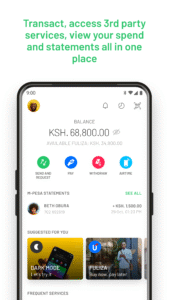
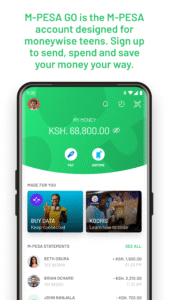
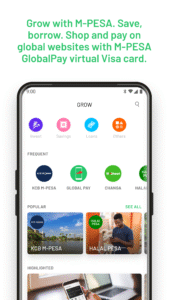
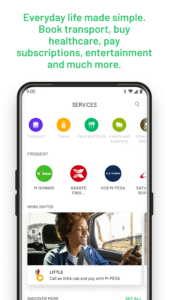
Introducing the new M-PESA App! The new app allows you to do more on M-PESA fast and conveniently. View and manage your financials easily with the new features now available with just a few taps on your mobile phone.
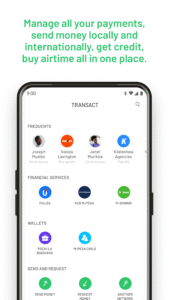
• Core M-PESA transactions - Access all core M-PESA transactions with a brand new and more simplified user experience - Send money, buy goods, pay bill, withdraw at agent and buy airtime
• Offline Mode - Log in and transact on the app (Send Money, LNM, withdraw and buy airtime only) without having an active data connection i.e., app can be used without data bundles or with data turned off completely.
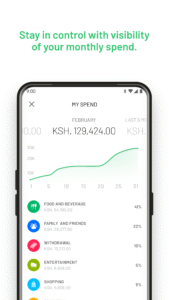
• My Spend - Allows the user to track their M-PESA spend per month with aggregate and daily average spend displayed on the card on the home screen as well as a more detailed view with transactions broken down by category with the user being able to change their category
• Statement - Review, interact and action your entire M-PESA statement directly on the home screen as well as filter, download and export your M-PESA statement in PDF form
• Receipts - Download and share e-receipts for send money, buy goods, pay bill and withdraw transactions to share transaction information with other users via pdf
• Biometric Authentication - Log in and transact on the app using face or fingerprint authentication without having to enter M-PESA PIN manually every time
• Pochi la Biashara - New transaction type on M-PESA that enables users to send money to the business wallet for micro merchants
• Favourites - Save people or businesses you interact with regularly directly on the app so you don’t have to manually enter the details every time you want to make a payment
• Frequents - Get an automatically generated list of people or businesses you frequently send money to
• M-PESA Global - International money transfer service that enables send to mobile, send to bank, send to western union, PayPal top up and withdrawal and roaming pick up
• Due Bills - Get notifications for your bills when they become due and pay fully or partially directly from the app* for participating billers
• Buy bundles - buy Safaricom data, voice and SMS bundles and pay directly on the app using airtime or M-PESA
• Send money with gifs/description - Add context when sending money by adding a payment description or attaching a gif for the recipient
• Send money with profile picture - Enables users to upload a profile picture that will be visible when someone sends them money via the app
• frequently interact with to simplify the payment process
• QR - Initiate send money, buy goods, pay bill and withdraw transactions by scanning QR codes and generate and share your own personal QR code
• Core M-PESA transactions - Access all core M-PESA transactions with a brand new and more simplified user experience - Send money, buy goods, pay bill, withdraw at agent and buy airtime
• Offline Mode - Log in and transact on the app (Send Money, LNM, withdraw and buy airtime only) without having an active data connection i.e., app can be used without data bundles or with data turned off completely.
• My Spend - Allows the user to track their M-PESA spend per month with aggregate and daily average spend displayed on the card on the home screen as well as a more detailed view with transactions broken down by category with the user being able to change their category
• Statement - Review, interact and action your entire M-PESA statement directly on the home screen as well as filter, download and export your M-PESA statement in PDF form
• Receipts - Download and share e-receipts for send money, buy goods, pay bill and withdraw transactions to share transaction information with other users via pdf
• Biometric Authentication - Log in and transact on the app using face or fingerprint authentication without having to enter M-PESA PIN manually every time
• Pochi la Biashara - New transaction type on M-PESA that enables users to send money to the business wallet for micro merchants
• Favourites - Save people or businesses you interact with regularly directly on the app so you don’t have to manually enter the details every time you want to make a payment
• Frequents - Get an automatically generated list of people or businesses you frequently send money to
• M-PESA Global - International money transfer service that enables send to mobile, send to bank, send to western union, PayPal top up and withdrawal and roaming pick up
• Due Bills - Get notifications for your bills when they become due and pay fully or partially directly from the app* for participating billers
• Buy bundles - buy Safaricom data, voice and SMS bundles and pay directly on the app using airtime or M-PESA
• Send money with gifs/description - Add context when sending money by adding a payment description or attaching a gif for the recipient
• Send money with profile picture - Enables users to upload a profile picture that will be visible when someone sends them money via the app
• frequently interact with to simplify the payment process
• QR - Initiate send money, buy goods, pay bill and withdraw transactions by scanning QR codes and generate and share your own personal QR code
Download My OneApp APK
Fast, free and safe download.
APK Permissions 45
- android.permission.ACCESS_COARSE_LOCATION
- android.permission.ACCESS_FINE_LOCATION
- android.permission.ACCESS_NETWORK_STATE
- android.permission.ACCESS_WIFI_STATE
- android.permission.BLUETOOTH
- android.permission.BLUETOOTH_ADMIN
- android.permission.BLUETOOTH_ADVERTISE
- android.permission.BLUETOOTH_CONNECT
- android.permission.BLUETOOTH_SCAN
- android.permission.CALL_PHONE
- android.permission.CAMERA
- android.permission.CHANGE_WIFI_STATE
- android.permission.DETECT_SCREEN_CAPTURE
- android.permission.FOREGROUND_SERVICE
- android.permission.GET_ACCOUNTS
- android.permission.GET_TASKS
- android.permission.INTERNET
- android.permission.MODIFY_AUDIO_SETTINGS
- android.permission.NFC
- android.permission.POST_NOTIFICATIONS
- android.permission.READ_CONTACTS
- android.permission.READ_EXTERNAL_STORAGE
- android.permission.READ_MEDIA_AUDIO
- android.permission.READ_PHONE_NUMBERS
- android.permission.READ_PHONE_STATE
- android.permission.READ_SMS
- android.permission.READ_SYNC_SETTINGS
- android.permission.RECEIVE_BOOT_COMPLETED
- android.permission.RECEIVE_SMS
- android.permission.RECORD_AUDIO
- android.permission.REORDER_TASKS
- android.permission.SCHEDULE_EXACT_ALARM
- android.permission.SEND_SMS
- android.permission.USE_BIOMETRIC
- android.permission.USE_FINGERPRINT
- android.permission.VIBRATE
- android.permission.WAKE_LOCK
- android.permission.WRITE_CONTACTS
- android.permission.WRITE_EXTERNAL_STORAGE
- android.permission.WRITE_SYNC_SETTINGS
- com.google.android.c2dm.permission.RECEIVE
- com.google.android.finsky.permission.BIND_GET_INSTALL_REFERRER_SERVICE
- com.google.android.gms.permission.AD_ID
- com.google.android.providers.gsf.permission.READ_GSERVICES
- com.safaricom.mpesa.lifestyle.DYNAMIC_RECEIVER_NOT_EXPORTED_PERMISSION
APK Verified
The cryptographic signature guarantees that the file is safe to install and was not tampered with in any way.


Frequently Asked Questions about My OneApp APK
This is the universal variant — a single APK that contains native libraries for every CPU architecture. It installs on any Android device but is larger than per-architecture variants.
Yes — the APK's signature has been cryptographically verified against the publisher's signing key. The SHA-256 hash is shown in the File Information panel so you can independently confirm the file matches the original release.
Android 23 (API level 35) or newer. Older devices will refuse the install.
Install a free app like 'CPU-Z' or 'Droid Hardware Info' from the Play Store and look at the ABI / Instruction Set row. Most phones made after 2017 are arm64-v8a; if in doubt, download the universal variant.
All variants are functionally identical — same features, same version. They differ only in which CPU architectures the native code is compiled for, and (sometimes) which screen densities the included graphics target. Pick the one that matches your device for the smallest install size, or pick 'Universal' if you're unsure.