
Download Samsung Calendar APK 12.7.02.9 arm64-v8a, armeabi-v7a · Android 34+
Download APK
Verified Safe
This is the arm64-v8a, armeabi-v7a build of Samsung Calendar 12.7.02.9. Pick this build if your device's primary ABI matches.
File size: 54.9 MB • Min Android: 34 • Target Android: 36 • Version code: 1270209000 • Framework: Native (Java/Kotlin) • Permissions: 34
Screenshots
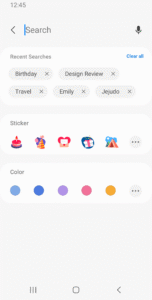
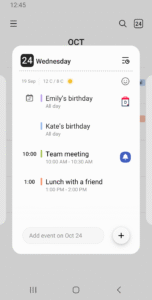
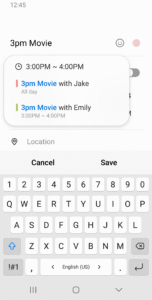
File Information
| Package Name | com.samsung.android.calendar |
|---|---|
| Version Name | 12.7.02.9 |
| Version Code | 1270209000 |
| Architecture | arm64-v8a, armeabi-v7a |
| Min Android Version | Android 34 (API 36) |
| Main Activity | com.samsung.android.app.calendar.activity.MainActivity |
| Framework | Native (Java/Kotlin) |
| File Size | 54.86 MB |
| Signature (SHA1) | 9CA5170F381919DFE0446FCDAB18B19A143B3163 |
| File Hash (SHA256) | 695117d4be728ad1407aee863d8464039e2f922ae4ea25ef4602c3912719ced3 |
What's New
• Sticker sync supported in Samsung shared calendar
• Adding events supported in cover calendar widget
• Date selector UI updated
• Samsung Wallet UI updated
• Lunar date repetition setting updated
• Adding events supported in cover calendar widget
• Date selector UI updated
• Samsung Wallet UI updated
• Lunar date repetition setting updated
App Description
A new event begins the moment you tap a date.
It helps you create events and tasks quickly and easily, and ensures that you remember them.
Decorate your home screen beautifully with the neat looking transparent widget.
[Key Features]
*Manage all your schedules at a glance by adding various Calendars, including Google Calendar.
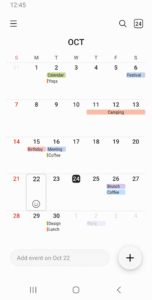
*Assign color codes to events in each calendar.
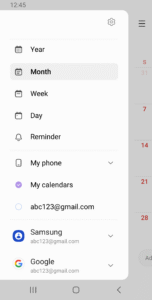
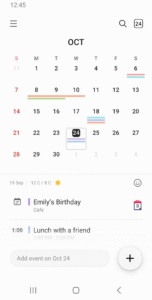
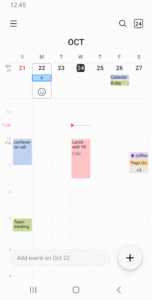
*Provides various options to display including year, month, week, day and task views.
*Display weekly weather information.
*Set a pattern of recurrence and the time zone when you create an event.
*Choose from several types of widgets with adjustable transparency.
*Switch from one day, week, month or year to the next with a simple horizontal swipe.
*Set up variety notifications for an event.
The following permissions are required for the app service. For optional permissions, the default functionality of the service is turned on, but not allowed.
[Required permissions]
- Calendar : Add and check the schedule
- Notification : Notify you of events
[Optional permissions]
- Contacts : Invite attendees to the schedule or show the contact's birthday
- Location : Save location information in the schedule
- Photos and videos : Attach file to schedule
If your system software version is lower than Android 6.0, please update the software to configure App permissions.
Previously allowed permissions can be reset on Apps menu in device settings after software update.
It helps you create events and tasks quickly and easily, and ensures that you remember them.
Decorate your home screen beautifully with the neat looking transparent widget.
[Key Features]
*Manage all your schedules at a glance by adding various Calendars, including Google Calendar.
*Assign color codes to events in each calendar.
*Provides various options to display including year, month, week, day and task views.
*Display weekly weather information.
*Set a pattern of recurrence and the time zone when you create an event.
*Choose from several types of widgets with adjustable transparency.
*Switch from one day, week, month or year to the next with a simple horizontal swipe.
*Set up variety notifications for an event.
The following permissions are required for the app service. For optional permissions, the default functionality of the service is turned on, but not allowed.
[Required permissions]
- Calendar : Add and check the schedule
- Notification : Notify you of events
[Optional permissions]
- Contacts : Invite attendees to the schedule or show the contact's birthday
- Location : Save location information in the schedule
- Photos and videos : Attach file to schedule
If your system software version is lower than Android 6.0, please update the software to configure App permissions.
Previously allowed permissions can be reset on Apps menu in device settings after software update.
Download Samsung Calendar APK
Fast, free and safe download.
APK Permissions 34
- android.permission.BROADCAST_CLOSE_SYSTEM_DIALOGS
- android.permission.FOREGROUND_SERVICE_LOCATION
- android.permission.NFC
- android.permission.READ_CONTACTS
- android.permission.READ_MEDIA_IMAGES
- android.permission.READ_SYNC_STATS
- android.permission.SET_ACTIVITY_WATCHER
- android.permission.START_ACTIVITIES_FROM_BACKGROUND
- android.permission.USE_EXACT_ALARM
- com.android.alarm.permission.SET_ALARM
- com.android.launcher.permission.UNINSTALL_SHORTCUT
- com.samsung.android.app.aodservice.permission.AOD_PROVIDER
- com.samsung.android.app.deepsky.feedback.provider.permission.SUBMIT_FEEDBACK
- com.samsung.android.app.reminder.permission.READ
- com.samsung.android.app.reminder.permission.WRITE
- com.samsung.android.app.spage.permission.WRITE_CARD_DATA
- com.samsung.android.calendar.DYNAMIC_RECEIVER_NOT_EXPORTED_PERMISSION
- com.samsung.android.calendar.permission.READ_STICKERS
- com.samsung.android.intellivoiceservice.permission.BIND_EXTRACTION_SERVICE
- com.samsung.android.intellivoiceservice.permission.BIND_SMART_REPLY_SERVICE
- com.samsung.android.intellivoiceservice.permission.BIND_SUGGESTION_SERVICE_FOR_EXTERNAL
- com.samsung.android.mobileservice.sasettings.permission.READ
- com.samsung.android.rubin.persona.permission.READ_PERSONA_MANAGER
- com.samsung.android.samsungaccount.permission.ACCESS_SASETTINGS
- com.samsung.android.samsungaccount.permission.PROFILE_PROVIDER
- com.samsung.android.scloud.backup.lib.write
- com.samsung.android.scloud.permission.RPC_SYNC_SETTING
- com.samsung.android.scs.permission.SUPPORTED_FEATURE_PROVIDER
- com.samsung.android.visual.cloudcore.permission.SUPPORTED_FEATURE_PROVIDER
- com.samsung.android.visual.core.permission.SUPPORTED_FEATURE_PROVIDER
- com.samsung.android.weather.permission.START_ACTIVITY
- com.samsung.knox.bnr.permission.ACCESS
- com.samsung.sea.retailagent.permission.RETAILMODE
- com.sec.android.app.myfiles.permission.MOVE_TO_KNOX_BY_DND
APK Verified
The cryptographic signature guarantees that the file is safe to install and was not tampered with in any way.
Similar in Productivity


More by Samsung Electronics Co., Ltd.


Frequently Asked Questions about Samsung Calendar APK
This variant is built for devices that report `arm64-v8a, armeabi-v7a` as their primary ABI. If your device's CPU matches, this is the smallest, fastest version to install.
Yes — the APK's signature has been cryptographically verified against the publisher's signing key. The SHA-256 hash is shown in the File Information panel so you can independently confirm the file matches the original release.
Android 34 (API level 36) or newer. Older devices will refuse the install.
Install a free app like 'CPU-Z' or 'Droid Hardware Info' from the Play Store and look at the ABI / Instruction Set row. Most phones made after 2017 are arm64-v8a; if in doubt, download the universal variant.
All variants are functionally identical — same features, same version. They differ only in which CPU architectures the native code is compiled for, and (sometimes) which screen densities the included graphics target. Pick the one that matches your device for the smallest install size, or pick 'Universal' if you're unsure.